The best BFCM promotions in 2026 are the ones that reward a bigger basket instead of cutting every price: a free gift at a spend threshold, a tiered progress bar, BOGO on selected items, bundles with quantity breaks, and one post-purchase offer, all launched against a written margin floor. This playbook shows how each offer works, how to set it up in Shopify, what it costs in real dollars, and when to launch it.
BFCM 2026 runs from Thanksgiving, Thursday, November 26, to Cyber Monday, Monday, November 30. If you want the market data behind these choices first, read our 2025 season review for BFCM 2026. This post does not repeat it. It is about what to build and how to price it.
Key takeaways
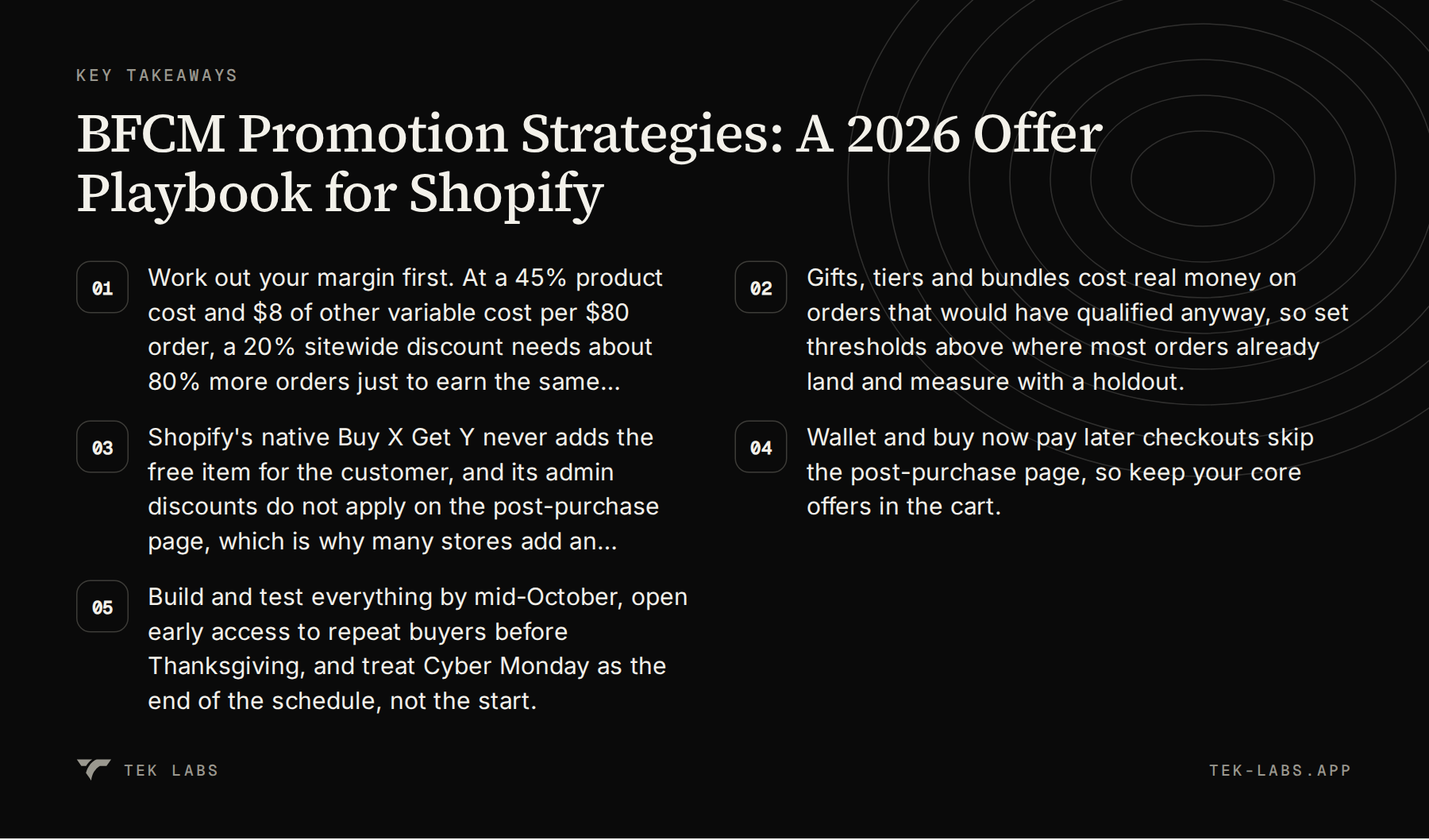
- Work out your margin first. At a 45% product cost and $8 of other variable cost per $80 order, a 20% sitewide discount needs about 80% more orders just to earn the same profit.
- Gifts, tiers and bundles cost real money on orders that would have qualified anyway, so set thresholds above where most orders already land and measure with a holdout.
- Shopify’s native Buy X Get Y never adds the free item for the customer, and its admin discounts do not apply on the post-purchase page, which is why many stores add an app for those two jobs.
- Wallet and buy now pay later checkouts skip the post-purchase page, so keep your core offers in the cart.
- Build and test everything by mid-October, open early access to repeat buyers before Thanksgiving, and treat Cyber Monday as the end of the schedule, not the start.
Step zero: the margin arithmetic
Every offer below is a way of giving money back to the customer. Before choosing one, write down what an average order earns. The numbers here are hypothetical and chosen to be easy to follow, so replace them with yours.
Worked example 1 (hypothetical). A store sells an average order of $80. Product cost is 45% of price, which is $36. Other variable costs (payment fees, pick and pack, packaging, postage the store pays) total $8 per order. Contribution per order is $80 minus $36 minus $8, which is $36.
Now apply a sitewide percentage discount. The discount comes straight out of contribution, because costs do not change. The number of orders you need relative to a normal day to earn the same total contribution is $36 divided by ($36 minus the dollar discount per order).
| Discount | Dollar cost per $80 order | Contribution per order | Orders needed to match $36 per order |
|---|---|---|---|
| — | — | — | — |
| 0% | $0 | $36 | 1.00x |
| 10% | $8 | $28 | 1.29x (+29%) |
| 15% | $12 | $24 | 1.50x (+50%) |
| 20% | $16 | $20 | 1.80x (+80%) |
| 25% | $20 | $16 | 2.25x (+125%) |
| 30% | $24 | $12 | 3.00x (+200%) |
A 30% sitewide discount in this store needs triple the orders to break even on profit. That does not mean you should never discount. It means the price cut has to buy something, such as customers you would not otherwise acquire, or inventory you need to clear, and you should know which. The offers below are different tools for different goals.
Three habits keep the arithmetic honest:
- Set a margin floor per product or collection (for example, never below 25% contribution after all offers) and give it to whoever builds the offers.
- Add a returns allowance. Adobe found that one in seven holiday returns happened between December 26 and December 31, so part of BFCM revenue comes back after the event.
- Decide what a “gift” costs you as landed cost (product plus inbound freight plus packaging), not retail price. Shoppers see the retail price, and you pay the landed cost. That difference is the entire economic case for gifts.
Offer 1: free gift with purchase
A free gift with purchase gives the customer an item when the cart reaches a threshold. Research on promotions points to a trade-off. A study of more than 2,000 participants in an online shopping simulation by Foubert, Breugelmans, Gedenk and Rolef (Journal of Retailing, 2018) found that the impact of premiums on purchase behavior is systematically lower than that of equivalent price cuts, but that a premium’s smaller sales impact may be offset by a cost advantage. Gifts are cheaper to give than their retail value suggests, so the question is whether they are cheap enough for your situation.
How to set it up natively in Shopify
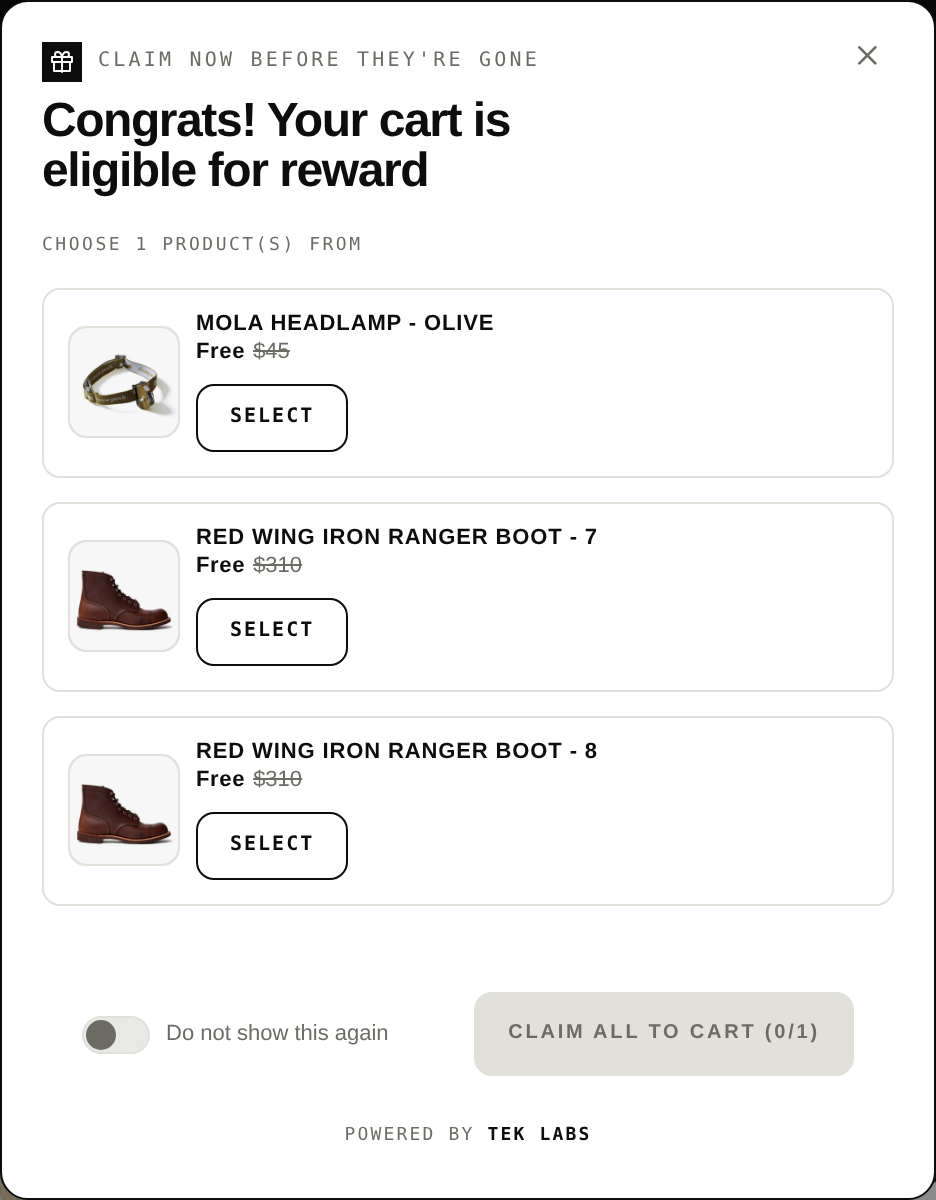
Shopify’s Buy X Get Y discount can do a basic version. In the Discounts page you create a Buy X Get Y discount, set the Customer buys condition (a minimum quantity or a minimum purchase amount), choose the products or collections the customer gets, and set the discounted value to Free. Two limits matter for BFCM. First, per Shopify’s help center, customers must add all items to their cart manually, and the free or discounted “get” item is never automatically added to the cart. Shoppers who do not notice the offer will not take it. Second, the minimum purchase amount counts product prices only, at full price before other discounts, and never includes shipping or taxes.
A third detail catches stores on launch night. The start time follows the time zone chosen in your Shopify admin. Shopify’s example is a store in Eastern Standard Time that selects November 26, so the discount starts at 12:00 a.m. EST on November 26. If your customers are in a different time zone, state the start time in your announcement.
How to set it up with an app
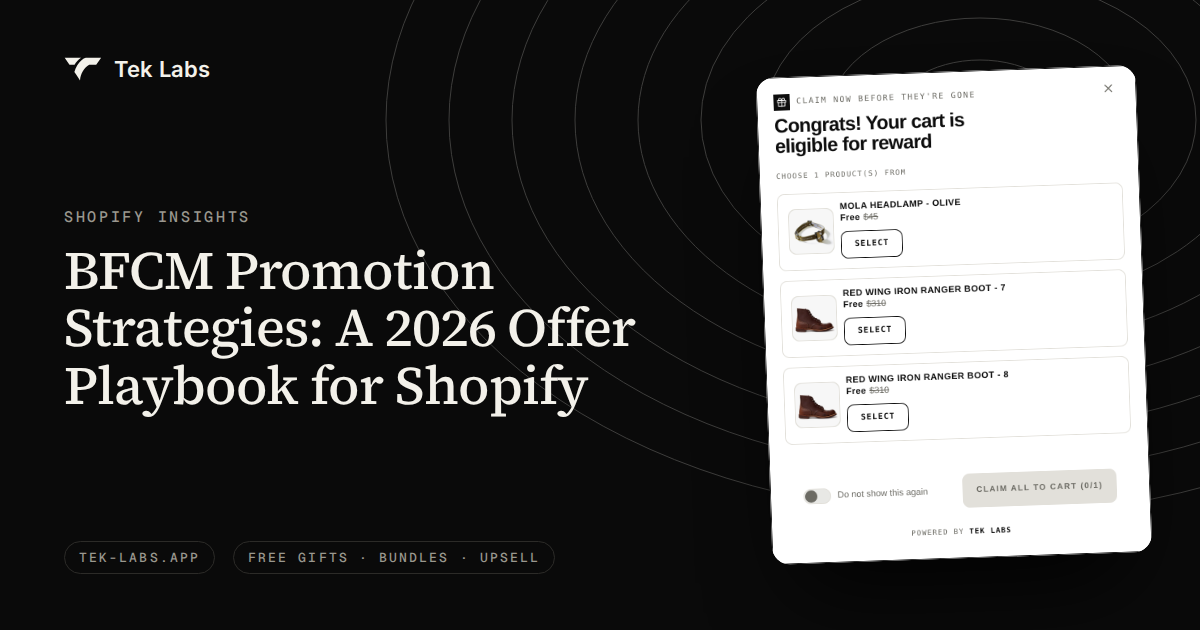
Free Gifts BOGO & Upsell (Salepify) covers the parts native discounts leave to the customer. In its user guide, the Free Gift rule lets you set conditions by cart value or by cart quantity, apply them to specific products, variants, collections, tags or all products, and choose how the gift is added: automatically (all listed gifts, the first available gift, or a discount on the cheapest item in the cart) or manually, where customers pick from the gift list. It can prevent customers from changing or removing the gift, remove the gift automatically if the cart no longer qualifies, and cap how many times the offer applies per order or in total, which matters for limited gift stock. A Validate Offer button checks the widget block, auto-add behavior and offer visibility before you go live. The comparison in our post on Shopify’s default Buy X Get Y versus third-party providers goes through the differences in more detail.
The threshold problem, with numbers
The threshold decides whether a gift pays for itself, and the problem is not the shoppers who top up. It is the shoppers who would have spent that much anyway.
Worked example 2 (hypothetical). A store has 1,000 orders in a period, an AOV of $70, 55% gross margin on product revenue and $8 of other variable cost per order. A gift costs $5 landed. The store sets the threshold at $90.
- 150 orders are already at $90 or more. They all receive a gift that changes nothing: 150 times $5 is $750 of cost.
- 300 orders sit between $70 and $89, with an average gap to the threshold of $12. Suppose 30% of them add enough to qualify, which is 90 orders.
- The top-up adds 90 times $12, which is $1,080 of revenue and, at a 55% margin, $594 of gross profit.
- The 90 top-up orders also receive a gift: 90 times $5 is $450. Total gift cost is $750 plus $450, which is $1,200.
- Top-up only: $594 minus $1,200 is a loss of $606.
Under these assumptions, the top-up alone does not pay for the gift. The offer works only if it also brings extra orders, and a visible gift can do that. If the gift lifts conversion enough to add 4% more orders (40 orders), and each earns $70 times 55% minus $8, which is $30.50, that adds $1,220. If a quarter of those 40 also qualify for a gift, that costs another $50. The net becomes minus $606 plus $1,220 minus $50, which is plus $564.
| Scenario | Gross profit gained | Gift cost | Net |
|---|---|---|---|
| — | — | — | — |
| Top-up only | $594 | $1,200 | -$606 |
| Top-up plus 4% more orders | $594 + $1,220 | $1,200 + $50 | +$564 |
The lesson is not “gifts never pay.” It is that a gift is a bet on new orders and bigger baskets, and the bet gets better when you do five things:
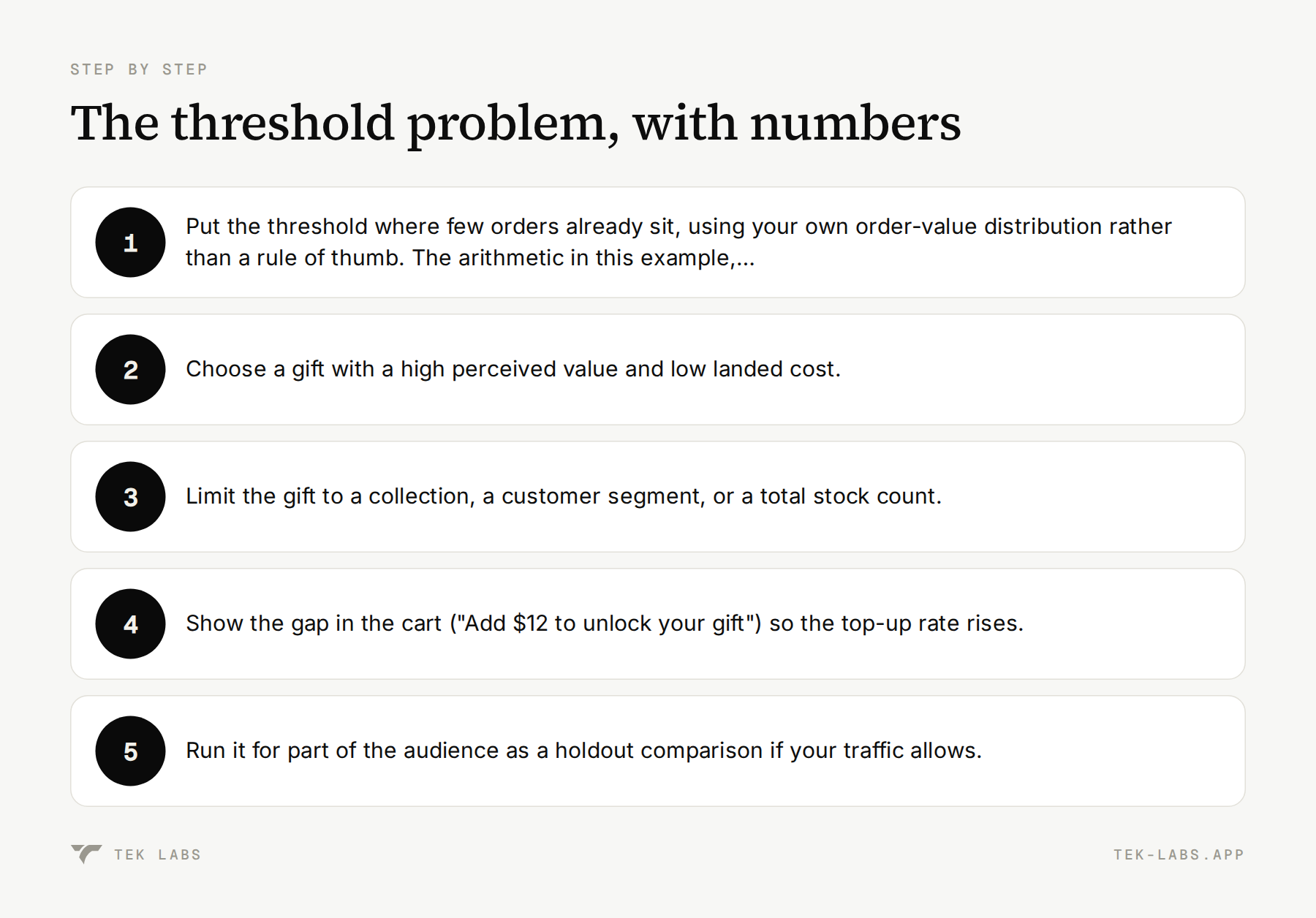
- Put the threshold where few orders already sit, using your own order-value distribution rather than a rule of thumb. The arithmetic in this example, applied to your own AOV, margin and gift cost, shows whether a threshold covers the gift.
- Choose a gift with a high perceived value and low landed cost.
- Limit the gift to a collection, a customer segment, or a total stock count.
- Show the gap in the cart (“Add $12 to unlock your gift”) so the top-up rate rises.
- Run it for part of the audience as a holdout comparison if your traffic allows.
Say what the offer really is
The US Federal Trade Commission’s pricing guide treats “free” offers carefully. Under 16 CFR 233.4, the seller is not literally giving the item away, because the purchase is required, so whenever a free, 2-for-1 or similar offer is made, all the terms and conditions should be made clear at the outset. The same section warns that the consumer may be deceived if the seller raises the regular price of the required item, or cuts its quantity or quality, to pay for the offer. State the threshold, the dates, the gift choices and any exclusions next to the offer. Do not raise prices in October to fund November.
Offer 2: BOGO and Buy X Get Y
BOGO (buy one, get one) and Buy X Get Y are the most recognizable offers, and the names hide a large range of actual discounts. The effective discount depends on how much the second item is reduced.
Worked example 3 (hypothetical). An item sells for $30 and costs $12 landed.
| Offer | Revenue for the pair or set | Product cost | Gross profit | Effective discount |
|---|---|---|---|---|
| — | — | — | — | — |
| Normal price, 2 units | $60 | $24 | $36 | 0% |
| Buy 1 get 1 free | $30 | $24 | $6 | 50% |
| Buy 1 get 1 at 50% off | $45 | $24 | $21 | 25% |
| Buy 2 get 1 free (3 units) | $60 | $36 | $24 | 33% |
Buy 1 get 1 free on this item leaves $6 of gross profit on the pair, before the $8 of other order costs, so it loses money unless the order includes other items. The 50% off version keeps $21. For many stores the second-at-half-price version is the better BFCM offer, and Buy 2 get 1 free works when the item is low cost relative to price.
Setup and guardrails
In Shopify, create a Buy X Get Y discount code or automatic discount. Set the customer buys quantity, the customer gets quantity, the discounted value (percentage, amount off each, or free), and a maximum number of uses per order. That last setting is the one that stops an accidental “buy 10, get 10 free” cart. Restrict the “get” items to a collection with a margin that can carry it, and restrict eligibility by customer segment or market if the offer is regional.
Stacking is where BOGO offers go wrong. Shopify’s help center on discount combinations lists the rules you need:
- Discounts are classed as product, order or shipping discounts, and each one has to be set to combine with other classes for the combination to apply.
- All merchants can combine order discounts with free shipping, product discounts with free shipping, and product discounts on separate items. Combining product discounts with order discounts, or order discounts with other order discounts, needs your store to meet eligibility requirements. Combining product discounts on the same line item needs Shopify Plus.
- A customer can use up to five product or order discount codes and one shipping code on one order.
- When discounts cannot combine, Shopify applies the better discount for the customer.
- A store can have at most 25 active automatic discounts, and that total includes app-based discounts. A busy BFCM can use this up faster than you expect.
Before launch, make a short matrix of every offer against every other offer, mark which may combine, and test the combinations you allow with real checkouts.
Offer 3: tiered spend rewards
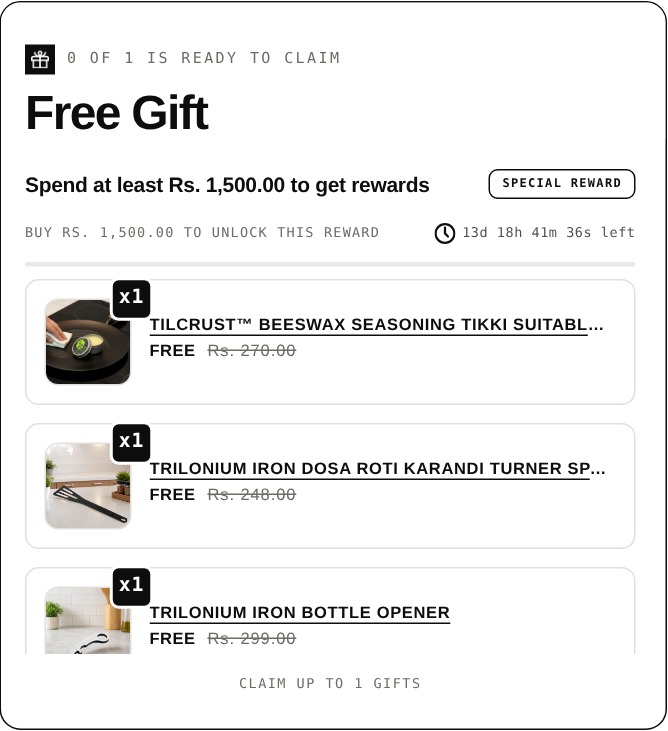
A tiered offer ties several rewards to one growing cart, for example free shipping at one amount, a gift at the next and a percentage off at the top. It suits stores with a wide price range because each customer finds a tier close to their basket.
Shipping deserves its own tier in most stores. Baymard Institute’s list of abandonment reasons, after excluding people who were just browsing, puts extra costs that were too high (shipping, tax, fees) first, at 40%, and 12% of abandoners say they could not see or calculate the total order cost up front. Salesforce predicts retailers will spend an additional $4.8 billion on free shipping in the 2026 holiday season, so shoppers will compare you with stores that offer it. Our guide to smart free shipping strategies goes deeper on how to set that threshold.
Pricing the tiers
Worked example 4 (hypothetical). Same economics as example 2: 55% gross margin on product revenue and $8 of other variable cost per order. Rewards stack, so each higher tier includes the lower ones. Free shipping costs the store $7, the gift $5 landed, and the top tier is 10% off the cart.
| Tier | Cart value | Reward | Cumulative reward cost | Contribution at the threshold, before rewards | Reward cost as a share of contribution |
|---|---|---|---|---|---|
| — | — | — | — | — | — |
| 1 | $60 | Free shipping | $7 | $25.00 | 28% |
| 2 | $90 | Plus a free gift | $12 | $41.50 | 29% |
| 3 | $130 | Plus 10% off the cart | $25 | $63.50 | 39% |
The contribution at each threshold is the cart value times 55% minus $8: $60 gives $25, $90 gives $41.50 and $130 gives $63.50. Tiers 1 and 2 cost about 28% to 29% of the contribution they protect, which is a clear price for a basket nudge. Tier 3 costs 39%, so a customer who reaches it keeps less of the margin. Changing the top reward to 5% off the cart ($6.50) cuts the cumulative cost to $18.50, which is 29% of the contribution at $130. Check each step this way and adjust the weakest one.
Setup with an app
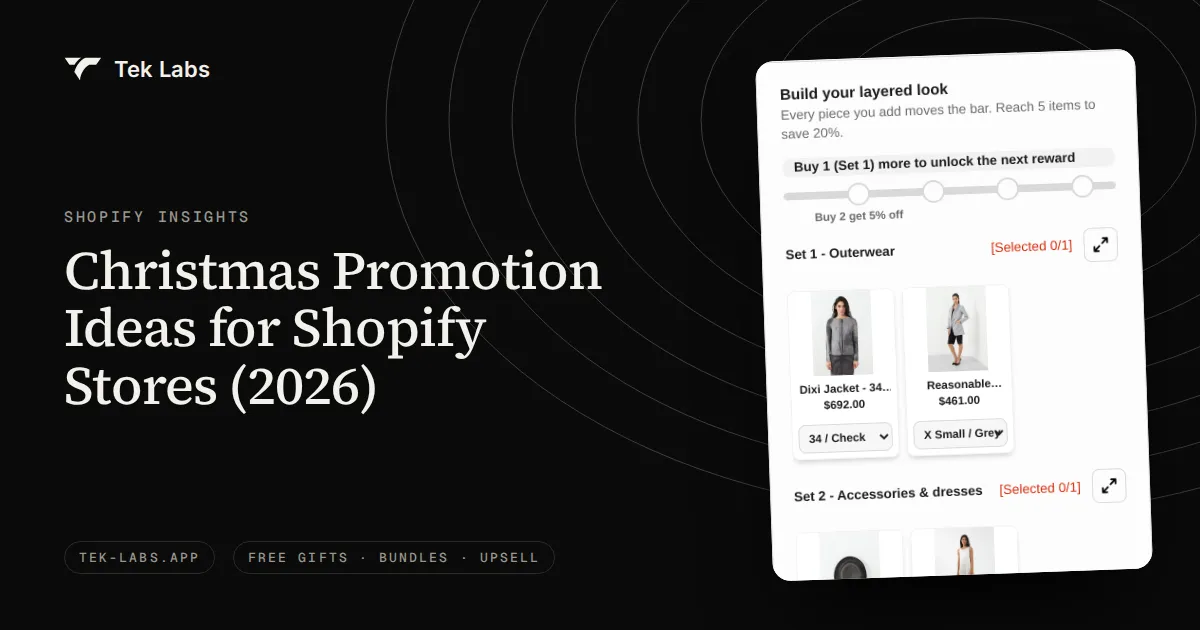
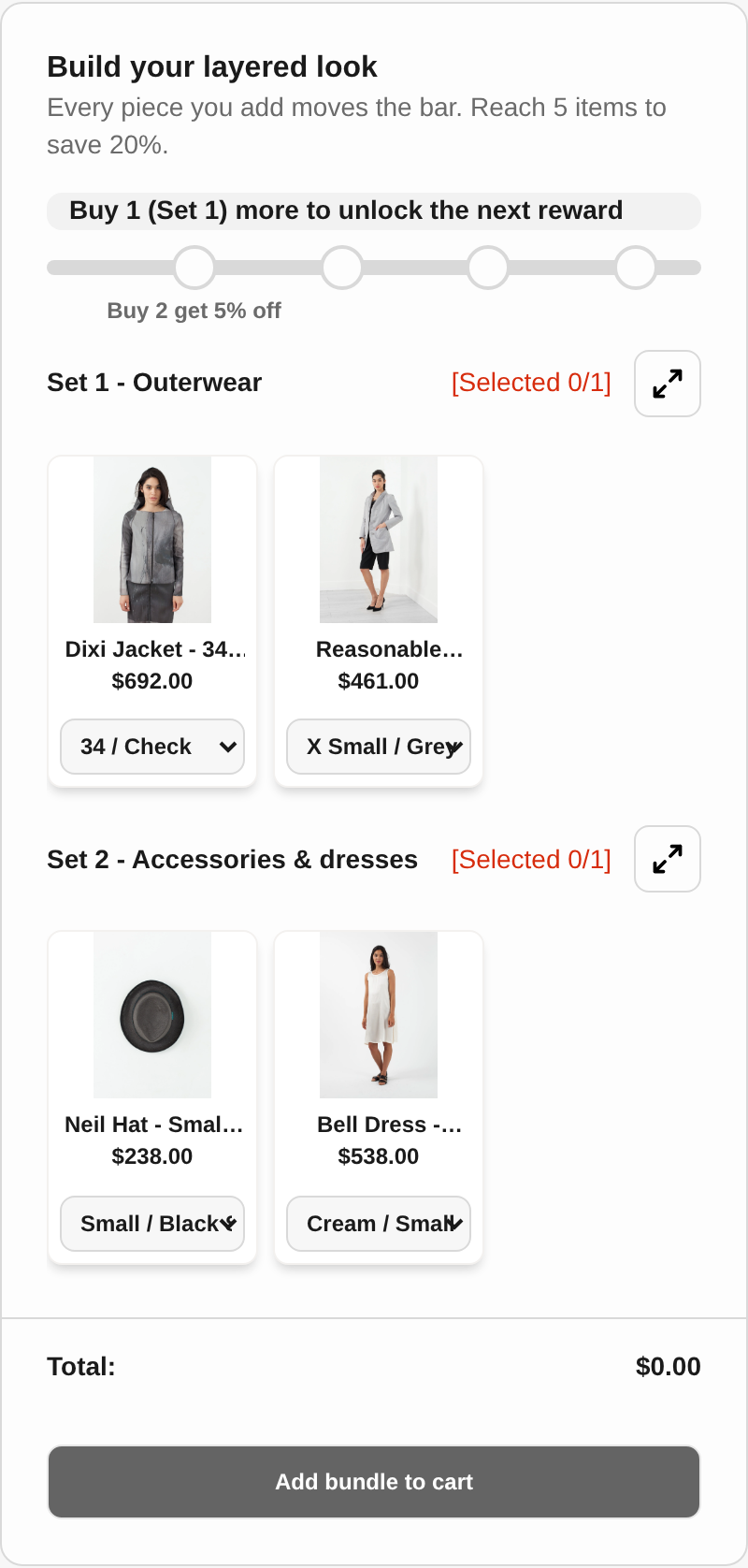
Native Shopify discounts can run a minimum-spend discount or free shipping rate, but they do not draw a progress bar or run several rewards as one visible ladder. In Salepify’s progress bar rule you set up to six milestones in each rule. Each milestone has a spend goal and a reward type: a free gift, a cart discount (percentage or fixed amount) or a shipping discount (with a maximum value, location limits and shipping method restrictions). You choose whether customers receive all rewards as they pass milestones or only the latest one, and whether rewards are added and removed automatically. The cart widget shows the next reward and the gap to it.
Offer 4: bundles and quantity breaks
Bundles and quantity breaks increase units per order by changing the unit price as the quantity rises. They suit consumables, accessories and products people buy in sets.
Worked example 5 (hypothetical). An item sells for $30 and costs $11 landed, with $8 of other variable cost per order. The store offers a quantity break: buy 2 for 10% off, buy 3 for 20% off.
| Quantity | Revenue | Product cost | Gross profit | After $8 order cost |
|---|---|---|---|---|
| — | — | — | — | — |
| 1 | $30 | $11 | $19 | $11 |
| 2 (10% off) | $54 | $22 | $32 | $24 |
| 3 (20% off) | $72 | $33 | $39 | $31 |
A customer moving from one unit to three produces $31 of profit instead of $11, even with 20% off, because the order cost is spread and the discount applies to a bigger basket. A customer who would have bought two anyway and now adds a third unit moves from $24 to $31, a gain of $7, but only because the third unit is sold at a profit. The deeper discount on the first two units costs the store $9 compared with the 10% tier. Know which behavior you expect. The break design matters: set the second break close to the average units per order, and the third break one unit above it.
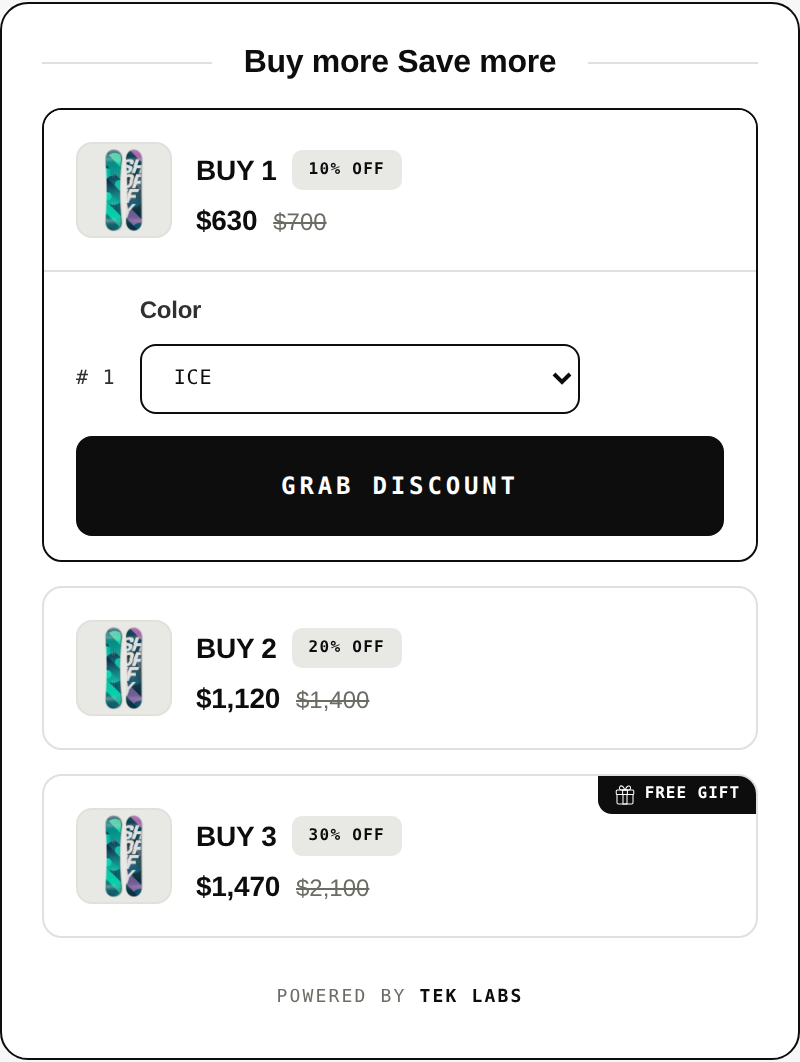
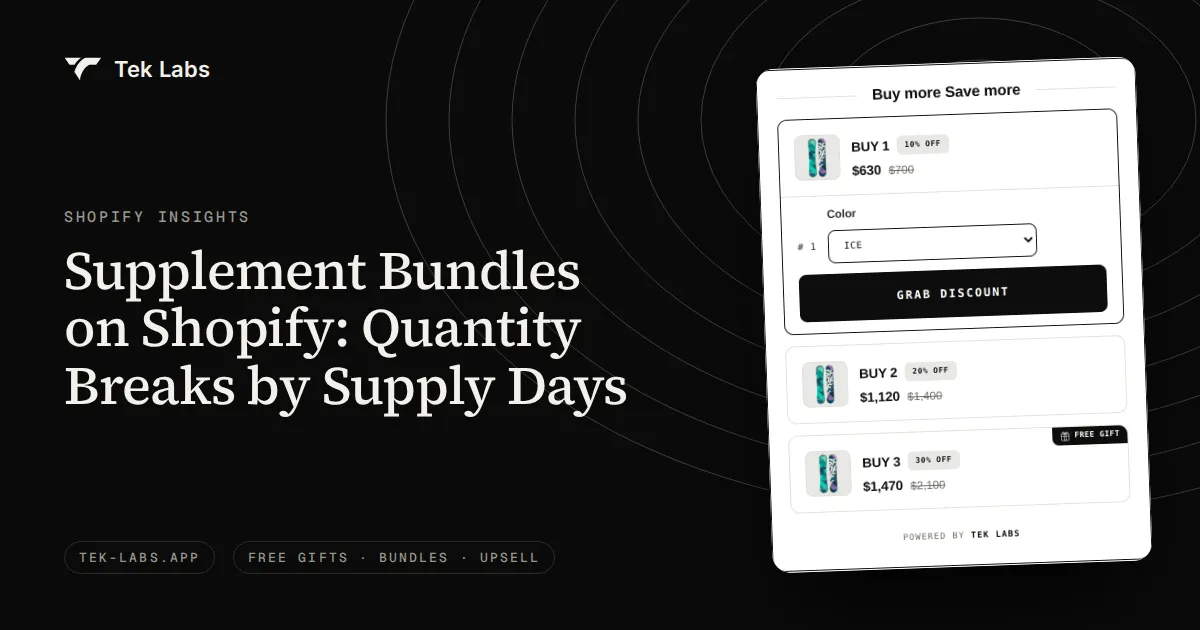
Salepify’s volume discount rule supports up to six tiers, percentage or fixed amount discounts, a Buy X Get X free tier, a default pre-selected tier, product-level or variant-level quantity counting, and choices about combining with product, order or shipping discounts. Its fixed product bundle rule groups chosen products at set quantities under one representative bundle product, with no discount, a percentage discount or a fixed discount. For customer-built sets (build a box, mix and match, multipacks), Mix & Match Bundles lets customers pick from sets with a live progress bar toward a bundle discount.
Be careful with the word “regular” when advertising a bundle saving. The FTC’s guide on former price comparisons says a former price gives a legitimate basis for a comparison only if it was the actual, bona fide price at which the article was offered on a regular basis for a reasonably substantial period of time. A “was $40, now $30” claim needs a real $40 history.
Offer 5: the post-purchase offer
A post-purchase offer appears after the customer has paid and before the thank you page. Because the shopper has already committed, the offer costs you nothing in cart conversion, and the item is added to the same order.
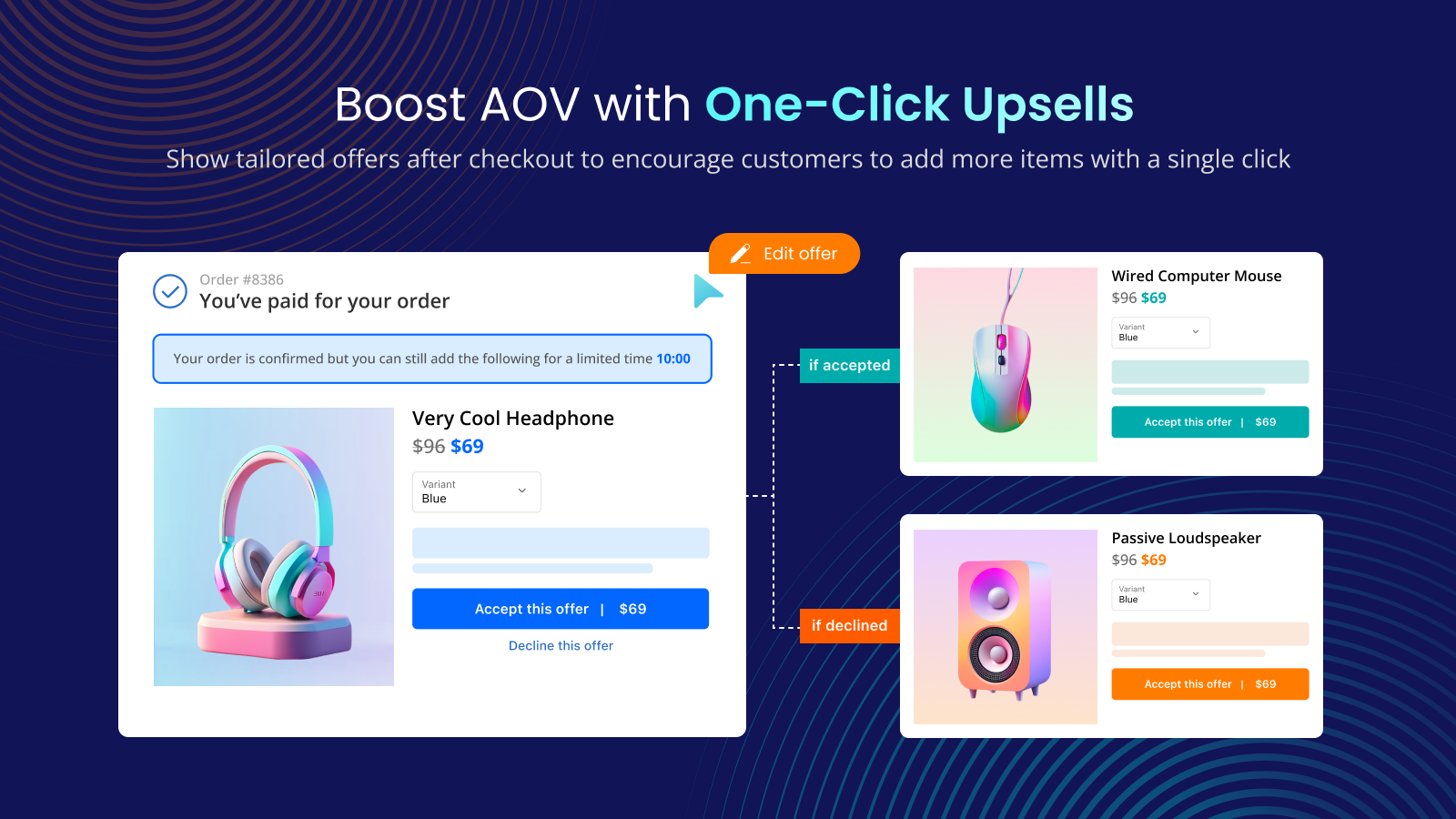
Shopify’s developer documentation describes what happens: the post-purchase page appears after the order is confirmed, but before the Thank you page, and the customer’s card must be vaulted for the offer to render. Shopify also holds fulfillment for orders in a post-purchase flow, and if the customer never completes the flow, the hold lifts one hour after checkout. The documentation lists the cases where the page is not shown: wallets and installment services (Klarna, Affirm, Afterpay, Apple Pay, Amazon Pay, Google Pay), gift card payments, orders with duties and multiple currencies, and local delivery. Only one app can supply the post-purchase offer.
Two further facts shape setup. Shopify states that automatic discounts and Buy X Get Y discounts created in the admin do not apply to the post-purchase page, so the offer price has to come from the app that runs the page. And because wallets and BNPL are a large and growing share of mobile checkouts (see the season review), part of your traffic will never see it.
Post Purchase Upsell (Salemate) runs these offers. According to its user guide, offers can use multiple funnels with a priority order so that different customer segments see different offers, and the thank you page is a separate section that can show its own widgets even if the post-purchase upsell is skipped. The guide’s limits table lists orders must be $0.50 or more, must come through the Online Store sales channel, and a customer can accept at most three post-purchase offers per checkout. Thank you page blocks in the checkout editor are a Shopify Plus feature, but post-purchase and thank you page upsells do not need Plus.
Worked example 6 (hypothetical). A store has 1,000 orders in the period. Suppose 60% (600 orders) pay by card in a way that allows the post-purchase page, and the rest use wallets or other methods that skip it. The offer is an add-on with a $25 list price, shown at 20% off ($20), landed cost $9, plus $1 of extra packing. Suppose 8% of eligible orders accept: 48 orders. Each earns $20 minus $9 minus $1, which is $10, for $480 in total, before payment fees. There is no extra shipment, because the item joins an existing order. The 8% take rate is an assumption, not a benchmark, so measure your own and run two offers against each other during the pre-season.
Where to promote the offers
Offers that no one sees do nothing, so give each one a place.
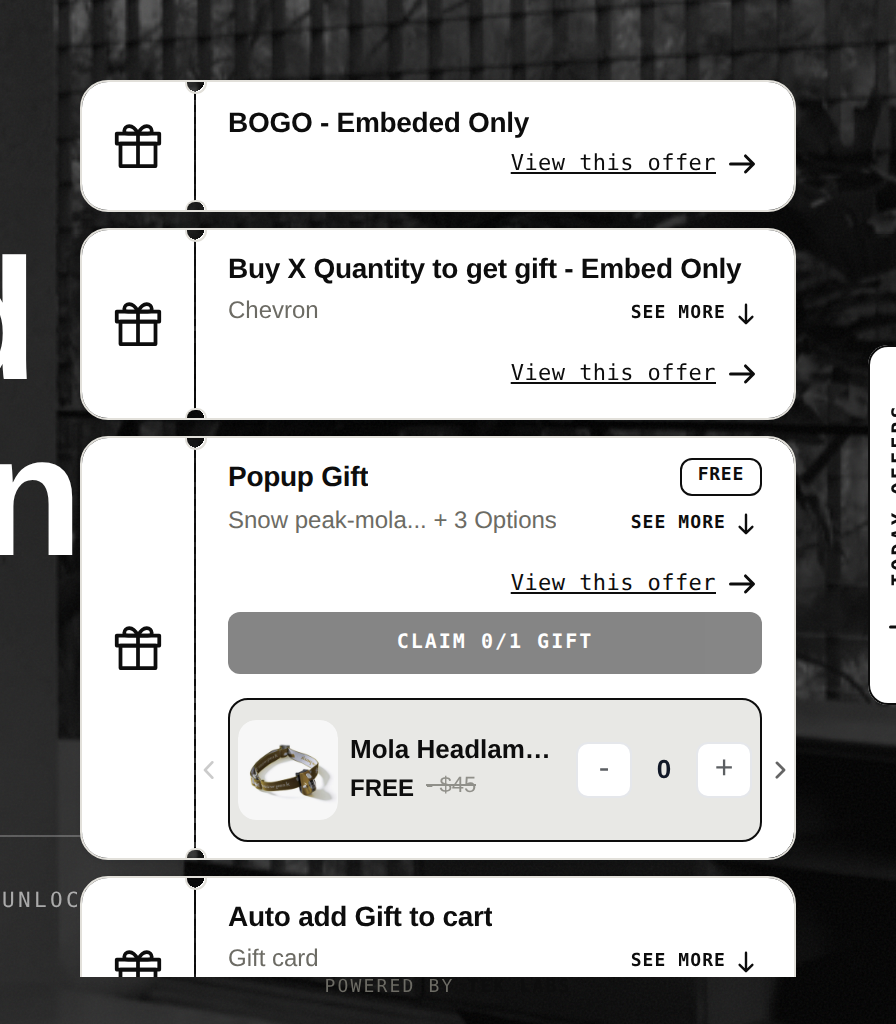
- On the site. An announcement bar, a collection banner, a product page widget, a cart progress bar and a popup are the usual set. A single “Today offers” drawer that lists everything live keeps the page from filling with banners.
- In email and SMS. Klaviyo’s recap of 2025 found that repeat purchases were up nearly 14% against a 9% lift for new buyers, and that early-access drops and segmented VIP offers helped brands accelerate ahead of the discount surge. Give your best customers a head start and a different offer from the public one.
- On social and search. Use the same offer language everywhere, with the dates and the threshold, so a shopper who arrives from an ad sees what the email said.
- On your blog. Gift guides and “best of” pages built in October can carry the offer text and link straight to collections.
A week-by-week timeline
Today is Friday, October 2, 2026, which gives about eight weeks. Weeks start on Mondays. Check each step with a real order before moving on.
| Week | Dates | Do | Check |
|---|---|---|---|
| — | — | — | — |
| 1 | Oct 5 to 11 | Set margin floors; choose 3 to 5 offers; commit inventory for gifts and bundles; pull your 2025 BFCM data | Written offer matrix with caps and landed costs |
| 2 | Oct 12 to 18 | Build offers in the app and Shopify admin as drafts; set combination rules; draft email and SMS flows | Test orders for each offer, each device and each payment method |
| 3 | Oct 19 to 25 | Build the early-access signup and landing page; launch the VIP waitlist; write the offer terms | Terms show threshold, dates, exclusions and gift choices |
| 4 | Oct 26 to Nov 1 | Schedule theme changes with a rollout; check page speed on mobile; confirm carrier cutoffs and support coverage | Rollout preview matches the plan |
| 5 | Nov 2 to 8 | Send teaser emails to the waitlist; publish gift guides; test the post-purchase flow with a card payment | Post-purchase page shows and fulfillment hold releases |
| 6 | Nov 9 to 15 | Freeze changes; load test the cart and checkout; train support on offer rules and return rules | Support macros and return policy for gifts are live |
| 7 | Nov 16 to 22 | Open early access to repeat buyers and the waitlist | Redemption, AOV and stock tracked daily |
| 8 | Nov 23 to 25 | Final QA; set discount start times in the store time zone; confirm stock caps | Dates and times match the announcement |
| BFCM | Nov 26 (Thu) to 30 (Mon) | Public offers open; monitor daily; refill stock; adjust only through pre-agreed rules | Daily dashboard of orders, AOV, offer usage and stockouts |
| After | Dec 1 to 17 | Thank-you emails; last-chance offer; publish shipping cutoffs | Orders ship by carrier deadlines |
Shopify’s rollouts let you schedule changes to your theme, checkout and accounts pages for a specific date and time, so the visual side of the launch does not depend on someone being awake at midnight. Rollouts handle storefront changes only, so your discounts still need their own start dates.
The last step matters most for customer trust. USPS recommends sending items by December 17 for Ground Advantage, December 18 for Priority Mail and December 19 for Priority Mail Express for delivery before Christmas, and other carriers publish their own dates. Put the cutoff on the page.
A launch checklist for each offer
- Write the offer in one sentence a customer could repeat, with the threshold, the dates and the exclusions.
- Record the landed cost of any gift and the margin of every eligible product.
- Set caps: uses per order, uses in total, and stock.
- Set combination rules, then test every allowed combination with a real checkout.
- Test on a phone, in the cart, with a card, a wallet and BNPL, and with a guest and a logged-in account.
- Check the start and end times in the store time zone.
- Add the offer to the announcement bar, the product page, the cart and the email.
- Write the support answer and the return rule for gifted items.
- Choose the two numbers you will watch daily (for example, AOV and offer usage) and the one that makes you pause the offer.
- After the event, compare to your holdout or to the same days last year and write down what to keep.
Common mistakes
- Setting a gift threshold below the level where many orders already sit, so most gifts go to shoppers who would have bought anyway.
- Letting offers stack by accident, so a BOGO, a site-wide code and a free shipping rule combine into a loss.
- Assuming a free gift or BOGO item will be added automatically with native Shopify discounts. It will not, unless an app adds it.
- Counting on the post-purchase page for every order, when wallets, installment payments and gift cards skip it.
- Raising prices ahead of the sale to make a bigger “was” price, which the FTC’s pricing guide calls out.
- Forgetting return rules for gifts and bundle items until January.
- Launching everything on Thursday night with no test orders.
Start with one offer you can measure
If you pick one thing this week, choose a basket-based offer, build it as a draft and send a test order through each payment method. Free Gifts BOGO & Upsell has a free plan, and you can try every offer type on the public demo store (password 1) before you build your own.
Frequently Asked Questions
What is the best BFCM promotion for a small Shopify store?
A spend-threshold reward, such as free shipping or a free gift, is a good first choice because it raises basket size without discounting every item. Set the threshold above where most of your orders already land and test it before November 26.
Do Shopify discounts add the free gift to the cart automatically?
No, not with Shopify’s native Buy X Get Y. Shopify’s help center says customers must add all items to their cart manually and the free or discounted item is never automatically added. An app can add the gift for them.
Can I stack a BOGO offer with a discount code?
Only if both discounts are set to combine. Shopify allows combinations across product, order and shipping discount classes, up to five product or order codes and one shipping code per order, and it applies the better discount when discounts cannot combine.
Why don’t some customers see my post-purchase offer?
Shopify does not show the post-purchase page for wallet and installment payments such as Apple Pay, Google Pay, Klarna and Afterpay, for gift card payments, local delivery, or orders with duties and multiple currencies. Keep your main offers in the cart.
When should BFCM promotions start in 2026?
Build and test them by mid-October, and open early access to repeat buyers about a week before Thanksgiving on November 26. The public offer can then start on Thanksgiving and run through Cyber Monday on November 30.