Complete-the-routine set
Bundle a main product with the items customers usually need alongside it.
Product bundles
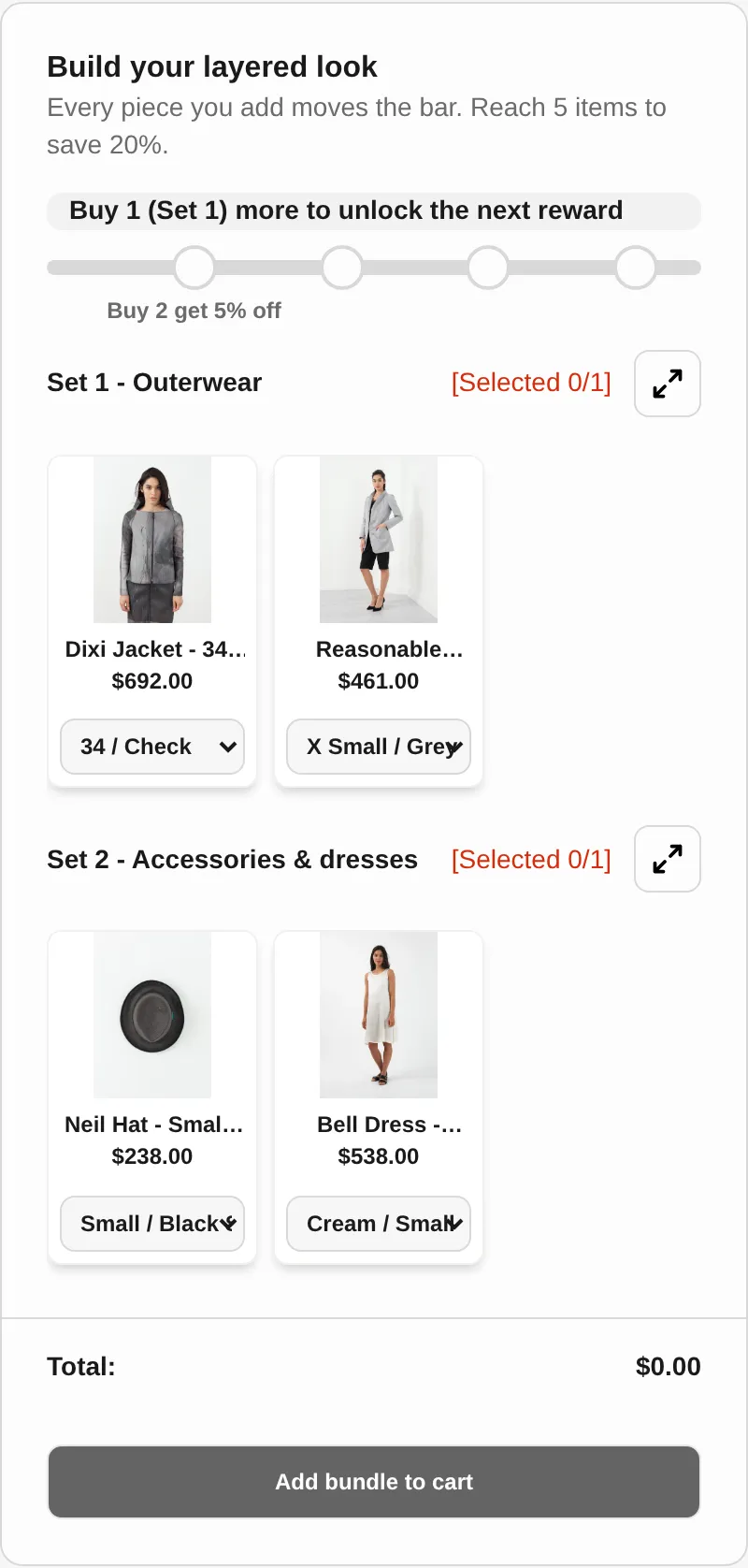
Group products into a bundle block on the product page with an optional discount. For bundles where shoppers choose the items, add Mix & Match Bundles.
What it is
A fixed product bundle offers a set group of products together, with an optional percentage or fixed discount. In Free Gifts BOGO & Upsell you pick the products and minimum quantities, add a representative product for the bundle, and display it on chosen product pages.
Use it for items that naturally go together. When you want customers to choose items from sets, use the Mix & Match Bundles app, whose listing also mentions multipacks and frequently bought together bundles.
For the shopper
On a product page, a block shows the products in the bundle and the bundle deal.
In the interactive layout they choose the variant they want for each product.
One click on Grab this deal adds the bundle to the cart.
If you set a percentage or fixed discount, it applies automatically.
For you
Options you control
Go to Themes, Customize, App embeds, switch on Product bundle, and save.
Set the product title, description, and image for the representative product shown on the storefront.
Search and select the products, and set the minimum quantity of each.
Choose no discount, percentage, or fixed. Show the block on included products, specific products, collections, all products, or all except selected.
Display only, or Interactive with variant selection and a Grab this deal button. Preview, then style the block.
Use cases
Bundle a main product with the items customers usually need alongside it.
Show the bundle deal on every product it contains, so any entry point leads to it.
Run a bundle with start and end dates for a specific campaign.
Use Mix & Match Bundles when shoppers should pick items from sets instead of getting a fixed group.
FAQ
On the product pages you choose: the included products, specific products, collections, all products, or all products except selected ones.
Yes. In the interactive layout, customers select the variant they want for each product before grabbing the deal.
No. You can choose no discount, a percentage discount, or a fixed discount.
Use Mix & Match Bundles, which lets customers choose items from sets to complete a bundle offer, according to its App Store listing.
Related features
Free gifts, BOGO, bundles and progress bars. Every offer type, on a free plan to start.