Sell fixed bundles when shoppers need guidance or the items only make sense together, and sell mix and match when you carry many interchangeable items at similar prices and shoppers already know their taste. Shopify’s free Bundles app builds fixed bundles and multipacks, while Shopify’s own help center says mix-and-match bundles need a third-party app, so the format you pick also decides what you install. Most catalogs end up using both. This post gives you a four-question rule, the Shopify limits that matter, and hypothetical margin math so you can choose with numbers instead of opinions.
Key takeaways
- Decide on four catalog facts, not on which format sounds more modern: how many interchangeable items you have, how wide the price and margin spread is, how much guidance buyers need, and how deep your stock is per component.
- Fixed bundles give you full control of price, margin and message. Mix and match gives shoppers control, which lifts relevance but moves margin risk onto you when prices vary a lot.
- Shopify’s free Bundles app covers fixed bundles and multipacks (up to 30 components, 3 options and 100 variants per bundle). Per Shopify, mix-and-match needs a third-party app or a custom build on Plus.
- No public study I could open crowns one format. Vendor claims such as “20 to 35 percent AOV lift” come without a source, so test on your own store and judge by margin dollars, not AOV alone.
- A bundle only pays if fewer than roughly half of its buyers would have bought the same items at full price anyway. The example below shows how to compute that share for your own numbers.
What the two formats actually are
A fixed bundle is a set you define: these three products, sold together, at one price. Shopify describes it as “a bundle made from a predetermined set of products and associated variants” in which the customer can still pick variants such as size or color. A multipack is the simplest cousin: several units of the same product. A mix-and-match bundle is the opposite design. In Shopify’s words it is “a bundle made of interchangeable products” where the customer composes the bundle by choosing from the products and variants you allow. Shopify’s developer documentation puts the split the same way: fixed bundles are the default implementation for basic cases, while customized bundles cover cases that offer more choices to customers, such as mix-and-match. You can read the definitions on Shopify’s eligibility and considerations page and in the developer overview of product bundles.
| Format | How the shopper buys | Who decides the contents | Shopify’s free Bundles app |
|---|---|---|---|
| Fixed bundle | Adds one product page that contains a set list of items | You | Yes |
| Multipack | Adds several units of one product at a set price | You | Yes |
| Mix and match | Picks items from an approved pool until the bundle is full | The shopper, inside your rules | No, needs a third-party app (or a custom Plus build) |
Two more terms help when you read pricing research. Economists distinguish pure bundling, where only the bundle is sold, from mixed bundling, where the bundle and the separate items are both available. Stremersch and Tellis define them this way in their Journal of Marketing synthesis of bundling strategies. Most Shopify stores practice mixed bundling, because the components stay on sale individually. Shopify’s own product bundling guide warns that pure bundling can limit customer choice and recommends offering both the bundle and standalone purchase. Both of the formats in this post can be run either way.
What the evidence does and does not tell you
No source I could open crowns a winner
Search for this topic and you will find guides saying mix and match “outperforms” fixed bundles because it removes the “wrong choice” problem: a shopper who likes two of the three items in a fixed set may skip the whole offer. The reasoning is plausible. But the figures attached to it are not sourced. One popular vendor guide states a 20 to 35 percent AOV lift and an ideal pool of 8 to 24 items, and I could not find a source for either number in the article. Another vendor guide calls fixed bundles the most predictable way to lift order value, which is also an opinion rather than a measurement. I do not use any of these figures here. The honest position is that the better format depends on your catalog, and the rest of this post shows how to find out which one that is.
Choice overload is conditional, not automatic
The standard worry about mix and match is choice overload: too many options and shoppers freeze. The research is more careful than the blog posts. A meta-analysis of 63 conditions across 50 experiments found a mean effect of virtually zero, with large differences between studies. A later meta-analysis of 99 observations (7,202 participants) found that overload becomes likely under specific conditions: a complex choice set, a difficult decision task, high preference uncertainty, and an effort-minimizing goal.
Translate that into store terms. A pool of 12 lip balms in clear flavors is an easy, low-uncertainty choice. A pool of 12 supplements where the shopper does not know which ones address their goal is a high-uncertainty choice. The number of items matters less than whether the shopper can tell which item is right for them. That distinction drives the third factor in the rule below.
Building it yourself can raise perceived value
There is one finding that favors mix and match. In five experiments on design toolkits, Franke, Schreier and Kaiser found that self-designed products produced a significantly higher willingness to pay, an effect that worked through feelings of accomplishment and depended on how much the shopper felt they contributed. Their participants designed T-shirts, scarves and phone covers, which is a much bigger creative act than ticking four items from a grid. In their first (interview) study, the T-shirt toolkit, which offered the least design freedom, had the lowest share of participants citing authorship as a reason for liking the product (46 percent, against 90 percent for scarves). I read this as a reason to test mix and match, not as proof that it wins. If your builder lets shoppers feel they made real choices (several categories, visible progress, a satisfying result), you are closer to the conditions in the study.
Four catalog facts that decide it
1. How many interchangeable items you have
Count the items shoppers could swap for each other at roughly the same role. Then count the combinations. Picking 2 from 5 items gives 10 possible bundles. Picking 3 from 6 gives 20. Picking 4 from 12 gives 495. A fixed-bundle approach to the second case means building and maintaining 20 separate products; for the third case it is not realistic. That arithmetic is the cleanest argument for mix and match: it lets a large number of combinations exist without a large number of product pages.
The reverse holds too. With only three or four items and one obvious grouping, a pick-your-own builder adds friction without adding much variety. A fixed set is simpler for you and for the shopper.
Shopify’s limits push in the same direction. A bundle made with Shopify Bundles is capped at 3 options and 100 variants. If each component has its own size selector, the combinations multiply quickly. Assuming each component’s selector counts as one bundle option, a three-component set where every item comes in 5 sizes works out to 5 x 5 x 5 = 125 combinations, which is over the 100-variant cap. Check how your own configuration counts before you design around it.
2. Price and margin spread
This is the factor most guides skip, and it is where mix and match can quietly lose money. When shoppers choose freely, they tend to choose the items that offer the most value to them, which are often the highest-priced ones. If the bundle has one flat price, a wide price spread lets shoppers pick the expensive items at the same total price.
Here is a hypothetical example. A small coffee roaster sells eight products priced from $14 to $28 in $2 steps. Assume each item costs the roaster 50 percent of its list price (product, packaging and pick and pack), and ignore shipping and fees to keep the arithmetic readable. The average four-item basket is $84. The roaster tests “pick any 4” two ways: a flat price of $67.20 (20 percent off the average basket) and a flat 20 percent off whatever is picked.
| What the shopper picks | List value | Cost to you | Flat $67.20: discount and margin | 20% off: price and margin |
|---|---|---|---|---|
| 4 cheapest ($14, $16, $18, $20) | $68.00 | $34.00 | 1.2% off, $33.20 margin (49.4%) | $54.40 price, $20.40 margin (37.5%) |
| Average 4 | $84.00 | $42.00 | 20% off, $25.20 margin (37.5%) | $67.20 price, $25.20 margin (37.5%) |
| 4 priciest ($22, $24, $26, $28) | $100.00 | $50.00 | 32.8% off, $17.20 margin (25.6%) | $80.00 price, $30.00 margin (37.5%) |
With the percentage discount, margin stays at 37.5 percent of the price whatever the shopper chooses. With the flat price, margin ranges from 49.4 percent to 25.6 percent, and the shopper who picks the four priciest items gets a 32.8 percent discount while the shopper who picks the cheapest four barely sees a discount at all (so may not buy). The flat price also invites exactly the choices that cost you the most.
Rules of thumb that follow, labeled as my own heuristics rather than research findings:
- If the highest-priced item in the pool is more than about 1.5 times the lowest, use a percentage or per-item tier instead of a flat bundle price.
- Or restrict the pool to a price band, so every combination lands within a few dollars of your target basket.
- Or sell it as a fixed bundle, where you choose the items and know the margin before the first sale.
3. How much guidance buyers need
Ask whether a first-time buyer can choose without help. For taste-driven items such as flavors, scents, colors and snack varieties, shoppers know what they like, preference uncertainty is low, and a builder reads as fun. For items where the right choice depends on a need the shopper may not be able to judge, such as supplements, skincare actives or technical gear, preference uncertainty is high. That is the condition the choice-overload research flags, and a fixed “starter kit” or “routine” does the choosing for them.
A useful middle path is a fixed bundle with a few preset names (“Sleep set”, “Gym set”) shown next to a pick-your-own option. The presets handle the shoppers who want guidance, and the builder handles the ones who do not.
4. Inventory per component
Shopify calculates fixed bundle availability from the thinnest component. Its help center explains that the product with the lowest inventory level determines how many bundles can be sold: divide each component’s available stock by the quantity the bundle needs, and the lowest result, rounded down, is the number of complete bundles. Products with untracked inventory, or set to continue selling when out of stock, are ignored in that calculation, so check those settings first.
A hypothetical kit makes the trade-off concrete. The kit contains 1 cleanser (120 in stock), 1 serum (45 in stock) and 2 wipes (300 in stock). Cleanser allows 120 kits, serum allows 45, and wipes allow 300 / 2 = 150. The serum limits the kit to 45 complete bundles, and every serum you sell on its own shrinks that number further. When the serum runs out, the whole fixed bundle is unavailable.
A mix-and-match pool behaves differently. If one item sells out, the pool gets smaller but the offer survives, because shoppers pick other items. That is a real advantage when your stock is uneven. How a given app handles inventory varies, so confirm that its stock sync is real-time. Shopify says third-party bundle apps can integrate with the admin and include real-time inventory syncing, but that describes what the apps in the store offer in general, not any single app.
A quick decision table
| Your situation | Lean toward | Why |
|---|---|---|
| Three to six products that clearly belong together (a starter kit, a gift set) | Fixed bundle | One obvious combination, you control price and margin |
| Many similar items at similar prices (snacks, candles, tees, lip balms) | Mix and match | Many valid combinations, low preference uncertainty |
| Wide price spread, shopper can freely pick | Mix and match with percentage tiers, or fixed bundles | A flat price shifts margin risk to you |
| Shoppers need advice (supplements, technical gear, skincare routines) | Fixed bundle, optionally with a few preset names | Preference uncertainty is high |
| One component is scarce or seasonal | Mix and match | A stock-out shrinks the pool instead of killing the offer |
| Same product bought in larger quantities (refills, consumables) | Multipack or quantity break | Shoppers already know what they want |
| You want to sell the bundle with subscriptions or pre-orders | Neither, with Shopify bundles | Shopify says bundles are not compatible with selling plans |
Shopify’s limits: when the free app is enough
Shopify Bundles is free, works on all Shopify plans, and builds fixed bundles and multipacks. If every bundle you plan is a defined set or a multipack, you may not need anything else. The limits below come from Shopify’s own pages, and they are the ones that most often change the decision.
| Limit | What Shopify says | Source page |
|---|---|---|
| Fixed bundle size | Up to 30 components, up to 2000 units per component | Shopify Bundles help page |
| Options and variants | Maximum of 3 options and 100 variants per bundle | Shopify Bundles help page |
| Price changes | A bundle price does not update when a component price changes; you update it manually | Shopify Bundles help page |
| Nesting | Bundles can’t contain other bundles | Eligibility page |
| Subscriptions and pre-orders | Not compatible, bundles can’t be sold with selling plans | Eligibility page and developer docs |
| Editing | No import, export or bulk editing of bundles | Eligibility page |
| Returns | Bundles can’t be set as final sale; return eligibility follows each component’s rules | Eligibility page |
| Exchanges | Bundles can’t be used in exchanges, even for an identical bundle | Eligibility page |
| Mix and match | Not supported by the free app; use a third-party app, or a custom build on Plus | Eligibility page |
Two items on that list deserve a second look. First, the manual price update. If you run a promotion that changes component prices, your fixed bundle price will not follow, and the discount a shopper sees can drift away from what you intended. Put a bundle-price review on your pre-sale checklist. Second, the returns and exchange rules. Bundles show in orders as nested groups of line items, and Shopify says return eligibility is based on the individual products. Build your support macros around that.
Selling channels matter too. Shopify says bundles can be sold through the Online Store, Shop and Shopify POS, and on Google & YouTube for fixed bundles only. If Google shopping feeds are part of your plan, that detail favors fixed bundles. See Shopify’s product bundles overview and Shopify Bundles limitations.
Does the bundle pay? A cannibalization check
Every bundle discount is paid by two kinds of buyers. Incremental buyers spend more than they would have. Cannibalized buyers would have bought the same items at full price and now pay less. The bundle makes money only when the first group’s gain outweighs the second group’s loss.
Use the roaster’s percentage-off version (20 percent off, margin 37.5 percent). Hypothetical numbers: a typical shopper who would have bought one $21 item earns the roaster $10.50 in margin ($21 less $10.50 cost). A shopper who would have bought four items at full price earns $42.00. With the 20 percent bundle, every bundle buyer pays $67.20 and leaves $25.20 in margin.
- Gain per incremental buyer (one-item buyer who now buys the bundle): $25.20 – $10.50 = $14.70.
- Loss per cannibalized buyer (four-item buyer who now gets a discount): $42.00 – $25.20 = $16.80.
- Break-even share of cannibalized buyers: 14.70 / (14.70 + 16.80) = 46.7 percent.
If more than about 47 percent of bundle buyers would have bought those four items at full price anyway, this bundle reduces margin dollars even though AOV rises. If most of your buyers are single-item shoppers, it pays comfortably. To use the formula on your store, replace the margin figures with your own, and estimate the share of bundle buyers who were already buying that many items from past orders.
This check also explains why guides that quote only an AOV lift can mislead. AOV rises in both cases. Margin dollars per visitor is the figure that tells you which case you are in.
How to choose and launch in six steps
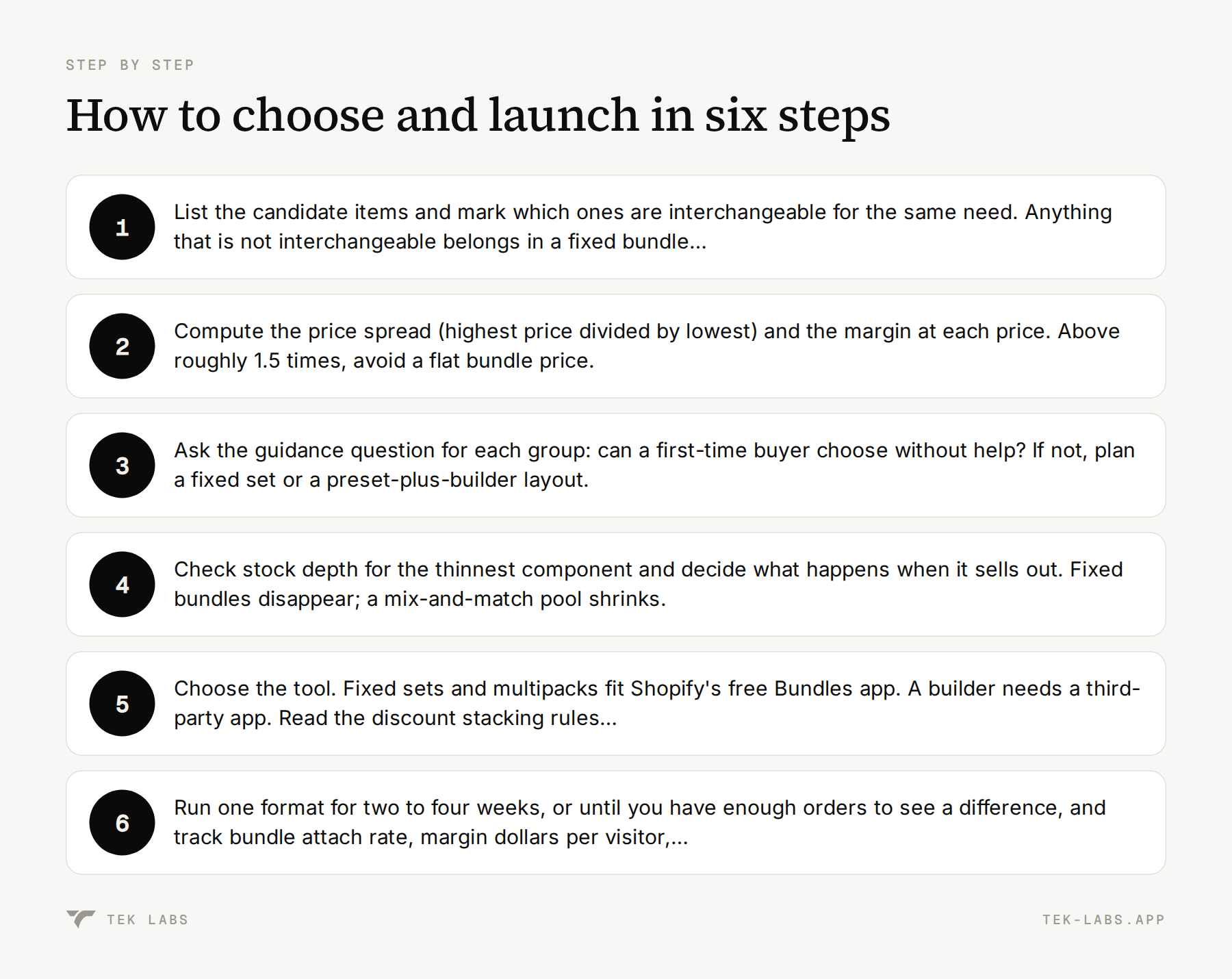
- List the candidate items and mark which ones are interchangeable for the same need. Anything that is not interchangeable belongs in a fixed bundle or nowhere.
- Compute the price spread (highest price divided by lowest) and the margin at each price. Above roughly 1.5 times, avoid a flat bundle price.
- Ask the guidance question for each group: can a first-time buyer choose without help? If not, plan a fixed set or a preset-plus-builder layout.
- Check stock depth for the thinnest component and decide what happens when it sells out. Fixed bundles disappear; a mix-and-match pool shrinks.
- Choose the tool. Fixed sets and multipacks fit Shopify’s free Bundles app. A builder needs a third-party app. Read the discount stacking rules before you launch (our discount combinations test plan covers them).
- Run one format for two to four weeks, or until you have enough orders to see a difference, and track bundle attach rate, margin dollars per visitor, completion rate of the builder, and returns. Change one variable at a time.
A hybrid layout that often works
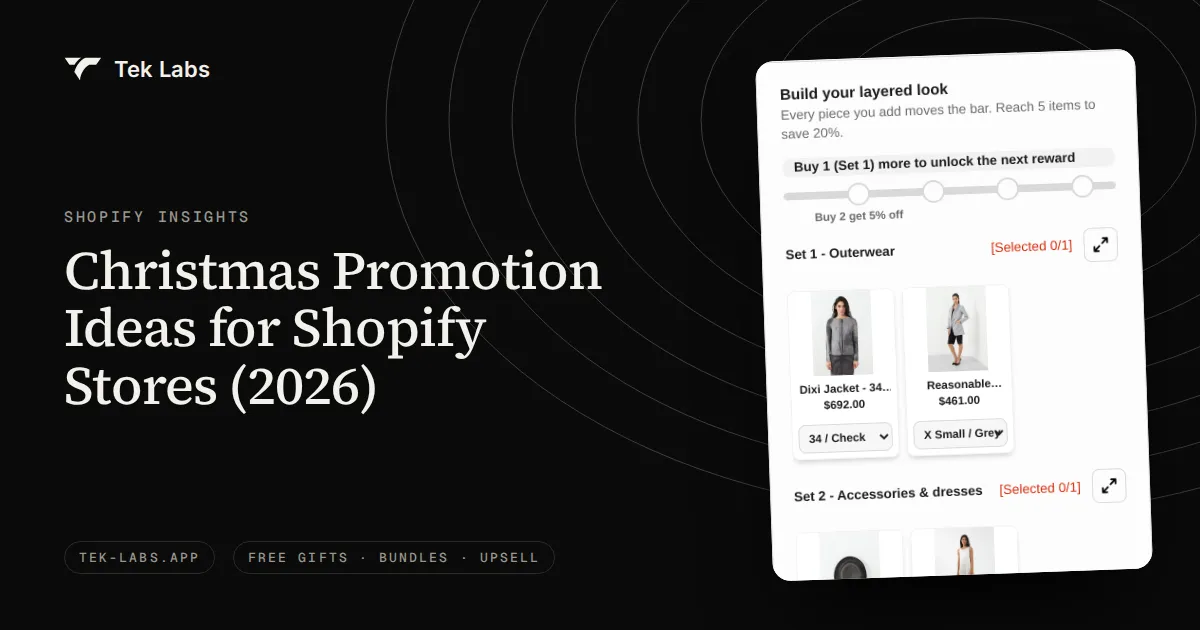
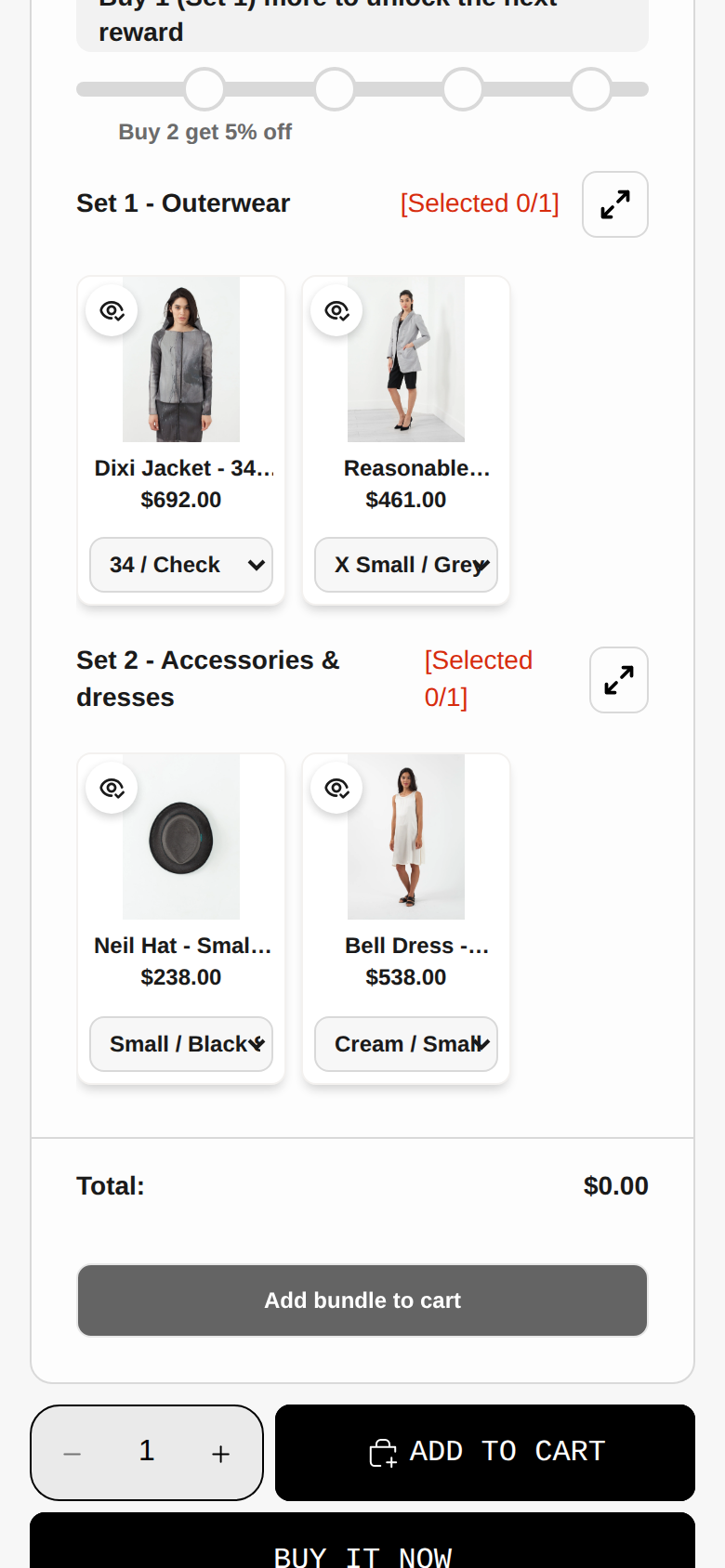
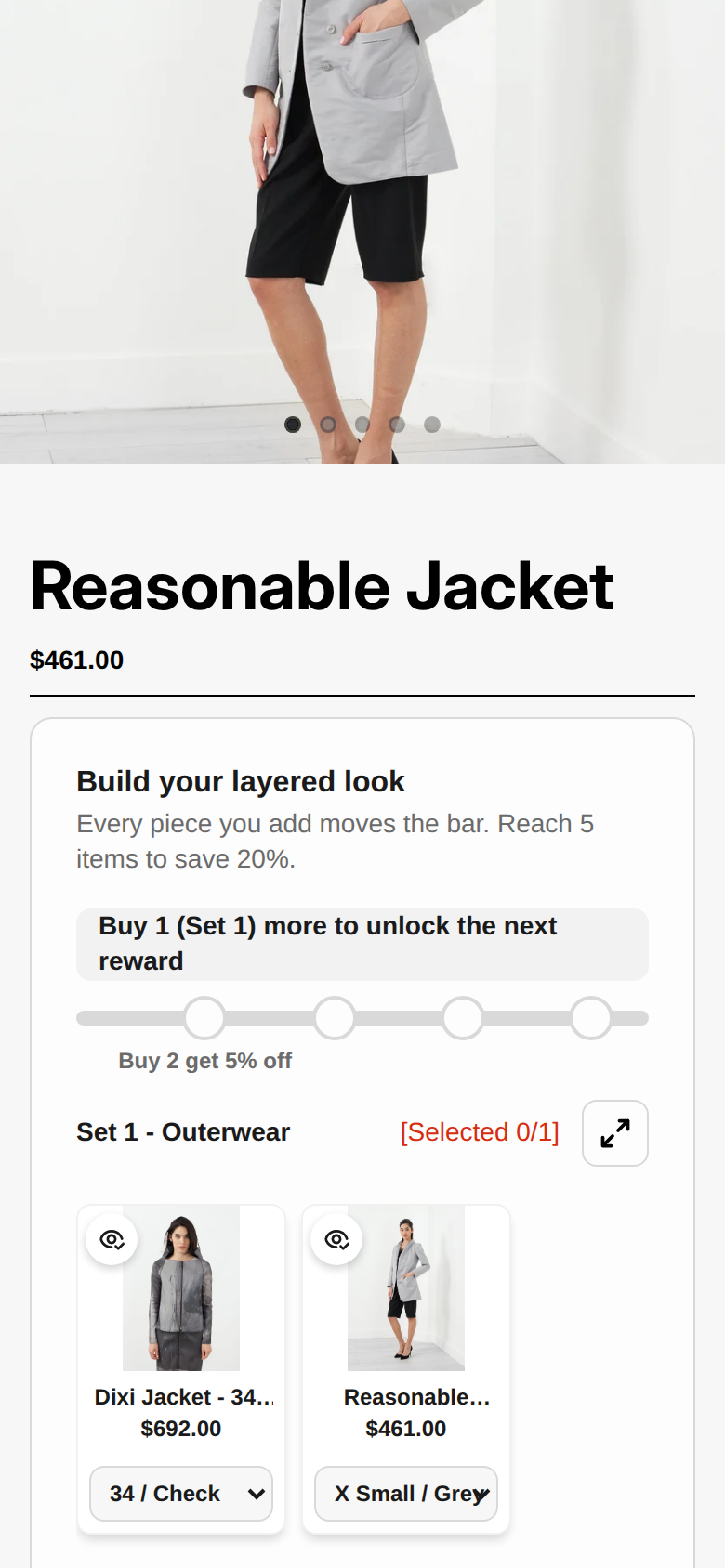
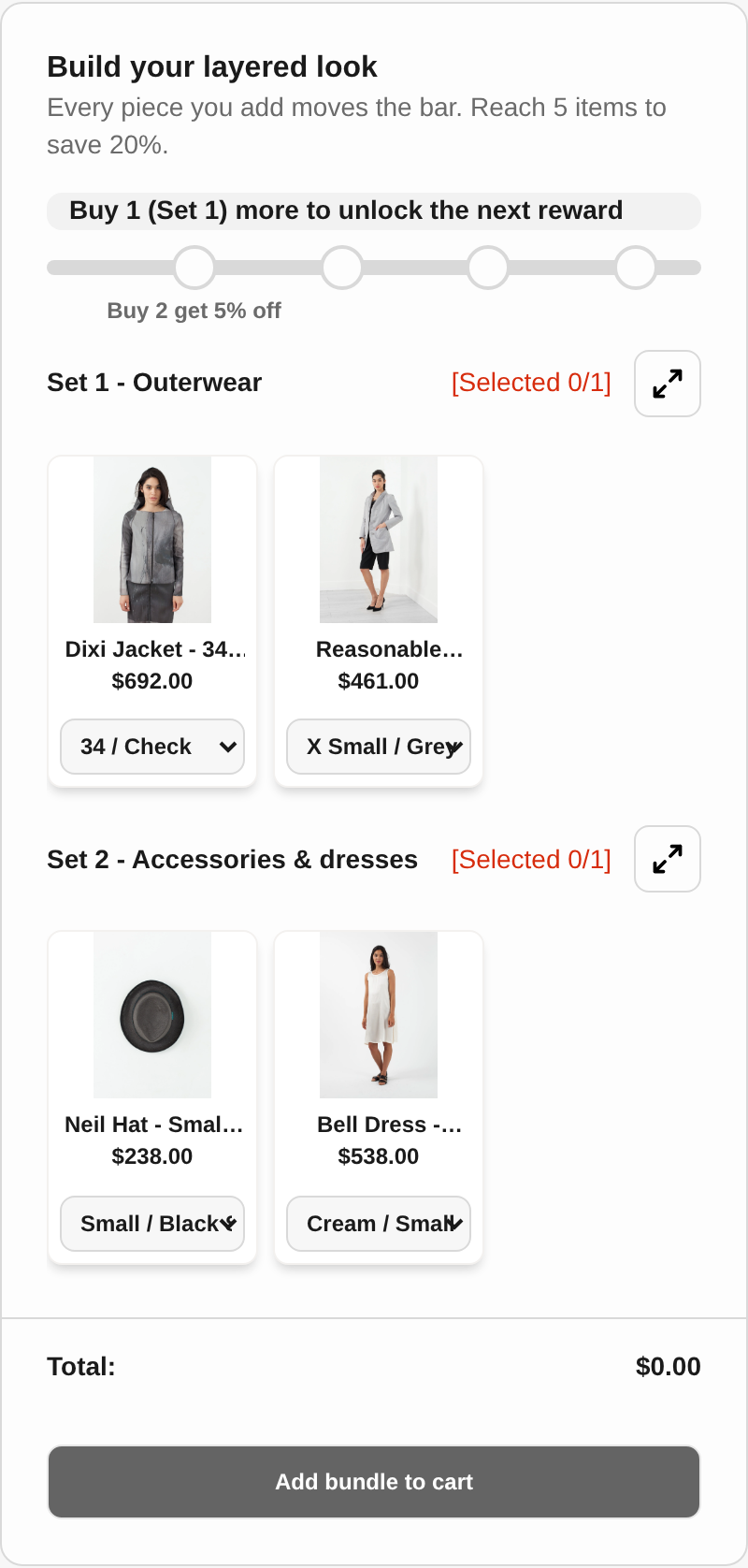
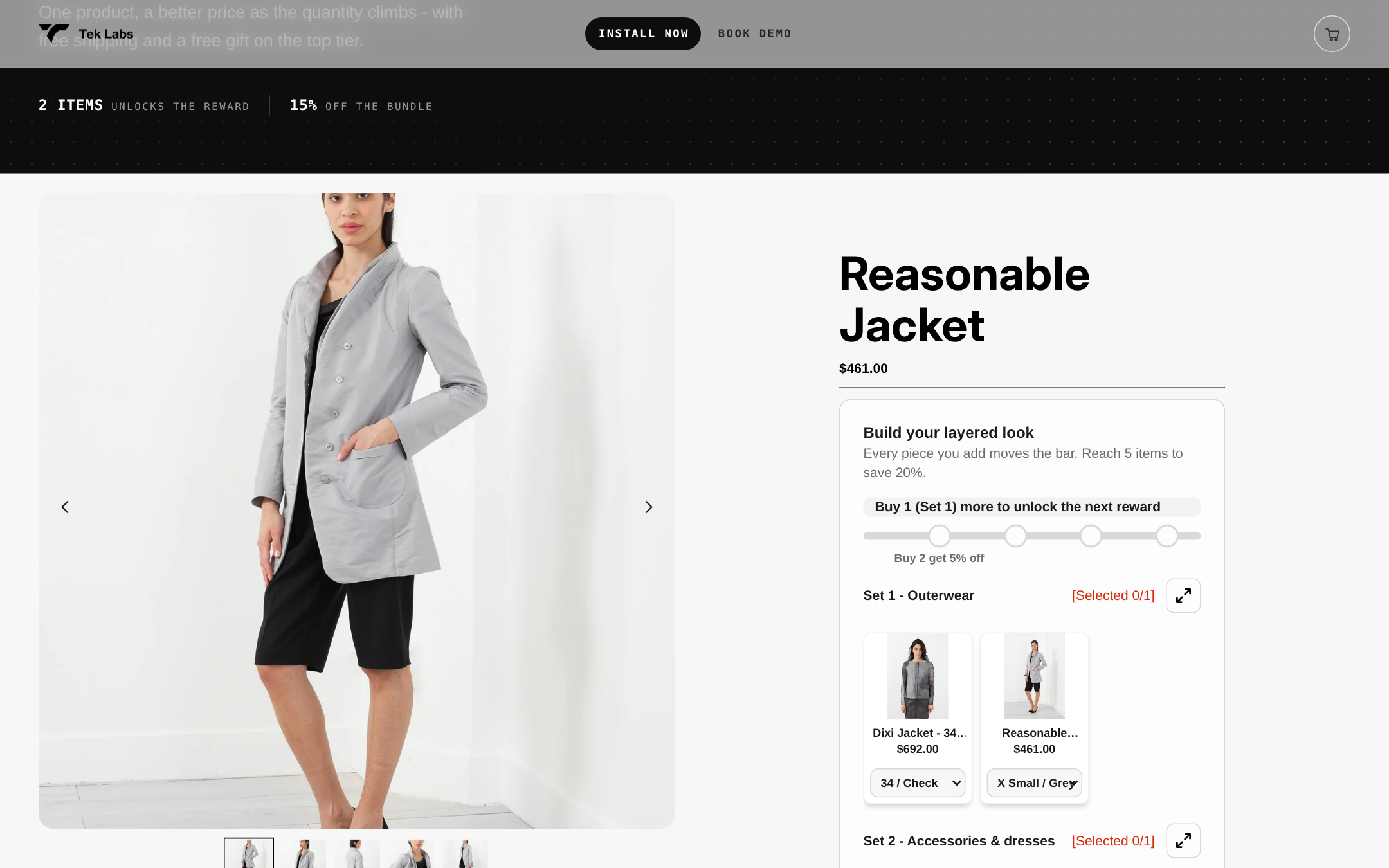
The two formats are not rivals on the same page. The most practical layout is a fixed bundle for the guided shopper and a pick-your-own builder for the confident one, with both pointing at the same pool of products. The Tek Labs demo store (store password: 1) shows a mix-and-match offer titled “Build your layered look”, with items grouped into sets (Outerwear and Accessories) and a progress bar toward five items for 20 percent off. Grouping the pool into labeled sets is a simple way to keep a large catalog easy to scan. The demo is at demo-bundle-app-r3ujxc7n.myshopify.com (store password: 1).
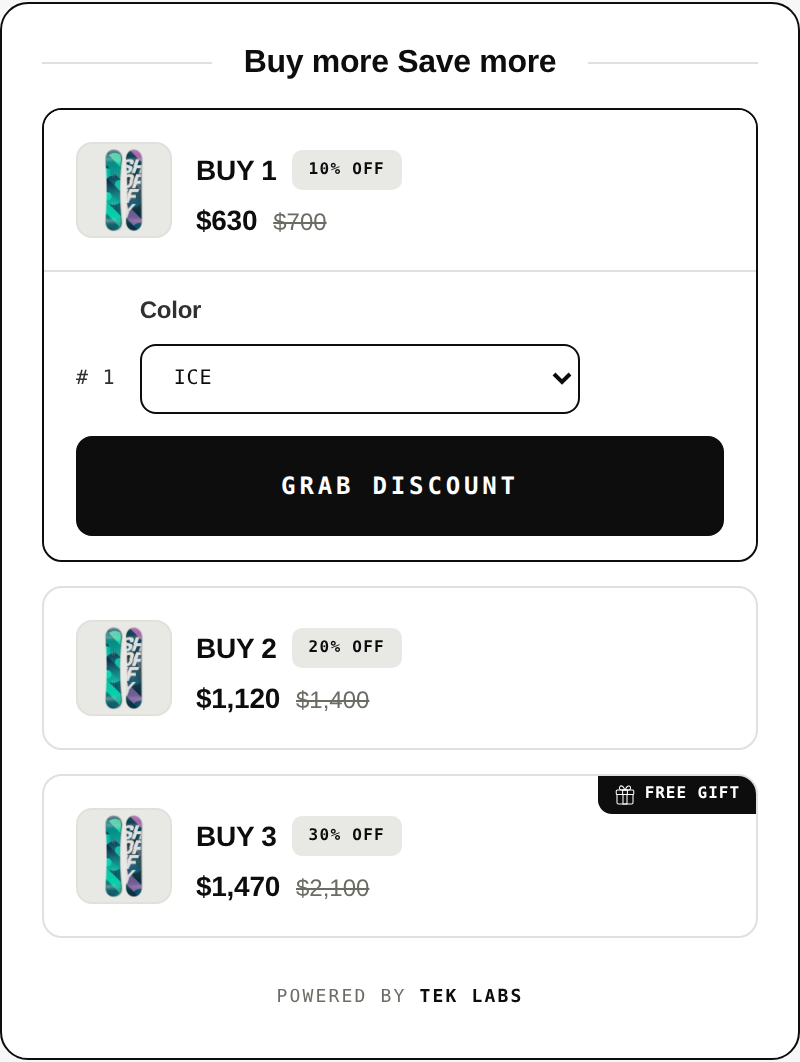
For shoppers who want a decision made for them, a fixed bundle can sit directly on the product page. The Free Gifts BOGO & Upsell app, for example, shows a “This product is part of a bundle” block that lists the included products and lets the shopper add the set in one click.
Common mistakes
- A flat price across a wide price spread. The table above shows how it hands margin to whoever picks the priciest items.
- A pool with no grouping. Fifty items in one grid is a navigation problem, whatever the research says about choice overload. Group by theme or by set.
- Using a bundle to hide slow movers. Shopify lists clearing old inventory as one benefit of bundles, but a bundle of unwanted items is still unwanted. If clearance is the goal, our guide to liquidating excess inventory covers when bundling fits.
- Forgetting Shopify does not update bundle prices. After a price change or sale, re-check every fixed bundle.
- An invented “was” price. If you show a crossed-out price on a bundle, 16 CFR 233.1 says a former price must be the actual, bona fide price at which the item was offered on a regular basis for a reasonably substantial period. A comparison to the sum of the current prices is a different claim from a former price, but have your own advisor review the wording of any savings claim.
- Judging by AOV alone. Track margin dollars per visitor and returns. A bundle that raises AOV and returns together can still lose money.
- Promising subscriptions or pre-orders on a bundle. Shopify bundles are not compatible with selling plans.
Where to go next
If you are leaning toward a builder, our holiday gift bundles guide applies the same decision to seasonal sets, and the glossary defines the bundle and upsell terms used above. For wider cross-sell ideas beyond bundles, see our roundup of Shopify apps for cross-selling and upselling.
If you want to try the mix-and-match format without custom development, the Mix & Match Bundles app supports mix-and-match, fixed bundles, multipacks and build-a-box sets, with fixed or tiered pricing, quantity breaks, flat or percentage discounts and free shipping. It has a free plan, a theme-matching live preview and 35 languages. You can see how it behaves in the demo store above (store password: 1) before you install.
Frequently Asked Questions
Can I sell mix and match bundles with Shopify’s free Bundles app?
No. Shopify’s help center says the free Shopify Bundles app creates fixed bundles and multipacks, and that mix-and-match bundles need a third-party bundle app or, on Shopify Plus, a custom build with the Bundles APIs.
Which format raises average order value more?
I could not find a head-to-head study that answers this, and vendor claims of specific lifts are unsourced. It depends on your catalog. Test one format at a time and compare margin dollars per visitor, not just AOV.
How many items should a mix-and-match pool contain?
There is no research-backed number. One vendor guide suggests 8 to 24 items but gives no source. My working rule: enough items that the combinations feel varied, few enough that shoppers can scan the pool, and grouped into labeled sets when the catalog is large.
Can bundles be sold with subscriptions or pre-orders?
Not with Shopify bundles. Shopify’s developer documentation says bundles can’t be sold with selling plans, which include subscriptions, pre-orders and try-before-you-buy.
How deep should the bundle discount be?
Set it from your margin, not from a benchmark. In the hypothetical example, 20 percent off at a 50 percent product margin leaves a 37.5 percent margin, and the bundle breaks even if fewer than about 47 percent of its buyers would have bought the same items anyway. Run that calculation with your own costs before you pick a percentage.