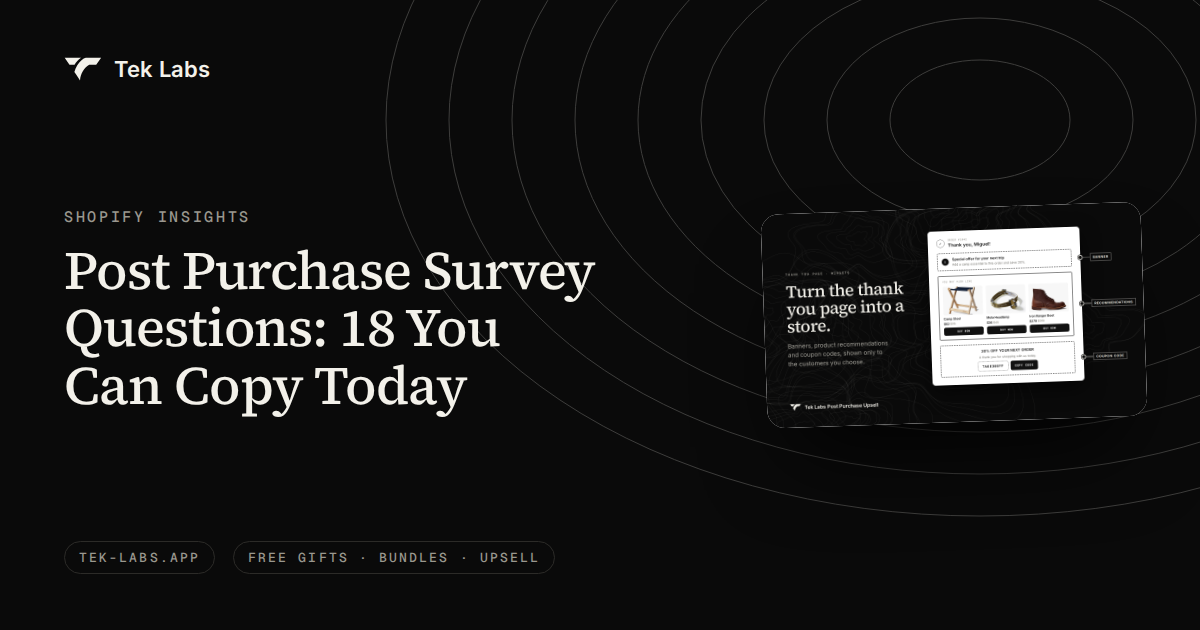
The best post purchase survey questions are short, closed-ended and tied to one decision you will actually make: where the customer found you, what almost stopped them, whether the order is a gift, or what they might buy next. Below are 18 questions with answer options you can paste into a thank you page survey, followed by the wording rules behind them and the steps for putting the answers to work.
A post-purchase survey is a short set of questions shown to a customer right after they pay. Because the customer has just finished an order, they are attentive, the order is known, and the answers are zero-party data: information a customer chose to tell you. That makes the questions worth getting right. A badly worded question costs you nothing to ask and a lot to act on.
Key takeaways
- Ask two or three questions per order, not eighteen. Pick the group that matches your next decision: attribution, product feedback, gift intent or next purchase.
- Use one idea per question, plain words, and answer lists that cover every case and do not overlap. These rules come from survey methodology, not from marketing blogs.
- Always include “Other” or a free-text path. Pew Research found that an open-ended version of a question surfaced answers the closed list never offered.
- Do not ask what Shopify already knows, such as order count, country or order value. Use those as funnel conditions instead.
- Send answers where the team works: the order page for support, a CSV or Google Sheet for marketing, and Shopify Flow for tagging and alerts.
- Collect only what you will use, and tell customers why you are asking.
Where these questions run on Shopify
These questions are written for the thank you page, the page a customer sees after checkout. Shopify’s developer documentation lists survey requests as an intended use of the Thank you page: “Ask a customer to complete a survey after they’ve completed checkout” (Shopify developer docs, read 2026-10-04). The same page notes that on the Thank you page “the order is not yet created” when the extension is displayed, although the order id is available, which is how an app can attach answers to the right order.
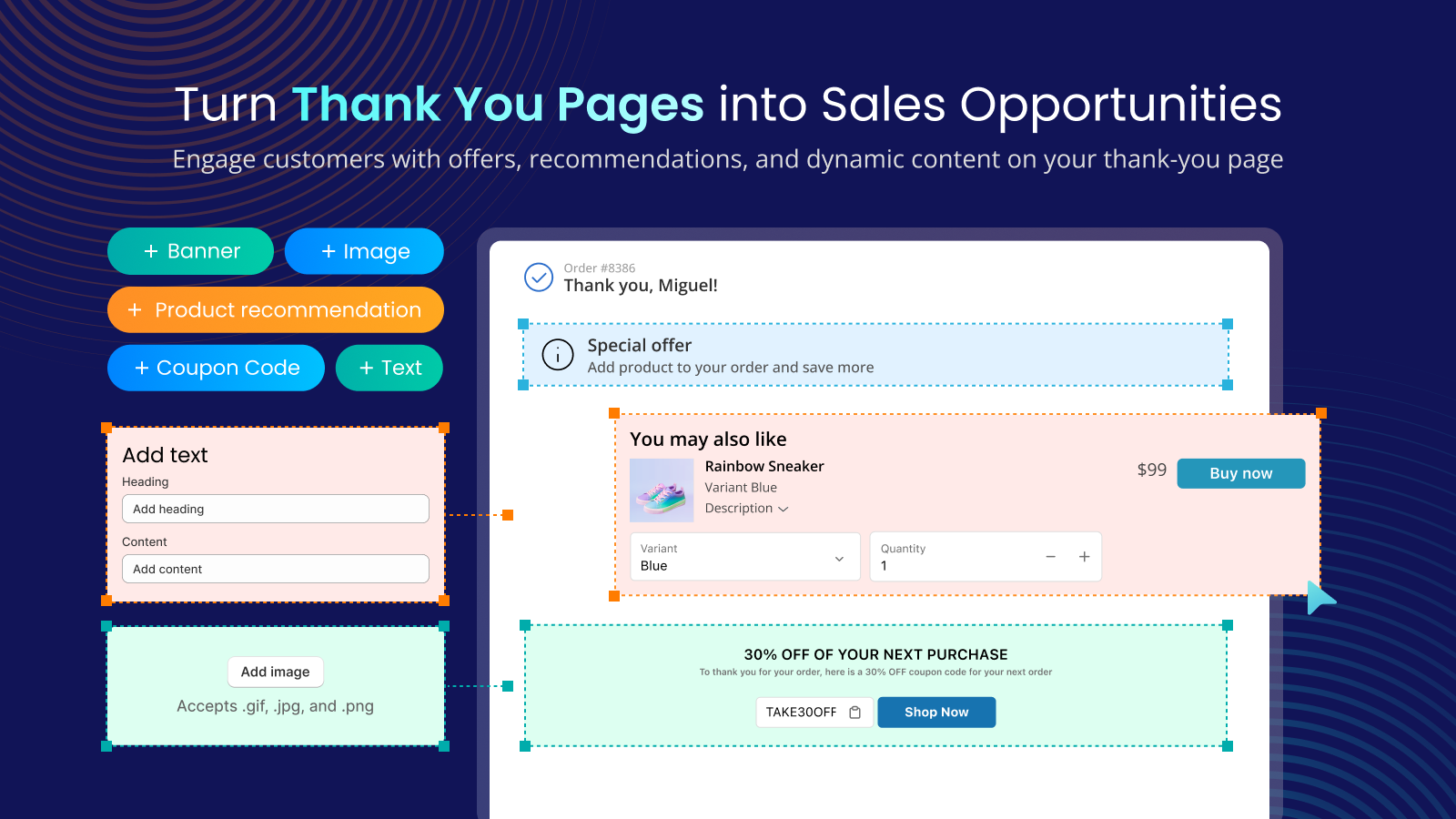
You do not need Shopify Plus for this. Shopify’s checkout extensibility help page says apps that customize the thank you and order status pages are available from the Basic plan up, while apps that customize the information, shipping and payment steps need Plus (Shopify Help Center, read 2026-10-04). Our Post Purchase Upsell app, listed on the Shopify App Store as Salemate, adds a Survey widget to that page with seven question types: multiple choice, dropdown, checkboxes, short answer, paragraph, linear scale and rating. Any survey tool that can render on the thank you page can use the same questions.
Seven rules for writing the questions
Survey researchers have studied question wording for decades, and the findings are specific enough to apply to a two-question thank you page survey. We lean on two public sources: Pew Research Center’s methods page on writing survey questions and Nielsen Norman Group’s survey best practices.
1. One idea per question
Pew describes double-barreled questions as questions that “ask respondents to evaluate more than one concept” and says they are “difficult for respondents to answer and often lead to responses that are difficult to interpret.” “How was shipping and packaging?” is double-barreled: a customer who loved the box and hated the delay has no honest answer. Split it into two questions, or pick the one you will act on.
2. Plain, concrete words
Pew’s guidance is that “questions that use simple and concrete language are more easily understood by respondents.” Skip terms such as “touchpoint”, “attribution” and “channel”. Say “How did you first hear about us?” and list the places by the names customers use.
3. Answer lists that are complete and do not overlap
Pew says closed-ended questions “should include all reasonable responses” and that the categories “should not overlap.” Nielsen Norman Group makes the same point: answer options for a multiple-choice question should be all inclusive and mutually exclusive. In practice that means one clear option per answer and an “Other” or “None of these” option so nobody is forced into a wrong box. “Instagram” and “Social media” in the same list overlap, so pick one level of detail.
4. Use open text to discover the options, then close the list
Pew ran a poll after the 2008 US presidential election that asked the same question in two forms. When the economy was offered in a closed list, 58% chose it; only 35% of the open-ended group volunteered it. In the closed version fewer than one in ten (8%) gave an answer outside the five listed, while 43% of the open-ended group did. Pew notes that researchers sometimes run an open-ended pilot to find the most common answers, then build closed options from them. You can do the same: run “How did you first hear about us?” as short answer for two or three weeks, read the responses, and turn the top answers into the option list.
5. Mind the order of the options
According to Pew, in self-administered surveys people “tend to choose items at the top of the list (a ‘primacy’ effect),” and many of Pew’s own response lists are randomized for that reason. A thank you page survey is self-administered. If your tool does not randomize options, change the order between months or between funnels and compare, and do not always put your favorite channel first.
6. Prefer a choice between statements over agree or disagree
Pew reports that respondents with less formal education are more likely to agree with a statement regardless of its content, which it calls acquiescence bias, and recommends that “a better practice is to offer respondents a choice between alternative statements.” “Our delivery was fast: agree or disagree” is weaker than “How did the delivery time compare with what you expected: faster, as expected, slower.”
7. Short, easy first, no leading wording
Nielsen Norman Group says the most important thing to remember about surveys is to keep them short: ask only about what is essential, and “if you don’t absolutely need the information, leave it out.” Pew advises beginning with simple questions that respondents find interesting and avoiding several difficult questions in a row. Pew also warns that earlier questions can unintentionally provide context for later ones, so a question about discounts placed before “How did you hear about us?” can pull answers toward ads. Lead with the question you care about most.
| Rule | Weak question | Stronger version | Source |
|---|---|---|---|
| One idea | How was shipping and packaging? | How did the delivery time compare with what you expected? | Pew |
| Plain words | Which channel drove your purchase? | How did you first hear about us? | Pew |
| Complete, no overlap | Instagram, Social media, Online | Instagram, Facebook, TikTok, YouTube, Other | Pew, Nielsen Norman Group |
| Discover, then close | A fixed list you guessed | Short answer for three weeks, then a list built from the replies | Pew |
| Option order | Same order for every shopper | Rotate between months or funnels | Pew |
| Choice, not agree | Our checkout was easy: agree or disagree | Checkout was: easier than other stores, about the same, harder | Pew |
| Short and unbiased | Eight questions after payment | Two questions, most important first | Nielsen Norman Group, Pew |
18 post purchase survey questions with answer options
Each question lists a suggested question type from the Survey widget, the answer options to paste in, and a note on when to use it. Edit the options to match your store, and keep “Other” on lists where you are still learning. Where a question helps only one kind of order, such as gifts, use a separate funnel for those customers rather than asking everyone.
Group 1: Attribution (where did the order come from?)
Attribution questions fill the gaps in analytics. Shopify’s marketing reports use a last non-direct click model by default and give “100% of attribution credit to the last channel that the customer interacts with before making a purchase, excluding direct visits” (Shopify Help Center, read 2026-10-04). Word of mouth, a podcast or a screenshot sent in a group chat will not appear there. These questions ask the customer directly.
1. How did you first hear about us?
Question type: Multiple choice (one answer), required
- Google or another search engine
- TikTok
- YouTube
- A friend or family member
- A podcast, blog or article
- An email or text from us
- Other
This is the core question. Use “first” because most analytics tools already report the last click. If you want the final nudge instead, use question 2. Do not add both to the same two-question survey unless you want to compare them.
2. What brought you to our store today?
Question type: Multiple choice (one answer), required
- I saw a post or an ad
- I clicked an email or text from you
- I searched for a product
- I searched for your brand name
- Someone recommended you to me
- I came back on my own
- Other
Pair this with question 1 only in a long-running test. It separates discovery from the decision to buy, which is useful when customers say they “found you on Instagram” six months ago but bought after a search.
3. Where did you see us on social media?
Question type: Multiple choice (one answer), not required
- TikTok
- YouTube
- X
- I did not see you on social media
Use it when social is a large share of question 1 and you want to split it by platform. The last option matters: without it, customers who never saw you on social would have to guess.
4. Which creator, podcast or website mentioned us?
Question type: Short answer, not required
- Free text, up to a sentence
Open text is the best way to discover referrers you did not know about, which is the open-ended pilot idea from Pew. Review answers weekly and add repeat names to your closed list. Skip it if you already work with a fixed set of creators.
5. Did you see an ad for us before ordering?
Question type: Multiple choice (one answer), required
- Yes, on social media
- Yes, in search results
- Yes, in a video
- No ad that I remember
- Not sure
Customers often cannot recall whether they saw an ad, so keep “Not sure”. This question is a rough check on paid versus organic discovery, not a measurement of ad return.
6. Did you look at other stores before ordering from us?
Question type: Multiple choice (one answer), not required
- No, I came straight here
- Yes, one or two other stores
- Yes, several stores
- Not sure
This tells you how competitive the decision was. It is a better use of a question than asking whether the customer is new, because Shopify already knows the order count; Nielsen Norman Group advises against asking survey questions whose answers you can find elsewhere.
Group 2: Product and experience feedback
Feedback questions are most useful when they are tied to one fix you can make. A rating without a follow-up tells you something is wrong but not what, so pair a scale with one closed question about the cause.
7. How easy was it to find what you were looking for?
Question type: Linear scale, 1 to 5, required
- Left label: Very hard
- Right label: Very easy
A scale question measures navigation and search, not product quality. Low scores point to collection structure, filters or the search box. Read the answers by device if you can, since a mobile theme problem hides inside an average.
8. What almost stopped you from ordering today?
Question type: Multiple choice (one answer), required
- Shipping cost
- Delivery time
- Not sure about size or fit
- Price
- Not sure about quality
- Wanted more reviews or photos
- Payment options
- Nothing, it was an easy decision
- Other
This is the most actionable feedback question because it names the objection that the customer overcame, which you can then answer earlier in the journey. A cluster on shipping cost points to a free shipping threshold; a cluster on size points to a size guide.
9. How would you rate your checkout experience?
Question type: Rating (stars), required
- 1 to 5 stars
Use a rating question when you want a number that support can watch. Combine it with a Shopify Flow alert for low scores (see the section on using the answers). Only ask it if you will act on low scores.
10. What was missing from the product page, if anything?
Question type: Paragraph, not required
- Free text
Read the answers in a batch and group them by theme, such as sizing, materials, shipping information or photos.
11. Which one detail mattered most in your decision?
Question type: Multiple choice (one answer), required
- Photos
- Reviews
- Price
- Product description
- Size guide or specifications
- Shipping and returns information
- The brand itself
- Other
The “one” matters. A checkbox question would let customers tick everything, and Pew notes that its 2019 study found forced-choice questions tend to yield more accurate responses than select-all-that-apply lists, so the Center generally avoids select-all questions.
Group 3: Gift intent
Gift questions matter for stores with holiday peaks or gift-heavy products. They help you decide whether to offer gift wrapping, a reminder, or a card, and they separate buyers who need a repeat-purchase message from buyers who bought for someone else. Because the answers relate to a third party, keep them to categories and avoid asking for the recipient’s name or address.
12. Is this order a gift?
Question type: Multiple choice (one answer), required
- Yes, all of it
- Yes, part of it
- No, it is for me
Use this as a screening question for a gift-only funnel. If most answers are “No” you can drop the whole group; if many are “Yes”, the next three questions are worth asking.
13. Who is the gift for?
Question type: Multiple choice (one answer), not required
- My partner
- A family member
- A friend
- A colleague or client
- A child
- Other
Show it only to gift buyers. It guides product bundles by recipient. A store that sees “A colleague or client” at volume may have a corporate gifting opportunity.
14. What is the occasion?
Question type: Multiple choice (one answer), not required
- Birthday
- A holiday
- Anniversary or wedding
- A thank you
- Just because
- Other
Occasion tells you which calendar to plan against. If “A holiday” dominates in November and December, gift-with-purchase offers belong in your holiday plan; if “Birthday” dominates all year, a reminder message is more useful than seasonal ads.
15. Would you like an email reminder before this occasion next year?
Question type: Multiple choice (one answer), not required
- Yes, please remind me
- No, thank you
This is a consent question, so it only makes sense if you will actually send the reminder. Store the answer where your email tool can read it, for example by tagging the customer through Shopify Flow, and state in the question that you will use their email on the order. See the privacy note below.
Group 4: Next purchase
Next purchase questions turn the survey into a planning tool. They are the least urgent group but often the most valuable for a store that depends on repeat orders.
16. What would you most like us to add?
Question type: Multiple choice (one answer), not required
- New sizes or colors
- New types of products
- Bundles or sets
- Refills or subscriptions
- Gift sets
- Something else
A closed list focuses the answers on things you can build. If you want raw ideas, make it a short-answer question for a month first, then close the list.
17. How soon do you expect to order again?
Question type: Multiple choice (one answer), not required
- Within a month
- In 1 to 3 months
- In 3 to 6 months
- In more than 6 months
- This was a one-time purchase
Compare the answer with your actual repeat purchase interval. If customers say “within a month” but your data shows 90 days, the gap is a retention opportunity, not a forecast.
18. How likely are you to recommend us to a friend or family member?
Question type: Linear scale, 0 to 10, required
- Left label: Not at all likely
- Right label: Extremely likely
This is the familiar recommendation scale. Treat it as a trend line for your own store over time, not as a benchmark against other businesses. Set the range and both labels in the widget.
Which questions to pair
Eighteen questions is a menu, not a survey. A customer who has just paid is willing to answer a small number of questions, and Nielsen Norman Group’s advice is to ask only what you need. Choose by the decision you are about to make.
| Your next decision | Ask these | Question types | Show to |
|---|---|---|---|
| Where to spend marketing budget | 1, and 2 or 5 | Multiple choice | All customers, first order only if you can segment |
| Which new channel to test | 1, 3, 4 | Multiple choice plus one short answer | All customers for a four-week window |
| What to fix on the site | 8 and 7 or 11 | Multiple choice plus a scale | All customers |
| Support quality watch | 9 and 10 | Rating plus paragraph | Customers with high order value or a first order |
| Holiday gift planning | 12, 14, 15 | Multiple choice | A funnel for gift-related products or the season |
| Retention and product roadmap | 16, 17, 18 | Multiple choice plus scale | Customers on their second or later order |
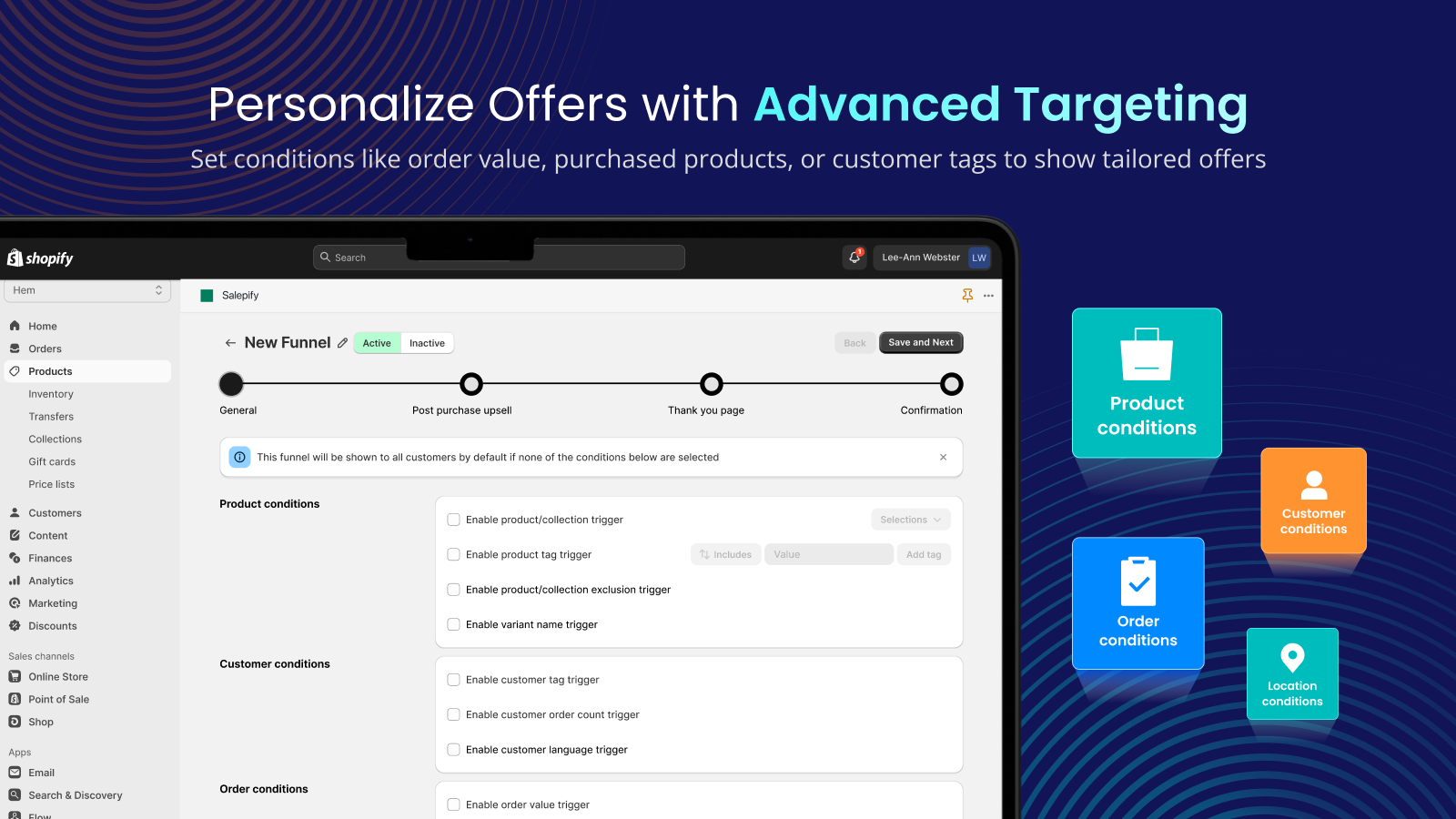
The last column relies on funnel conditions. In the Post Purchase Upsell app the survey follows the funnel’s conditions, which can include customer tag, order count, payment method, order total, country and language. Create one funnel per audience and a different survey for each, instead of one long survey for everyone.
How to set up the survey, step by step
- Write your two or three questions in a spreadsheet first, with the answer options. Check each against the seven rules above.
- Open the app, go to Funnels and Thank You Page, and edit or create a funnel. Set the funnel conditions first, since the survey follows them.
- On the Thank you page tab, add a Survey widget to a thank you block.
- Add each question, choose the type, tick Require an answer for the one that matters most, and add your options. Add an Other option to choice questions where the list is not complete.
- Set the Next button text and the Submit button text. If you have more than one question, tick Show progress indicator.
- Save, then enable the app block in Shopify’s thank you page editor and drag the Thank You block into position. Place a test order and check the Survey responses page.
The steps follow the Post Purchase user guide. Questions, options and buttons can be translated, which helps if you sell in several languages.
How to use the answers
Read them where your team already works
Survey answers are stored against the order. Support and fulfillment staff can see them on the Shopify admin order page through the Survey Responses block, which lists each question with its answer. Marketing can open the Survey responses page in the app and use the export to download a CSV or send the data to Google Sheets for a date range and funnel; the export range is capped at six months.
Automate with Shopify Flow
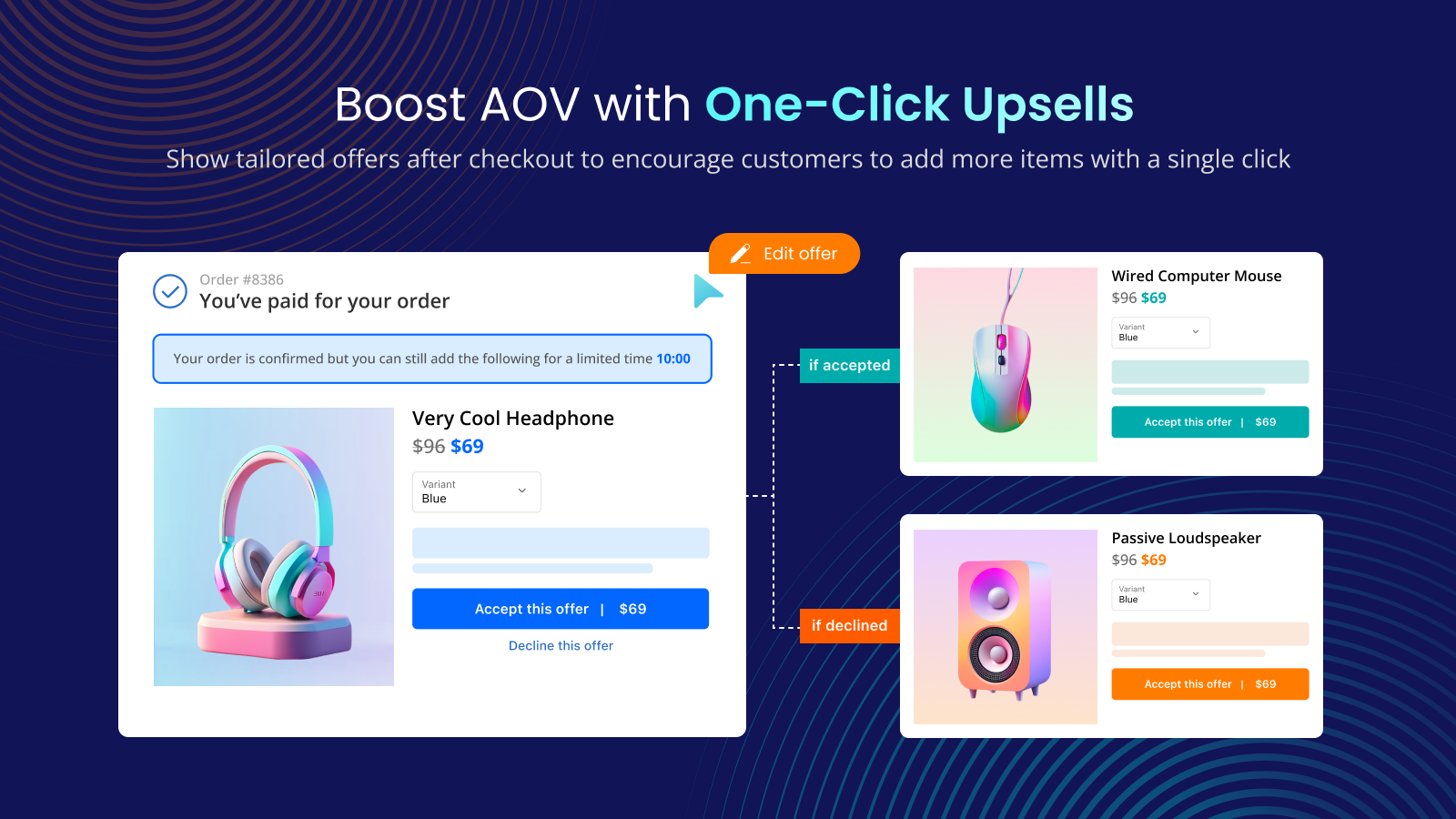
The app registers a Shopify Flow trigger called Survey created. The trigger sends the customer, the order and the survey details, including the funnel name and each question with its answer and type. Shopify describes Flow as “an ecommerce automation platform” built from triggers, conditions and actions, and lists it as a free app on the Basic, Grow, Advanced and Plus plans (Shopify Help Center, read 2026-10-04). Three flows worth building:
- Tag by source. When question 1 is “A friend or family member”, tag the customer so you can send a referral invitation later.
- Low rating alert. When question 9 is two stars or lower, notify support so someone can reply within a day.
- Gift reminder list. When question 15 is “Yes, please remind me”, add a tag that your email tool uses for a segment next year.
The trigger fires only while a Flow that uses it is enabled, so build and enable the Flow before you expect it to run.
Reconcile survey answers with Shopify attribution
Survey answers and analytics measure different things. Analytics records the last tracked click; a survey records what the customer remembers. Shopify notes that a direct source can be listed as N/A when the referrer cannot be determined, for example when the browser has Do Not Track activated, the referrer is blocked by a proxy or firewall, or a shortened URL was used. Those orders look direct in a report but may have a clear answer in your survey.
Here is a hypothetical example with the arithmetic shown. A store has 600 orders in 30 days and 210 survey answers on question 1. Shopify’s report assigns 180 orders (30%) to direct or unknown, 150 to search, 120 to paid social, 90 to email and 60 to other referrals.
| Source | Shopify report (600 orders) | Survey question 1 (210 answers) | Survey share |
|---|---|---|---|
| Direct or unknown | 180 (30%) | Not offered as an option | n/a |
| Search | 150 (25%) | 48 | 48 / 210 = 23% |
| Social (all platforms) | 120 (20%) | 52 | 52 / 210 = 25% |
| Friend or family | Not tracked | 42 | 42 / 210 = 20% |
| Podcast, blog or article | Not tracked | 24 | 24 / 210 = 11% |
| Email or text | 90 (15%) | 14 | 14 / 210 = 7% |
| Other | 60 (10%) | 30 | 30 / 210 = 14% |
The totals check out: 48 + 52 + 42 + 24 + 14 + 30 = 210. The finding is not that one source is right and the other wrong. The survey shows that about a fifth of respondents (42 of 210) came through people and about a tenth (24 of 210) through a podcast, blog or article, neither of which the report can name. Customers who answer a survey are not a random sample of all customers, so read the shares as direction, not as exact percentages for the whole store. Use them to decide what to test next, for example a referral offer or a podcast sponsorship trial, then measure the test on its own.
Privacy: collect only what you will use
A survey is a small data collection exercise, and the rules that apply to any data collection apply to it. This is general information, not legal advice, so check your obligations with your own advisor.
- Purpose and minimization. Article 5 of the GDPR says personal data must be “collected for specified, explicit and legitimate purposes” and be “adequate, relevant and limited to what is necessary” (GDPR Article 5, read 2026-10-04). Each question should have a use you can state in a sentence. If you cannot say why you ask, remove it.
- Notice. In California, the Attorney General’s CCPA page says businesses must give consumers a notice at collection listing the categories of personal information collected and the purposes for which they are used (California Attorney General, read 2026-10-04). Add a line to your privacy policy that covers survey answers tied to an order.
- Sensitive topics. Pew notes that people tend to give inaccurate answers to questions on sensitive subjects. Avoid health, income, age and similar questions on a thank you page. They add risk and rarely improve the answer.
- Third parties. For gift questions, record categories like “A friend”, not names or addresses.
- Reminders need a yes. Only tag a customer for a reminder if the question said what you would send and they agreed.
Common mistakes
- Asking too many questions. Each extra question is more effort for a customer who just wanted to finish. Start with two.
- Asking what Shopify already knows. Order count, country and total are conditions, not questions.
- Changing the wording mid-test. If you rewrite question 1 every week you cannot compare weeks. Change it only when you start a new test, and note the date.
- Forgetting Other. Without it you force a wrong answer and miss new channels.
- Never reading the responses. A survey nobody opens is just friction. Schedule a weekly five-minute review, or automate the alerts.
- Treating survey shares as exact. Respondents are a subset. Use them to pick tests, not to forecast revenue.
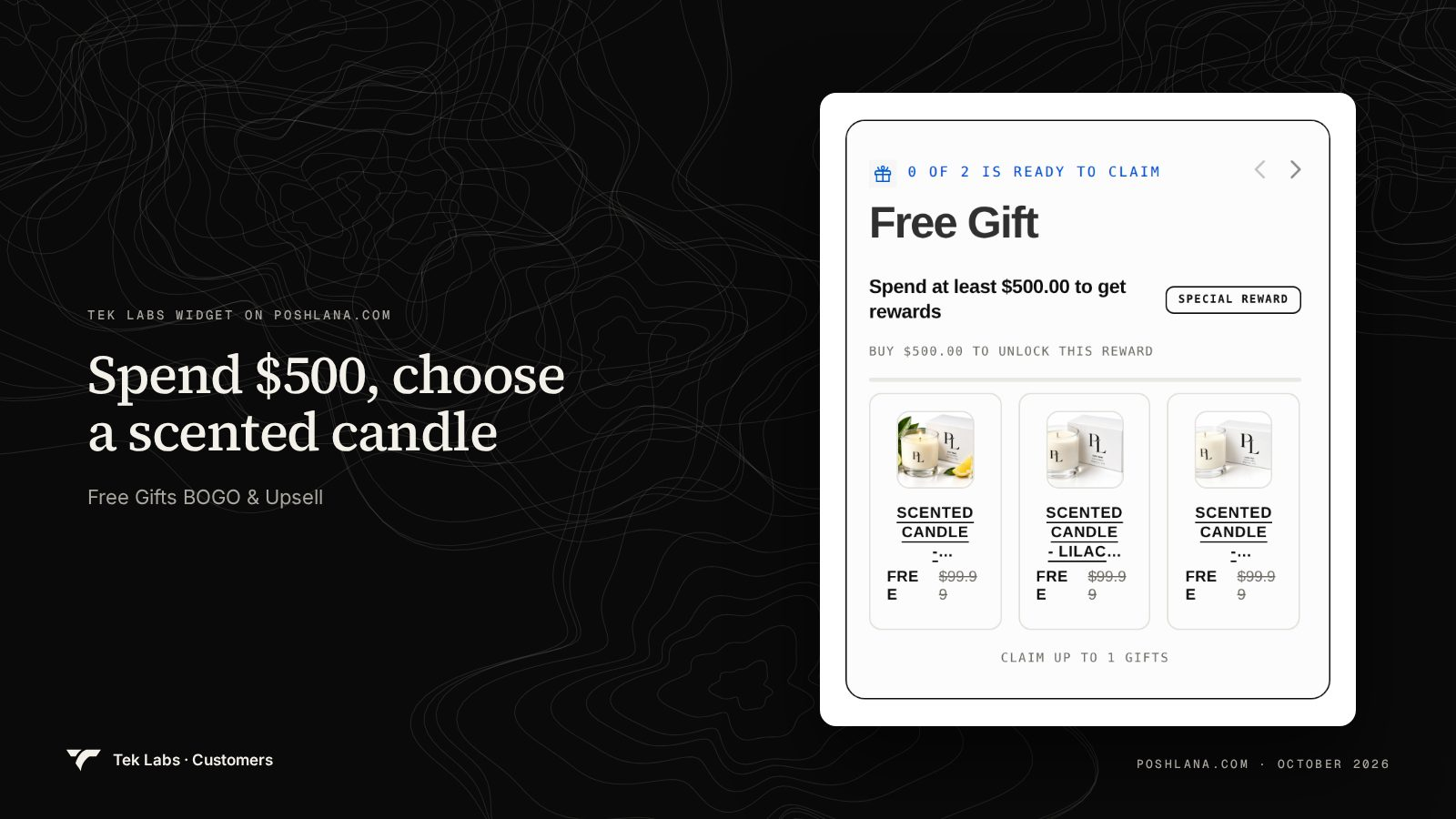
The image above shows an offer on a real store and nothing more: the widget lists a $500 spend target and three scented candles each marked FREE beside a struck-through price. We do not know what questions that store asks after checkout. The pairing with question 12 is our suggestion: when a store runs gift offers, asking “Is this order a gift?” gives you the data to decide whether a gift sells better as a reward or a bundle.
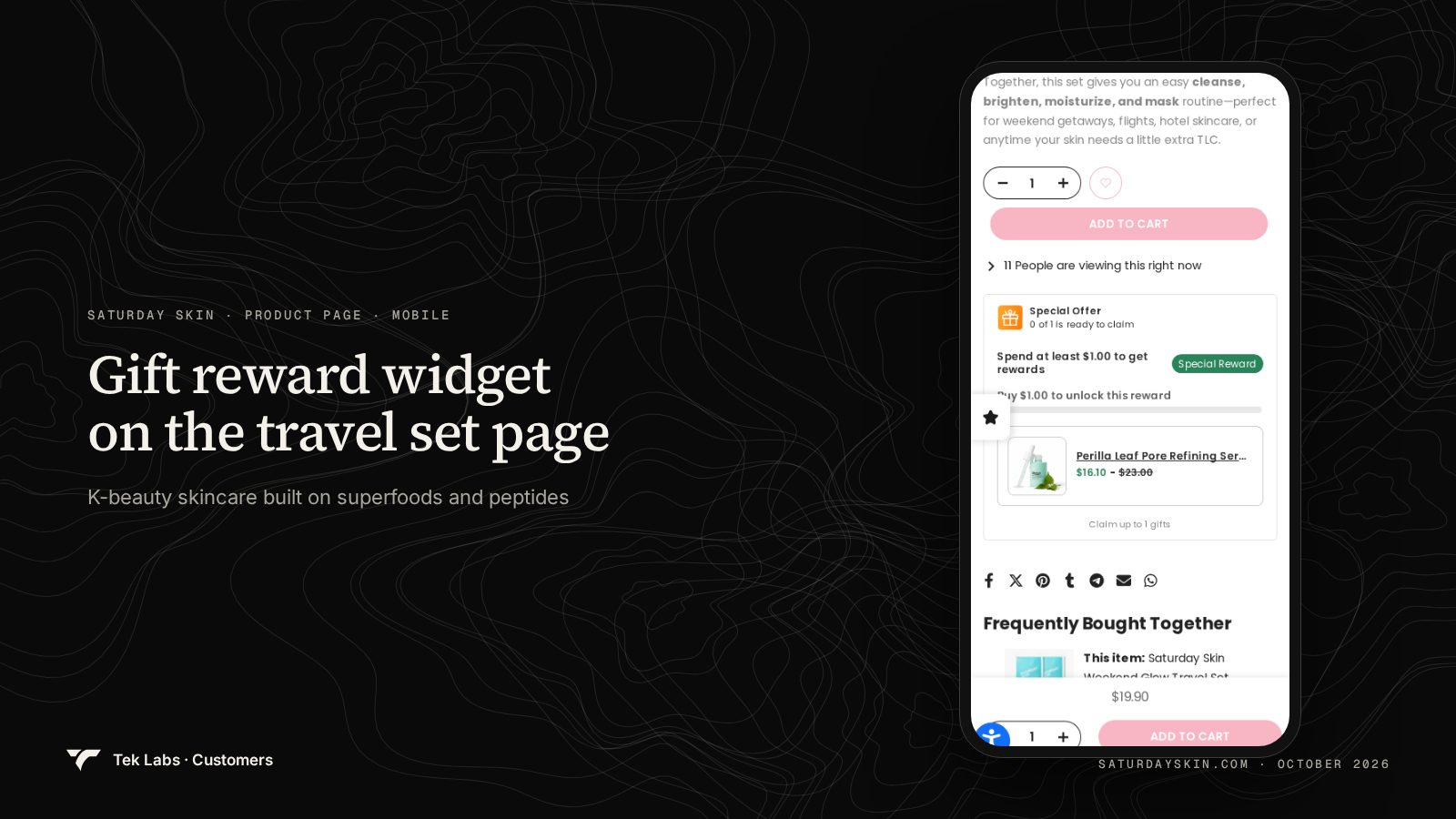
The mobile product page above carries more than one offer in a short space. When a page has several offers, a thank you page survey with question 8 (“What almost stopped you from ordering today?”) and question 11 (“Which one detail mattered most?”) helps you learn which parts of the page customers actually used.
Next step
If you want to run these questions on the thank you page, the Post Purchase Upsell app includes the Survey widget alongside thank you page offers and one-click post-purchase offers, and it is free to install. For thank you page layout ideas see what to add to your Shopify thank you page. If you want to know whether a post-purchase offer or survey needs Plus, see post-purchase upsells without Plus.
Frequently Asked Questions
How many post purchase survey questions should I ask?
Two or three is a good starting point. Nielsen Norman Group advises keeping surveys short and asking only what is essential, and a customer who has just paid has little patience for more. Make one question required and the rest optional.
What is the best single post purchase survey question?
For most stores it is “How did you first hear about us?” as multiple choice with an Other option. It fills the gap left by last-click analytics and costs one tap to answer.
Do I need Shopify Plus to run a survey after checkout?
No. Shopify’s help center says apps that customize the thank you and order status pages are available on all plans from Basic up. Only apps that change the information, shipping and payment steps need Plus.
Should I use open text or multiple choice?
Use both in order. Start with short answer to learn what customers say, then build a multiple choice list from the common replies and keep Other. Pew found that open-ended versions surfaced answers a fixed list did not offer.
Where do I see and use the answers?
In the app’s Survey responses page, on each Shopify admin order page, in a CSV or Google Sheets export, and in Shopify Flow through the Survey created trigger for tags and alerts.
Is it legal to ask these questions?
Questions about how a customer found you are common, but privacy rules still apply to the answers. Collect only what you will use, explain the purpose in your privacy policy and avoid sensitive topics. Ask your own legal advisor about your situation.