Build a box
Let customers fill a box with their own picks from a curated range.
Mix and match bundles
Group products into sets, define the selection rules, and let shoppers choose items to complete the offer. Good for boxes, sample packs, and layered looks.
What it is
Mix and match bundles let customers choose their own items instead of buying a fixed set. In Mix & Match Bundles you group products into sets, define selection rules, and apply quantity rules and discounts, without duplicating products.
Use it when your catalog suits variety: gift boxes, sample packs, starter kits, or outfits built from different categories. The App Store listing names build a box and sample packs among the bundle types.
For the shopper
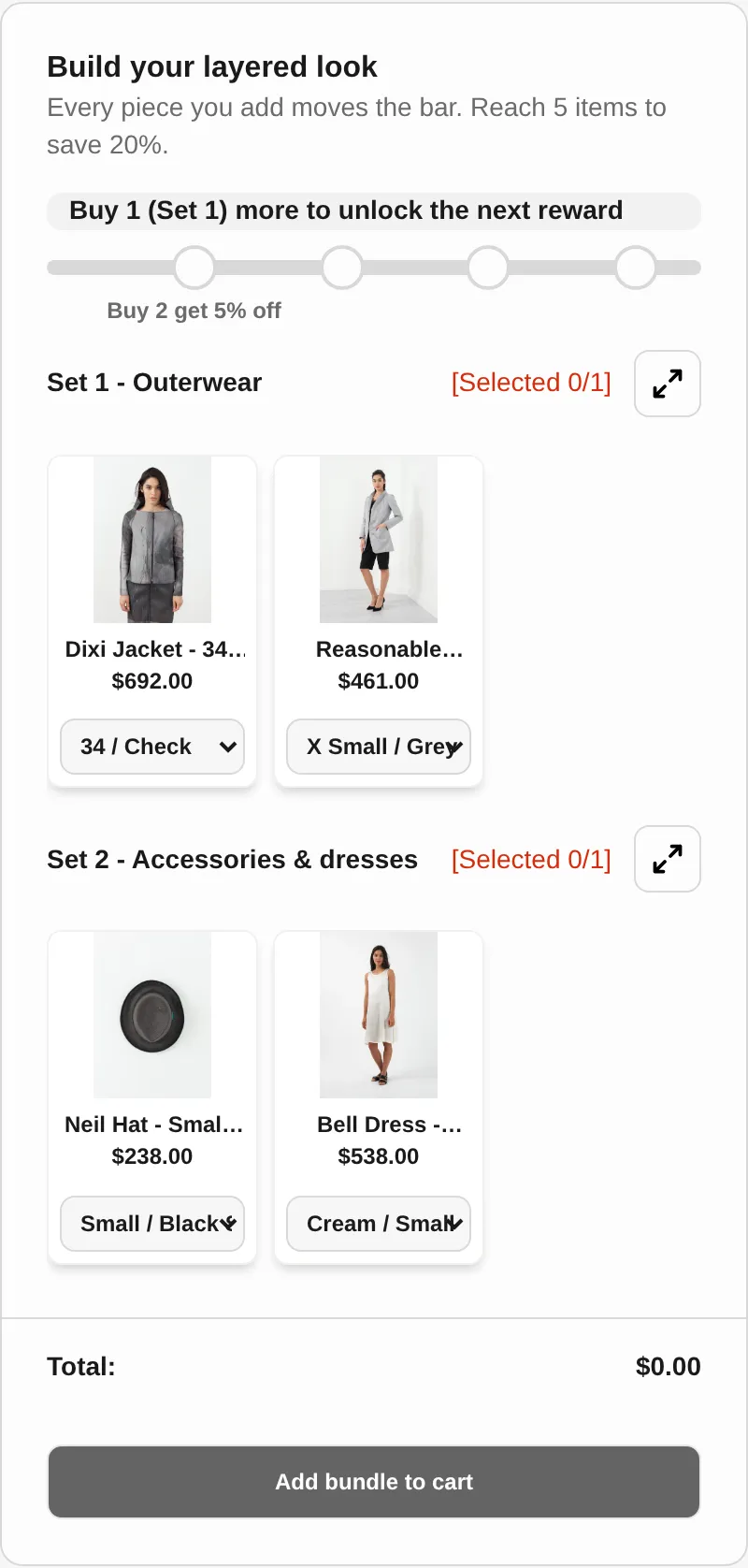
They see the product sets you grouped, for example one set per category.
They pick items from each set to complete the offer, following your selection rules.
The demo store shows a progress bar and a reward at each tier, with the discount updating as the bundle fills.
Once the rules are met, the chosen items are added with the bundle discount.
For you
Options you control
Create product sets, such as Set 1 and Set 2, so customers can choose items from each. Products do not need to be duplicated.
Set how many items shoppers choose, including required items. The demo store shows required items and no duplicates across groups.
Apply quantity rules and bundle discounts. Pricing options on the listing include fixed or tiered pricing, flat or percentage discounts, free shipping, and BOGO.
Customize the bundle UI to fit your store. The listing mentions custom CSS and multi-language support.
Use cases
Let customers fill a box with their own picks from a curated range.
Offer a small mixed set so new customers can try several products at once.
Group outerwear, accessories, and basics into sets so shoppers assemble a look.
Reward a larger selection with a bigger discount tier.
FAQ
A bundle where customers choose items from product sets to complete an offer. The app groups products into sets and applies your selection rules.
No. The listing says it helps manage complex bundles without duplicating products.
Yes. The listing mentions quantity breaks and bundle discounts, and the demo store shows a reward at every tier.
The listing says you can customize the bundle UI to match any store theme and lists custom CSS among its customization options.
The App Store listing shows 35 languages for the app.
Related features
Free gifts, BOGO, bundles and progress bars. Every offer type, on a free plan to start.