Any 3 for a set price
Use Fixed price on a tier with a minimum quantity of 3.
Fixed price and capped bundle discounts
Reward bundles with a percentage, an amount off, or a fixed bundle price, and choose whether extra items stay at full price.
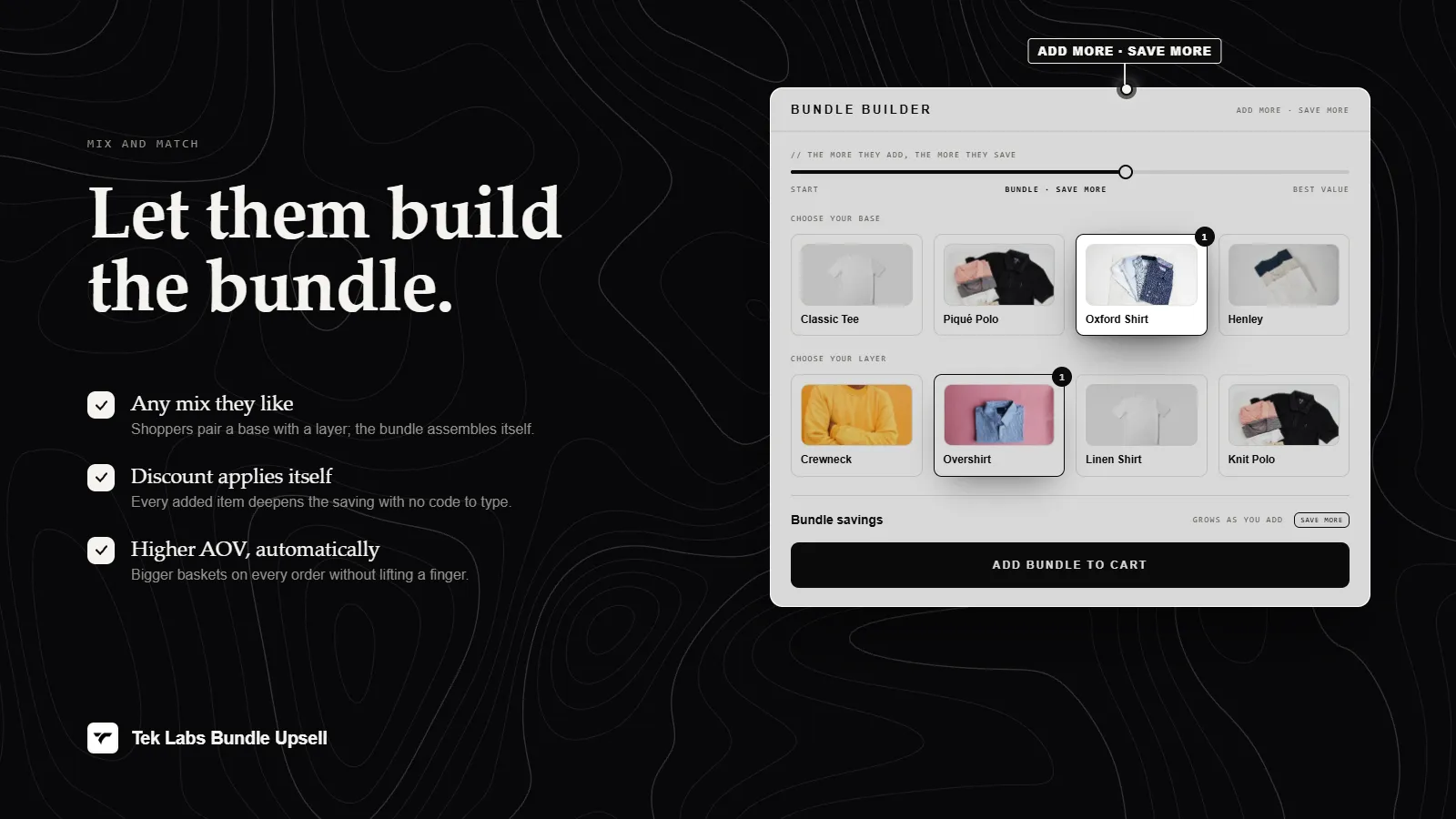
What it is
Every reward tier in Mix & Match Bundles has a discount type: None, Percentage, Amount, or Fixed price. Fixed price sets what the discounted items cost, which suits offers such as any three for a set price. You can also cap the discount with a maximum amount.
A second control decides what happens when shoppers buy more than the tier needs. By default the discount applies to everything in the bundle. If you turn on the option to only apply the discount to the required quantity, extra items stay at full price and the app discounts the lowest priced units first.
For the shopper
Scroll through the steps. The phone shows what the shopper sees at each one; products and prices are an example.
They add items from your groups until a tier is reached.
Reward text such as Buy [min condition] get [discount amount] off updates as they build.
A banner such as Buy [remaining] more to unlock the next reward nudges them toward a bigger tier.
The discount function applies the percentage, amount, or fixed price to the qualifying items automatically.
For you
Options you control
In the Condition step scroll to Discounts and open Tier 1.
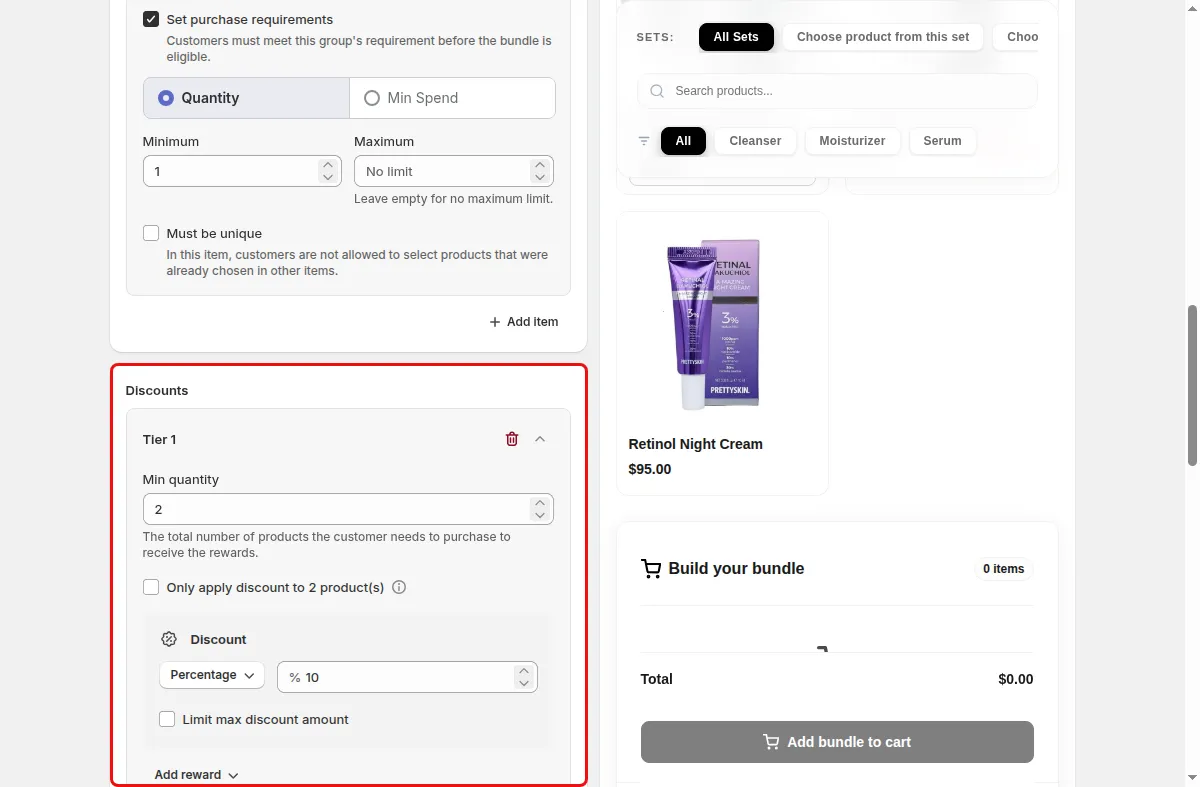
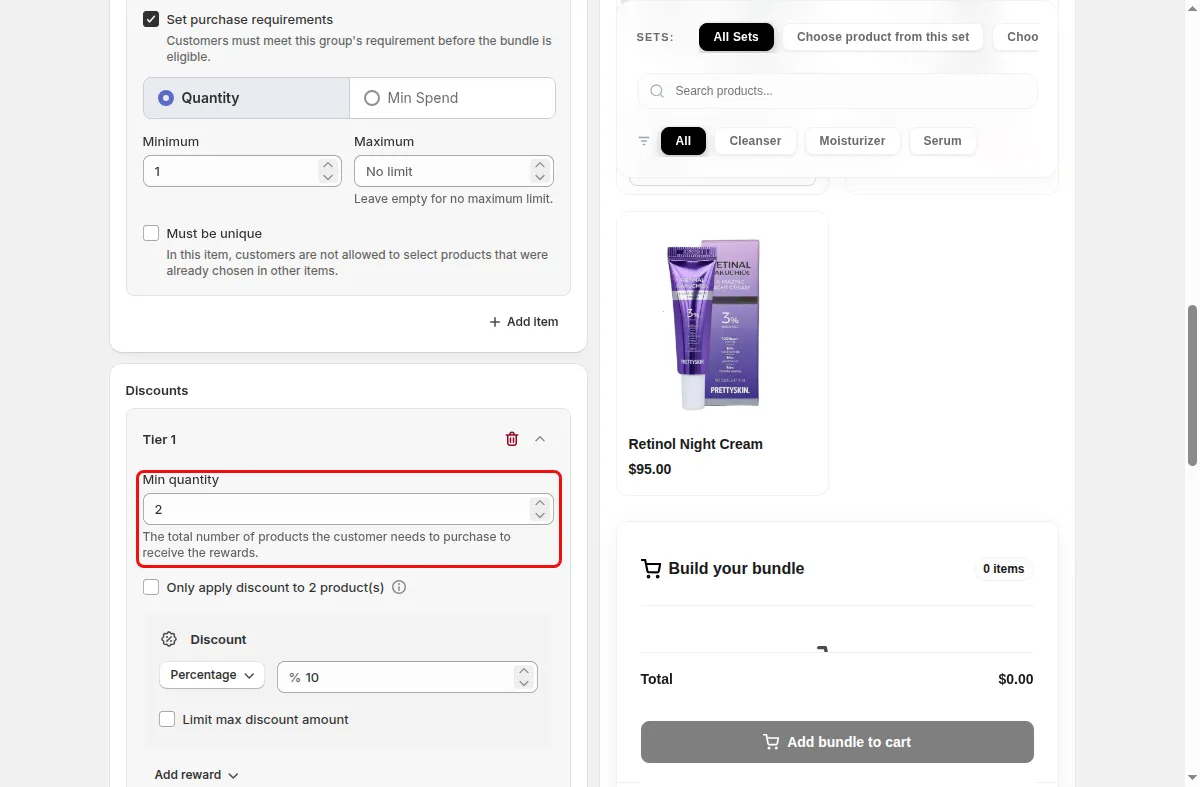
Enter the total number of products the customer needs to purchase to receive the rewards.
Pick Percentage, Amount, or Fixed price under Discount options and enter the value. Add a max discount amount if needed.
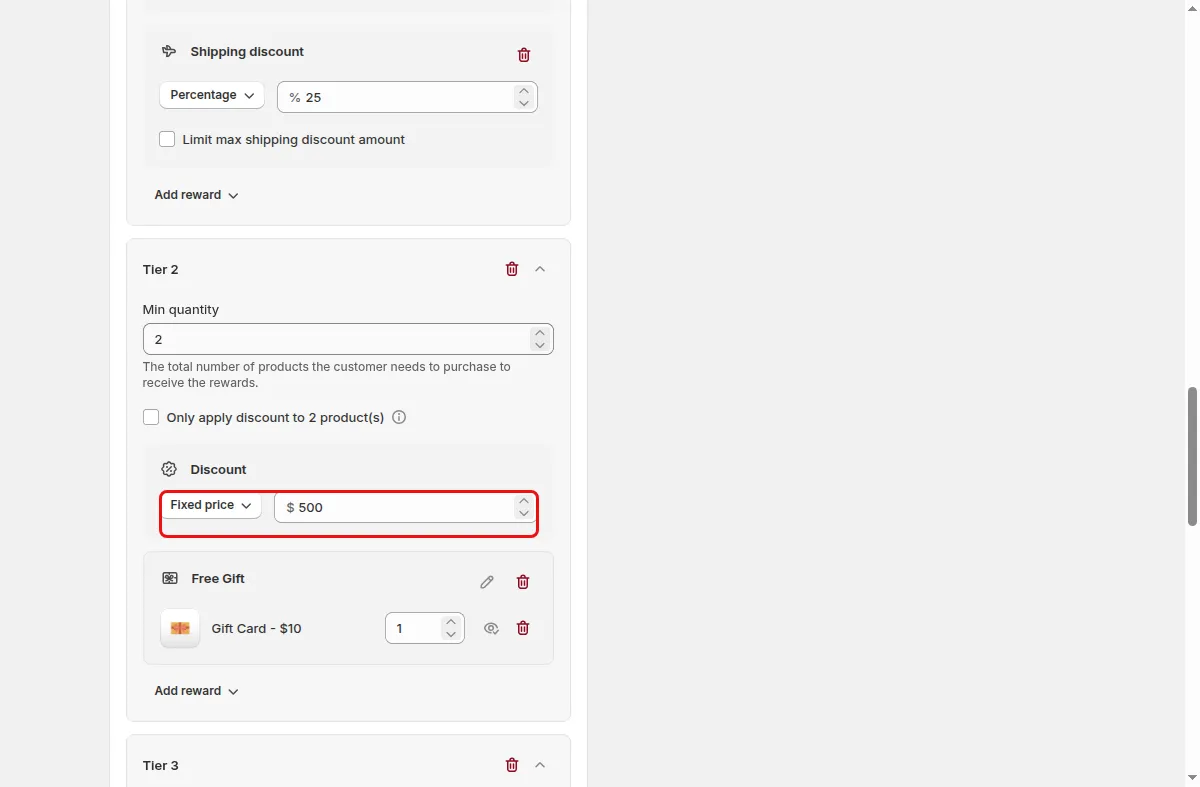
Switch on the option to only apply the discount to the required quantity if larger bundles should not get the discount on every item.
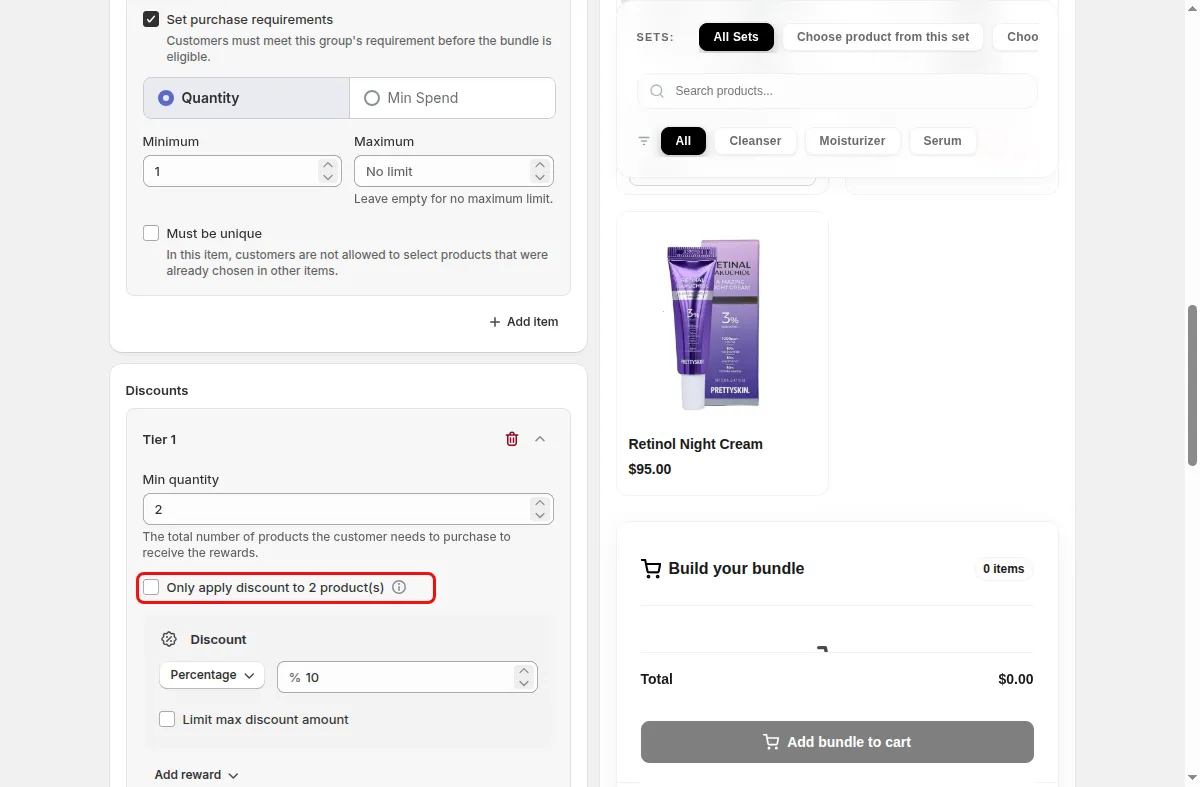
Add extra tiers, each with a higher minimum quantity, then click Save.
Use cases
Use Fixed price on a tier with a minimum quantity of 3.
Cap the discount and apply it to the required quantity only.
Create 10, 15, and 20 percent tiers at 2, 3, and 4 items.
FAQ
Amount takes a fixed sum off, and Fixed price sets the price of the discounted items. Both are separate options in the discount type menu.
The function sorts the condition units by price from lowest to highest and discounts only as many units as the tier requires.
The functions multiply amounts by the presentment currency rate, and percentages are never converted.
Related features
Build-a-box, gift sets, tiered bundle discounts: our team sets it up with you and checks it on your theme before it goes live.
Free plan available. Built for Shopify. Rated 4.9 from 35 reviews.