Build your own box
Let shoppers fill a box with picks from several categories on one page.
Bundle builder page
Give shoppers a standalone page on your store where they pick products step by step while the discount and rewards update live.
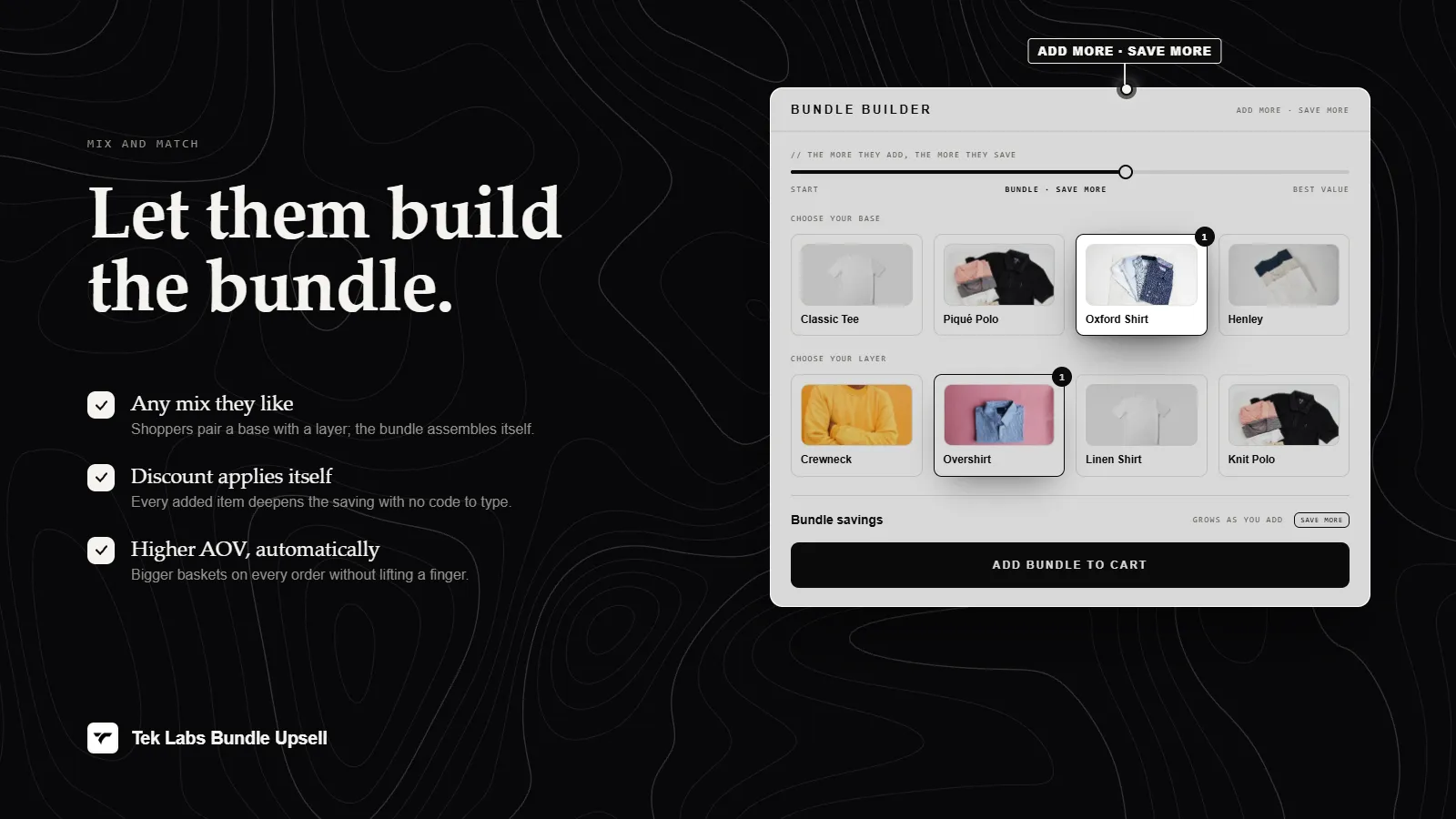
What it is
The Bundle Builder is a campaign type in Mix & Match Bundles. Instead of showing the bundle on a product page, the app creates a Shopify page on your store at /pages/<your handle>. Shoppers browse your product groups on that page, add items to a bundle summary, and add the whole bundle to the cart in one click.
Use it when your bundle is a destination of its own: a build-your-own box, a starter kit, or a seasonal combo you want to link from ads, emails, or navigation. Products that belong to the bundle also get a button on their product page that links to the builder page.
For the shopper
Scroll through the steps. The phone shows what the shopper sees at each one; products and prices are an example.
They land on your bundle page, which lists the products from your categories with search, a category or set filter, and an Add to Bundle button on each card.
Each product they add appears in the bundle summary. An empty bundle shows a hint, and a toast confirms each item added or removed.
A milestone rewards area shows the next reward and how many more items are needed, and the discount updates as the bundle grows.
When each category requirement is met, one button adds all selected items, plus any gifts, to the cart with the bundle discount.
For you
Options you control
In the app admin open Campaigns, click Create campaign, and choose Bundle Builder (Guided bundle page) in the Choose campaign type window.
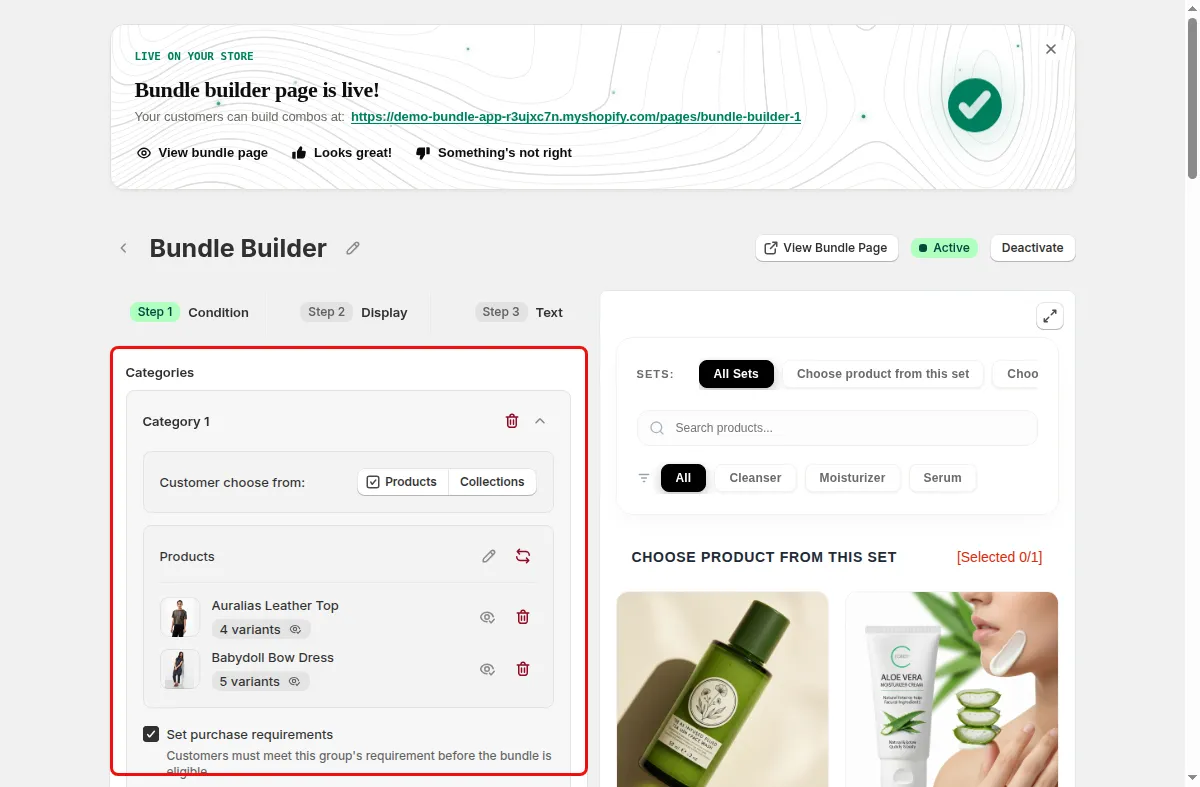
In the Condition step add Categories, choose the products customers can pick from, set quantities, and add Discounts tiers.
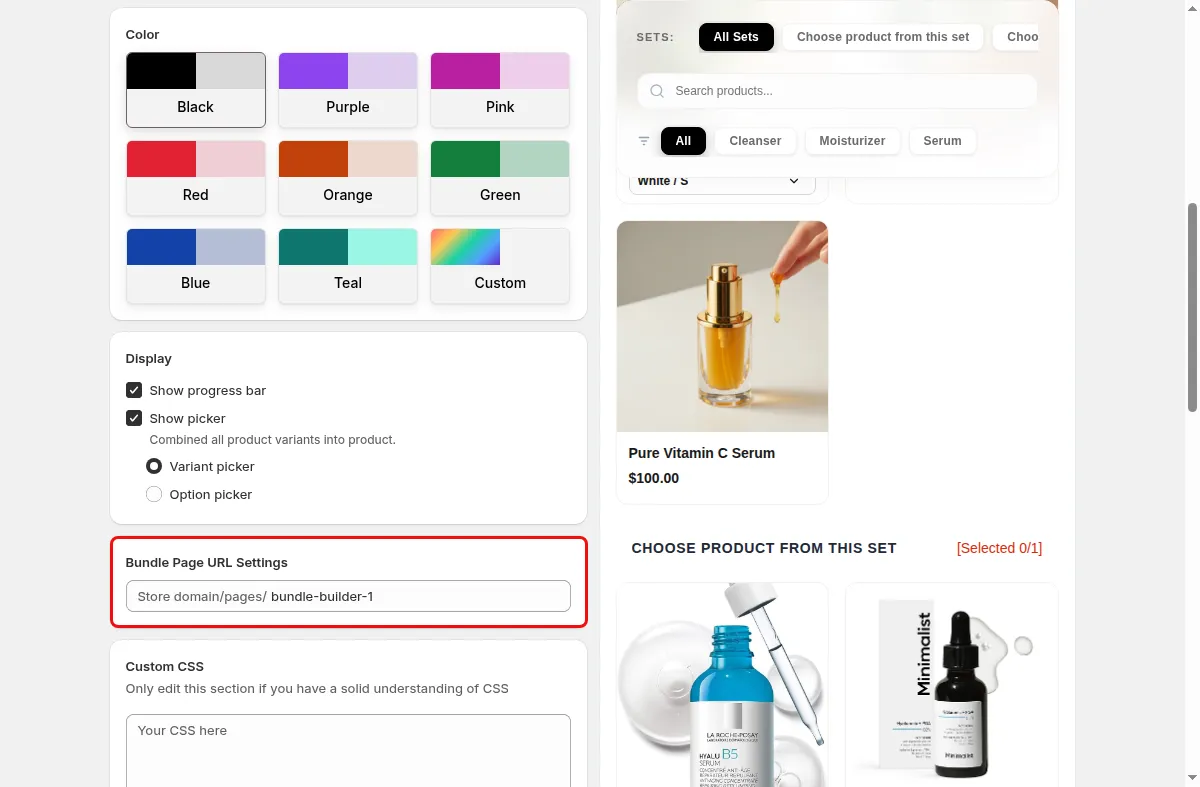
In the Display step choose a Template, set the Bundle Page URL Settings handle, add a Banner image, and pick the Empty slot shape.
In the Text step edit the bundle name, buttons, and messages, and add locales with Add locale.
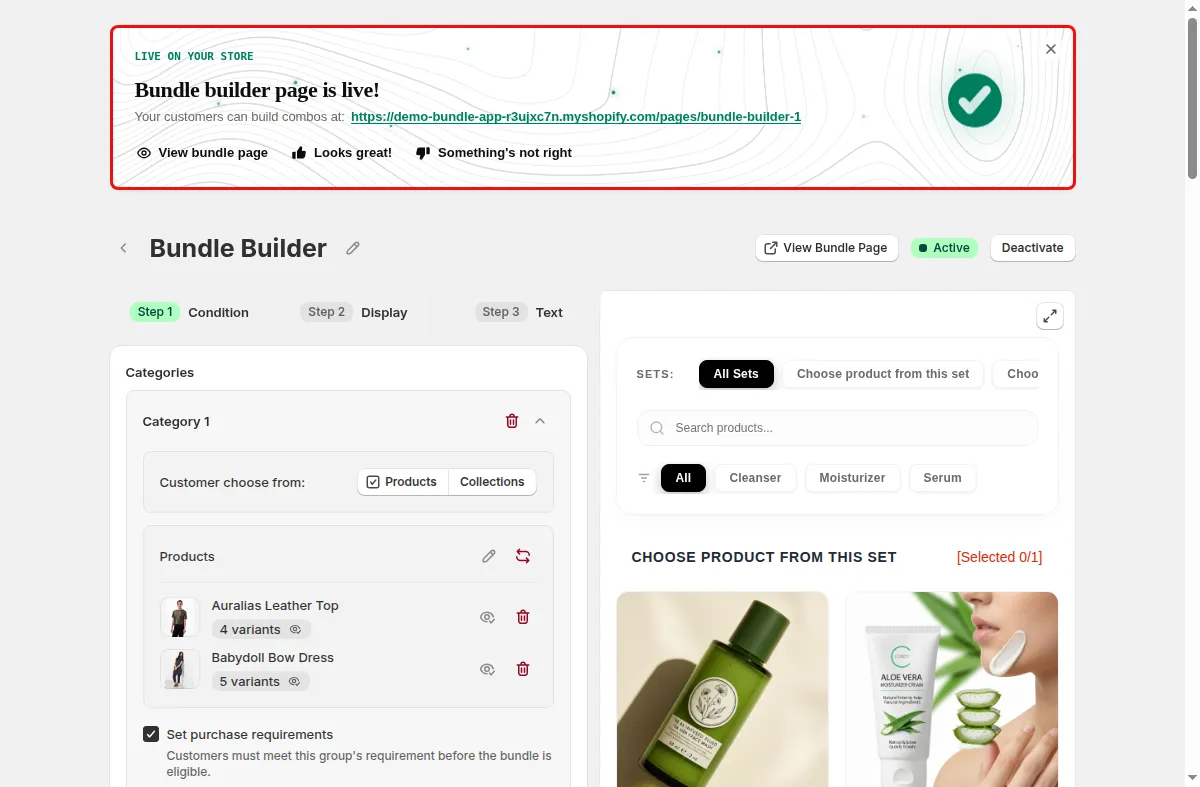
Click Save. The app creates the page, and the Bundle builder page is live banner shows the link with a View Bundle Page button. Make sure the Mix & Match app embed is on in the theme editor.
Use cases
Let shoppers fill a box with picks from several categories on one page.
Link a seasonal bundle from ads or email straight to its builder page.
Require one product from each category so every kit is complete before it can be added to the cart.
FAQ
The app creates a Shopify page with the handle you set, so the address is your store domain plus /pages/ and that handle. If no handle is set the code falls back to bundle-builder.
Yes. The builder page campaign targets products in the bundle, and the widget shows a button on those product pages that links to the bundle page. With several bundles it shows a dropdown.
The page body created by the app contains a fallback message saying the bundle promotion has ended or is under maintenance, with a Continue Shopping link.
Related features
Build-a-box, gift sets, tiered bundle discounts: our team sets it up with you and checks it on your theme before it goes live.
Free plan available. Built for Shopify. Rated 4.9 from 35 reviews.