Stock-up products
Reward 2, 3, and 6 packs of everyday items.
Quantity break pricing widget
Show up to 6 quantity tiers on the product page, highlight a best value tier, and add shipping or gift rewards to any tier.
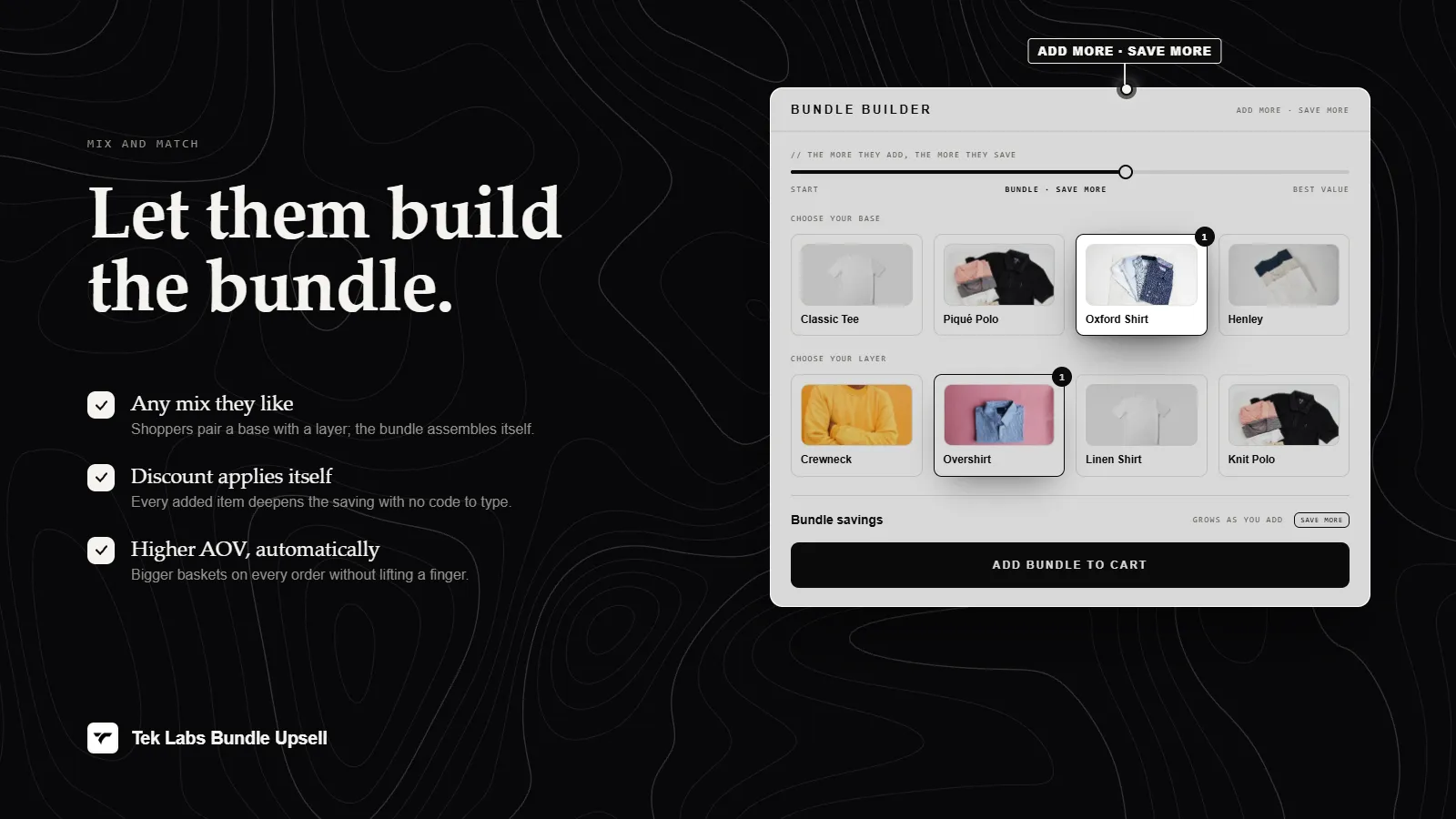
What it is
Volume Discount is a campaign type in Mix & Match Bundles. It adds a tier widget to the product page where each tier is a quantity, such as 2 items or 3 items, with its own discount: percentage off, fixed amount off, or a set price. One tier can be marked as the default Best value tier.
Each tier can also carry a free shipping reward and a free gift. You can hide the theme's own variant picker, quantity input, and add to cart button so shoppers use the widget instead. Use it for consumables and stock-up products.
For the shopper
Scroll through the steps. The phone shows what the shopper sees at each one; products and prices are an example.
A widget titled Buy more, save more lists the quantity tiers and what each saves.
They click a tier card. The Best value tier is highlighted by default, and cards can show a Save badge.
A summary shows Save amount and Total, and the Add to cart button adds the chosen quantity.
The discount, plus any shipping discount or free gift on the tier, is applied automatically at checkout.
For you
Options you control
Open Campaigns, click Create campaign, and choose Volume Discount.
In step 1, Discount Tiers, set the Product section to all products, specific products, or specific collections.
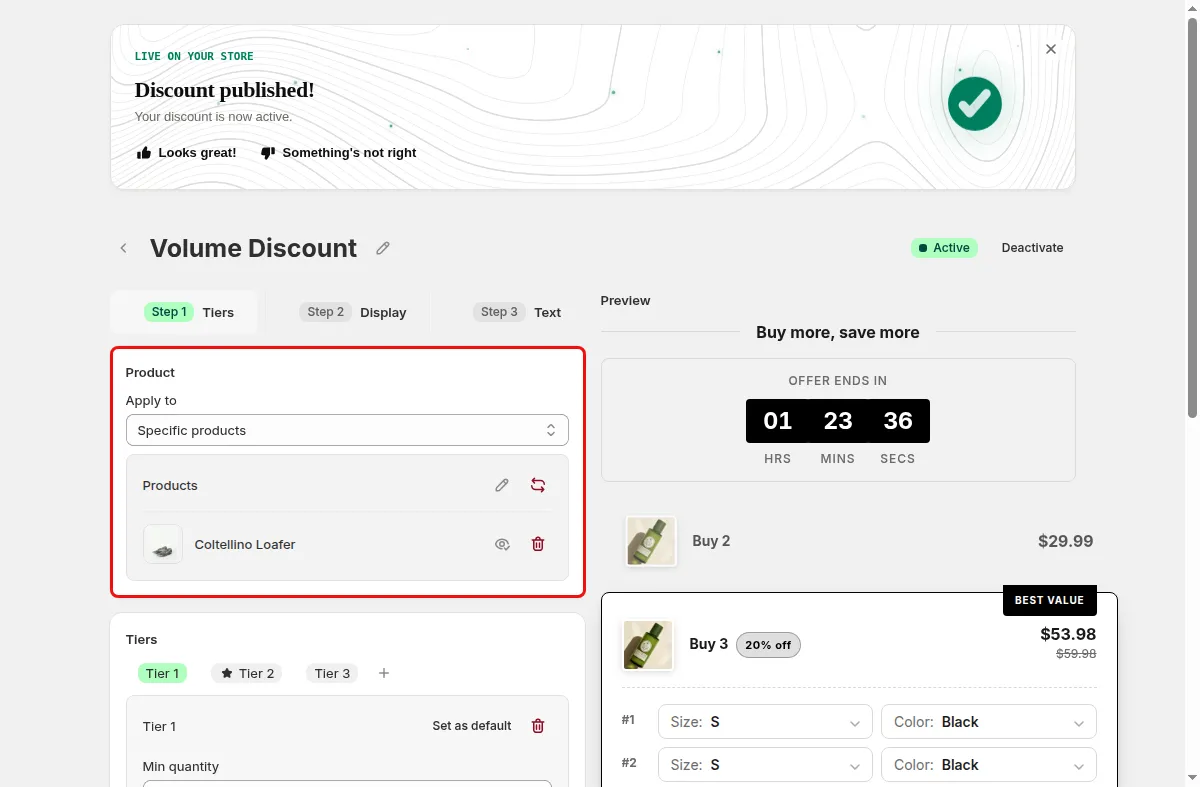
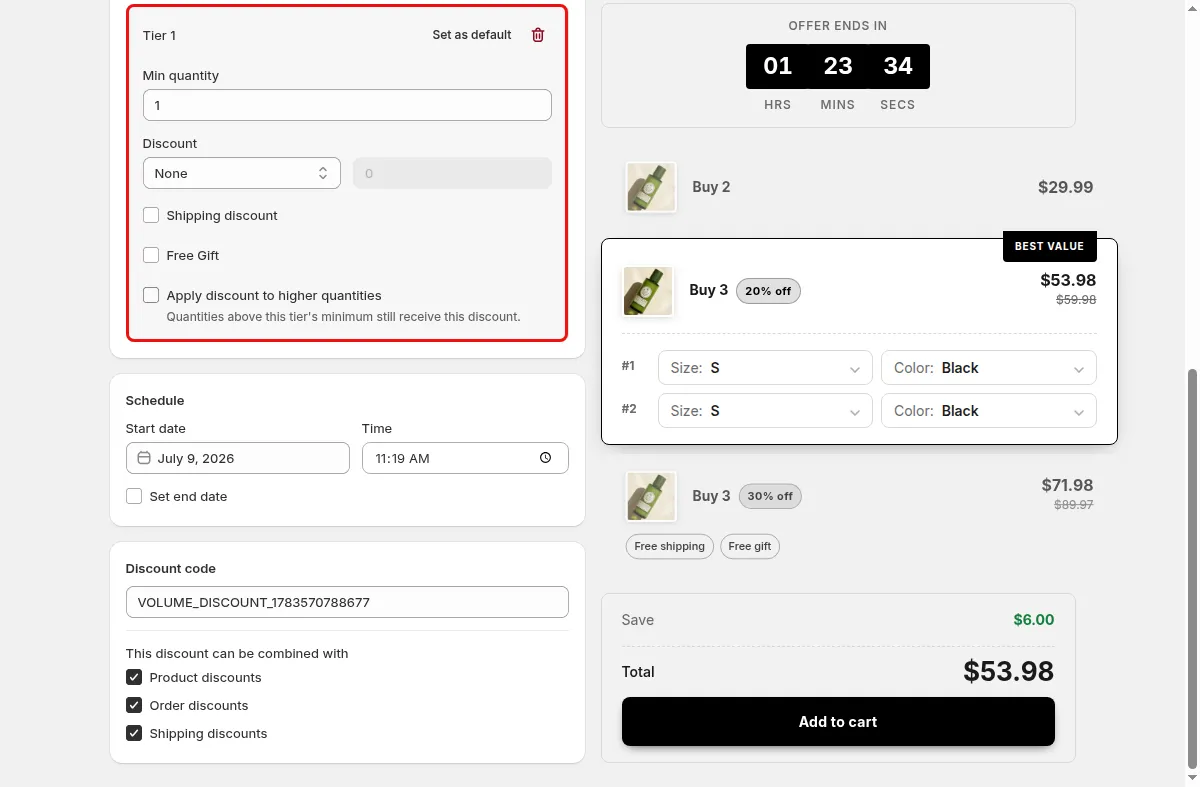
Click Add Tier, set the Min quantity and Discount value, and use Set as default for the Best value tier. Add shipping or gift rewards if wanted.
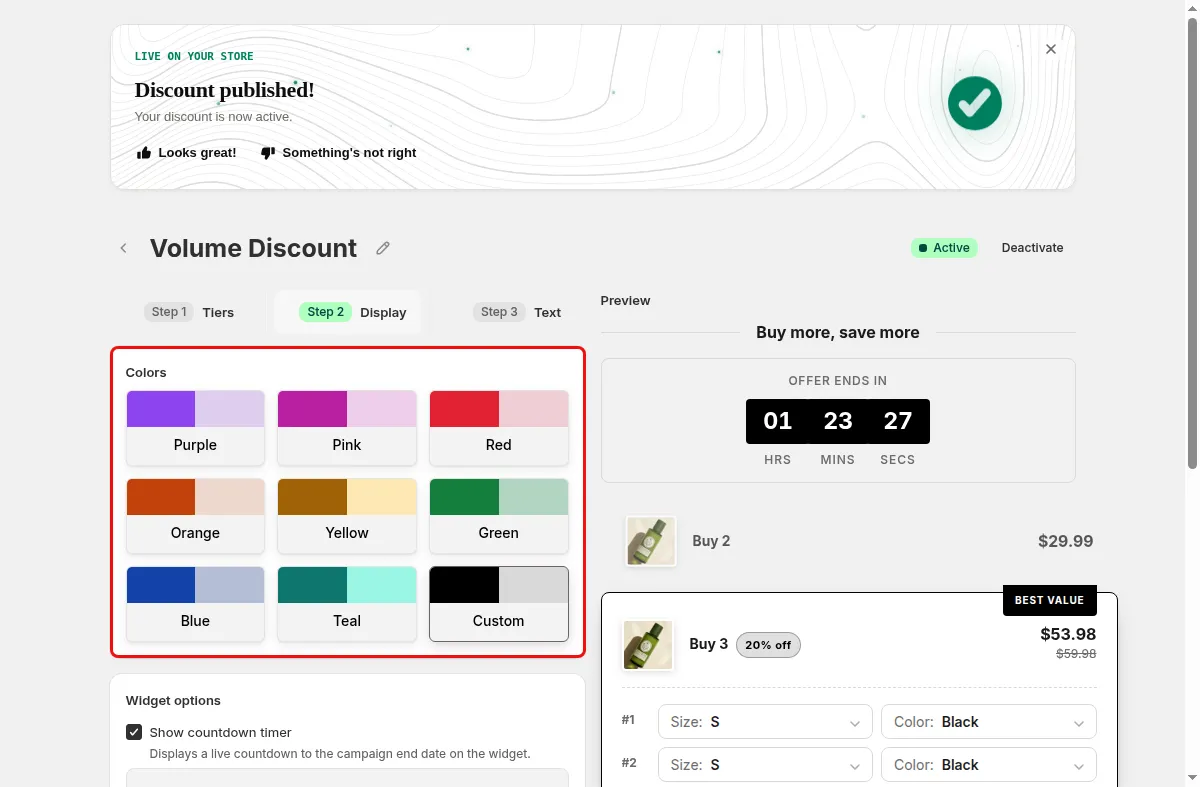
In step 2, Display Settings, pick colors and widget options. In step 3, Text and Translations, edit tier text and add locales.
Click Save, and confirm the Mix & Match app embed is on in the theme editor.
Use cases
Reward 2, 3, and 6 packs of everyday items.
Mark the middle tier as Best value to steer shoppers.
Hide the theme add to cart button so the widget is the only buy option.
FAQ
Up to 6. At the limit the editor shows a message and a Contact us link to request more.
Yes when Apply discount to higher quantities is on. Otherwise the discount applies only up to the tier quantity.
It is a separate widget in the Mix & Match Bundles app, with its own tiers, countdown timer, and per-tier shipping and gift rewards.
Build-a-box, gift sets, tiered bundle discounts: our team sets it up with you and checks it on your theme before it goes live.
Free plan available. Built for Shopify. Rated 4.9 from 35 reviews.