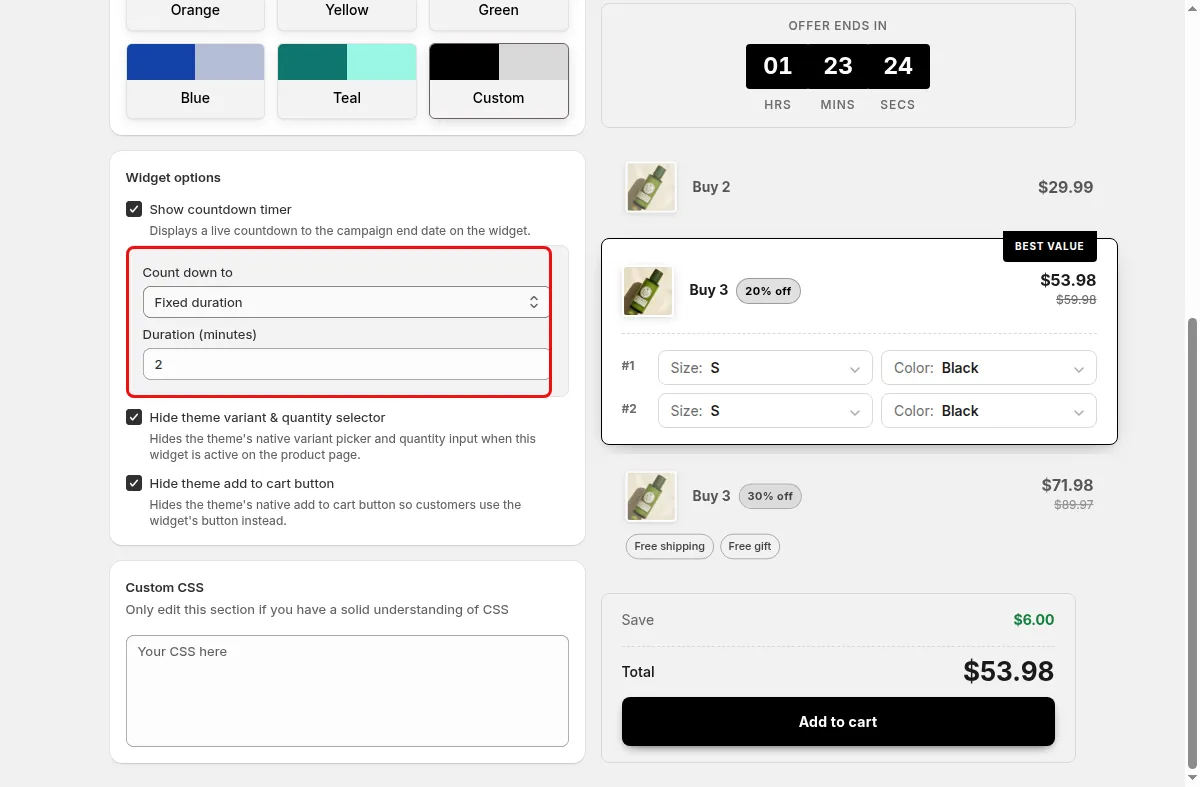
Flash sale
Run a 60 minute fixed duration timer for a limited quantity break.
Countdown timer on volume discounts
Add a live countdown to your volume discount widget, either a fixed duration or a countdown to a set end date.
What it is
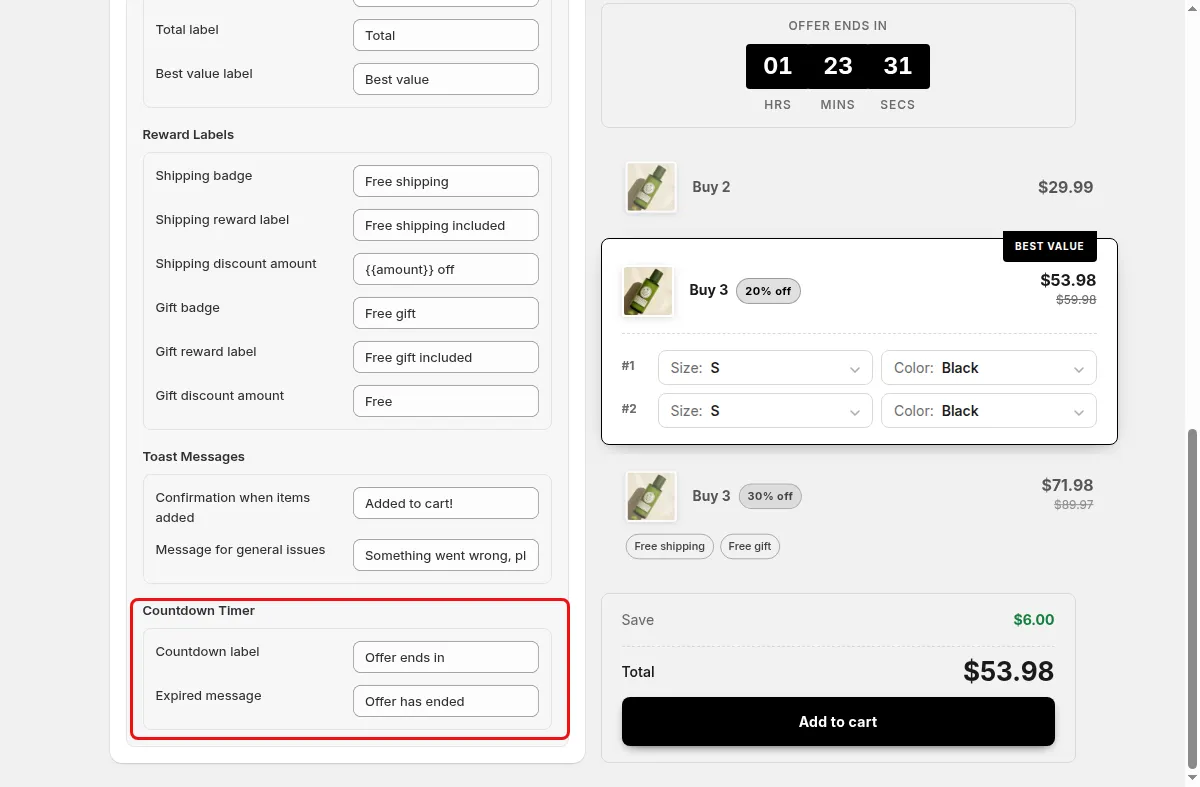
The volume discount widget in Mix & Match Bundles can show a countdown timer above the tiers. It displays days, hours, minutes, and seconds, with a label you can edit such as Offer ends in.
Choose between a fixed duration in minutes, or a custom end date and time. When the timer reaches zero, the widget removes itself from the page. Use it for flash sales and launch pricing.
For the shopper
Scroll through the steps. The phone shows what the shopper sees at each one; products and prices are an example.
The quantity tiers appear with a countdown banner above them.
The timer shows days, hours, minutes, and seconds. For a fixed duration, the days segment is hidden when there are none.
The label, for example Offer ends in, adds urgency while they choose a tier.
At zero the widget is removed from the page.
For you
Options you control
In Campaigns click Create campaign and choose Volume Discount.
Go to step 2, Display Settings, and find the Countdown Timer section.
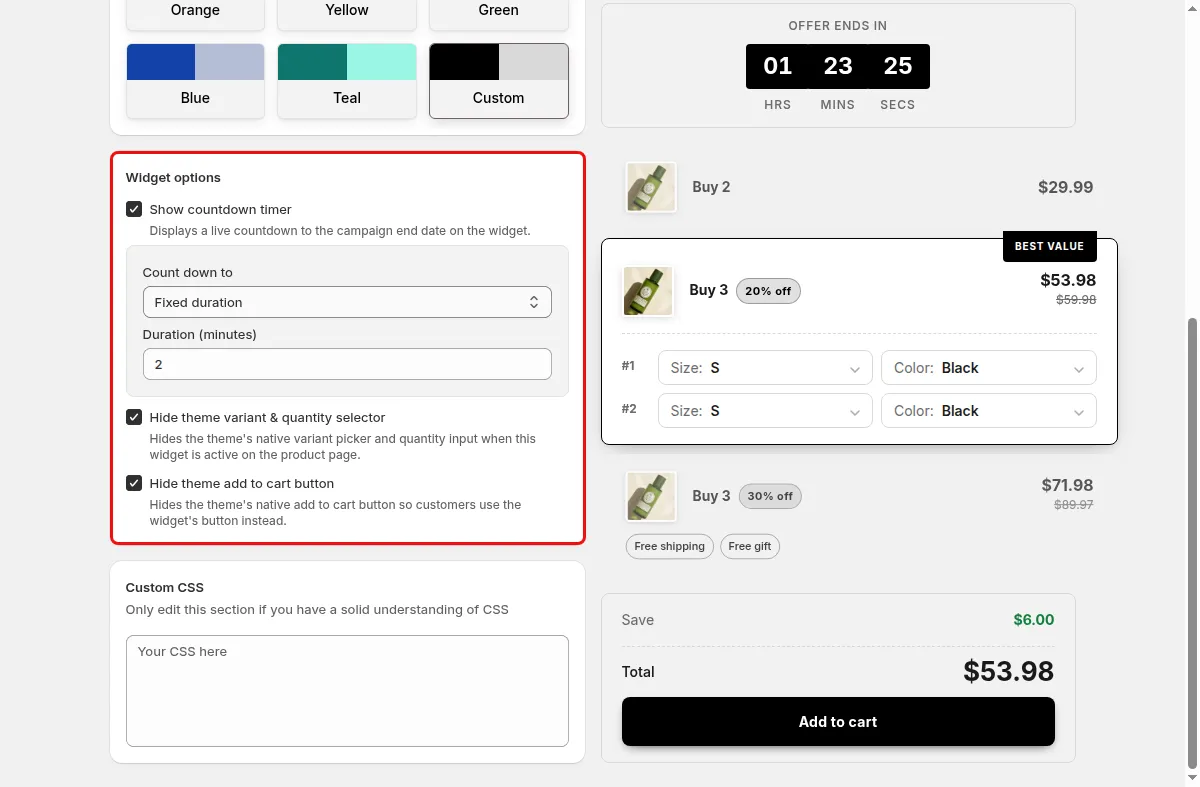
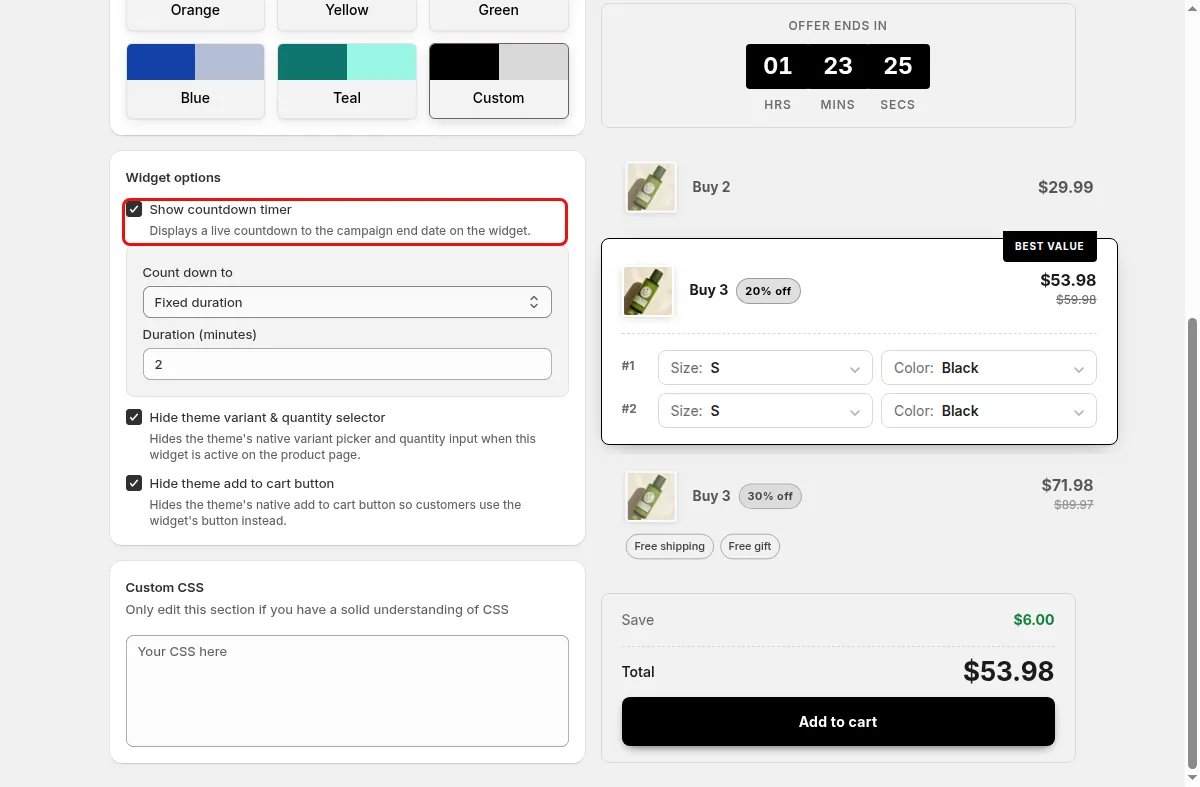
Switch on Show countdown timer and pick Fixed duration or Custom end date.
In step 3, Text and Translations, edit the Countdown label and Expired message, then Save.
Use cases
Run a 60 minute fixed duration timer for a limited quantity break.
Count down to the date and time your launch pricing ends.
Use a custom end date on Sunday night.
FAQ
The timer stores its end time in the browser cache under the campaign id, so it is tracked per visitor and not shared across shoppers.
The timer is off by default, and the default fixed duration is 60 minutes.
The widget removes itself from the product page.
Related features
Build-a-box, gift sets, tiered bundle discounts: our team sets it up with you and checks it on your theme before it goes live.
Free plan available. Built for Shopify. Rated 4.9 from 35 reviews.