The best Shopify upsell and cross-sell app depends on where you want the offer to appear: a bundle or “frequently bought together” app for product pages, a cart drawer app for rewards and add-ons, a post-purchase app for one-click offers after payment, or a larger platform that covers several of these. This guide compares twelve apps, including three of ours, using the rating, review count, plan and price shown on each App Store listing on October 1, 2026.
We rewrote this post from scratch. Our 2025 version listed five apps and repeated several statistics we could no longer source, so we removed them. App ratings and prices change often, so each fact below carries its listing and the date it was read, and you should confirm the current numbers before you install.
Key takeaways
- Pick the placement first, then the app: product page (bundles, frequently bought together), cart (rewards, gifts, add-ons), checkout (Shopify Plus only for most steps) or post-purchase (after payment).
- “Free plan” often means free for development stores only. On the listings we read, live-store free plans exist at Frequently Bought Together, Selleasy, Upsell.com (ReConvert) and our three apps; Rebuy, Upcart, Aftersell, Zipify OCU, Candy Rack and Kaching Bundles list free access for development stores or trials.
- Pricing models differ: by monthly orders (Selleasy, Upcart, Candy Rack), by upsell revenue (Zipify OCU, Kaching Bundles) or by the module you buy (Aftersell, Rebuy).
- Two free apps by Shopify (Shopify Bundles and Search & Discovery) cover fixed bundles and product recommendations, so test them before paying for something larger.
- Run one placement at a time for two weeks and judge by attach rate (add-ons per 100 orders), not by feature count.
Upsell, cross-sell and bundle: the quick distinction
An upsell offers a better or larger version of what the shopper is already buying. A cross-sell offers something that goes with it. A bundle packages items at a price that rewards buying together. A free gift or volume discount changes the price or reward instead of recommending a product. Our glossary defines these terms and related ones like AOV and BOGO.
The distinction matters because each type belongs in a different place on the path to purchase.
| Placement | Typical offer | Who can use it on Shopify |
|---|---|---|
| Product page | Frequently bought together, bundles, quantity breaks, add-ons | Through apps |
| Cart or cart drawer | Rewards bar, free gift, small add-ons, recommendations | Through apps |
| Checkout steps (information, shipping, payment) | Upsell blocks, testimonials | Shopify Plus only for eligible apps |
| Post-purchase page | One-click add-on after payment | Apps that use Shopify’s post-purchase extension |
| Thank you and order status pages | Cross-sell, surveys, reorder prompts | All plans, for eligible apps |
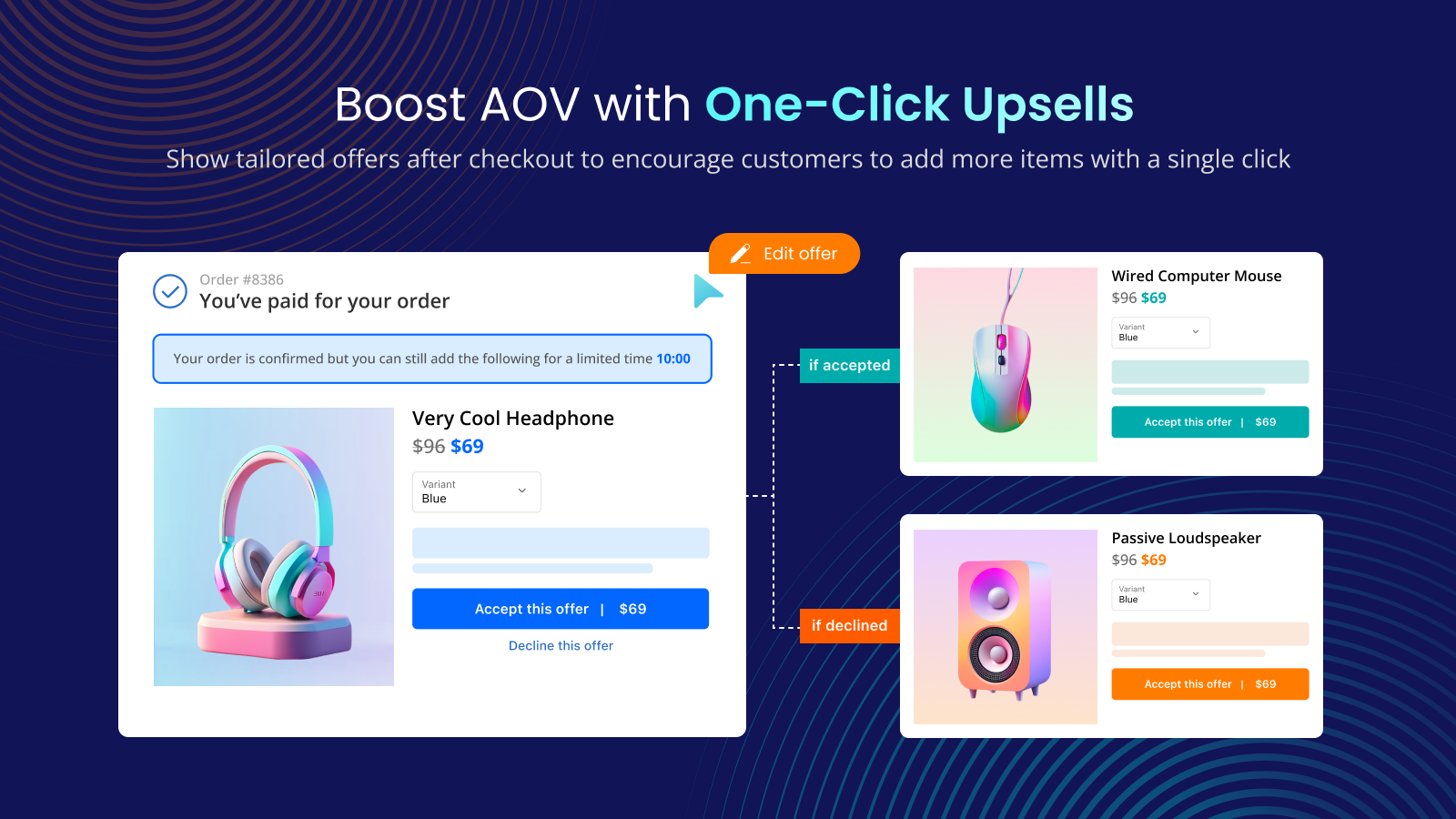
The plan rules come from Shopify’s help center: eligible apps that customize the thank you and order status pages work on Basic and higher, while eligible apps that customize the information, shipping and payments pages are Shopify Plus only. Shopify’s developer documentation describes the post-purchase page as appearing “immediately after they complete checkout”, after the order is confirmed but before the Thank you page. That is why a post-purchase offer can be one tap: the payment is already done.
Why cart-stage offers need a second look
Before choosing an upsell app, check whether your real problem is something else. The Baymard Institute reports an average documented online cart abandonment rate of 70.22%, and among shoppers who abandoned for reasons other than browsing, 40% named extra costs that were too high (shipping, tax, fees). Upsell offers that add to the cart can make that worse if the extra item increases shipping cost or delays the order.
Two practical consequences follow:
- A free shipping or rewards bar that reaches the threshold with a small add-on is an upsell that speaks to the cost concern directly.
- Post-purchase offers sidestep cart abandonment by definition, since the order is already paid. They add revenue but can’t recover a lost cart. For that, see our guide on tackling cart abandonment.
Start with the free tools from Shopify
Shopify publishes two free apps worth testing first, and a fair comparison includes them.
- Shopify Bundles (by Shopify): the listing says it lets you create fixed bundles and multipacks right from the Shopify admin, with customers choosing from variants of the bundled products and inventory updated in real time. Price on the listing: Free. Listing rating read on October 1, 2026: 2.8 from 569 reviews.
- Shopify Search & Discovery (by Shopify): the listing says you can customize search, filtering and product recommendations, and “increase average order value with customized recommendations on any product page.” Price: Free. Rating: 2.7 from 507 reviews.
Both are free to try, so the low review scores are a prompt to read the recent reviews and test on your theme, not a verdict. If you only need fixed bundles or simple related-product blocks, they may be enough. If you need quantity breaks, mix-and-match, a gift picker, a cart drawer, one-click post-purchase offers or A/B testing, you will likely need a third-party app. For the native free gift discount, see our guide to Shopify’s Buy X Get Y versus a free gift app.
How to choose by use case
| If you want to… | Look for | Apps on this list to check |
|---|---|---|
| Show “frequently bought together” on product pages quickly | A no-code widget and a free or low entry plan | Frequently Bought Together, Selleasy, Kaching Bundles |
| Raise units per order with quantity breaks | Volume tiers on the product page | Kaching Bundles, Candy Rack, Mix & Match Bundles, Free Gifts BOGO & Upsell |
| Build-a-box or mix-and-match sets | Set-based selection rules | Mix & Match Bundles, Kaching Bundles, Candy Rack |
| Reward spend in a cart drawer (shipping bar, gifts) | A cart drawer with a rewards module | Upcart, Candy Rack, Free Gifts BOGO & Upsell |
| Offer a free gift, BOGO or gift choice | Gift rules and widgets | Free Gifts BOGO & Upsell, Upcart (in-cart free gifts) |
| Add a one-click offer after payment | Post-purchase funnels | Aftersell, Zipify OCU, Upsell.com (ReConvert), Post Purchase Upsell, Selleasy |
| Personalize and A/B test across the journey | Recommendations, flows, testing | Rebuy, Zipify OCU, Upsell.com (ReConvert), Aftersell |
| Add upsell blocks inside checkout | Shopify Plus checkout extensibility | Zipify OCU, Upsell.com (ReConvert), Aftersell, Post Purchase Upsell |
Table entries come from the features and placements each listing states, not from our own testing of the competitors.
The 12 apps, compared
Everything in this section was read on each app’s Shopify App Store listing on October 1, 2026, and links go to those listings. “Free for development stores” means the plan is limited to development or partner stores according to the listing.
| App (developer) | Rating (reviews) | Free plan for live stores | Entry paid price listed | Main strength |
|---|---|---|---|---|
| Frequently Bought Together (Code Black Belt) | 4.9 (1,201) | Yes: Starter, max 3 manual bundles | $14.99/month (up to 50 orders) | Product-page bundles with AI or manual recommendations |
| Kaching Bundles (Kaching Bundles & Upsells) | 5.0 (6,111) | Free to install; free for development stores | $14.99/month (up to $1,000 additional revenue) | Quantity breaks and bundles |
| Selleasy (Logbase) | 4.9 (2,735) | Yes: up to 50 orders/month | $9/month (up to 500 orders) | Many placements, 18 strategies |
| Candy Rack (Digismoothie) | 4.9 (262) | Free for trial and development stores | $29.99/month (0-50 orders) | Upsells plus built-in slide cart |
| Upcart (Rokt) | 4.7 (952) | Free for development stores | $29.99/month (up to 200 orders) | Customizable cart drawer |
| Rebuy (Rebuy) | 4.7 (854) | Free for development stores | From $25/month, scales with orders | Personalization engine, modules |
| Upsell.com / ReConvert (Upsell.com ex ReConvert) | 4.8 (3,094) | Yes: up to 50 orders or $50 upsell revenue | $9.99/month (Growth) | Post-purchase and full funnel |
| Zipify OCU (Zipify Apps) | 4.6 (565) | Free for development stores | $9.95/month while upsell revenue is up to $200 | One-click post-purchase, priced by upsell revenue |
| Aftersell (Rokt) | 4.9 (1,075) | Free for development stores | $34.99/month (Post-Purchase) | One-click post-purchase plus AI cart |
| Free Gifts BOGO & Upsell (Tek Labs) | 5.0 (517) | Yes, listed as free | Free (see listing) | Gifts, BOGO, milestone rewards |
| Post Purchase Upsell (Tek Labs) | 4.9 (26) | Listed as free | Free (see listing) | Post-purchase, thank you page |
| Mix & Match Bundles (Tek Labs) | 4.8 (22) | Listed as free | Free (see listing) | Mix-and-match sets, quantity breaks |
Ten of these twelve listings carried the “Built for Shopify” badge on the day we read them; Rebuy and Upsell.com (ReConvert) did not show it. That badge is Shopify’s own signal for performance, design and integration standards, so it is a useful tie-breaker, but it says nothing about fit for your catalog.
Where each app shows offers (per listing)
| App | Product page | Cart or drawer | Checkout (Plus) | Post-purchase | Thank you page |
|---|---|---|---|---|---|
| Frequently Bought Together | Yes | Yes | Yes | Not stated | Not stated |
| Kaching Bundles | Yes | Not stated | Not stated | Not stated | Not stated |
| Selleasy | Yes | Yes | Yes | Yes | Yes |
| Candy Rack | Yes | Yes | Yes | Yes | Yes |
| Upcart | Not stated | Yes | Not stated | Not stated | Not stated |
| Rebuy | Yes | Yes | Yes | Yes | Yes |
| Upsell.com (ReConvert) | Yes | Yes | Yes | Yes | Yes |
| Zipify OCU | Yes | Yes | Yes | Yes | Yes |
| Aftersell | Yes (Pre-Purchase plan) | Yes (Pre-Purchase plan) | Yes | Yes | Yes |
| Free Gifts BOGO & Upsell | Yes | Yes | Yes (widgets) | Not stated | Not stated |
| Post Purchase Upsell | Not stated | Not stated | Yes (blocks) | Yes | Yes |
| Mix & Match Bundles | Yes | Not stated | Not stated | Not stated | Not stated |
“Yes” means the placement is named in the listing description or its feature tags. “Not stated” means the listing did not mention it in the text we read, not that the app lacks it. Checkout steps are Shopify Plus only for most apps, as noted above.
Product page bundles and quantity breaks
Frequently Bought Together (Code Black Belt)
Rating 4.9 from 1,201 reviews. The listing describes AI, manual or global recommendations with one-click add to cart, four bundle discount types (percentage, fixed, free item, free shipping), star ratings from review apps such as Judge.me, Loox and Yotpo, and a no-code widget on product and cart pages. Plans: Starter is free with a maximum of 3 manual bundles; Professional I is $14.99/month for up to 50 orders per month, Professional II is $19.99 for up to 500, and Professional III is $39.99 above 500 orders, each with a 14-day trial. Choose it if you mainly want a classic frequently-bought-together widget with predictable pricing.
Kaching Bundles (Kaching Bundles & Upsells)
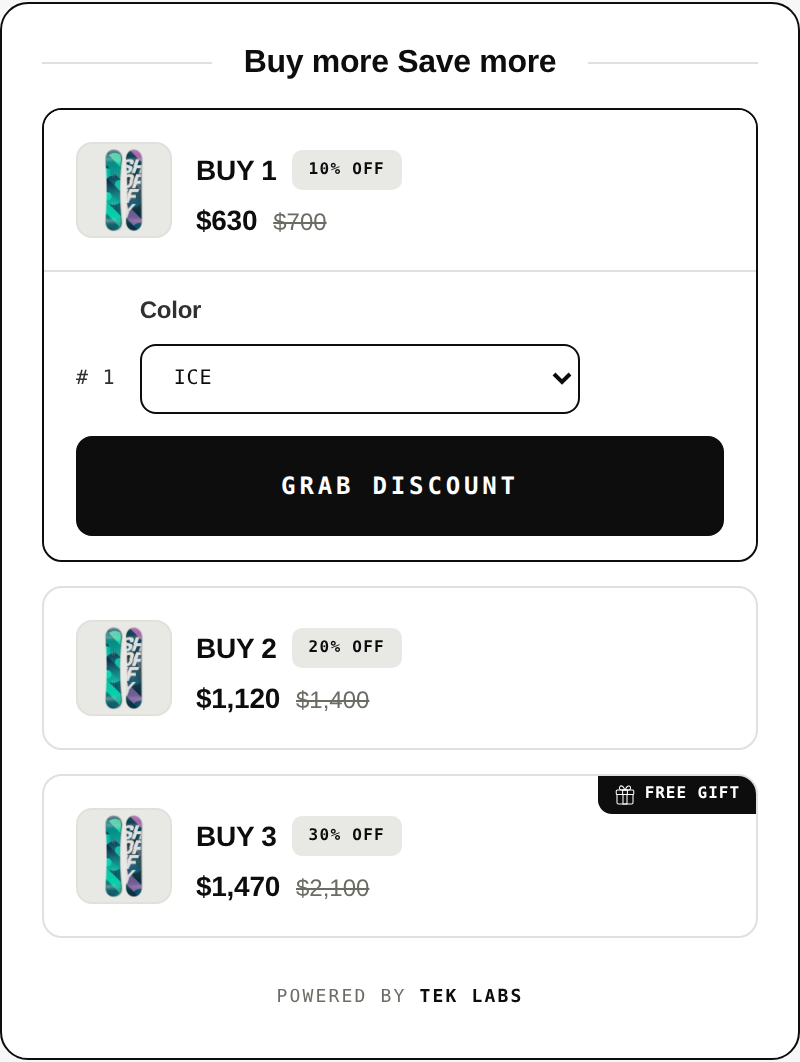
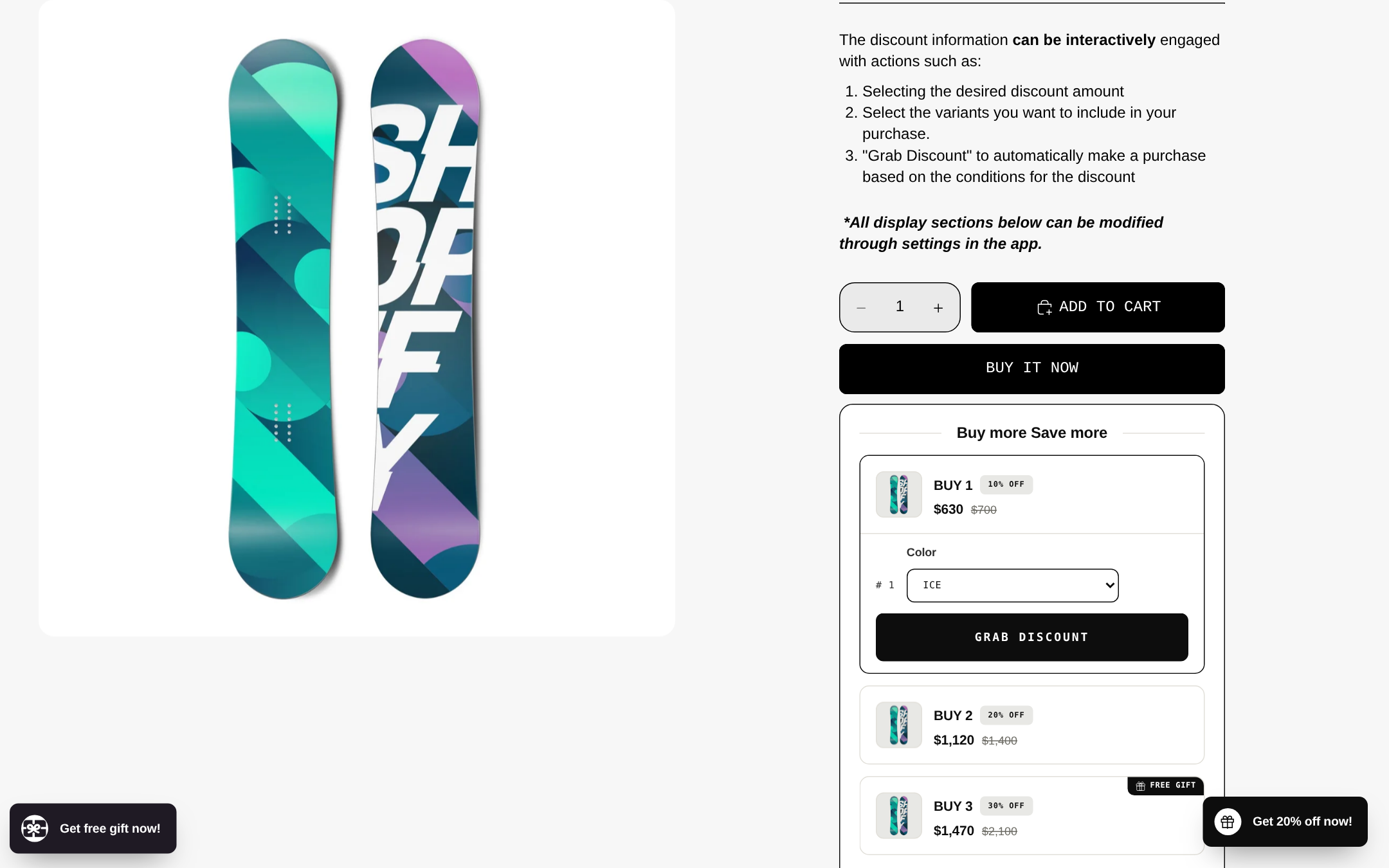
Rating 5.0 from 6,111 reviews, the largest review count among the apps here. The listing says merchants can select products or collections for volume discounts set as a percentage, a dollar discount or a specific price, with a dashboard showing additional revenue and built-in A/B testing. It is free to install and free for development stores; paid plans are Starter at $14.99/month (up to $1,000 of additional revenue), Scale at $29.99 (up to $5,000) and Pro at $59.99 (up to $10,000), each with a 7-day trial. The pricing tracks revenue the app generates rather than your order count, which suits stores with few orders at a high price point.
Candy Rack (Digismoothie)
Rating 4.9 from 262 reviews. The listing mentions offers in seven placements (product page, cart, checkout, post-purchase), volume bundles and quantity breaks, a built-in slide cart with a rewards bar, an AI mode that can use Google Gemini, and A/B testing via Intelligems. Pricing is by online store orders: Lite $29.99/month for 0-50 orders, Starter $39.99 for 51-200 and Growth $59.99 for 201-500, with an 8-day trial and a 60-day money-back guarantee. The free plan covers trial and development stores only. The listing states the app is built in the EU and is GDPR-compliant, which can matter for European stores.
Mix & Match Bundles (Tek Labs, ours)
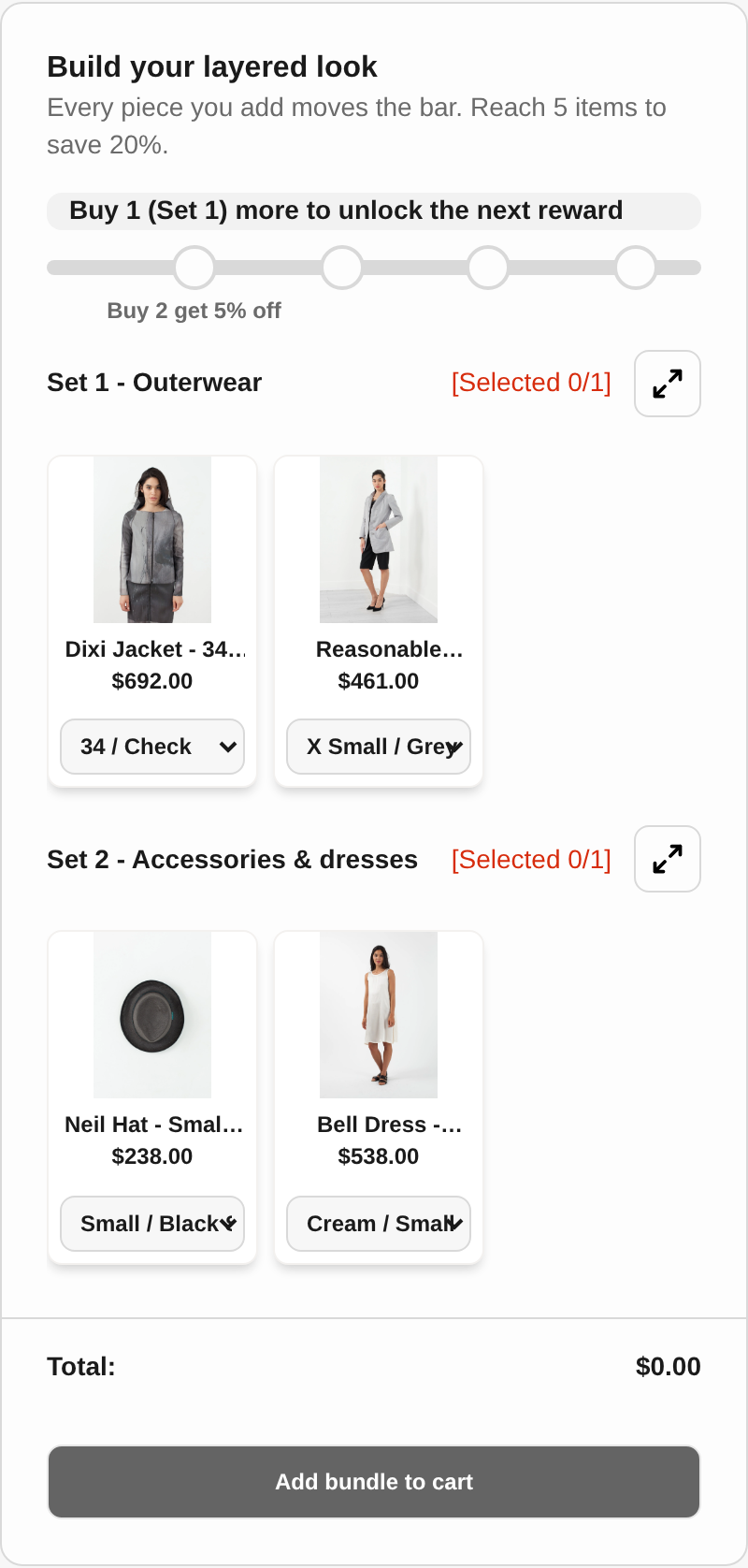
Rating 4.8 from 22 reviews, so the sample is small. It is built for sets: you group products into sets, define selection rules and let customers pick items from each set, with quantity breaks and bundle discounts. The listing’s bundle types include mix-and-match, build a box, sample packs, variant bundles and infinite option bundles, with a theme-matching UI and 35 languages. Use it when a “pick any 5” or “build a layered look” experience is the offer. For a plain “bought together” widget, Frequently Bought Together or Kaching may be simpler. More on the app is at Mix & Match Bundles.
Cart drawer and rewards
Upcart (Rokt)
Rating 4.7 from 952 reviews. The listing calls it a custom slide cart with in-cart upsells and cross-sells, rewards, progress bars, free shipping goals, in-cart discounts, free gifts and a sticky cart, with custom HTML, CSS and JSX templates. It states the app is designed for fashion, food and beverage, beauty and other DTC brands. Plans are by monthly store orders: $29.99 for up to 200, $34.99 for up to 500 and $54.99 for up to 1,000, with a 14-day trial; the free plan is for development and partner stores only. Choose it when the cart drawer itself is your priority and you want design control.
Free Gifts BOGO & Upsell (Tek Labs, ours)
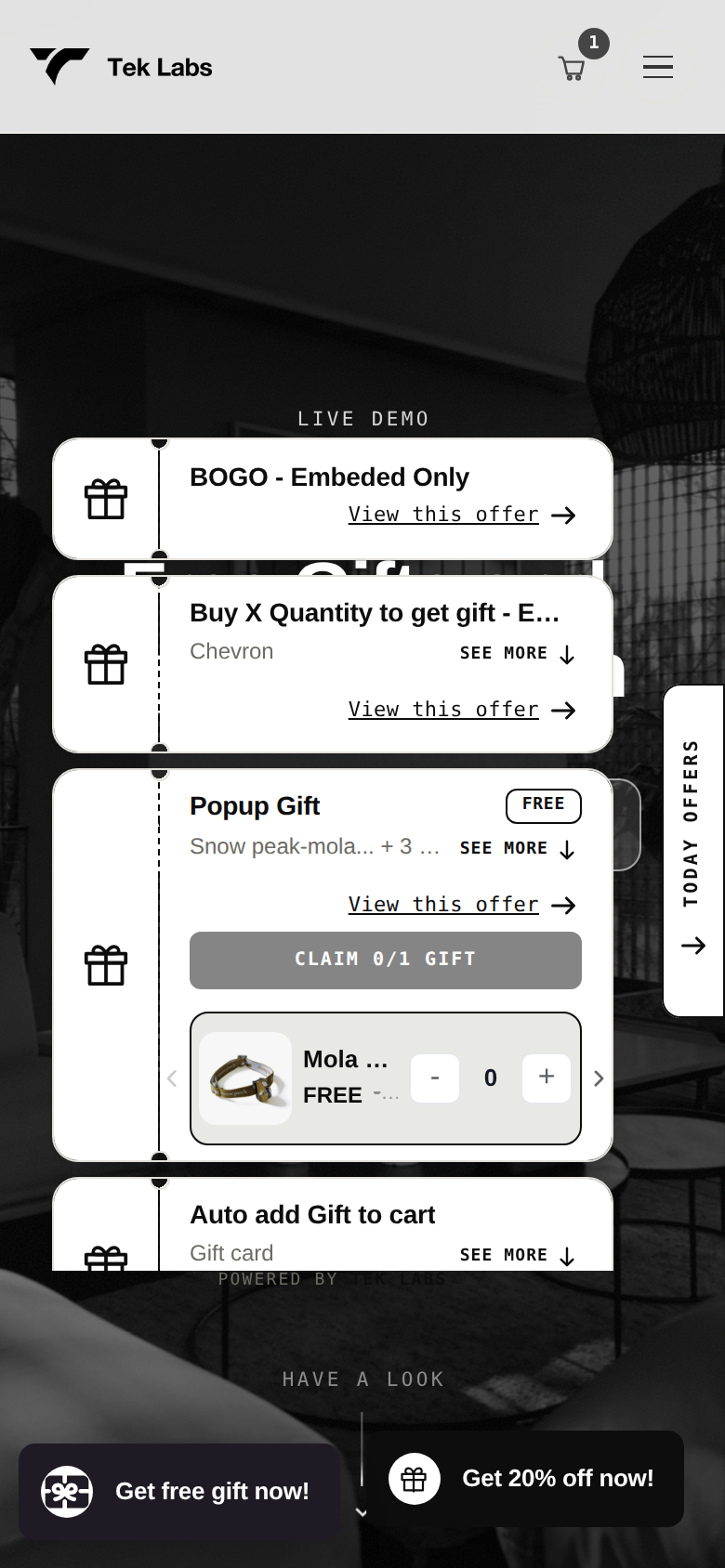
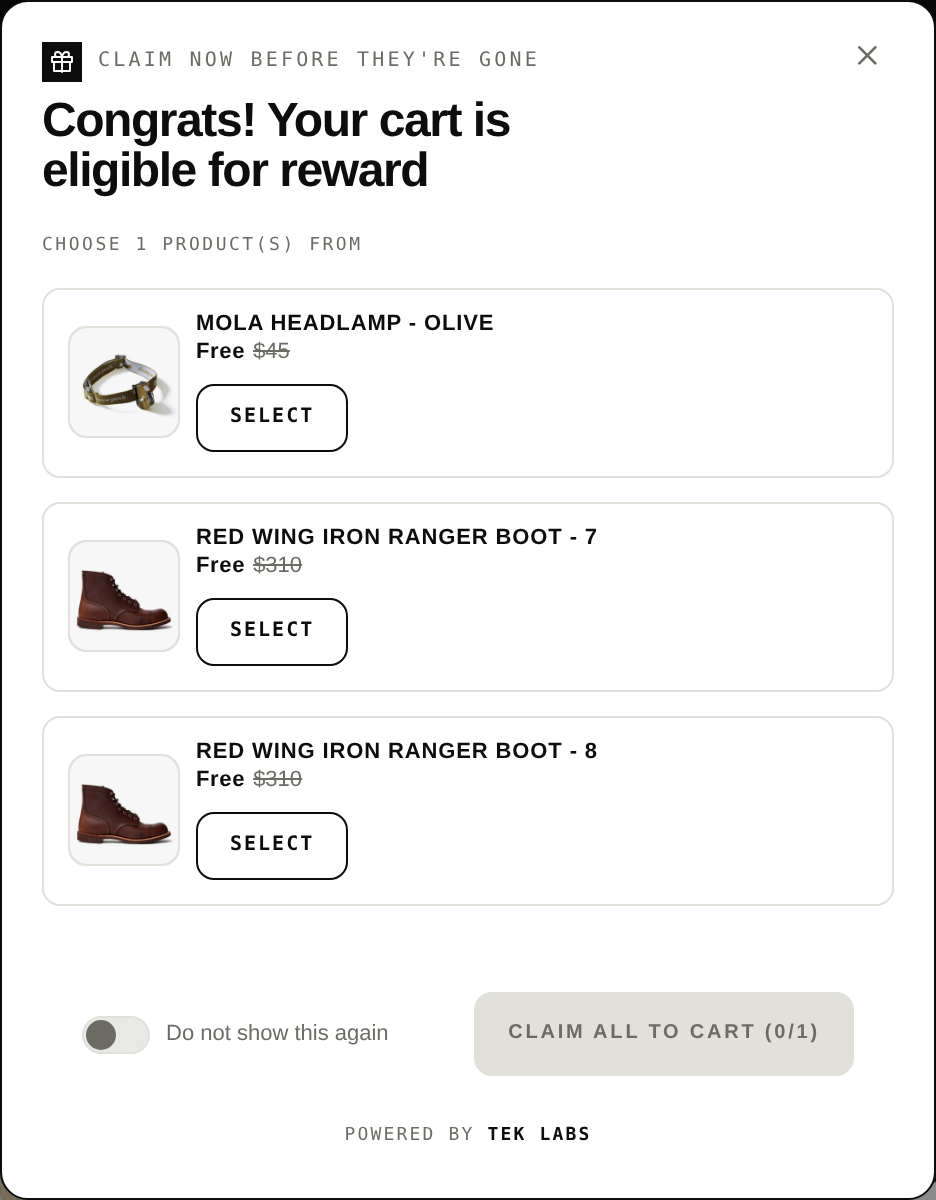
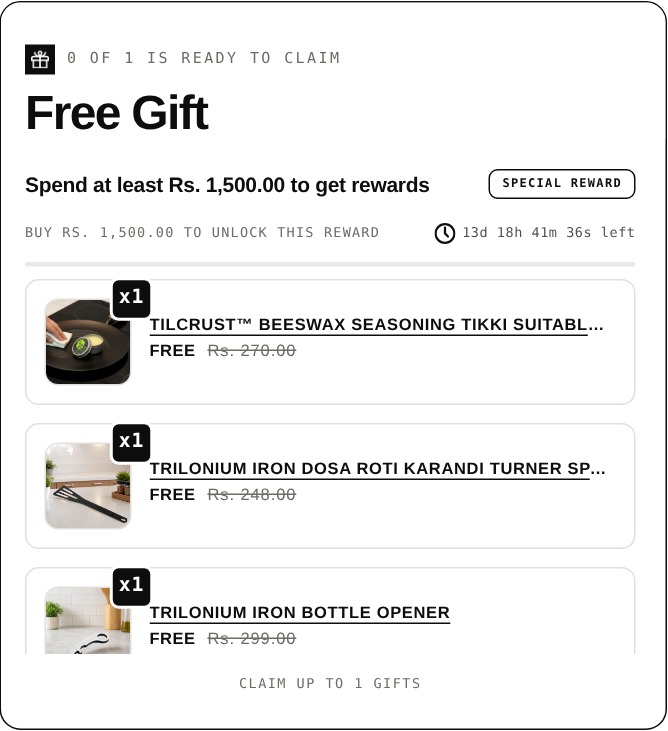
Rating 5.0 from 517 reviews, listed as free, with a “Built for Shopify” badge on the listing. It covers free gift with purchase, BOGO, Buy X Get Y, volume discounts, fixed bundles, “You may also like” recommendations and a cart progress bar with multi-tier gift rewards. Gifts can be added automatically or chosen by the customer, and widgets can appear on the product page, in the cart, in a popup and at checkout. The user guide says progress bars support up to six milestones per rule, and states the app is currently free for all new users. Choose it when the reward is the point: a gift ladder, a BOGO or a free-shipping milestone. If you only need a drawer redesign, Upcart or Candy Rack’s slide cart may fit better. Details are on the Free Gifts BOGO & Upsell page.
Full-funnel platforms
Selleasy (Logbase)
Rating 4.9 from 2,735 reviews. The listing describes frequently bought together bundles, cross-sell add-ons on product pages (list, grid, carousel or popup), in-cart upsells in a cart drawer, checkout and post-purchase upsells, and cross-sells on the thank you and order status pages. The free tier covers up to 50 orders per month, and the listing says charges apply only above 50 orders. Paid plans are $9/month (up to 500 orders), $19 (up to 1,000) and $29 (1,000+), with a 30-day trial. Each plan lists 18 upsell and cross-sell strategies, 50 free AI recommendations and a free setup call. It has the broadest placement coverage at the lowest listed price, which makes it a sensible first test for a store with modest order volume.
Upsell.com, formerly ReConvert (Upsell.com ex ReConvert)
Rating 4.8 from 3,094 reviews. The listing mentions product, cart, checkout (Shopify Plus only) and post-purchase upsell funnels, AI product recommendations, A/B testing and analytics. The free plan covers up to 50 orders or $50 in upsell revenue. Growth is $9.99/month for up to 2,000 monthly store orders or upsell revenue (the higher of the two); Scale is $199/month and Elite $499/month, each with a 14-day trial. The jump from Growth to Scale is large, so model your volume before committing.
Zipify OCU (Zipify Apps)
Rating 4.6 from 565 reviews. The listing calls it an all-in-one upsell platform covering one-click post-purchase, product page, pre-purchase, slide cart, checkout (Shopify Plus) and thank you page offers, with Dynamic AI offers, A/B testing and targeting by product, cart value and customer tags. Pricing follows upsell revenue rather than orders: $9.95/month while the app earns up to $200 a month in upsell revenue, $25 for $200 to $2,500 (stepping up to $99 as revenue grows), and $149 above $2,500, never exceeding $999 according to the listing. The model is attractive if you are cautious, because the bill starts small, and expensive if upsells succeed a lot. There is a 30-day trial, and the free plan is limited to development stores.
Aftersell (Rokt)
Rating 4.9 from 1,075 reviews. The listing describes one-click post-purchase offers with Smart Funnel AI, an AI-powered cart with 18+ blocks, rewards and A/B testing, thank you page offers and checkout widgets (Shopify Plus). It also mentions Rokt Thanks, which lets merchants “earn up to $0.80 per order with premium offers” on the confirmation page. Plans are modular: Post-Purchase $34.99/month, Pre-Purchase $59.99 and Complete $79.99, each with a 30-day trial; the free tier is for development stores. Choose it when post-purchase is the main goal and you may later add cart features.
Post Purchase Upsell (Tek Labs, ours)
Rating 4.9 from 26 reviews, a small sample. The listing describes multiple post-purchase upsell funnels by customer segment, an editable thank you page, checkout blocks (Plus only) and post-purchase survey question types. It is listed as free. This app is deliberately narrow: offers after payment and on the thank you page, which do not need Plus. If you want a larger toolset around the post-purchase page, Aftersell, Zipify OCU or Upsell.com list more modules. Details are at Post Purchase Upsell.
Rebuy (Rebuy)
Rating 4.7 from 854 reviews. The listing describes AI-powered recommendations and search with four packages (Cart & Merchandising, Checkout & Post-Purchase, Search & Collections, and Flows & A/B Testing), plus Rebuy Monetize, which the listing says lets merchants earn $0.20 to $0.35+ per order from the thank you page. Pricing “starts as low as $25 / month” and scales with orders, with a 14-day trial; development stores are free. It lists integrations such as Klaviyo, Recharge, Yotpo and Attentive. Choose it for personalization across many touchpoints when you have the traffic, and the team time, to use it.
Worked example: what an upsell app has to earn
The numbers below are hypothetical, apart from the plan prices, which are the ones listed above on October 1, 2026. Assume a store with 400 orders per month, a $12 add-on offered in the cart or after payment, and a 50% margin on the add-on, so each add-on sold contributes $6.
Break-even add-ons per month = monthly plan price / $6. Take rate = add-ons needed / 400 orders.
| Plan price (listed) | Add-ons needed per month | Take rate at 400 orders |
|---|---|---|
| $9 (Selleasy, up to 500 orders) | 2 (1.5 rounded up) | 0.50% |
| $25 (Rebuy, “as low as”) | 5 (4.17 rounded up) | 1.25% |
| $34.99 (Upcart or Aftersell Post-Purchase) | 6 (5.83 rounded up) | 1.50% |
| $79.99 (Aftersell Complete) | 14 (13.33 rounded up) | 3.50% |
If the same store sold 20 add-ons a month (a 5% take rate), revenue would be 20 x $12 = $240, margin $120, and after a $34.99 plan the net is $85.01. The point is not that 5% is typical, because we have no verified benchmark and won’t invent one. The point is to know your break-even before you start, then measure your actual attach rate. Prices also move with your plan tier, so check which tier your order volume would land on.
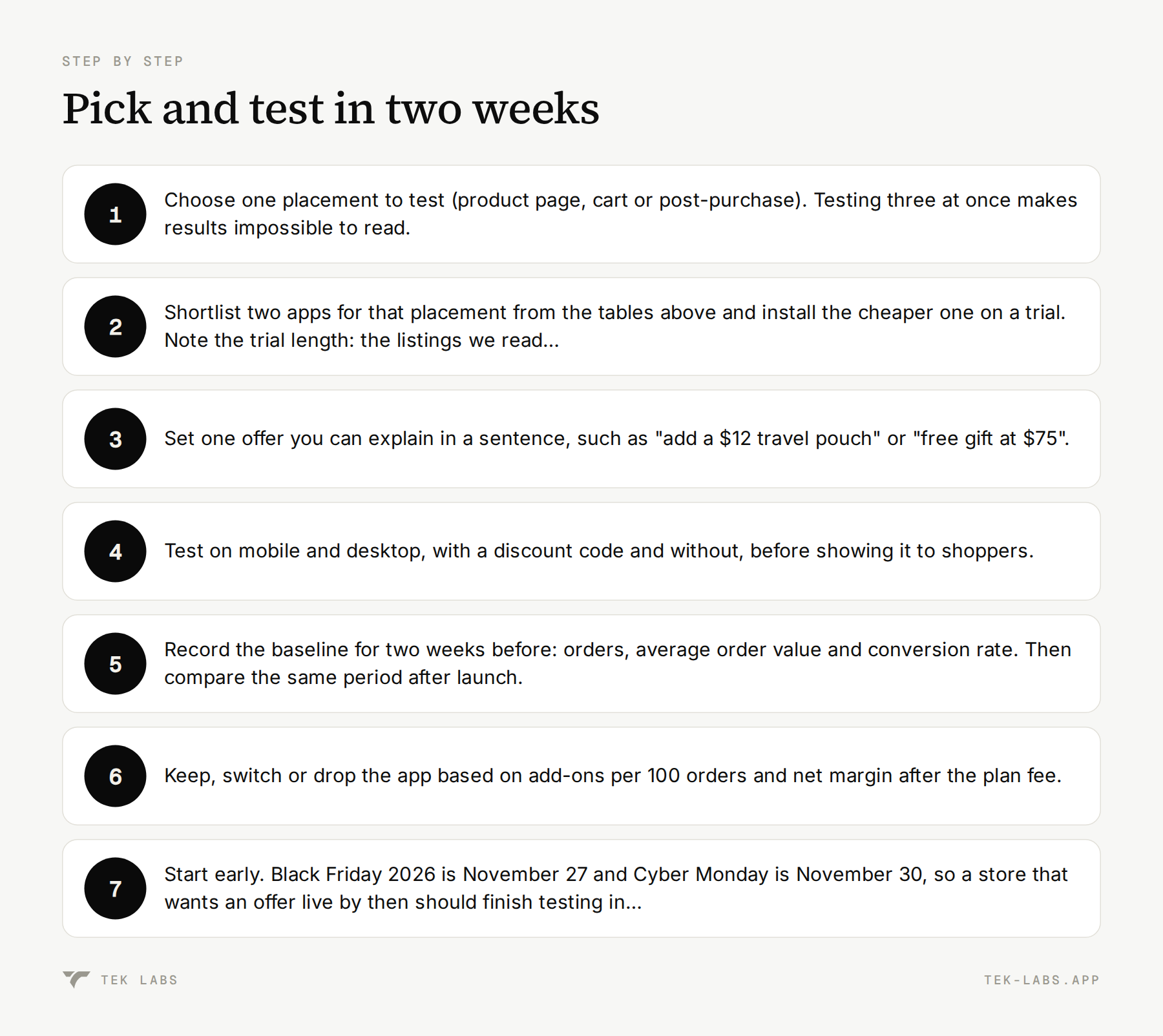
Pick and test in two weeks
- Choose one placement to test (product page, cart or post-purchase). Testing three at once makes results impossible to read.
- Shortlist two apps for that placement from the tables above and install the cheaper one on a trial. Note the trial length: the listings we read range from 7 to 30 days.
- Set one offer you can explain in a sentence, such as “add a $12 travel pouch” or “free gift at $75”.
- Test on mobile and desktop, with a discount code and without, before showing it to shoppers.
- Record the baseline for two weeks before: orders, average order value and conversion rate. Then compare the same period after launch.
- Keep, switch or drop the app based on add-ons per 100 orders and net margin after the plan fee.
- Start early. Black Friday 2026 is November 27 and Cyber Monday is November 30, so a store that wants an offer live by then should finish testing in early November. Our BFCM promotion strategies post covers the wider plan.
Common mistakes
- Installing several upsell apps at once. Offers compete for the same screen space, and you can’t tell which one worked.
- Offering add-ons that cost more than the order’s goodwill. A $60 add-on on a $30 order interrupts the sale more than it grows it.
- Choosing by review count alone. A 5.0 from 22 reviews and a 4.8 from 3,094 are not the same level of evidence.
- Ignoring the pricing model. Order-based, revenue-based and module-based pricing behave differently as you grow.
- Assuming “free plan” means free forever for a live store. Several listings limit the free tier to development stores.
- Forgetting that checkout-step upsells need Shopify Plus. Plan the offer around the thank you page or the post-purchase page if you’re not on Plus.
- Skipping the theme test. Apps that inject widgets can behave differently with custom themes or cart drawers.
Which one should you start with?
If you want a simple product page widget, start with Frequently Bought Together or Selleasy. If you sell multi-unit products and want volume tiers, look at Kaching Bundles or Candy Rack. If the cart drawer is the priority, check Upcart. If you want one-click offers after payment, compare Aftersell, Zipify OCU, Upsell.com and our Post Purchase Upsell. If you want a gift ladder, BOGO or milestone rewards, try our Free Gifts BOGO & Upsell alongside Shopify’s native discount and see which one your shoppers actually use. Every app above has a trial or free option, so the cheapest research is a two-week test with a clear break-even.
Frequently Asked Questions
What is the best Shopify upsell app?
There is no single best app. Frequently Bought Together and Selleasy suit product-page widgets, Upcart suits cart drawers, and Aftersell, Zipify OCU and Upsell.com focus on post-purchase offers. Choose by placement, then compare plan price and review evidence.
Is there a free Shopify upsell app?
Yes, with limits. On the listings we read, Frequently Bought Together has a free Starter plan, Selleasy is free up to 50 orders a month, Upsell.com (ReConvert) is free up to 50 orders or $50 in upsell revenue, and Shopify Bundles and Search & Discovery are free. Several other apps limit free access to development stores.
Do I need Shopify Plus for checkout upsells?
For offers on the information, shipping and payment steps of checkout, yes: Shopify says eligible apps for those pages are Shopify Plus only. Apps that customize the thank you and order status pages work on Basic and higher, and post-purchase apps show offers after payment.
What is the difference between a post-purchase upsell and a cart upsell?
A cart upsell appears before payment and can add friction or shipping cost. A post-purchase upsell appears after the order is confirmed, so the shopper can add an item with one tap and the original order is already paid.
How do I know if an upsell app is paying for itself?
Divide the monthly plan price by the margin on one add-on to get the break-even number of add-ons, then compare it with the add-ons you sell per month. Measure over at least two weeks against a baseline period.