VIP gift
Give a gift only to customers tagged VIP.
Customer targeting for offers
Show a gift or milestone reward only to the customers you choose: by customer tag, specific customers, logged-in status, number of past orders, or total spent.
What it is
Advanced conditions let you restrict a Free gift offer to the right audience. You can include customers with a tag, pick specific customers, limit to logged-in or logged-out shoppers, or use order history such as a minimum and maximum order count or total spent.
Use it for VIP rewards, first-order gifts, wholesale tags, or members-only perks. The storefront reads the customer's tags, order count, and total spent from the logged-in account, and the Shopify Function checks them again at checkout.
For the shopper
Scroll through the steps. The phone shows what the shopper sees at each one; products and prices are an example.
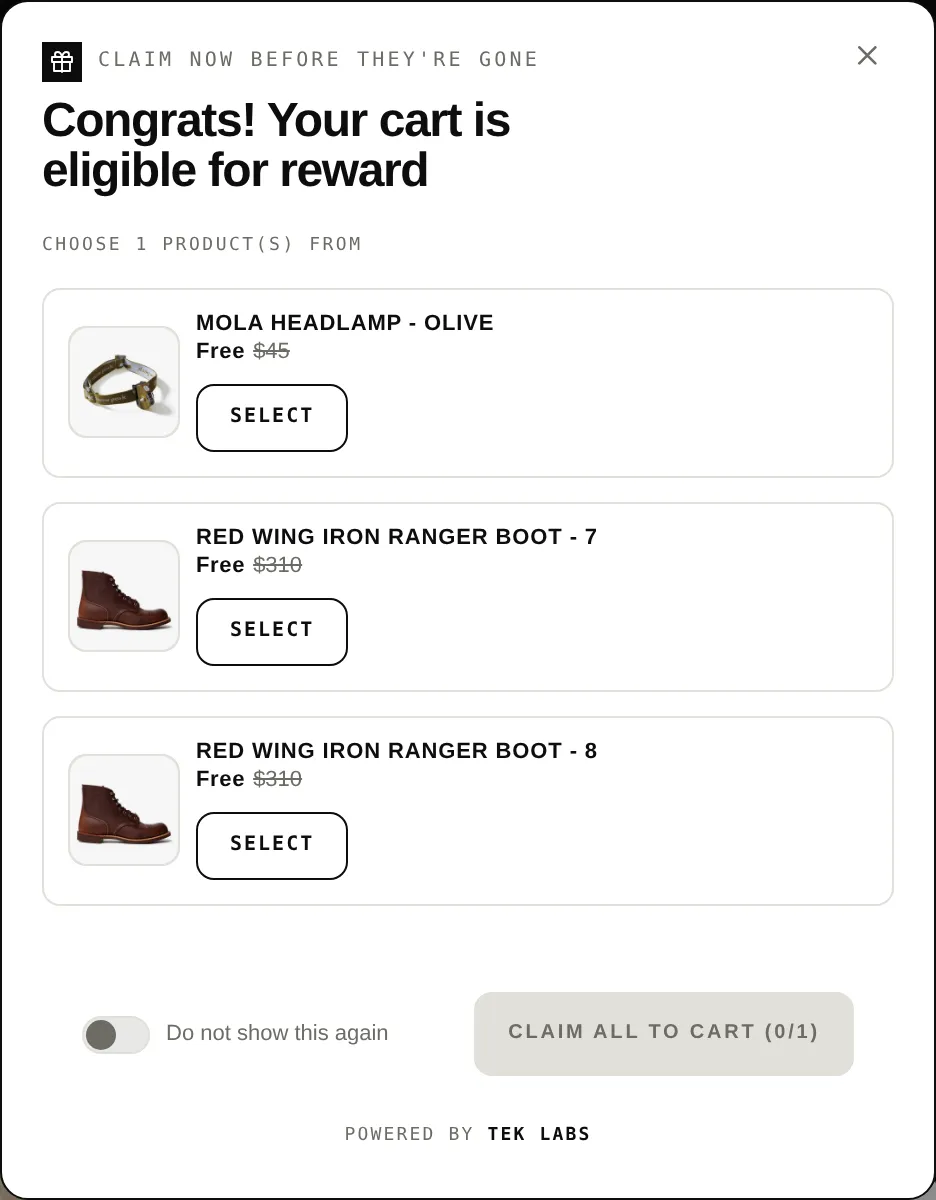
The offer only shows when the shopper matches the rule.
The storefront checks the customer's tags, login state, order count, and total spent.
They see the gift widgets and can earn the reward.
The discount function checks the same customer data, so the gift is only discounted for eligible customers.
For you
Options you control
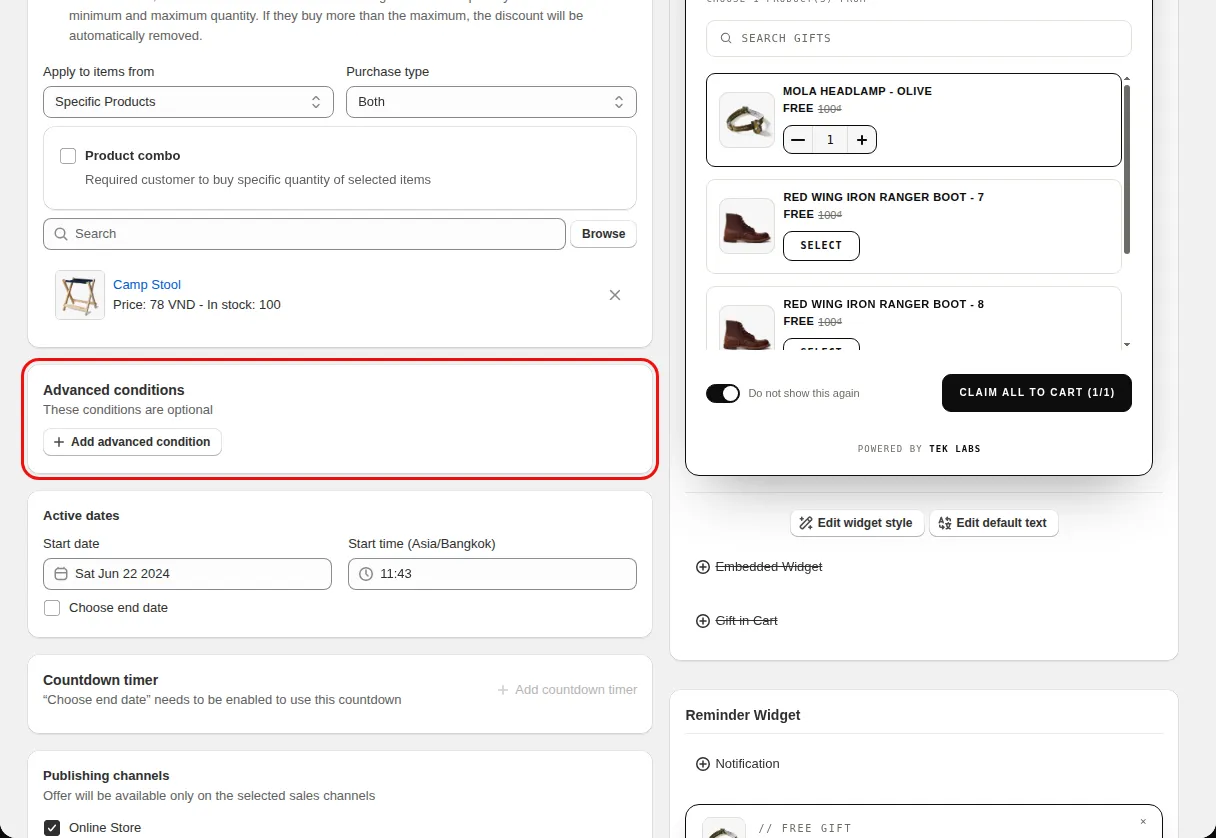
On the Condition step, find Advanced conditions (these conditions are optional).
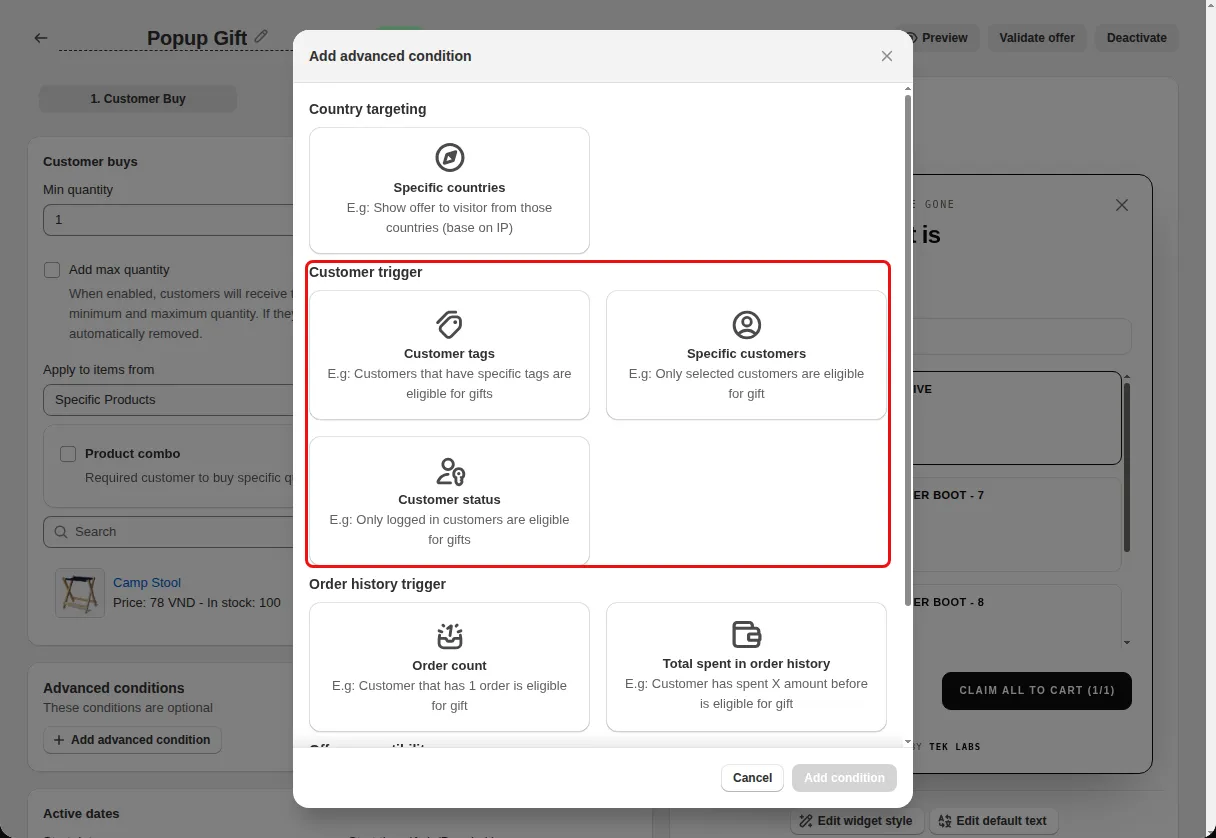
Under Customer trigger pick Customer tags, Specific customers, or Customer status. Under Order history trigger pick Order count or Total spent in order history.
Save the offer and test with a customer account that matches, then one that does not.
Use cases
Give a gift only to customers tagged VIP.
Use an order count maximum so the gift goes to new customers.
Reward customers whose total spent passes a value you set.
FAQ
You can target logged-in or not logged-in customers. Tags, order count, and total spent need a logged-in customer.
Free gift offers support all of these conditions. Milestone reward bars support customer tags and customer status. Product bundles support tags, specific customers, and status.
Yes. The discount function receives the customer's tags, amount spent, and number of orders and applies the discount only when the rule matches.
Related features
Free gifts, BOGO, bundles and progress bars. Every offer type, on a free plan to start.