Sale season with many deals
List a free gift, a BOGO offer, and a spend goal gift in one panel so shoppers see everything.
Today's offers widget
Show every active free gift offer in one slide-out panel opened from a sticky tab on the edge of the screen. Shoppers see the rewards, the countdown, and can claim a gift without leaving the page.
What it is
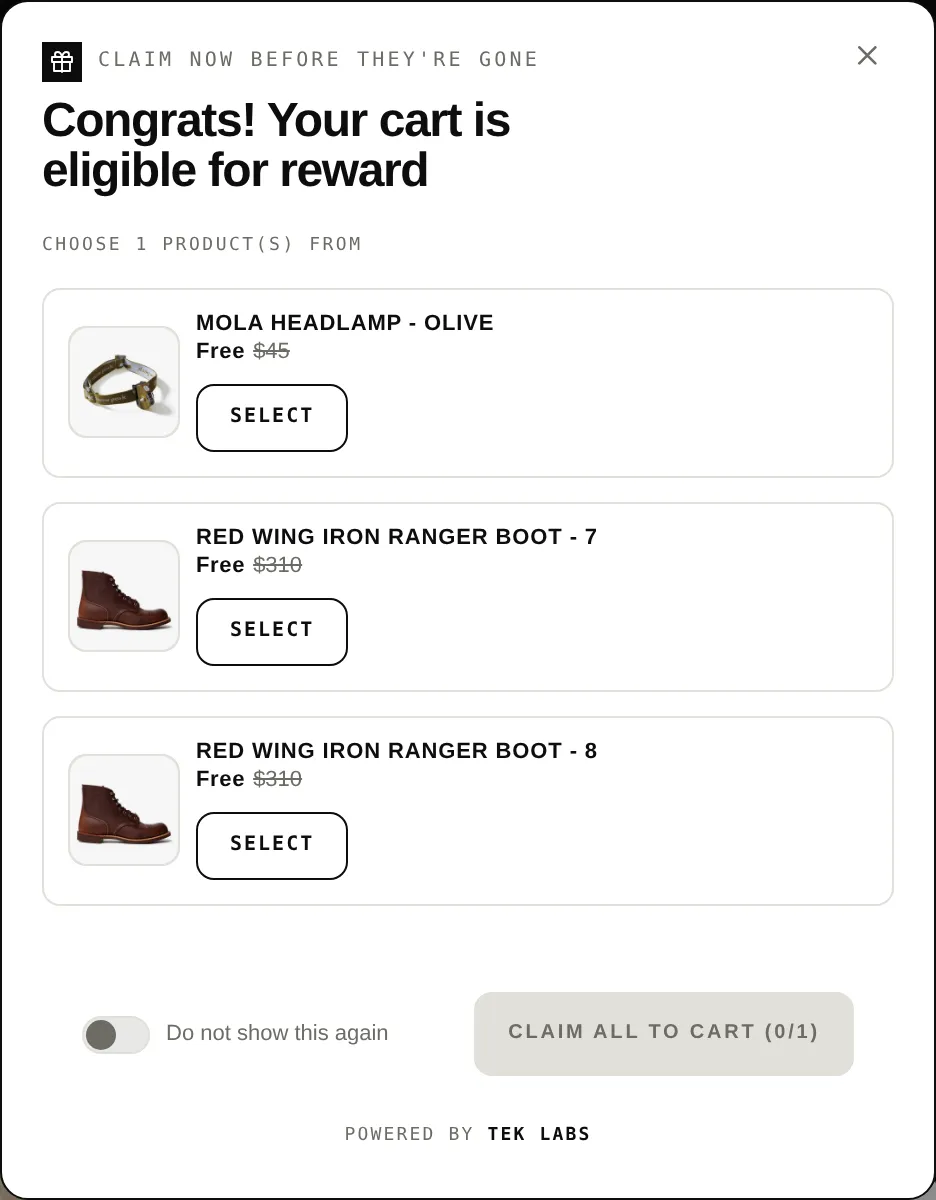
The Today Offers widget adds a small tab to the left or right edge of your store. Clicking it opens a panel with one card per active offer. Each card shows the reward, its price label (for example FREE or a percent off), a countdown timer if you set one, and a link to the offer.
Use it when you run several offers at once and want one visible place that announces all of them, or when you want shoppers to find deals from any page. It is switched on per offer in the Widget step as a Reminder Widget, and it is styled in the Styling tab.
For the shopper
Scroll through the steps. The phone shows what the shopper sees at each one; products and prices are an example.
A sticky tab with the header title (Today Offers by default) sits on the edge of the page.
Clicking the tab slides out a panel with a card for each active offer, including the reward and any countdown timer.
Each card has a View this offer link and a See more link that expands the reward list.
For offers where the customer picks the gift, a Claim gift button shows how many gifts are selected out of the total. Claimed offers show Reward claimed.
For you
Options you control
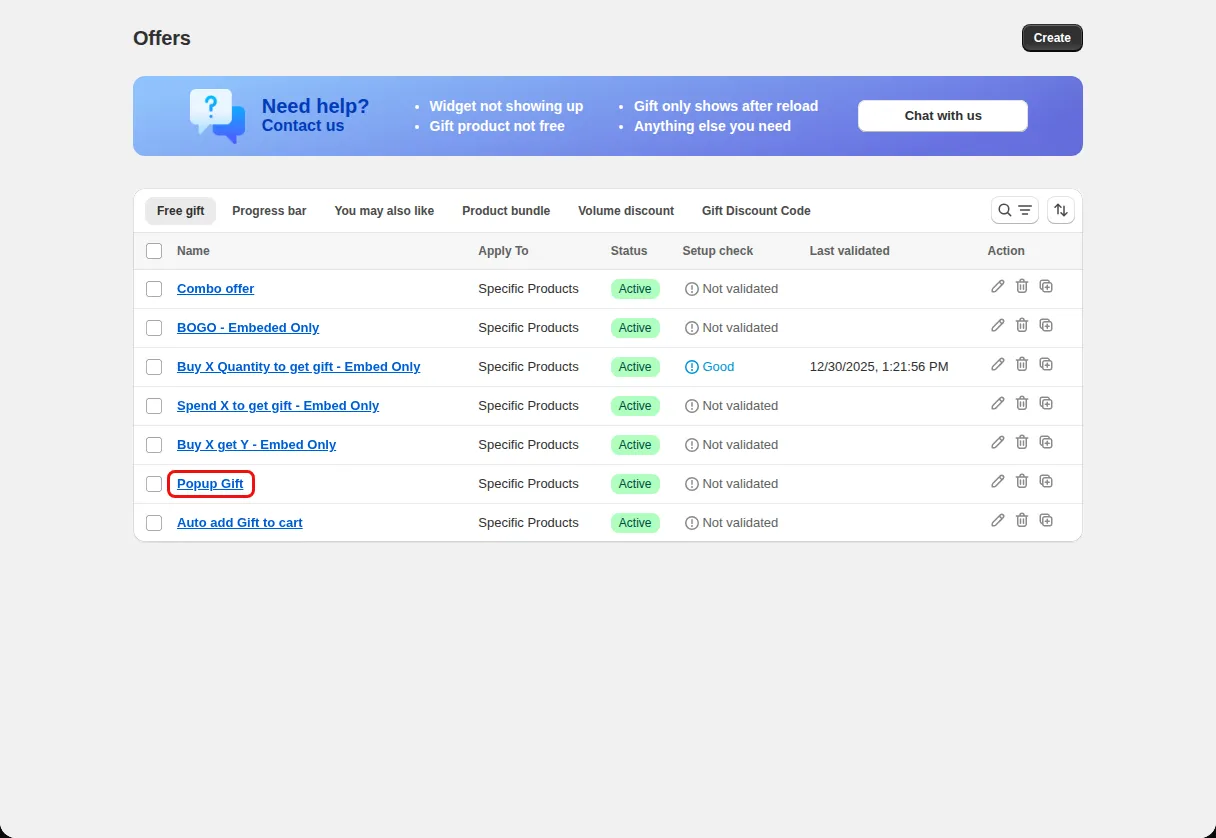
In the app go to Offers and create or open a Free gift offer.
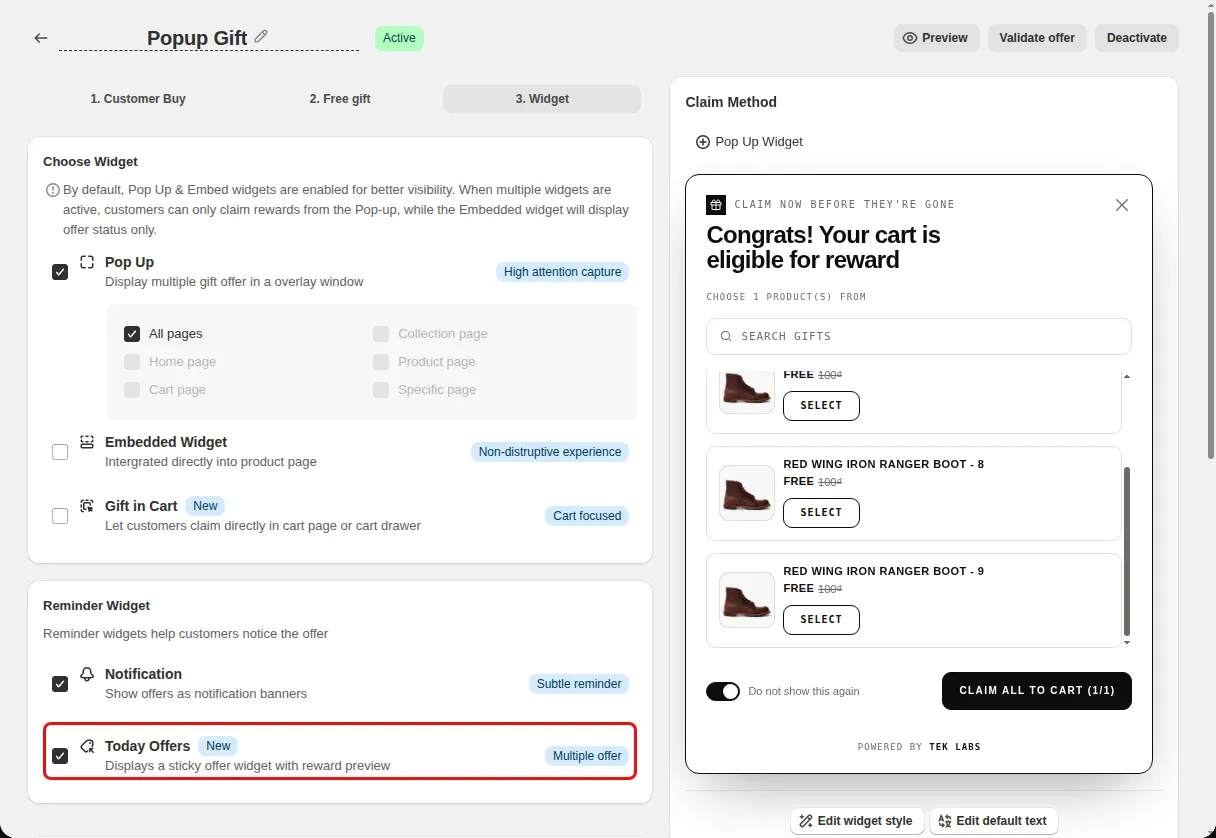
On the Widget step, find Reminder Widget and tick Today Offers (described as a sticky offer widget with reward preview).
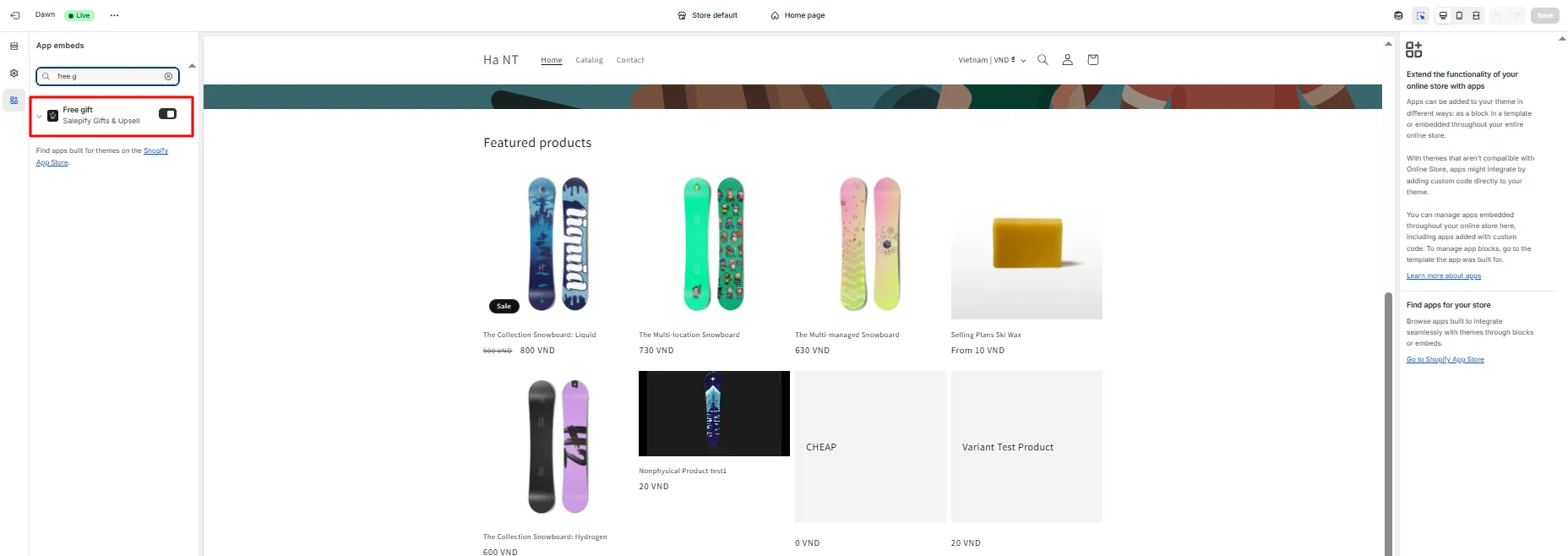
Make sure the Free gift app embed is on under Themes, Customize, App embeds, then save.
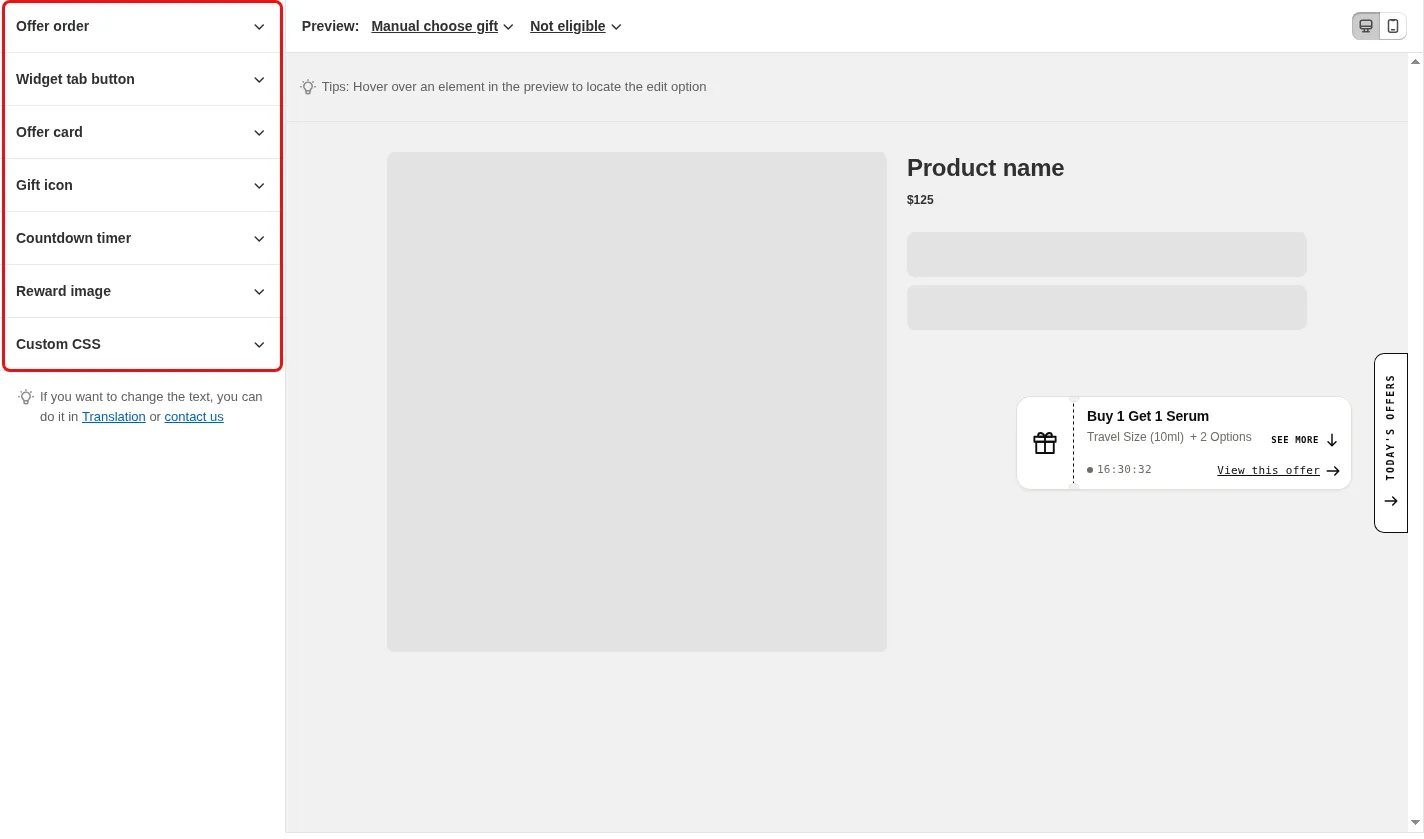
Open Styling, choose Today Offers (Announce customers of active deals on your store), and set the tab position, offer order, colors, and Custom CSS.
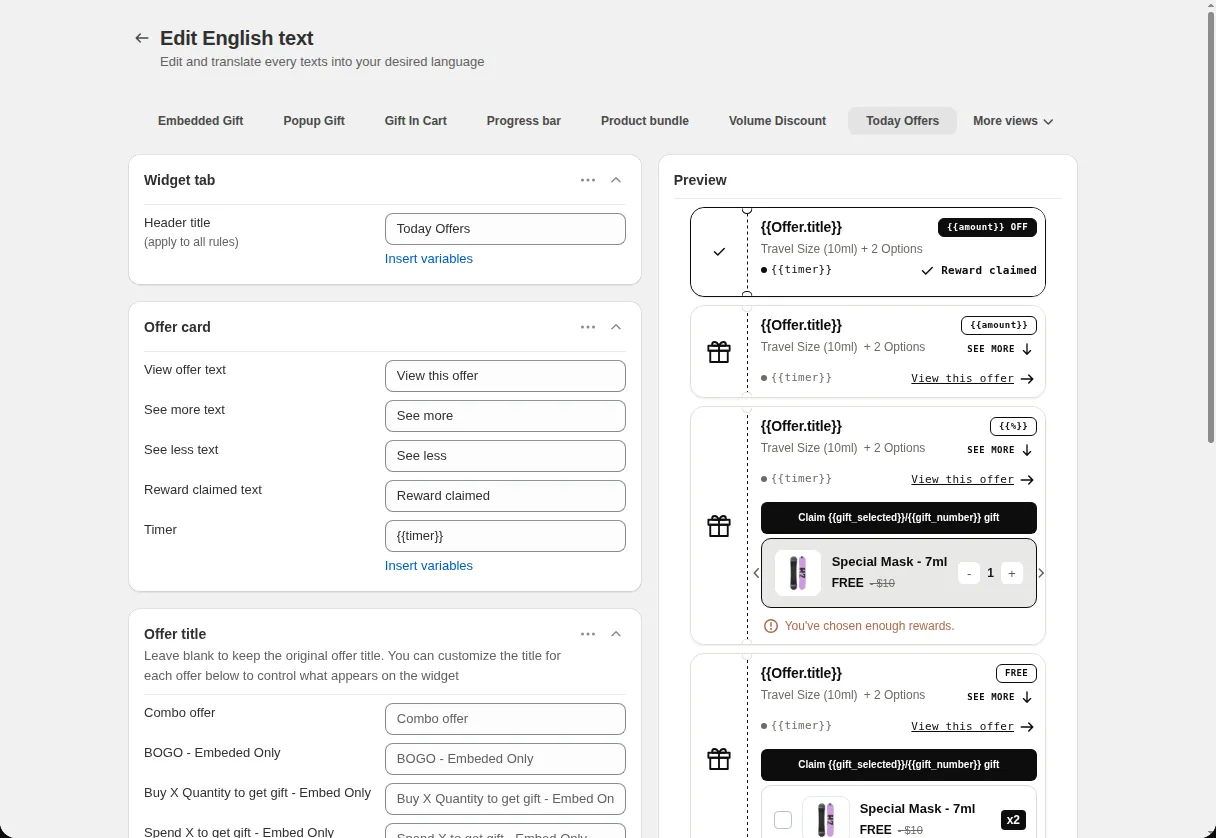
Open Translations, choose the Today Offers tab, and edit the header title, View offer text, and timer text.
Use cases
List a free gift, a BOGO offer, and a spend goal gift in one panel so shoppers see everything.
Sort by expiring soonest so the deal that ends first is at the top of the list.
Keep a small tab on the screen edge instead of a large banner.
FAQ
Active free gift offers that have Today Offers switched on as a reminder widget. The styling screen shows No active free gift offers found when there are none.
Yes for offers where the customer chooses the gift. The card shows a Claim gift button with the selected count.
Yes. You can place it on the middle, top, or bottom of the left or right edge.
Related features
Free gifts, BOGO, bundles and progress bars. Every offer type, on a free plan to start.