One gift per customer
Give a welcome gift once.
Offer usage limits
Keep promotions under control by limiting how often an offer can apply: per order, once per customer, or in total.
What it is
Free gift offers have three separate limits. Maximum number of uses per order stops an offer from repeating when the shopper keeps meeting the condition. Limit to one use per customer lets each customer claim the offer once across all their orders. Maximum discount uses sets a total across the store.
Use them to protect margin on high value gifts, to keep first-time offers fair, or to ration limited stock.
For the shopper
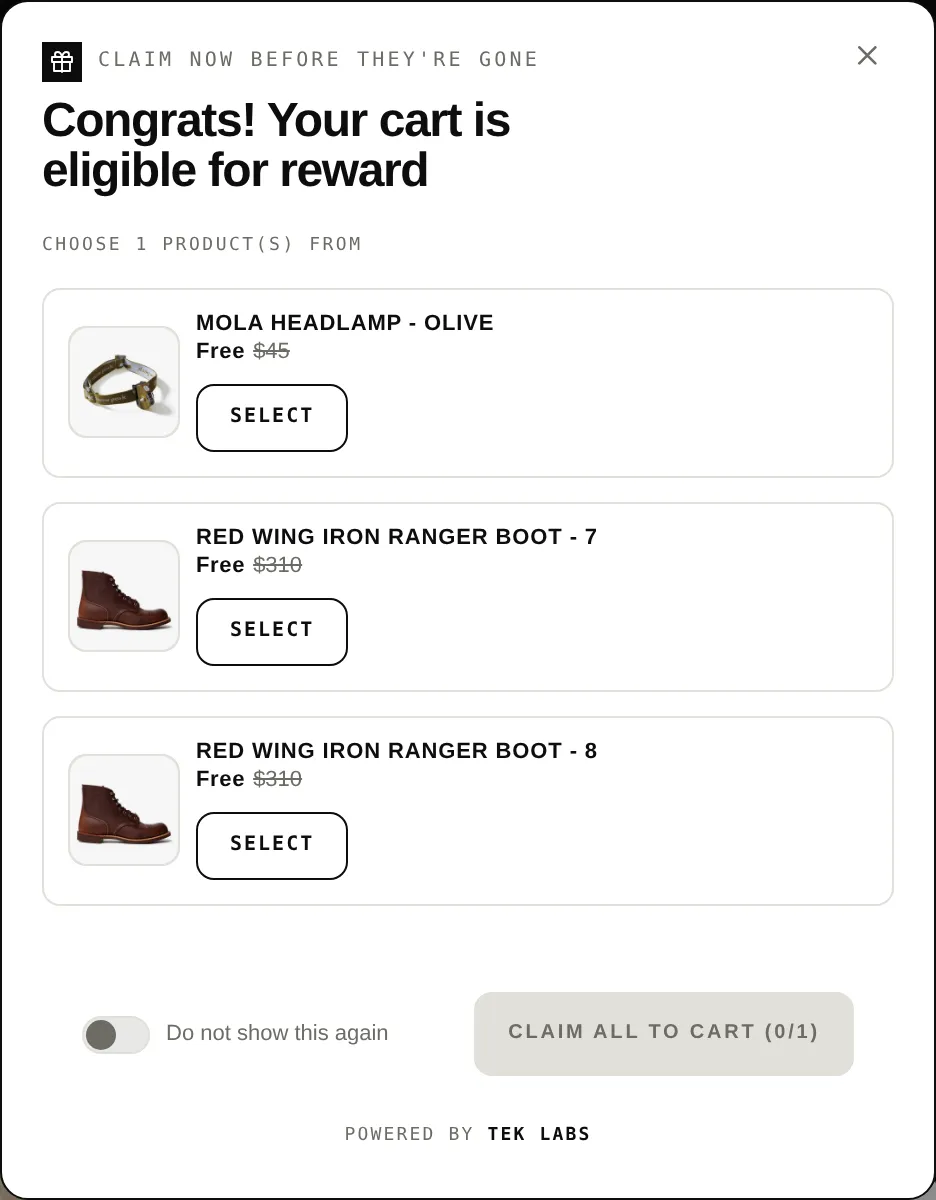
Scroll through the steps. The phone shows what the shopper sees at each one; products and prices are an example.
The offer applies.
If the cart keeps qualifying the offer stops at your maximum uses per order.
A customer who already claimed it does not get it again.
After the total number of uses is reached the discount stops applying.
For you
Options you control
On the Reward step find Discount settings and Maximum discount uses.
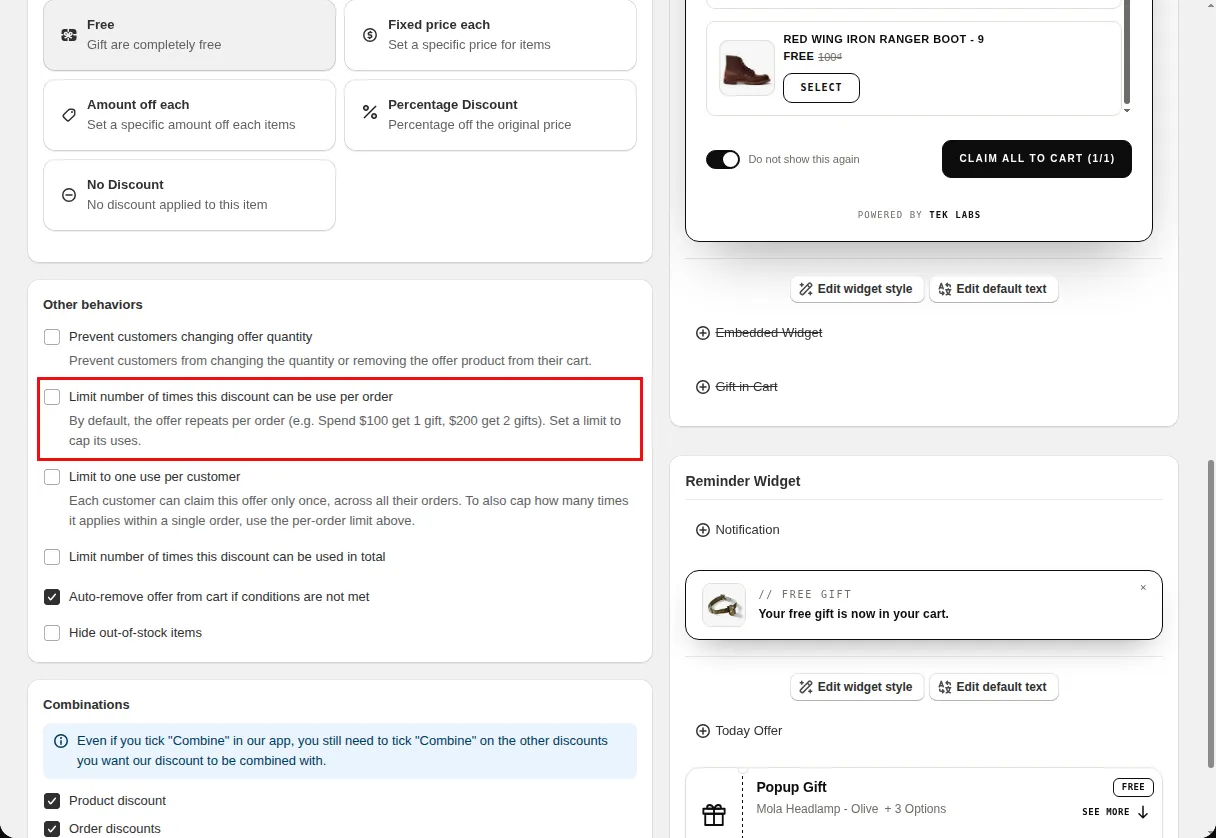
Tick Limit number of times this discount can be used in total, and Limit to one use per customer, as needed.
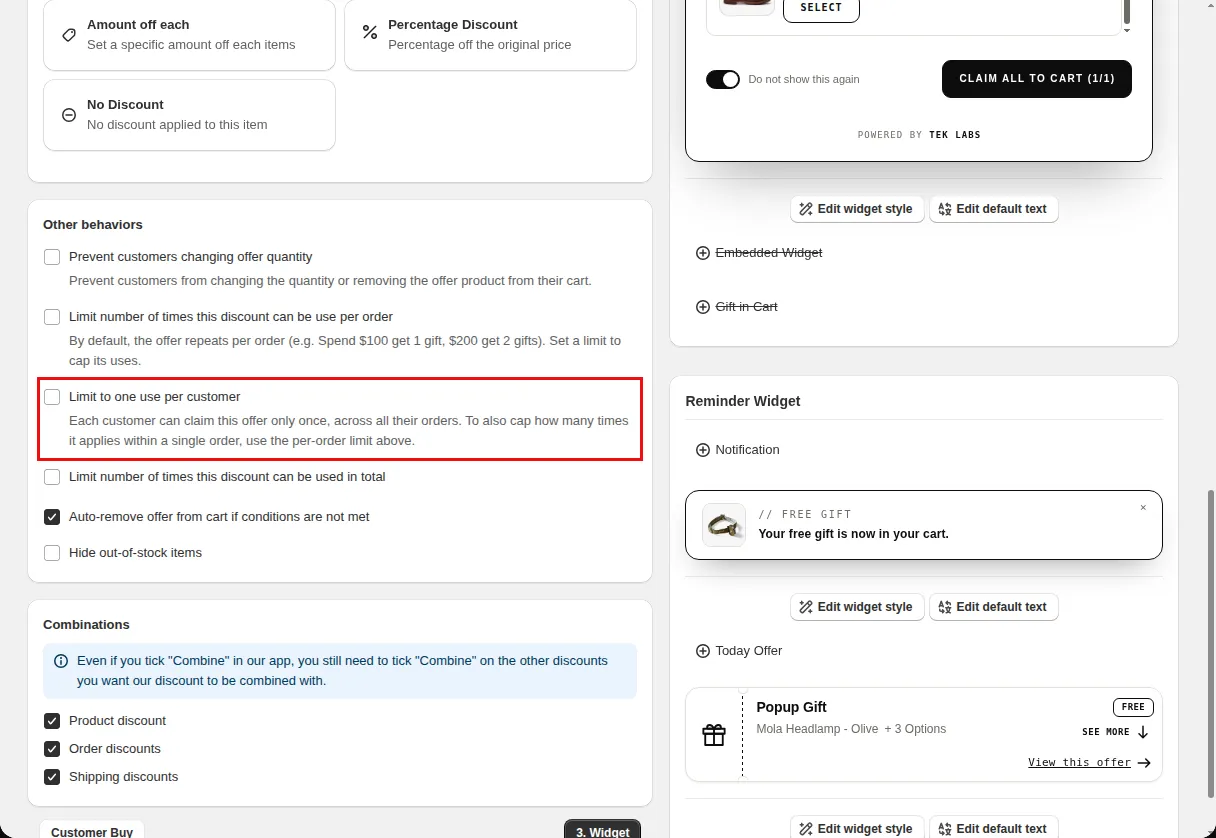
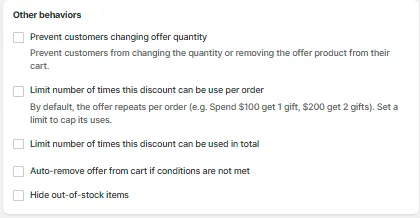
Under Other behaviors tick Set a maximum number of uses per order and enter a number.
Use cases
Give a welcome gift once.
Stop at a maximum number of gifts per order.
End the offer after a set number of uses.
FAQ
By default the offer repeats per order, for example spend 100 get 1 gift, spend 200 get 2 gifts. A limit caps this.
Yes. The app says each customer can claim the offer only once across all their orders.
Under Discount settings and Other behaviors on the reward step.
Free gifts, BOGO, bundles and progress bars. Every offer type, on a free plan to start.