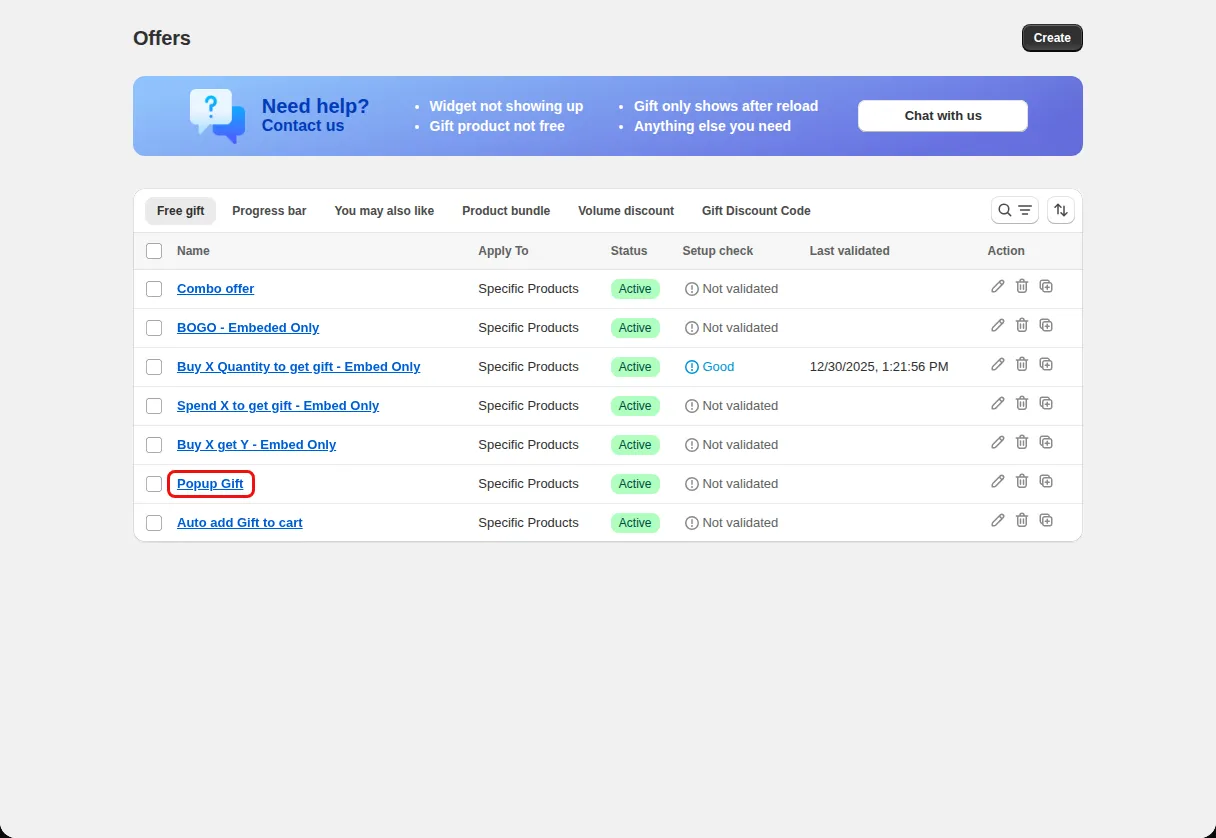
Spend and get on the product page
Tell shoppers what a gift costs them in extra spend at the moment they add an item.
Embedded gift widget on the product page
Show a free or discounted gift offer directly on the product page, below the Add to cart button, with a status message and a gift list the shopper can pick from.
What it is
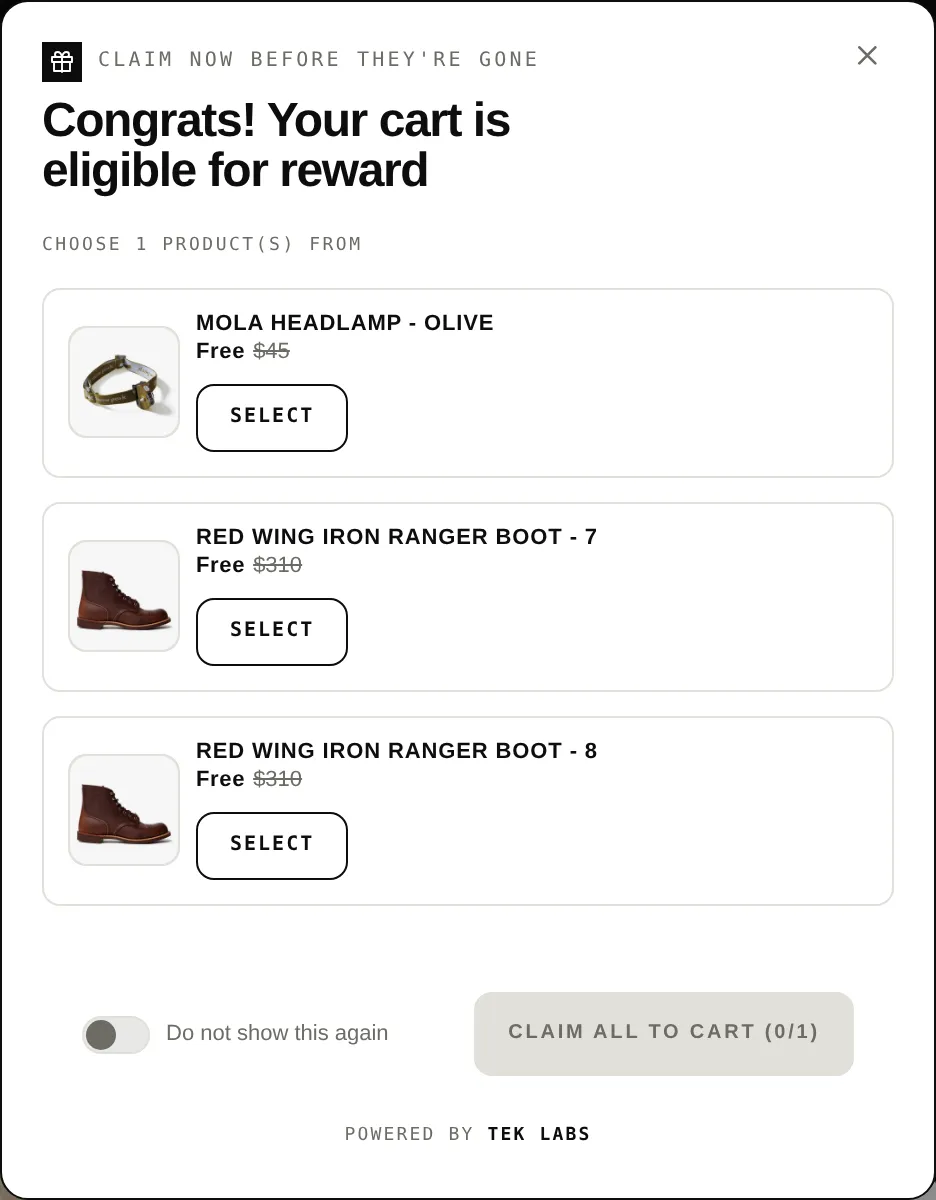
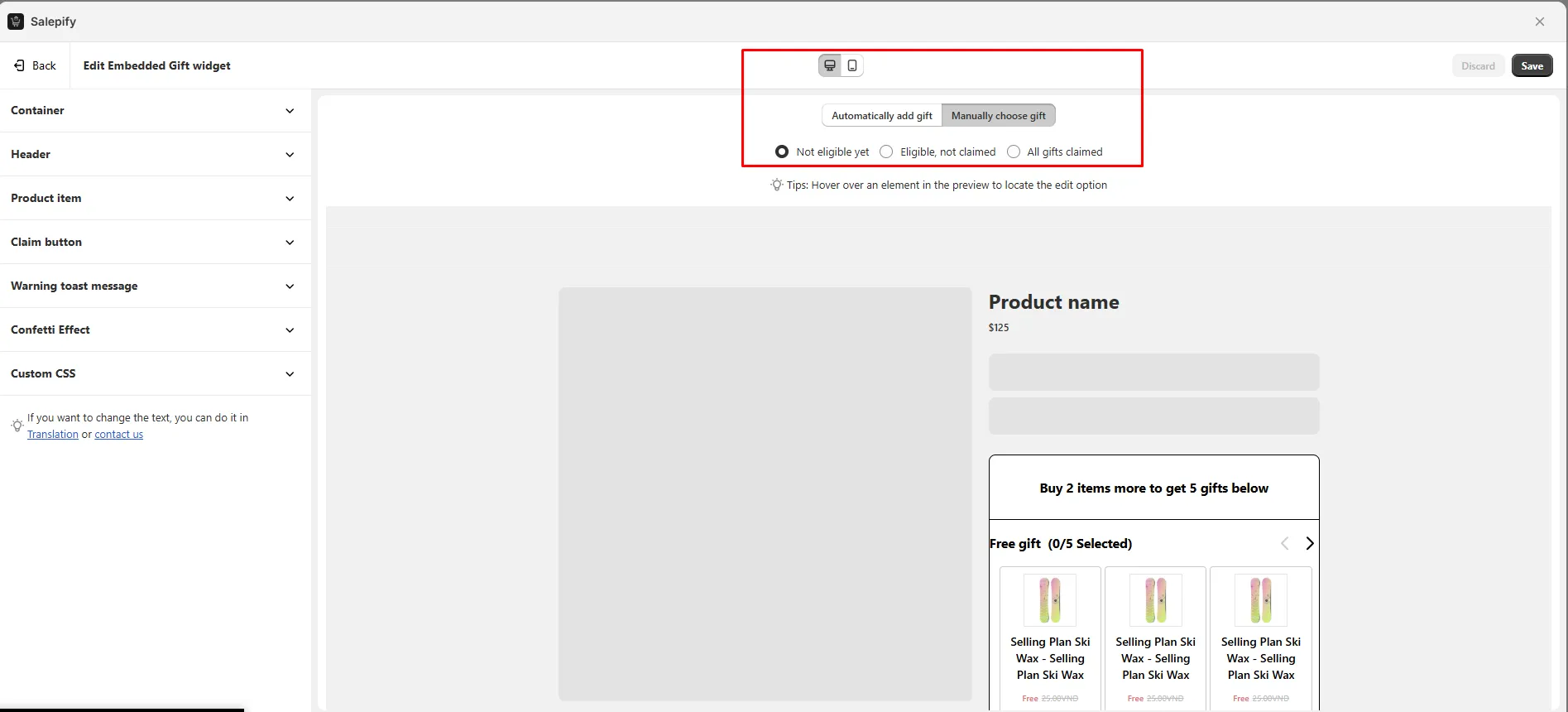
The Embedded Widget is integrated into the product page, so shoppers see the offer next to the product they are looking at. It shows a header, an upsell message that changes with the cart (not eligible, eligible, claimed), a list of gifts, and an optional countdown.
Use it for offers like spend a set amount to get a gift, where the product page is where the buying decision happens. You can pick one of four list styles to match your theme.
For the shopper
Scroll through the steps. The phone shows what the shopper sees at each one; products and prices are an example.
The embedded widget appears on the product page.
The widget says what is needed to unlock the gift, such as Spend at least an amount to get rewards.
The message changes to Congrats! Claim your reward now and the gifts become selectable.
A hint shows how many gifts are selected out of the total, for example Selected 1/2 gifts, and a toast warns if too few are chosen.
For you
Options you control
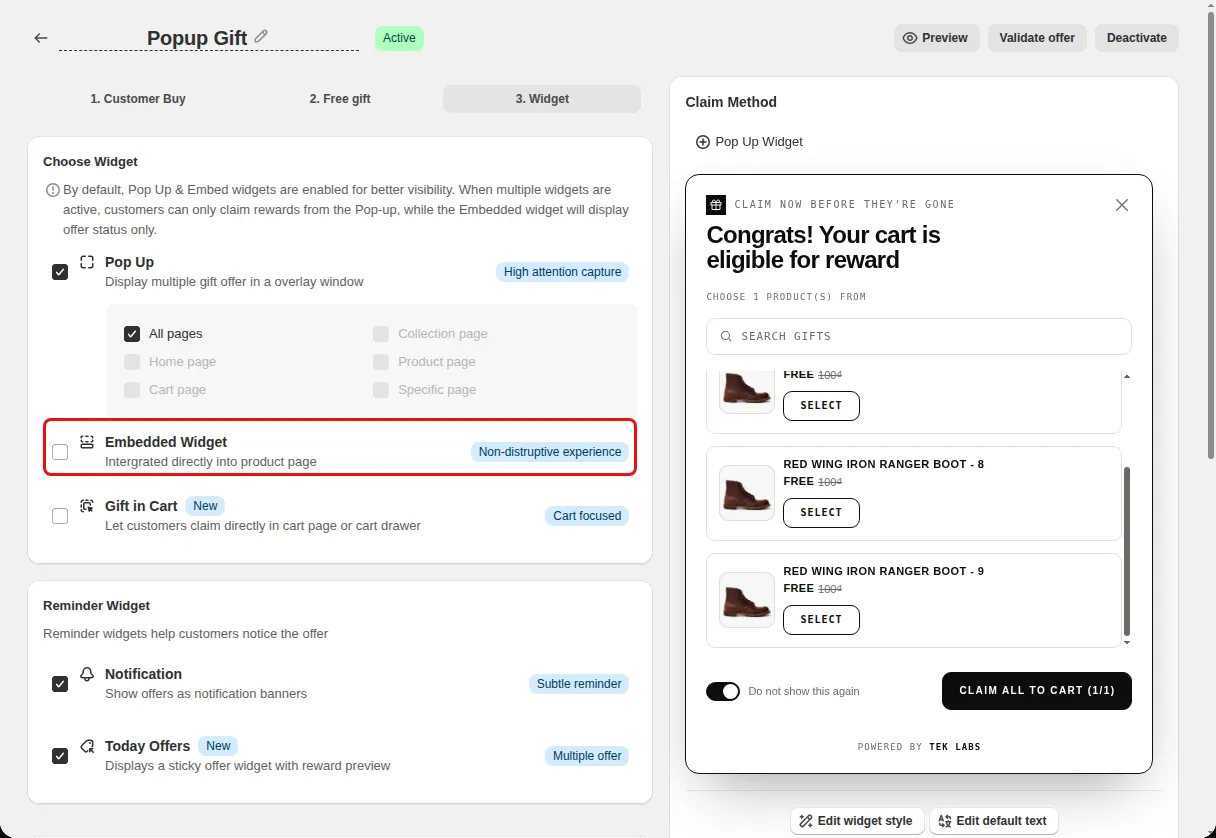
On the Widget step, under Choose Widget, tick Embedded Widget (Intergrated directly into product page).
If the app shows Free Gift Embed is not activated, click Activate Free Gift Embed, then click Save in the theme editor.
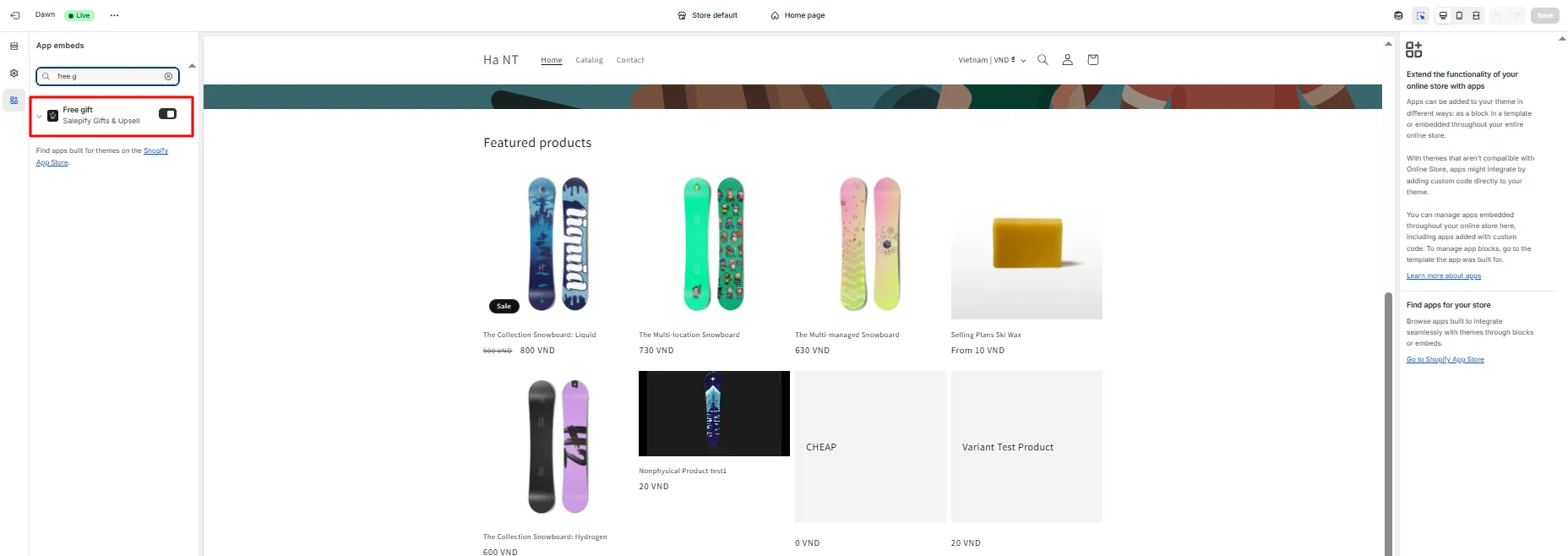
Open Styling and choose Embedded gift. Pick the list style and item direction.
Use cases
Tell shoppers what a gift costs them in extra spend at the moment they add an item.
Choose the minimal or outline list style to blend with a simple theme.
Show claimed state so shoppers know the gift is already in the cart.
FAQ
Below the Add to cart button by default, according to the widget description in the Styling tab.
Yes, when the offer is set to let the customer choose, with a hint such as Selected 1/2 gifts.
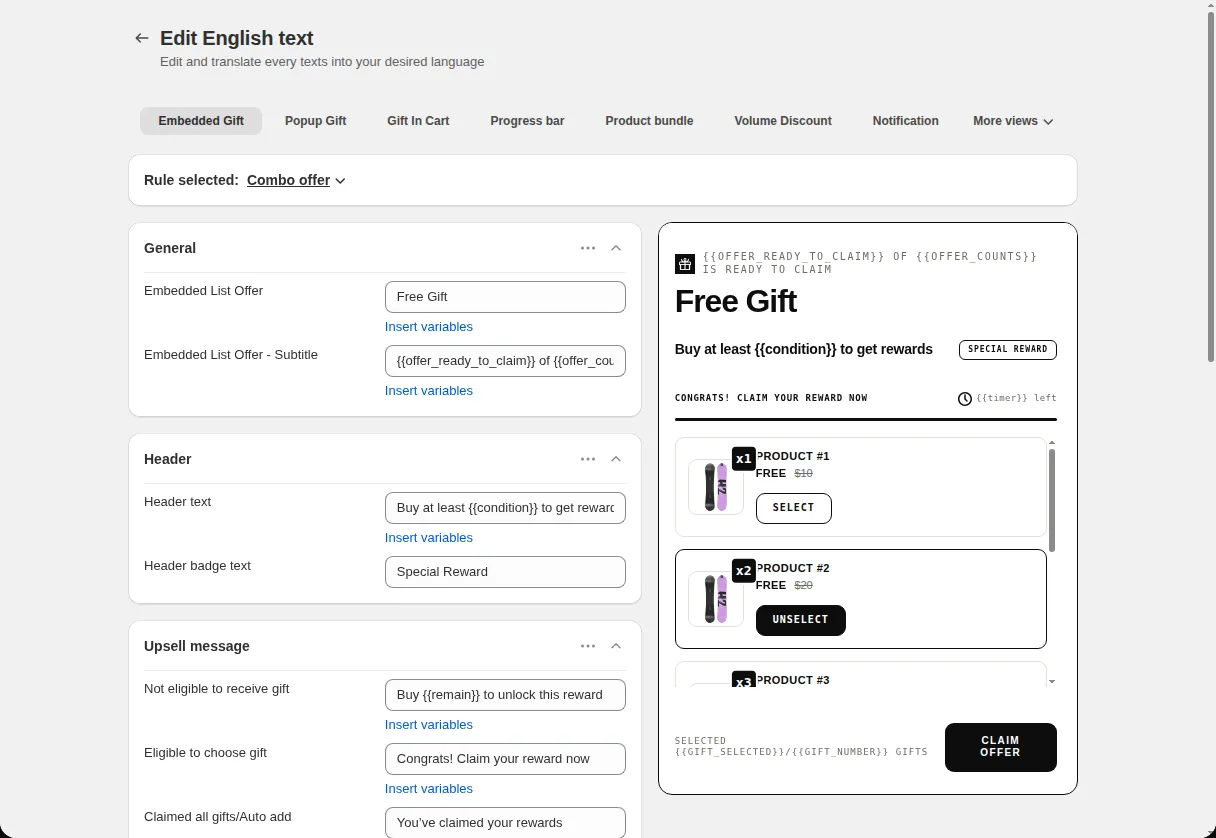
Yes. The Translations tab has Embedded Gift fields for the header, messages, hints, captions, and toasts.
Free gifts, BOGO, bundles and progress bars. Every offer type, on a free plan to start.