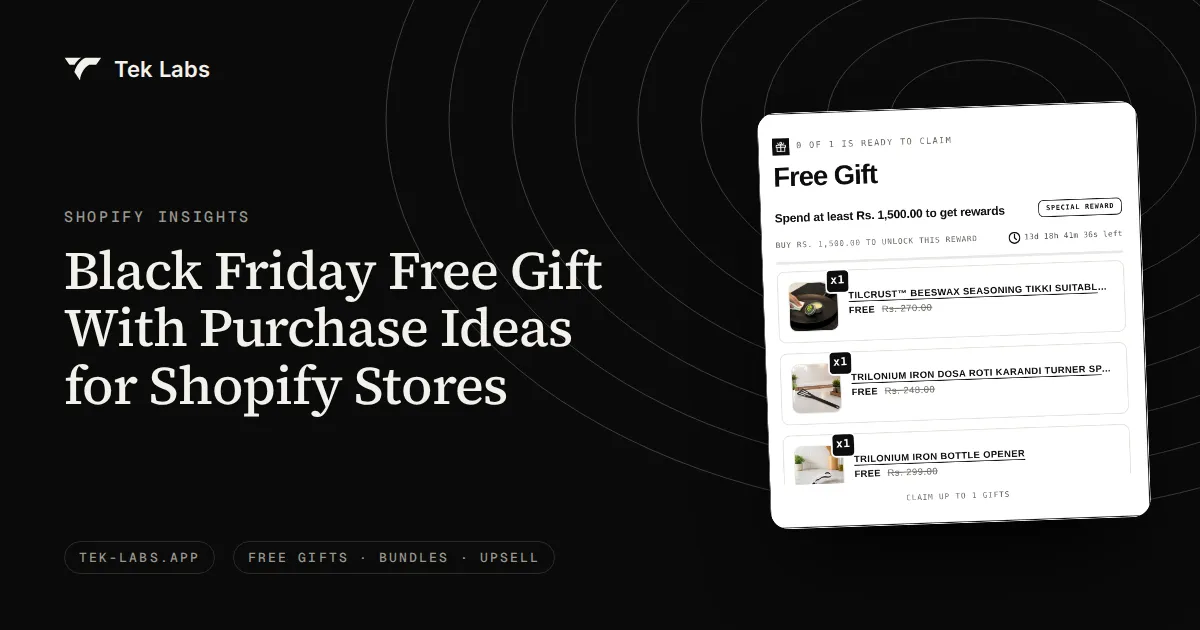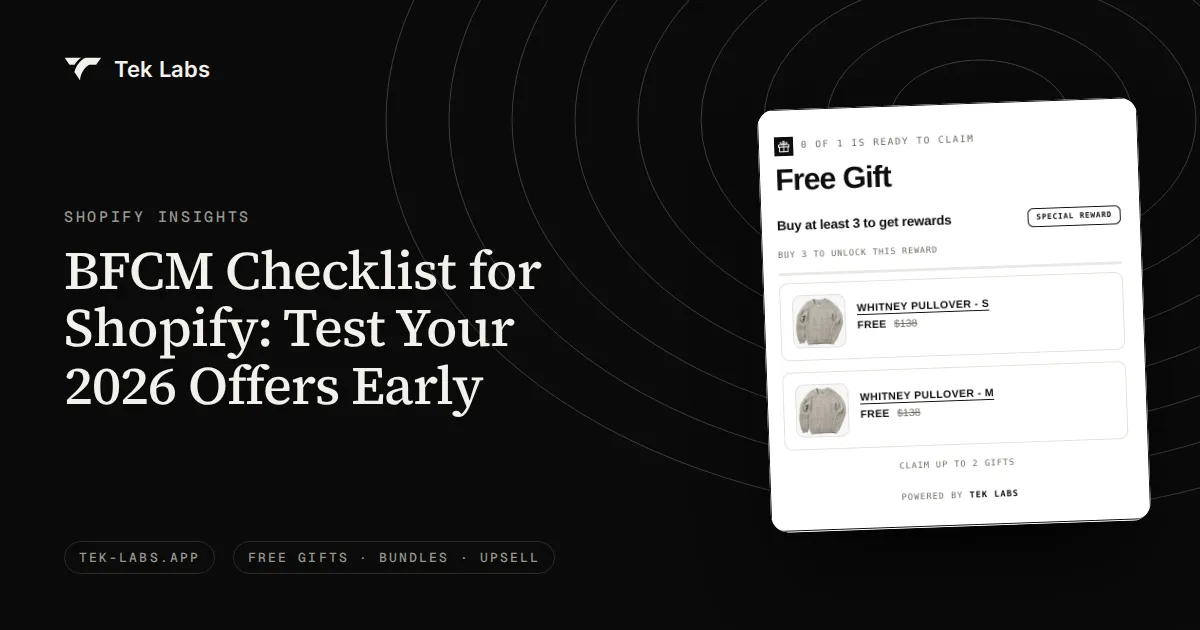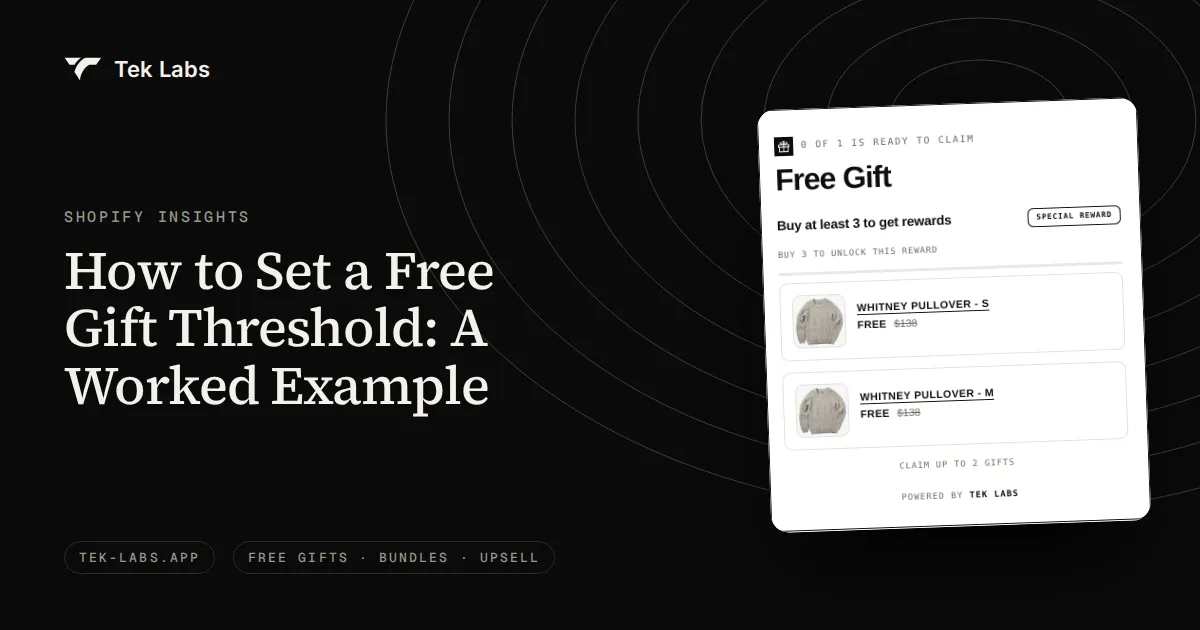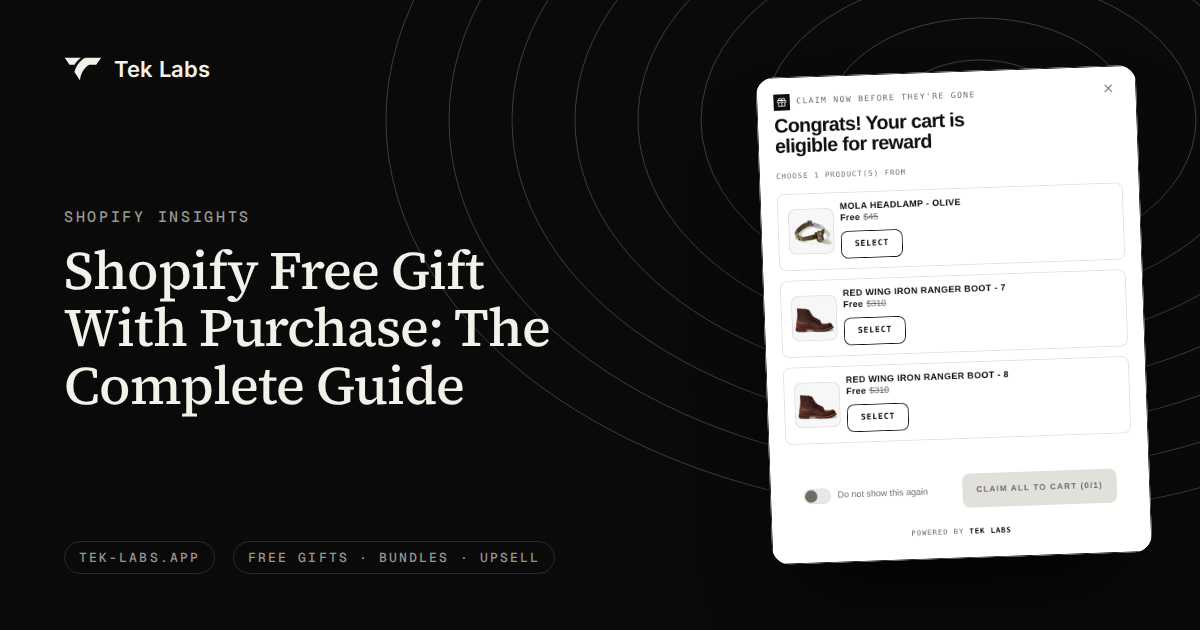
A Shopify free gift with purchase is a promotion where a shopper who meets a condition (spend a set amount, buy a certain product or quantity) receives a free product, and you can build it with Shopify’s native Buy X Get Y discount, with a manual theme setup, or with an app that adds the gift to the cart for you. The native discount never adds the gift automatically, so most stores that want a smooth experience end up on an app. This guide covers the gift types, where the gift appears, the cost math, the three build options and the rules for calling something “free”.
Last verified: 2026-10-04. Shopify help pages and the Tek Labs documentation were re-read on that date. Disclosure: Tek Labs makes the Free Gifts BOGO & Upsell app described below, so read the app sections with that in mind. The guide is written so you can also follow it with a different tool.
Key takeaways
- A gift with purchase (GWP) adds a free product when the cart meets a condition. It is different from a discount because the price of the main item stays intact.
- There are four common gift types: auto-added gifts, customer-chosen gifts, tiered (milestone) gifts and gifts delivered with a code.
- Native Shopify Buy X Get Y is a discount, not a gift mechanic: Shopify states that the free item is never automatically added to the cart.
- The cost of a gift is paid by every order that takes it, including orders that would have qualified anyway. Run the math on the whole order base before you pick a threshold.
- In the United States, the FTC’s rule on the word “free” says the price of the purchased product should not go up, and the terms of the offer should sit near the offer itself.
What a free gift with purchase is
A gift with purchase is a conditional reward. The shopper does something you ask (reaches a cart value, buys a product, buys a quantity) and a product is added to the order at zero price. Retailers have used it for decades, and it shows up everywhere from beauty counters to cookware stores because it lets a business give something away without printing a lower price on the main product.
That last point is the commercial logic. A discount tells the shopper the product is worth less. A gift tells the shopper they are getting something extra. Research on consumer pricing supports the distinction: in a study published in the Journal of Consumer Research, Palmeira and Srivastava (2013) found that willingness to pay for a product after a promotion ends is higher when the product was offered for free than when it was offered at a low, discounted price. That is one study, so treat it as a reason to test a gift against a discount in your own store, not as a guarantee.
The gift also works as a goal. Kivetz, Urminsky and Zheng (2006) studied a real cafe reward program and reported that participants purchase coffee more frequently the closer they are to earning a free coffee. The same logic explains why a visible “spend $X more to unlock your gift” message tends to be the part of a gift program that does the work, not the gift itself. This is a finding about loyalty cards for coffee, not about Shopify carts, so it supports testing a progress message and does not prove a size of lift.
The four gift types
Most gift programs are one of four shapes, or a combination. Pick by asking what you want the gift to do: lift the basket, introduce a second product, clear stock or thank every customer.
1. Auto-added gift
The gift lands in the cart on its own when the condition is met. The shopper does not click anything, which removes the main drop-off point of a manual flow. The risk is that a gift appears that the shopper did not want, so this type works best when the gift is small, universally useful or a sample.
In the Tek Labs app, auto-add has three modes: add all selected gifts, add only the first available gift (which substitutes the next one if the first is out of stock), or discount the cheapest product in the cart. The user guide also lists an option to remove the gift automatically if the qualifying condition is no longer met, which is worth looking for in any tool you evaluate.
2. Customer-chosen gift
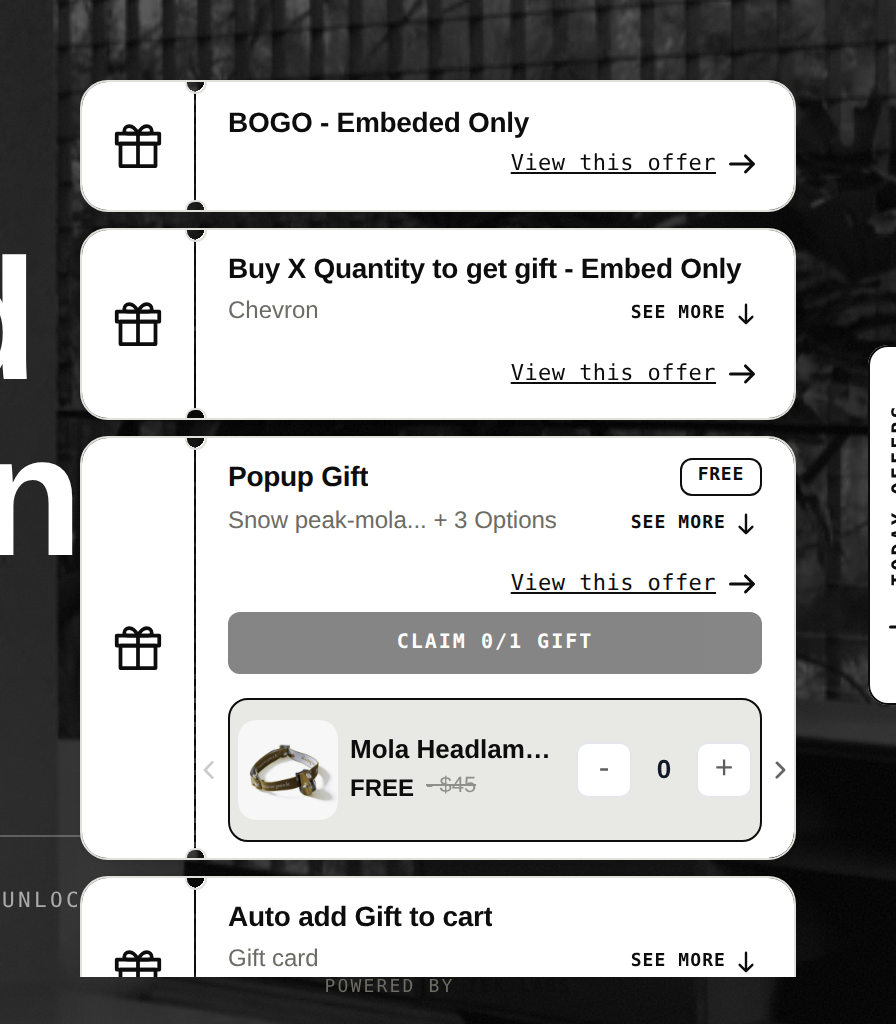
The shopper picks from a short list. This turns the gift into a small decision, which raises engagement and reduces the chance that someone gets something they do not want. It does add a step, so keep the list short (the demo store popup below offers one choice of three) and make the claim button obvious.
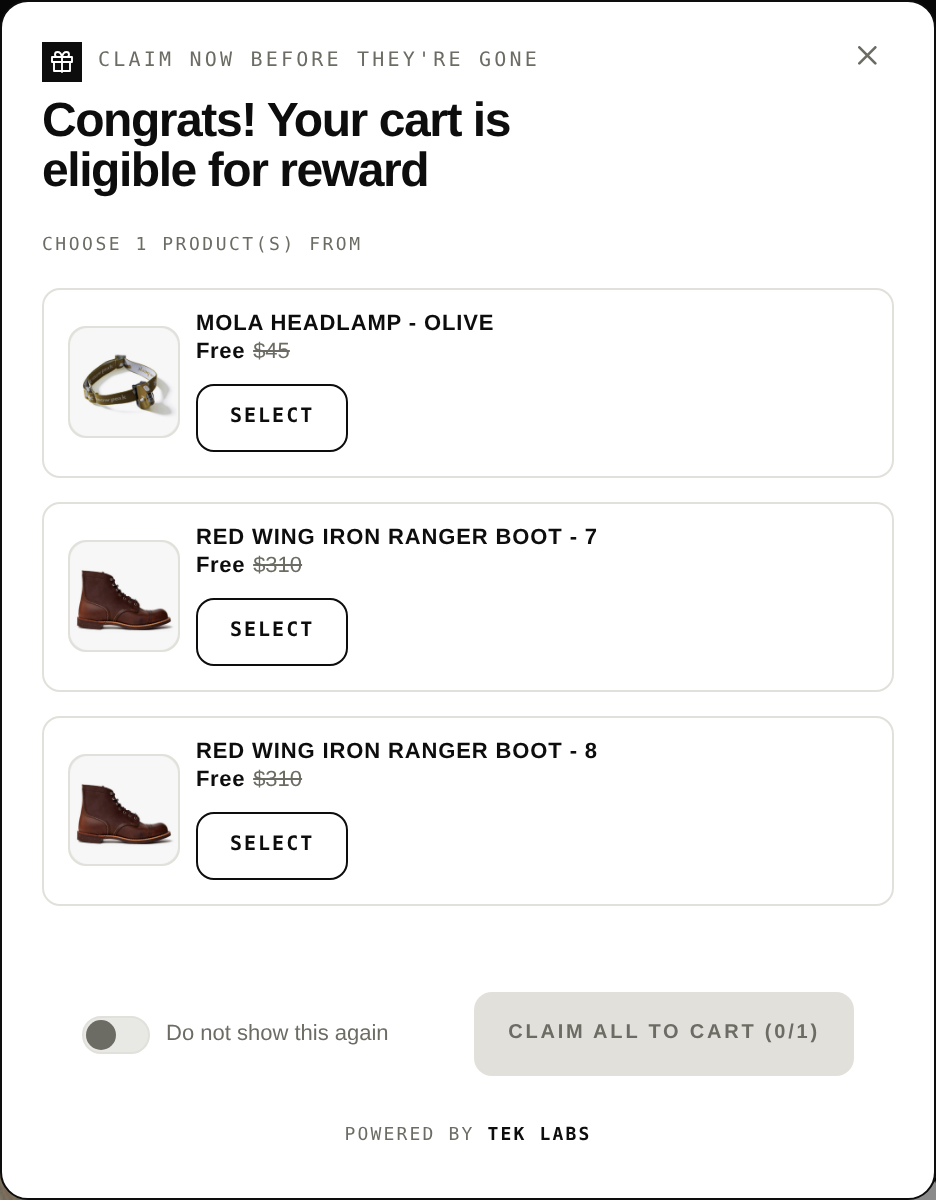
The same user guide describes customer choice as manual selection from the gift list, with the quantity either fixed or chosen by the customer.
3. Tiered or milestone gifts
Instead of one threshold, you set several. A shopper who reaches $50 gets a small gift, and at $100 a larger one. A progress bar in the cart shows how far they are from the next reward. The Tek Labs progress bar guide describes up to 6 milestones, each with a spending threshold and a reward type (free gift, cart discount or shipping discount), with the option to give the shopper every reward earned or only the latest one.
Tiers fit stores with a wide price range, or stores that want to nudge a second bump after the first threshold is crossed. The cost is complexity: each tier needs its own cost math, and the message has to stay readable on a phone. The feature page for milestone rewards shows how this looks in practice.
4. Gift with a code
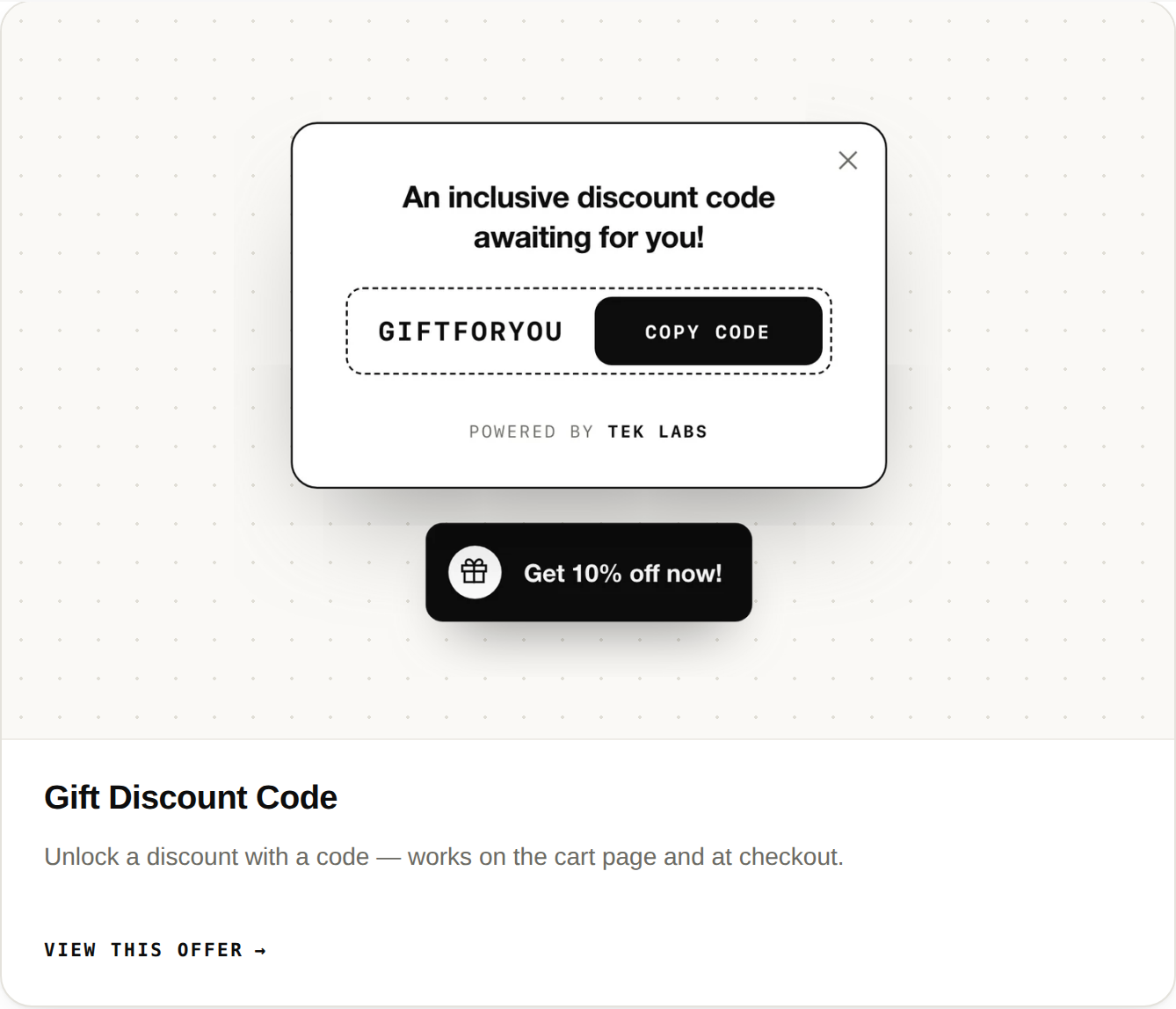
Here the gift, or the right to claim it, is tied to a discount code that the shopper enters or that is revealed in a popup or email. This is the least smooth type for shoppers because it adds a typing step, but it is useful for campaigns you control by channel: a code for a newsletter, an influencer or a loyalty tier. Our gift discount code feature covers the popup version, and the demo store below shows a popup that reveals a code and a sticky button.
| Gift type | How the gift reaches the cart | Best for | Main risk |
|---|---|---|---|
| Auto-added | Added automatically when the condition is met | Samples, small universal gifts | Shopper gets an item they did not want |
| Customer-chosen | Shopper picks from a list and claims it | Gifts with real variety (scents, sizes, colors) | One extra step can cause drop-off |
| Tiered (milestone) | One or more gifts unlock at spend levels | Wide price ranges, second-bump goals | More cost math, more UI to keep clear |
| Gift with code | Shopper enters or receives a code | Channel-specific campaigns | Typing friction, code leakage |
Where the gift shows
A gift that nobody sees does not change behavior. The gift offer needs to be visible at every point where the shopper decides how much to buy. There are four common places.
- Product page. The best place to announce the offer, because it is where the buy decision starts. A short widget under the add to cart button names the gift and what unlocks it.
- Cart. Where the shopper reviews quantities and can still add an item. A progress bar here shows how far they are from the next gift.
- Popup. A message that appears when the condition is met (to confirm and let them claim the gift) or as an announcement on entry.
- Checkout. The last confirmation that the gift is in the order. Check what your tool can place there, since checkout customization differs by plan and tool.
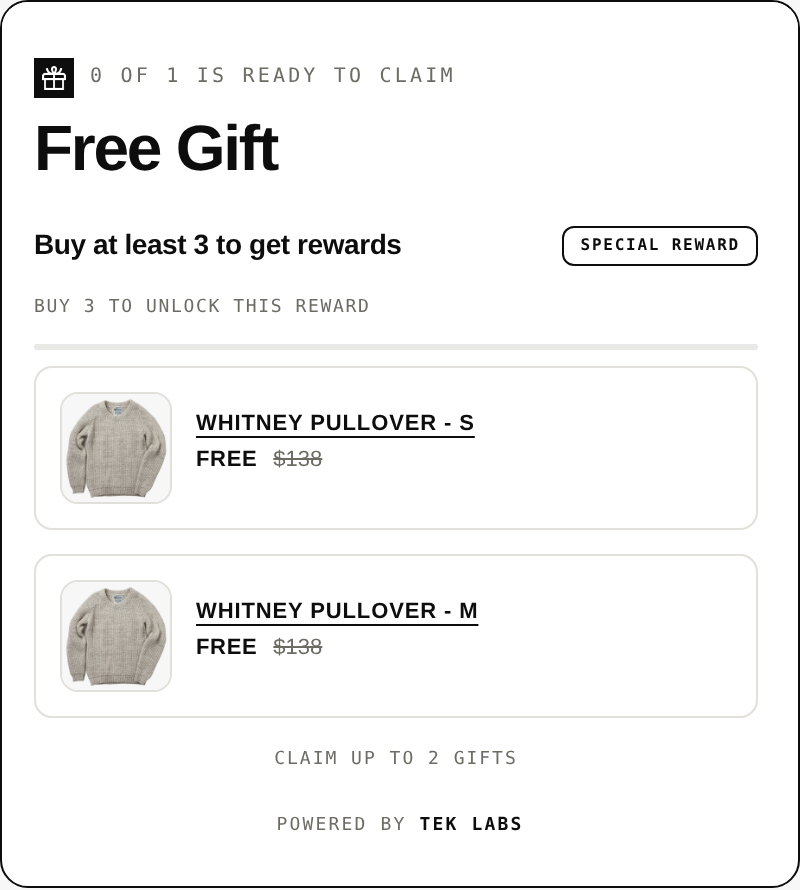
The Tek Labs listing says the widgets display “across every position on your store – product page, cart, popup, and checkout”. Here is how a product page widget looks on a demo store.
A live example: Ricinushaircare.hu
The Hungarian hair care store Ricinushaircare.hu shows the simplest version of the pattern. According to our customer page, the homepage banner reads “Ingyenes hajmaszk minden rendelés mellé”, which means a free hair mask with every order. On the product page for the 350 ml shampoo, the gift widget is shown in Hungarian: buy at least 1 product to unlock the gift, and the 300 ml moisturizing mask is marked free and added to the cart automatically once the gift unlocks. That is the extent of what the customer page states, and offers on a live store change over time, so treat it as a description of a setup seen in October 2026, not a result.
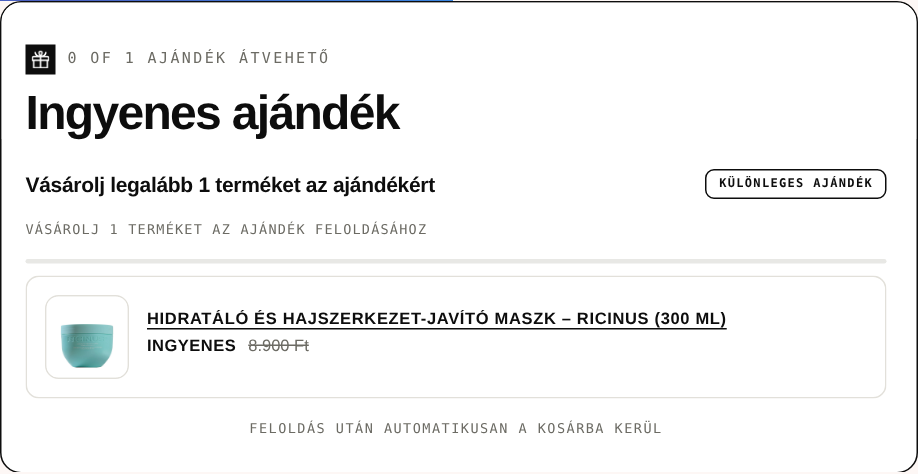
What this example shows is the structure: one qualifying action, one named gift, a visible widget and an automatic add. There is no spend threshold to calculate and no code to type.
A second example: House of Velar
The House of Velar page describes a fragrance store whose offer is stated simply: buy any one product and claim the 7 x 3ml Discovery Set free, listed at Rs. 1,100. The Free Gifts app script and gift widget markup load on the Discovery Set product page. The page notes that Tek Labs cannot see the store’s own configuration, so what it states is the offer, not its results. The structural point is the one fragrance sellers know well: a sample set is a gift that also helps the shopper choose the next full-size purchase.
The cost math
A gift is a cost that every qualifying order pays. The mistake that costs stores money is to calculate the gift cost only for the orders it inspired. Everyone who qualifies gets the gift, including the shoppers who would have spent that much anyway.
Use this checklist to price a gift offer.
- List the gift’s full landed cost: product cost, inbound freight, packaging and the extra pick and pack time.
- Count the orders that already meet the threshold. They receive the gift with no extra spend.
- Estimate how many orders will stretch to reach the threshold and by how much, using your own order data.
- Convert the extra spend into extra gross margin, not extra revenue.
- Subtract the gift cost for all gift takers from the extra margin. The result is your net, before any conversion lift.
- Work out the break-even number of stretch orders and ask whether it is realistic.
A worked example (hypothetical)
This store is invented to show the arithmetic. It has 1,000 orders a month, an average order value of $60, a gross margin of 45 percent and a gift with a landed cost of $5.
Scenario A: a $75 threshold. Assume 200 orders already exceed $75. Another 100 orders that would have been $65 stretch to $78.
- Gift takers: 200 + 100 = 300. Gift cost: 300 x $5 = $1,500.
- Extra spend per stretching order: $78 – $65 = $13. Extra margin: $13 x 45% = $5.85, so 100 x $5.85 = $585.
- Net: $585 – $1,500 = -$915 per 1,000 orders.
- Break-even: $1,500 / $5.85 = about 257 stretching orders, more than twice the 100 assumed.
Scenario B: a $90 threshold. Assume 80 orders already exceed $90. Another 90 orders stretch from $74 to $92.
- Gift takers: 80 + 90 = 170. Gift cost: 170 x $5 = $850.
- Extra spend: $18 per order. Extra margin: $18 x 45% = $8.10, so 90 x $8.10 = $729.
- Net: $729 – $850 = -$121.
- Break-even: $850 / $8.10 = about 105 stretching orders, close to the 90 assumed.
Scenario C: the same $90 threshold with a $2 gift. Gift cost: 170 x $2 = $340. Net: $729 – $340 = +$389 per 1,000 orders.
The lesson is not that gifts lose money. It is that the profit sits in the gift cost per taker and in the share of takers who truly stretched. A cheaper gift with a high perceived value, and a threshold far enough above the usual basket that few orders qualify by default, are the two levers. Our free gift threshold worked example runs this method in more depth, and the free gift threshold calculator lets you put in your own numbers. These calculations also leave out any lift in conversion rate and repeat purchase, which are real but harder to estimate, so measure them in a before-and-after or an A/B test instead of assuming them.
| Item | Scenario A ($75) | Scenario B ($90) | Scenario C ($90, $2 gift) |
|---|---|---|---|
| Gift takers | 300 | 170 | 170 |
| Gift cost | $1,500 | $850 | $340 |
| Extra gross margin from stretch | $585 | $729 | $729 |
| Net per 1,000 orders | -$915 | -$121 | +$389 |
Three ways to build it on Shopify
Option 1: Native Buy X Get Y
Shopify’s built-in Buy X get Y discount is the free starting point. It can be a code or an automatic discount, as Shopify’s discount types page explains. Its limits matter for a gift program.
- The shopper has to add both products. Shopify states: “Customers must add all items to their cart manually. The free or discounted ‘get’ item is never automatically added to the cart.”
- A minimum purchase amount can be set, but it counts product prices only. Shipping and taxes are never included.
- On the discount combination page, Shopify says that for all plans except Shopify Plus, all products that are part of a Buy X get Y discount are ineligible for further product discounts.
- A store can have a maximum of 25 active automatic discounts, and that total includes app-based discounts.
Native Buy X Get Y suits a simple “buy this, get that” promotion where the shopper can be told to add the gift. It is a poor fit when you want the gift to appear on its own, let the shopper choose, or run a progress bar. We compare the native behavior and an app side by side in our post on Shopify’s default Buy X Get Y and third-party providers.
Option 2: Manual or theme setup
Some stores build a gift by hand: a hidden product priced at zero, a script in the theme that adds it to the cart when the subtotal passes a number, and a banner that says so. This can work and costs nothing in app fees, but it has a maintenance load that is easy to underestimate.
- Someone has to keep the script working when the theme updates or the cart changes.
- The gift needs its own inventory handling, so you do not oversell a gift item.
- The script has to remove the gift when the shopper takes items out, or you give away gifts to carts that no longer qualify.
- Discounts, markets and currencies each add test cases.
If you take this route, document every rule and test the cart with a discount code, with a quantity change and with the item removed. A hand-built gift that breaks quietly at the start of Black Friday is a common cause of support tickets.
Option 3: A gift app
An app takes over the parts the native discount does not cover: adding the gift, letting the shopper choose, showing widgets and removing the gift when the cart no longer qualifies. Shopify’s own help center notes that you can create other types of discount by using a third-party app, and the developer documentation says Shopify Functions enable “discount functionality that isn’t offered out of the box with Shopify”, through product, order and shipping discount classes.
Tek Labs makes one such app. Its Shopify App Store listing, read on 2026-10-04, says it lets merchants “Automatically add gift to cart, or let customers choose their own gift”, with a cart upsell progress bar with multi-tier gift rewards, and widgets on the product page, cart, popup and checkout. The listing shows a free plan. The Free Gifts BOGO & Upsell page on our site describes the same app.
| Native Buy X Get Y | Manual or theme setup | Gift app | |
|---|---|---|---|
| Gift added automatically | No, the shopper adds it | Yes, if you script it | Yes, in most apps (check the listing) |
| Customer chooses the gift | No | Only if you build it | Often |
| Progress bar and popups | No | Only if you build it | Often |
| Upfront cost | None | Developer time | Free plan or monthly fee |
| Ongoing upkeep | Low | High | Low, but depends on the vendor |
| Combination with other discounts | Limited, see rules above | You control, you test | Depends on the app and settings |
How to set up a gift offer, step by step
The steps are the same whichever tool you use. The names change.
- Choose the goal. Raise AOV, introduce a second product, clear stock or reward every order. The goal decides the threshold and the gift.
- Pick the gift. Choose a product with high perceived value and low landed cost. A sample, a travel size or an accessory often fits.
- Set the condition. Use a cart value, a cart quantity or a specific product. Keep the threshold above the usual basket, as the worked example shows.
- Decide how the gift arrives. Auto-add, customer-chosen or via a code.
- Show the offer where decisions happen. Product page widget, cart progress bar and a confirmation popup.
- Check discount combinations. Test the gift with a code, an automatic discount and free shipping so you know what the shopper sees.
- Preview and test the whole path. Add items, cross the threshold, remove an item, check out. In the Tek Labs app a validate button checks the widget block and auto-add behavior before you go live.
- Measure. Track AOV, gift take rate, margin after the gift cost and returns on gift orders for a few weeks before you change anything.
For a seasonal run, the Black Friday free gift ideas post lists gift concepts you can adapt, and Black Friday 2026 is on November 27, so the setup window is now.
Rules for calling it “free”
If you sell in the United States, the Federal Trade Commission has a guide on how to use the word “free”. It is 16 CFR 251, and the relevant point for a gift with purchase is in section 251.1: a purchaser has a right to believe that the merchant will not directly and immediately recover, in whole or in part, the cost of the free merchandise or service by marking up the price of the article that must be purchased. The same section says all the terms, conditions and obligations should appear in close conjunction with the offer of free merchandise.
The FTC’s advertising FAQs for small business put it plainly: when a free offer is tied to a purchase, the price of the purchased product should not be increased from its regular price, and advertisers must clearly and conspicuously disclose the terms and conditions of the offer. The FAQs also say fine print at the bottom of an ad or a disclaimer buried in unrelated text does not meet that standard.
In practice, that means four things for a Shopify store.
- Do not raise the price of the qualifying product just before you launch the gift.
- State the condition in the same place as the offer: “Free gift when you spend $90”, not a footnote.
- State the end date, the stock limit and any exclusions (for example, “while supplies last”, if true).
- Check the rules where you sell. Other countries and states have their own promotion laws, and this guide is not legal advice.
Common mistakes
- Setting the threshold at or below the typical basket. Most orders qualify with no stretch, and you pay for the gift every time.
- A gift that does not match the main product. A random item feels like clearance. A gift that completes the purchase (a care product, a sample of the next product in the routine) feels like a bonus.
- Hiding the offer. If the widget is only in the cart, the shopper has already decided what to buy.
- Forgetting discount rules. On non-Plus plans, Buy X Get Y items are ineligible for further product discounts, so a gift can behave unexpectedly next to a sale code. Test it.
- No stock check. An auto-added gift that is out of stock confuses the cart. Use a fallback gift or hide out-of-stock gifts.
- Not measuring. Without take rate, margin and returns on gift orders, you cannot tell whether the offer earns its cost.
If a gift offer misbehaves in the cart, our guides to cart abandonment and to promotion strategies cover related fixes. For a real merchant story, NutriMart’s gift program is described on its own page.
Where to go next
If you want to try a gift offer without writing code, the Free Gifts BOGO & Upsell app has a free plan and a live demo store (password: 1). For the individual mechanics, see the feature pages for free gift with purchase, Buy X Get Y and milestone rewards.
Frequently Asked Questions
What is a free gift with purchase on Shopify?
It is a promotion where a shopper who meets a condition, such as a minimum cart value or buying a specific product, receives a free product with the order. Shopify’s native Buy X Get Y discount can do a basic version, and apps add features such as automatic adding and customer choice.
Can Shopify add a free gift to the cart automatically?
Not with the native Buy X Get Y discount. Shopify’s help center says the free or discounted item is never automatically added to the cart and the customer must add all items manually. Apps and custom code can add the gift automatically.
How much should a free gift cost me?
There is no single figure. Calculate the landed cost per gift and multiply by every order that will take it, including those that would have qualified anyway, then compare it to the extra gross margin from orders that stretched. The worked example above shows how a $5 gift lost money at a $75 threshold and a $2 gift made money at $90 in a hypothetical store.
Does a free gift offer count as a discount for combination rules?
On Shopify’s native Buy X Get Y, yes. For all plans except Shopify Plus, products that are part of a Buy X Get Y discount are ineligible for further product discounts, and a store can have a maximum of 25 active automatic discounts including app-based ones. Apps have their own settings, so test the combinations you plan to allow.
Is it legal to offer a “free” gift if I raise my prices?
In the United States the FTC’s guide on the word “free” says the merchant should not directly and immediately recover the cost of the free item by marking up the price of the item that must be purchased. Terms and conditions should be disclosed next to the offer. This is general information, not legal advice.
Should I use a gift or a discount code?
It depends on your margins and goal. Research by Palmeira and Srivastava found that willingness to pay after a promotion ends was higher for products offered free than for products offered at a low price, but results differ by product and audience, so test both against your own data.