There is no single best Shopify bundle app, because the right one depends on which bundle type you sell and how you are billed. If you only need fixed bundles and multipacks, Shopify’s free Bundles app is the natural start. If shoppers should choose the items, build a box or buy in quantity tiers, you need a third-party app, and six of them are compared here by what their own App Store listings showed on 2026-10-04.
Disclosure: Tek Labs, the publisher of this blog, makes one of the apps in this comparison, Mix & Match Bundles. We apply the same rule to every app: we state only what its App Store listing shows, with the date we read it, and we do not rank the apps.
Key takeaways
- Fixed bundles and multipacks: every app here lists them, including Shopify’s free Bundles app, so this feature alone should not decide your choice.
- Mix and match and build a box: Shopify’s help center says its own Bundles app does not support mix-and-match bundles. The five third-party listings in this guide all name mix and match among their bundle types.
- Pricing units differ: plans are measured in monthly sales, monthly orders, number of bundles or a flat fee, so compare them at your own volume, not by the headline price.
- Ratings are a weak signal: a rating tells you how reviewers felt about their own use, not whether the app fits your catalog. Read the recent reviews that match your bundle type.
- Test before you commit: every listing shows a free plan, a free trial or a free tier, so build one bundle in two apps and compare.
Last verified: 2026-10-04. Ratings, review counts and prices move. Re-check each listing before you decide.
How we chose and compared the apps
We looked for apps that a merchant searching for bundle tools would meet, and that publish a bundle feature set on their App Store listing: Shopify Bundles (native), Tek Labs Mix & Match Bundles, Fast Bundle, Bundler, Simple Bundles & Kits and BOGOS. It is not a complete market list. We left out apps whose listing page we could not open on the day of writing, because we will not describe an app we have not read.
For every app we opened its Shopify App Store listing on 2026-10-04 and recorded the rating, review count, pricing and listed bundle types. The criteria we apply, in the order we would apply them as a merchant:
- Bundle types: does the listing name the types you actually want to sell?
- Pricing rules: fixed price, percentage or flat discount, tiers, free shipping, BOGO.
- Plan unit and cost at your volume: what does the plan count, and what do you pay at your own order volume?
- Inventory and fulfillment fit: component-level stock, POS, 3PL and WMS support.
- Storefront fit: theme matching, languages, bundle pages.
- Evidence of use: rating and review count, read as a weak signal.
We did not install or test the apps for this article. That matters: a listing shows what a vendor says, and your own test shows what happens on your theme with your products. Treat this page as a shortlist, not a verdict.
The six apps at a glance
| App | Developer | Rating and reviews | Pricing as listed |
|---|---|---|---|
| Shopify Bundles | Shopify | 2.9 out of 5 (570 reviews) | Free |
| Tek Labs Mix & Match Bundles | Tek Labs | 4.8 out of 5 (23 reviews) | Free label on the listing |
| Fast Bundle (FBP) | Fast Bundle | 5.0 out of 5 (3,501 reviews) | Free for development stores; $19, $49 or $139 per month by sales tier; 7-day trial |
| Bundler | Bundler.app | 4.9 out of 5 (2,710 reviews) | Free; $9.99 or $19.99 per month; 7-day trial on paid plans |
| Simple Bundles & Kits | Freshly Commerce | 4.9 out of 5 (803 reviews) | Free (3 bundles, 50 monthly orders); $14, $39 or $149 per month |
| BOGOS | BOGOS | 5.0 out of 5 (4,436 reviews) | Free (30 free orders lifetime); $29.99, $49.99 or $109.99 per month |
Sources, all read on 2026-10-04: Shopify Bundles, Mix & Match Bundles, Fast Bundle, Bundler, Simple Bundles & Kits and BOGOS. Prices are in US dollars as shown on the listings and apply to the plan names given there.
Two cautions on reading the table. First, review counts differ by a factor of more than a hundred, so a 4.8 from 23 reviews and a 5.0 from 3,501 reviews carry different weight. Second, the Tek Labs app has the fewest reviews of the six, which we state plainly because we make it.
Compare by bundle type
Most comparison pages list features app by app. It is more useful to start from the bundle type you want to sell, then see which listings name it.
Fixed bundles and multipacks
All six listings name fixed bundles and multipacks. Shopify’s native app lists exactly these two types, with fixed pricing (listing). Its help center gives the working limits: up to 30 components in a fixed bundle, and a maximum of 3 options and 100 variants per bundle (Shopify Help Center).
Because fixed bundles are the common ground, choose among the apps on what comes after: pricing rules, inventory behavior, bulk tools and storefront presentation. The native app does not support import, export or bulk editing (Shopify Help Center). If you manage many bundles, that is a practical reason to look beyond it.
Mix and match and build a box
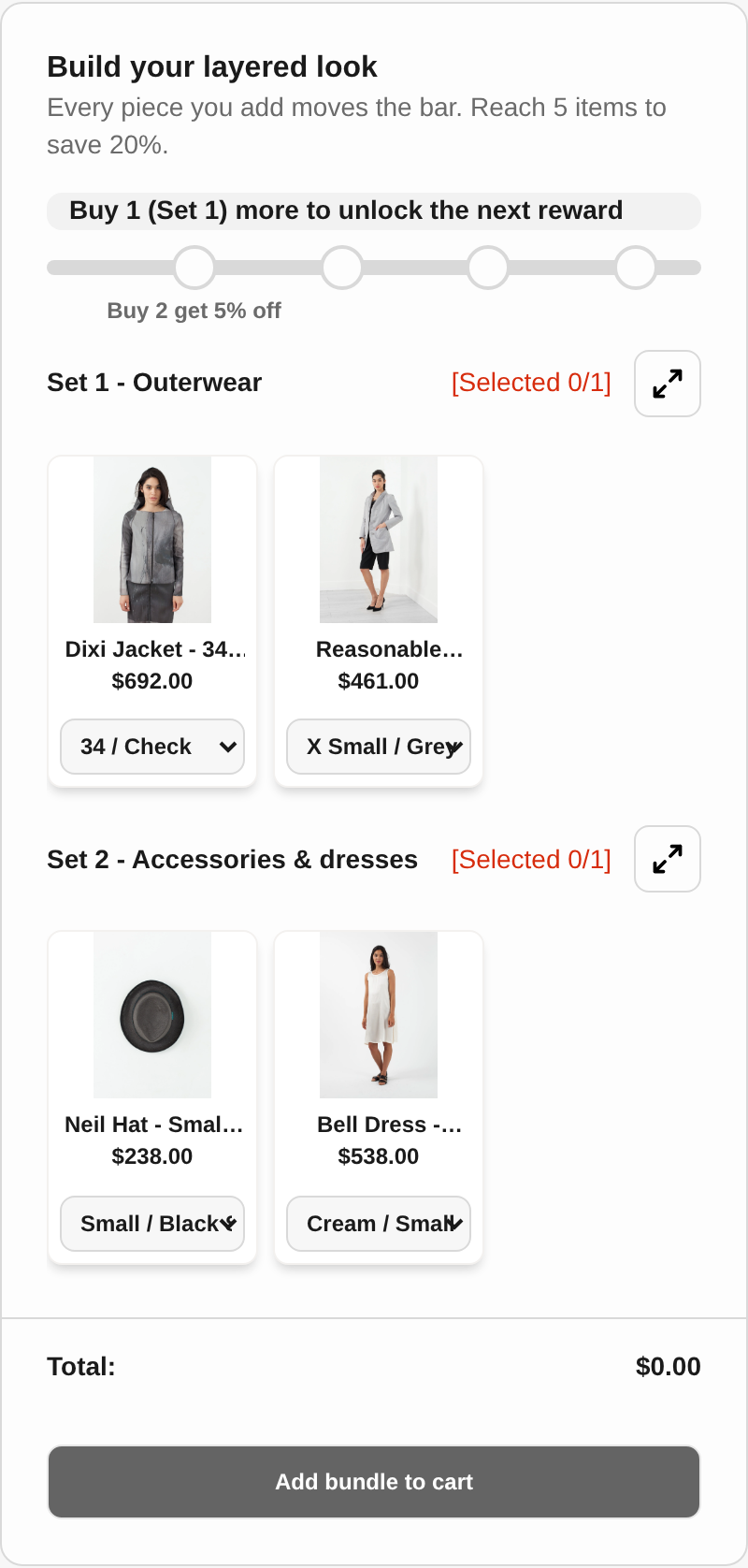
Shopify’s help center says: “The Shopify Bundles app doesn’t support mix-and-match bundles.” The five third-party listings all name mix and match among their bundle types. Fast Bundle, Bundler, Simple Bundles & Kits and BOGOS also name build a box, as does Tek Labs Mix & Match Bundles, which additionally names sample packs and infinite option bundles.
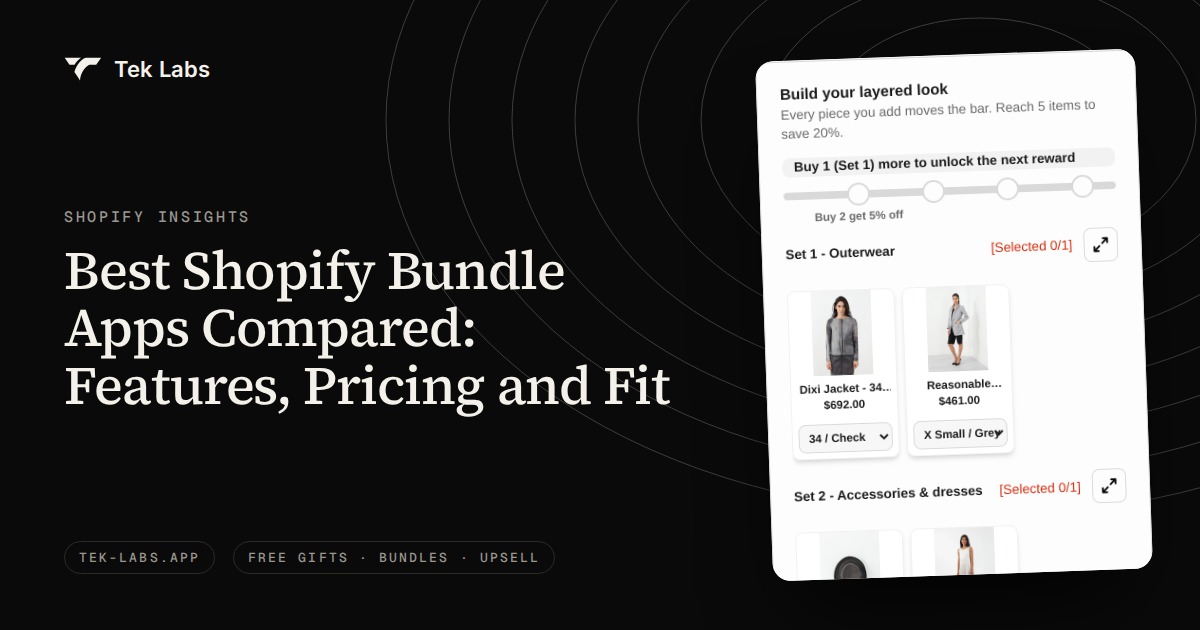
The listings show a similar list of names, so the difference is in the builder. Questions to test in a trial: can shoppers fill a box on a dedicated page, can you require items from specific sets, can you block duplicates, and does the progress toward a reward show on screen? The Tek Labs build a box feature page and its demo store (password 1) show one implementation, and each vendor’s listing or demo shows theirs.
Quantity breaks and volume discounts
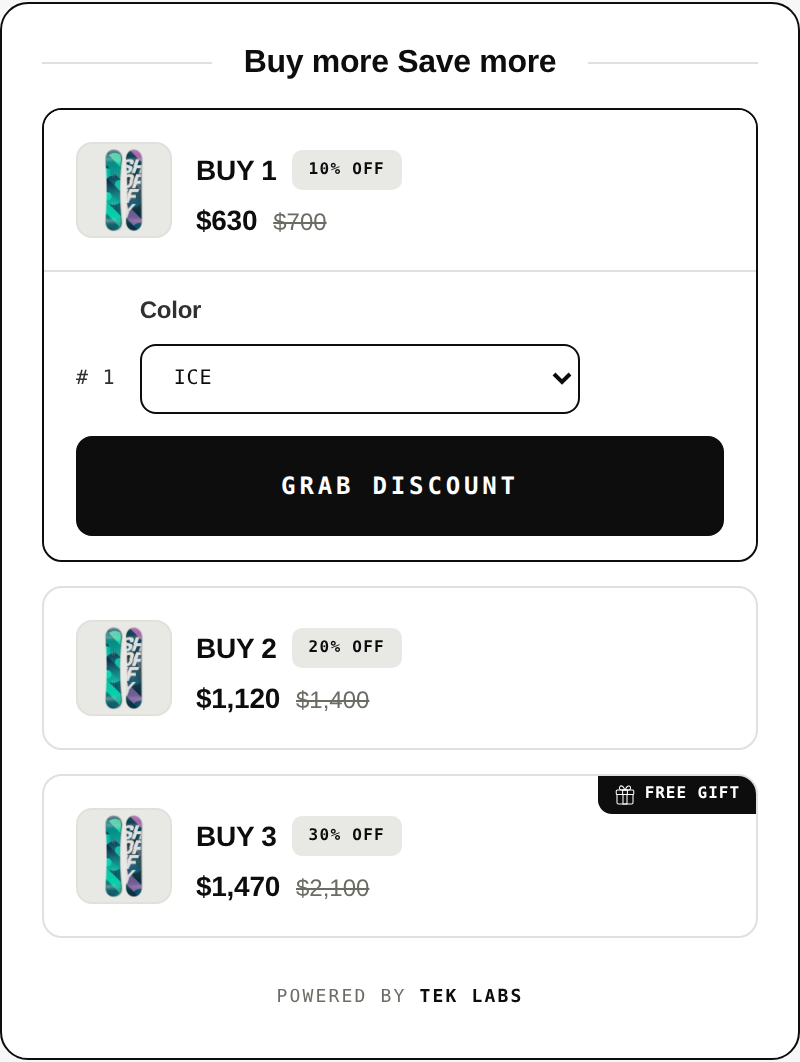
Quantity breaks reward buying more of one product. Tek Labs Mix & Match Bundles lists quantity breaks, volume discounts and tiered pricing. Fast Bundle’s listing names “volume discounts and quantity breaks”. Bundler lists “volume and quantity break discounts”. BOGOS lists “volume discounts and tiered pricing”. The Simple Bundles & Kits listing, as we read it, does not name quantity breaks in its feature list, though it lists dynamic pricing on the Basic plan. The native app lists fixed pricing only.
A merchant who mainly sells consumables or supplements should weigh this section most. See the quantity break pricing feature page for how tiers are set up in the Tek Labs app, and compare the tier options in the other listings.
Upsell bundles and frequently bought together
Upsell bundles and frequently bought together appear in the bundle type list of Tek Labs Mix & Match Bundles, Fast Bundle, Bundler, Simple Bundles & Kits and BOGOS. Fast Bundle also lists AI-powered frequently bought together, Bundler lists product page and funnel upsells, and BOGOS lists checkout upsells and thank you page promotions. If your plan is a broad cross-sell program rather than bundles alone, our post on Shopify apps for cross-selling and upselling covers that wider field.
POS, inventory and fulfillment
The listings differ here more than in bundle types. As listed on 2026-10-04:
- Fast Bundle lists Shopify POS compatibility.
- Bundler lists Shopify POS integration.
- Simple Bundles & Kits lists multi-location POS integration, inventory sync with 3PL and WMS systems, and automatic bundle SKU breakdown.
- BOGOS lists POS and headless commerce compatibility.
- The Tek Labs listing lists compatibility with Checkout and Shopify Admin and does not name POS in the text we read.
- Shopify’s native app stores bundle stock as overall stock, not by location (Shopify Help Center).
If you sell in retail locations or ship through a warehouse system, this is the section to read twice.
The apps one by one
Each entry states what the listing shows and then the situation where a merchant might shortlist it. “Might shortlist” is a prompt for your own test, not a recommendation.
Shopify Bundles (native)
Listing, read 2026-10-04: developer Shopify, 2.9 out of 5 from 570 reviews, free, fixed bundles and multipacks, fixed pricing. The listing says merchants can “create fixed bundles and multipacks right from the Shopify admin”.
Limits from the help center: up to 30 components in a fixed bundle, a maximum of 3 options and 100 variants per bundle, no support for subscriptions, pre-orders or try-before-you-buy, no mix and match, no bulk editing (eligibility and considerations).
Might shortlist if you sell a few fixed sets made from simple products and want a free start. For step by step instructions see our guide on how to create bundles on Shopify.
The rating deserves a fair reading. A built-in app serves every kind of store, including ones whose catalogs hit the variant limit, and the listing’s reviews include a note that apparel options such as color and size can reach the limit. A lower rating on the native app says little about a store with simple fixed sets.
Tek Labs Mix & Match Bundles
Listing, read 2026-10-04: developer Tek Labs, 4.8 out of 5 from 23 reviews, pricing shown as Free. Bundle types: fixed bundles, multipacks, mix-and-match, variant bundles, infinite option bundles, build a box, sample packs, upsell bundles, frequently bought together and custom bundles. Pricing options: fixed pricing, tiered pricing, quantity breaks, discounts, volume discounts, flat and percentage discounts, free shipping, BOGO, wholesale pricing and dynamic pricing. It lists support for up to 45 products in bundles, 35+ languages and a theme-matching bundle UI.
Might shortlist if your bundles are mix and match, build a box, sample packs or quantity tiers, and you want the bundle UI matched to your theme. Consider before you choose: it has the fewest reviews of the six, so run your own test on a staging or demo flow, and read the plan details on the listing because the listing’s pricing line is brief. More detail is on the Mix & Match Bundles page.
Fast Bundle (FBP)
Listing, read 2026-10-04: developer Fast Bundle, 5.0 out of 5 from 3,501 reviews. Plans: free for development stores, Standard (1K) at $19 per month or $180 per year, Standard (3K) at $49 per month or $468 per year, Standard (10K) at $139 per month or $1,380 per year, each with a 7-day free trial. The plan names carry monthly sales caps of $1,000, $3,000 and $10,000 on the listing. Bundle types include fixed bundles, multipacks, mix-and-match, variant bundles, build a box, gift boxes, subscription boxes, wholesale bundles, upsell and cross-sell bundles, and frequently bought together. Other features listed: free gift with purchase, BOGO and Buy X Get Y offers, volume discounts and quantity breaks, an AI image generator, multi-language and multi-currency support and Shopify POS compatibility.
Might shortlist if you want one broad suite that also covers gifts and upsell offers, and your volume fits the sales tiers. Consider before you choose: check how the monthly sales cap is counted for your store, and what happens when you cross a tier.
Bundler
Listing, read 2026-10-04: developer Bundler.app, 4.9 out of 5 from 2,710 reviews. Plans: Free with “unlimited revenue and orders”, Premium at $9.99 per month and Executive at $19.99 per month, with a 7-day free trial on the paid plans. Bundle types include fixed bundles, multipacks, mix-and-match, variant bundles, infinite option bundles, build a box, gift boxes, sample packs, subscription boxes, wholesale bundles and upsell and cross-sell bundles. Listed features include Buy X get Y offers, volume and quantity break discounts, Shopify POS integration, custom landing pages (Premium and above) and bundle analytics (Executive and above).
Might shortlist if you want flat monthly prices and a free plan with no revenue or order cap. Consider before you choose: feature gating by plan, such as landing pages on Premium and analytics on Executive.
Simple Bundles & Kits
Listing, read 2026-10-04: developer Freshly Commerce, 4.9 out of 5 from 803 reviews. Plans: Free (3 bundles, 50 monthly orders, all bundle types, AI suggestions), Basic at $14 per month, Grow & Advanced at $39 per month and Plus at $149 per month. Features include automatic bundle SKU breakdown, multi-location POS integration, inventory sync with 3PL and WMS systems, bundle analytics, AI-generated bundle suggestions and Shopify Flow compatibility.
Might shortlist if your constraint is inventory or fulfillment: warehouse integrations, multiple POS locations or component-level SKU handling. Consider before you choose: the free plan is capped at 3 bundles and 50 monthly orders, so check whether that fits your test.
BOGOS
Listing, read 2026-10-04: developer BOGOS, 5.0 out of 5 from 4,436 reviews. Plans: Free (30 free orders lifetime), Basic at $29.99 per month (300 monthly free orders), Grow at $49.99 per month (600 monthly free orders) and Plus at $109.99 per month (2,000 monthly free orders, Shopify Plus only), with extra-order charges noted on the listing. Bundle types include fixed bundles, mix-and-match, multipacks, variant bundles, build a box, sample packs, subscription boxes and upsell and cross-sell bundles. Other features: BOGO, BXGY and free gift offers, volume discounts and tiered pricing, checkout upsells, thank you page promotions, announcement bars, analytics, 8 languages and POS and headless compatibility.
Might shortlist if you want bundles, BOGO and free gifts managed in one app and your order volume fits the plan limits. Consider before you choose: plans are measured in monthly orders, so model your order count, including peak months.
Cost: compare the plan unit, not the price
The six listings measure usage in four different ways, which makes the headline price hard to compare.
| App | What the plan counts | What to model |
|---|---|---|
| Shopify Bundles | Nothing, it is free | Limits instead of cost: components, options, variants |
| Tek Labs Mix & Match Bundles | Listing shows Free | Read the plan page on the listing for details |
| Fast Bundle | Monthly sales tiers (1K, 3K, 10K) | Your monthly sales against the tier cap |
| Bundler | Flat plans, free plan with unlimited revenue and orders | Which features sit on which plan |
| Simple Bundles & Kits | Bundles and monthly orders on the free plan, then flat plans | Number of bundles and monthly orders |
| BOGOS | Monthly orders per plan | Order count including peak months |
A small piece of arithmetic that does work from the listings: Fast Bundle’s Standard (1K) costs $19 per month or $180 per year. Paid yearly, that is 180 / 12 = $15 per month, which is 21% below the monthly price ($15 / $19 = 0.79). The same check applies to the other apps that list yearly prices, such as Simple Bundles & Kits ($14 per month or $140 per year, which is about $11.67 per month) and BOGOS Basic ($29.99 per month or $287.99 per year, about $24.00 per month). Do the same sum for the plan you would buy.
To judge cost against benefit, estimate what a bundle must earn. If a bundle app costs $49 per month and your average bundle order adds $12 of gross margin more than the single-item order it replaces, you need 49 / 12 = 4.1, so about 5 bundle orders per month, to cover it. That is a hypothetical example to show the method: use your own margin and your own plan price. For gift bundle ideas and pricing, see the post on holiday gift bundles, and see our guide to creating bundles on Shopify for a worked example with product costs.
Which app for which situation
Use this as a shortlist filter and then run a trial. These are starting points, not rankings.
| Your situation | What to look for | Apps whose listings match the feature |
|---|---|---|
| A few fixed sets, simple products | Free, simple admin | Shopify Bundles (and every other app here) |
| Shoppers choose items, build a box, sample packs | Selection rules, builder UI, sets without duplicate products | Tek Labs Mix & Match Bundles, Fast Bundle, Bundler, Simple Bundles & Kits, BOGOS |
| Quantity tiers on one product | Tier pricing, product page widget | Tek Labs Mix & Match Bundles, Fast Bundle, Bundler, BOGOS |
| Retail POS or warehouse sync | POS, 3PL, WMS, component SKU handling | Simple Bundles & Kits, Fast Bundle, Bundler, BOGOS (see listings) |
| Bundles plus free gifts and BOGO in one app | Offer types beyond bundles | Fast Bundle, BOGOS, Tek Labs (with the Free Gifts BOGO & Upsell app) |
| Many languages | Number of storefront languages | Tek Labs Mix & Match Bundles lists 35+, BOGOS lists 8 |
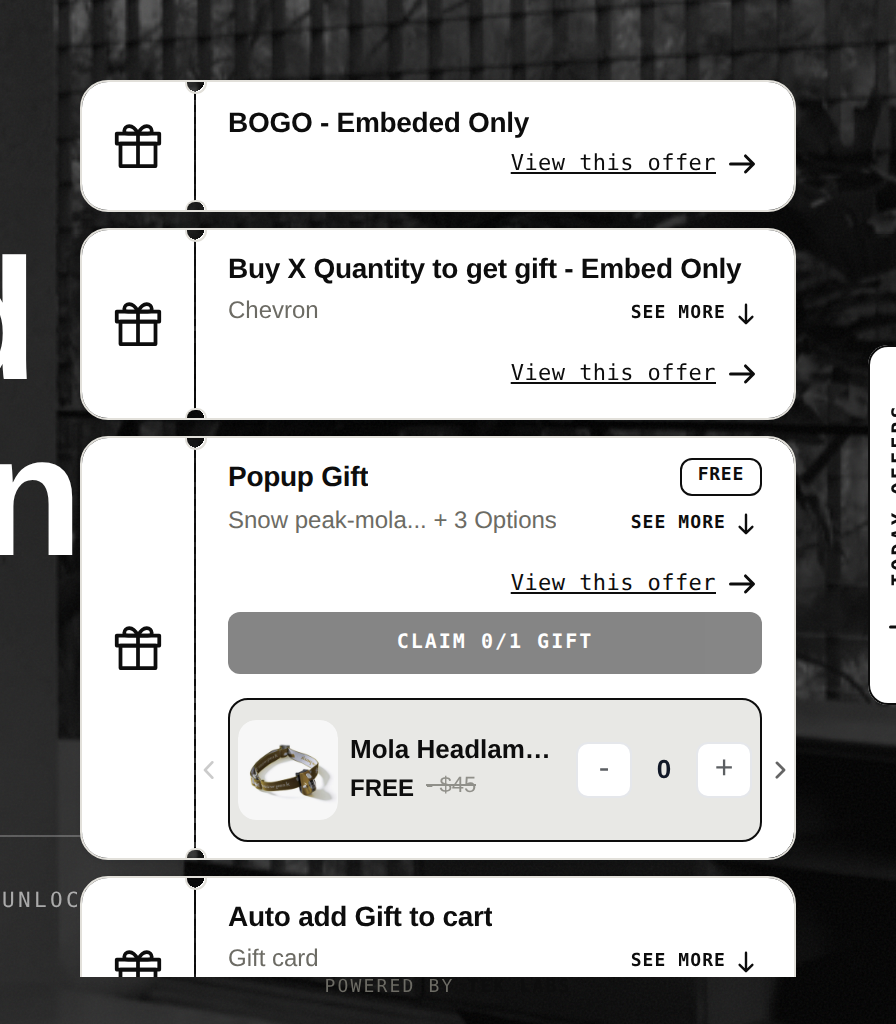
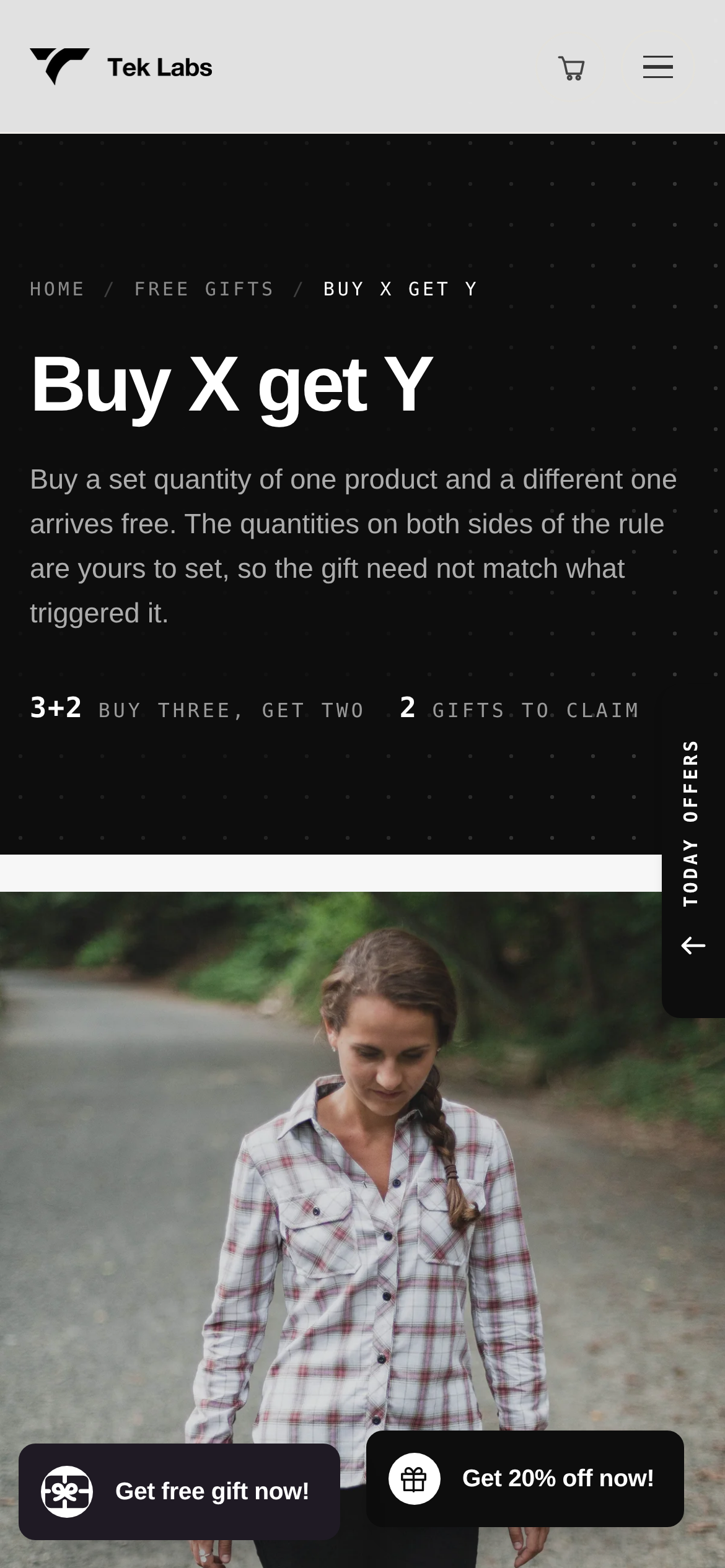
The row on free gifts and BOGO is worth a note. Shopify’s own Buy X Get Y discount does not add the free item for the shopper: “Customers must add all items to their cart manually” (Shopify Help Center). If you want an automatic add, or a gift that shoppers pick, you need an app, and that can be the same app as your bundles or a separate one.
How to run a fair trial
- Pick one real bundle that you would sell, with real products and the discount you plan to use.
- Build it in two or three apps on a development or draft theme. Most listings show a free plan or trial.
- Time the setup from install to a working bundle, and note where you needed support or custom CSS.
- Test on mobile and with your slowest page template.
- Combine it with a discount code and check the result. Shopify applies multiple discounts only when “the setting on each discount allows the combination”, and the maximum is 25 active automatic discounts including app-based ones (Shopify Help Center). Our discount combinations test plan lays out the checks.
- Place a test order and check stock for every component, not only the bundle.
- Read recent reviews that mention your bundle type, theme or support request.
- Compare cost at your volume using the plan unit table above, then decide.
Common mistakes when choosing a bundle app
- Choosing by rating alone. A 5.0 from a large number of reviews is a good sign, but it does not show that the builder fits your catalog.
- Ignoring the plan unit. An order-based plan, a sales-based plan and a flat plan produce very different bills as you grow.
- Not testing inventory. Place an order and watch component stock before you promote the bundle.
- Buying features for a bundle type you do not sell. If you only need fixed sets, the free native app may be enough.
- Skipping the native limits. Check components, options and variants of your real products against the help center page before you assume the free app will work.
- Trusting any comparison page, including this one, as final. Listings change. Open them.
If you want to try a mix and match or quantity break setup, the Tek Labs Mix & Match Bundles app has a live demo store (linked on its listing) and a free label on its pricing line. Build one bundle there and in one other app from this list, and keep the one that fits.
Frequently Asked Questions
What is the best Shopify bundle app?
It depends on the bundle type and on your order volume. For fixed bundles and multipacks, Shopify’s free Bundles app may be enough. For mix and match, build a box or quantity breaks, compare the third-party listings above in a trial with your own products.
Does Shopify have a free bundle app?
Yes. Shopify Bundles is listed as free and supports fixed bundles and multipacks. Shopify’s help center says it does not support mix-and-match bundles, and it lists limits such as 30 components and 100 variants per bundle.
Which Shopify bundle apps support mix and match?
As of 2026-10-04, the listings for Tek Labs Mix & Match Bundles, Fast Bundle, Bundler, Simple Bundles & Kits and BOGOS name mix-and-match bundles. Shopify’s native app does not support them, according to the Shopify Help Center.
How do I compare the cost of bundle apps?
Check what each plan counts. The listings above use monthly sales tiers, monthly orders, number of bundles or a flat fee, so price each plan at your own order and sales volume. Yearly prices are lower per month where listed.
Is this comparison independent?
It is written by Tek Labs, which makes Mix & Match Bundles, and we disclose that at the top. We state only what each App Store listing showed on 2026-10-04 and we did not test the apps, so use it as a shortlist and verify on the listings.