A bundle on Shopify is created in one of three ways: with Shopify’s free Bundles app (fixed bundles and multipacks only), manually with a standalone product or a discount, or with a bundle app that adds mix and match, build a box and quantity breaks. The right route depends on the bundle type you want to sell, not on which tool is most popular. This guide walks through all three, with the current limits, the setup steps and the pricing and inventory traps for each one.
Key takeaways
- Fixed bundle or multipack, few variants: start with the free Shopify Bundles app. It covers fixed bundles and multipacks and nothing more.
- Customers choose the items: Shopify’s own help center says the Bundles app does not support mix-and-match bundles, so you need a bundle app or a custom build.
- Quantity breaks (buy 2 save 8%, buy 3 save 17%): these are tiered prices on one product. Use a bundle or volume discount app, or a discount, not the native Bundles app.
- Manual setups work for one or two bundles: they break down when you have many SKUs, because stock is not linked to the components.
- Price the bundle before you build it: a 16% bundle discount is only profitable if the bundle changes what shoppers buy. Run the margin arithmetic first.
Last verified: 2026-10-04. Limits and listing facts in this guide were checked that day. Shopify changes its apps often, so re-check the linked pages before you commit.
What counts as a bundle on Shopify
Shopify’s help center defines a bundle as “a set of two or more related products, commonly offered at a discount” (Shopify Help Center). That definition covers more than one shopping experience, and the experience decides which tool you need. Five patterns come up most often.
| Bundle type | What the shopper does | What you need to set up | Typical use |
|---|---|---|---|
| Fixed bundle | Buys a set group of products as one item | A bundle product linked to its components | Starter kit, skincare routine, “complete the set” |
| Multipack | Buys several units of the same product | A bundle of one product with a quantity | 3-pack, 6-pack, case of 12 |
| Mix and match | Chooses items from sets or collections to fill a bundle | Product sets, selection rules and a bundle price | Pick any 4 candles, outfit builder |
| Build a box | Fills a box or pack slot by slot, often on a dedicated page | Box size, item pool, price per size or tier | Gift box, snack box, sample pack |
| Quantity break | Buys more units of one product for a lower unit price | Tiered prices on a product (buy 1, 2, 3) | Consumables, supplements, basics |
If you want a longer taxonomy with examples, the Tek Labs glossary defines each term in a sentence or two. The point here is narrower: the type decides the route.
Route 1: Shopify’s free Bundles app
Shopify’s Bundles app is the default starting point because it is free and lives inside the admin. On its App Store listing, Shopify (the developer) describes it as a way to “create fixed bundles and multipacks right from the Shopify admin”, with fixed pricing (Shopify Bundles listing, read 2026-10-04).
What the app supports and where it stops
The help center lists the current limits. Verify them again before you plan a catalog around them, since they can change.
- Components: fixed bundles can have up to 30 components, and each component can have up to 2000 units (Shopify Help Center, Shopify Bundles).
- Options and variants: a maximum of 3 options and 100 variants in total per bundle (same page).
- Inventory: bundles do not track inventory by location, only by overall stock (same page).
- Pricing: bundle prices require manual updates when component product prices change (same page).
- Mix and match: “The Shopify Bundles app doesn’t support mix-and-match bundles” (eligibility and considerations).
- Purchase options: bundles are not compatible with subscriptions, pre-orders and try-before-you-buy, and bundles cannot contain other bundles (same page).
- Admin work: bundles do not support import, export or bulk editing (same page).
- Channel and checkout: your store must use the Online Store sales channel or a custom storefront, and an upgraded checkout (same page).
Read the 100 variant limit carefully. A bundle of a jacket in 5 sizes and 4 colors with a scarf in 4 colors is 5 x 4 x 4 = 80 variants, which fits. Add a third product with its own options and you can pass 100 quickly. Apparel and cosmetics with shade options are where merchants hit this wall first.
Step by step: create a fixed bundle with Shopify Bundles
The desktop flow in the help center is short (Shopify Help Center).
- In the Shopify admin, open Apps, then Bundles, and select Create bundle.
- Enter a bundle title that a shopper will recognize (“Daily Skincare Set”, not “Bundle 1”).
- Open the Add products dialog and select the component products.
- Set the quantity of each component and choose which variants and options the shopper can pick.
- Select Save and continue.
- Add the product details, such as the description, images and price.
- Configure the publishing and status settings.
- Select Save, then open the product page on your storefront and add the bundle to a cart to test it.
Because the app is an admin tool, there is no builder page for shoppers. The bundle behaves like a product that appears on a product page and in collections.
When Route 1 is enough
Use it when you sell a handful of fixed sets, each made from a few simple products, on the Online Store, with no subscriptions on those products. If you need shoppers to choose items, to buy in tiers, to bulk-edit hundreds of bundles or to use a dedicated bundle page, you will outgrow it. Outgrowing a free tool is a normal outcome, not a failure of the setup.
Route 2: Manual and theme-based bundles
The manual route needs no extra app. It suits one or two bundles, a seasonal test, or a store whose developer is comfortable editing the theme. There are three common manual patterns, and each has a trade-off you should accept knowingly.
Pattern A: a standalone bundle product
Create a new product called “Skincare Set” with its own price, images and description. Shoppers buy it like any other product. The simplest form has one variant and a manual stock count.
The trade-off is inventory. Shopify tracks stock per product variant (“the number of each product variant that you have available to sell”, Shopify Help Center). A standalone bundle product has its own stock number that is not linked to the components. If you sell 10 sets and 10 loose cleansers from the same shelf, nothing deducts the cleansers when the set sells. You either count in two places or you cap the bundle stock by hand.
Pattern B: a discount on a product pair or collection
Keep the products separate and add a discount. Shopify’s amount off products discounts give “a percentage or a fixed amount off an order, such as 25% or $50 USD”, and they can target specific products or collections (Shopify Help Center). The shopper adds the items to the cart and the discount applies.
The trade-off is that nothing on the storefront tells the shopper a bundle exists unless you add a banner or edit the theme. Also keep the discount budget in mind: Shopify allows a maximum of 25 active automatic discounts, and that total includes app-based discounts (Shopify Help Center). A catalog with many manual bundle discounts can use that allowance up.
Pattern C: Buy X Get Y
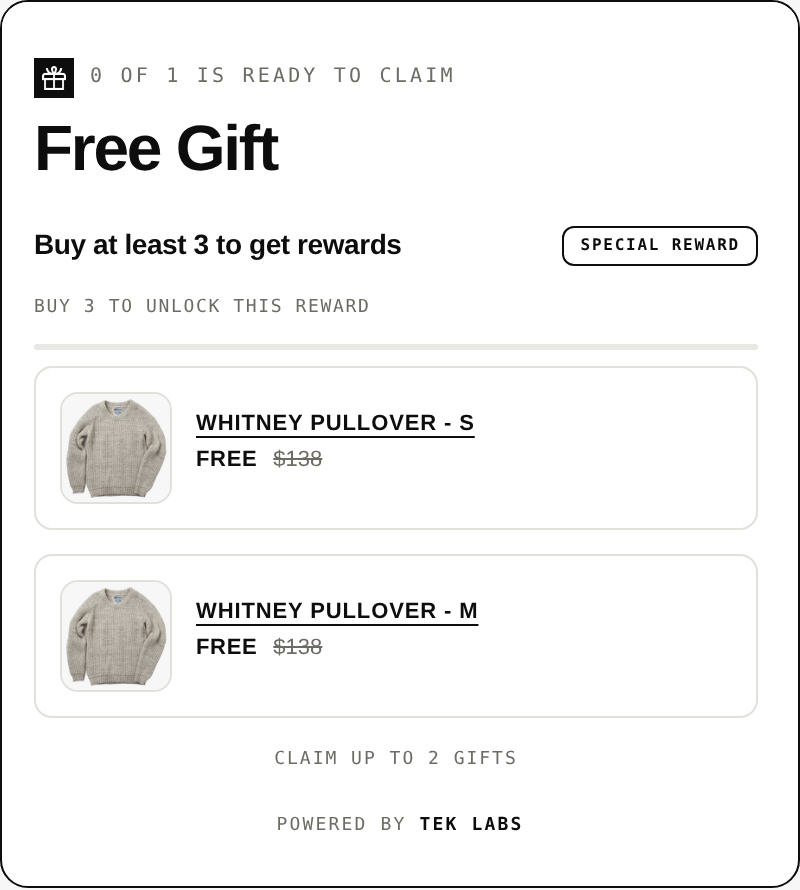
A Buy X Get Y discount works for “buy this, get that at a discount”. The help center is explicit about one limitation: “Customers must add all items to their cart manually. The free or discounted ‘get’ item is never automatically added to the cart” (Shopify Help Center). If you want the second item added for the shopper, you need an app or custom code. For a deeper look at this difference, see our comparison of Shopify’s default Buy X Get Y and third-party providers.
Step by step: a manual fixed bundle
- Decide the bundle contents and the bundle price. Write the margin arithmetic down first (see the pricing section below).
- Create a product named after the set. Add photography that shows all components together.
- Set the price to the bundle price. In the description, list every component and its quantity.
- Turn on inventory tracking and set the stock to the number of complete sets you can build, not the number of loose units.
- Place the bundle in a collection and link to it from the product pages of the components.
- Add a note in your stock process: when a bundle sells, reduce the component counts, or hold back stock for the bundle in a separate location.
- Test checkout with a real order, then refund it.
Manual bundles are fine when the stock process stays small. They become a risk when a bundle shares components with products you also sell separately, since two numbers describe one shelf.
Route 3: A bundle app
A third-party bundle app is the route for anything the native app does not cover: mix and match, build a box, quantity breaks, bundle pages and discount rules. Apps differ in what they list, so compare listings with the facts in front of you. Two examples from App Store listings read on 2026-10-04:
- Tek Labs Mix & Match Bundles lists fixed bundles, multipacks, mix-and-match bundles, variant bundles, infinite option bundles, build a box, sample packs, upsell bundles, frequently bought together and custom bundles. Its pricing options include fixed or tiered pricing, quantity breaks and flat or percentage discounts. It shows a 4.8 out of 5 rating from 23 reviews, lists support for up to 45 products in bundles and 35+ languages (listing). Tek Labs makes this app.
- Simple Bundles & Kits (Freshly Commerce) lists automatic bundle SKU breakdown and inventory sync with 3PL and WMS systems among its features (listing). That kind of component-level inventory feature matters if you ship through a warehouse system.
For a longer, criteria-based comparison, read our roundup of the best Shopify bundle apps.
What to check in any bundle app
- Bundle types: does the listing name the types you actually plan to sell?
- Pricing rules: fixed price, percentage off, tiered pricing, free shipping, BOGO.
- Inventory behavior: does stock decrease at component level, and does it work with your fulfillment setup?
- Storefront fit: can you match your theme, and is there a bundle page or only a product page block?
- Cost at your volume: read the plan table on the listing and price it at your monthly order count, since plans can be capped on orders or sales.
- Checkout and discount compatibility: test it next to your other discounts.
Step by step: a mix and match bundle with a bundle app
The Tek Labs mix and match and build a box feature page and the live demo store (password 1) show the flow. The outline is the same in most apps.
- Install the app from the App Store and read the plan table on the listing.
- Create product sets, such as Set 1 for outerwear and Set 2 for accessories. Products do not need to be duplicated to appear in a set.
- Define the selection rules: how many items a shopper picks, which items are required, and whether the same item can be picked twice.
- Add the pricing rule: a fixed bundle price, a percentage or flat discount, or tiers such as “choose 3 save 10%, choose 5 save 20%”.
- Style the bundle block to match your theme and set the text in each language you sell in.
- Choose where it appears: a product page block or a dedicated bundle builder page.
- Test on mobile with a real cart, apply one of your other discounts and check the final price and stock.
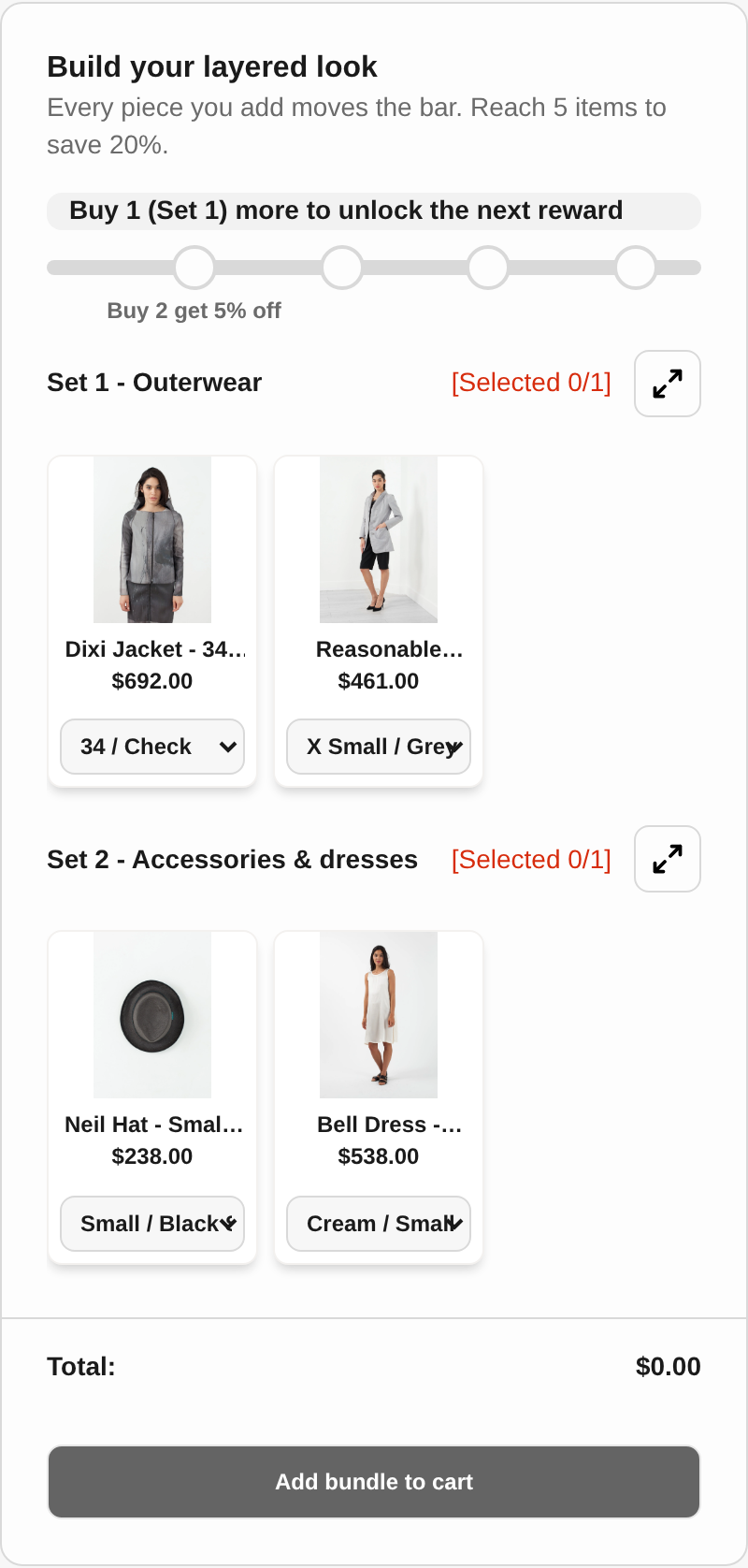
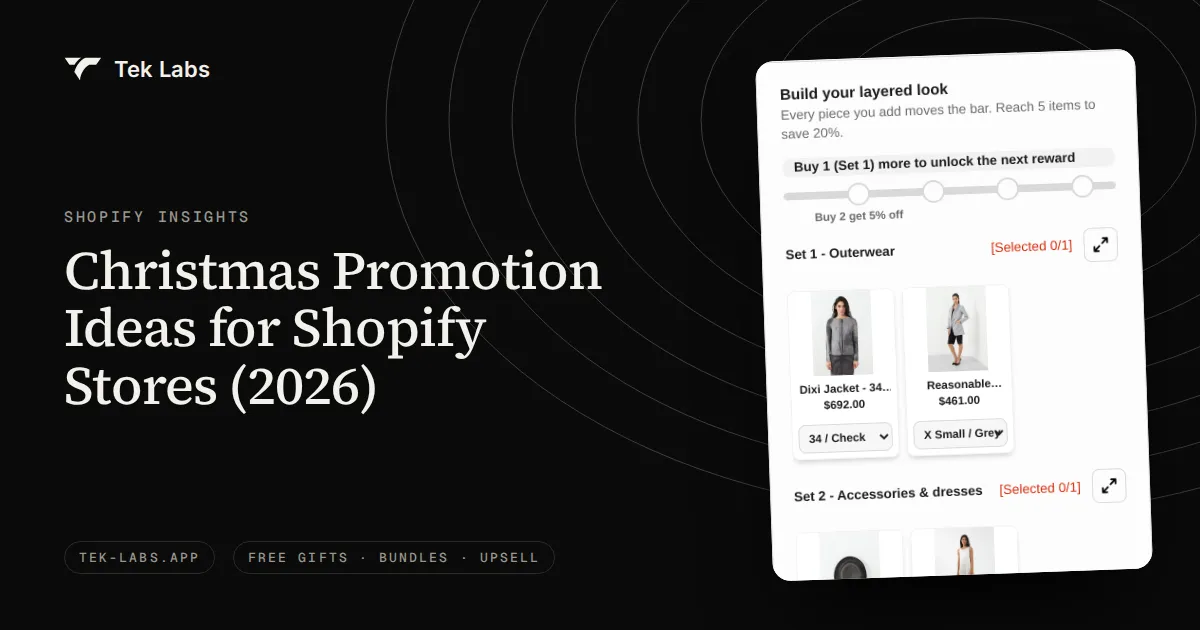
The demo above shows the pattern in practice: a “Build your layered look” bundle with Set 1 (outerwear) and Set 2 (accessories) and a progress bar to 5 items to save 20%. The reward builds as the shopper picks items, which is the main difference from a fixed set.
Fixed bundles with a product page block
If you want a fixed bundle shown on every component’s product page, with variant choice and a single “grab the deal” action, Tek Labs’ Free Gifts BOGO & Upsell app also offers a product bundle block with a percentage or fixed discount. It is a separate app from Mix & Match Bundles, and the feature page explains when to use each.
Quantity breaks: tiers, not bundles
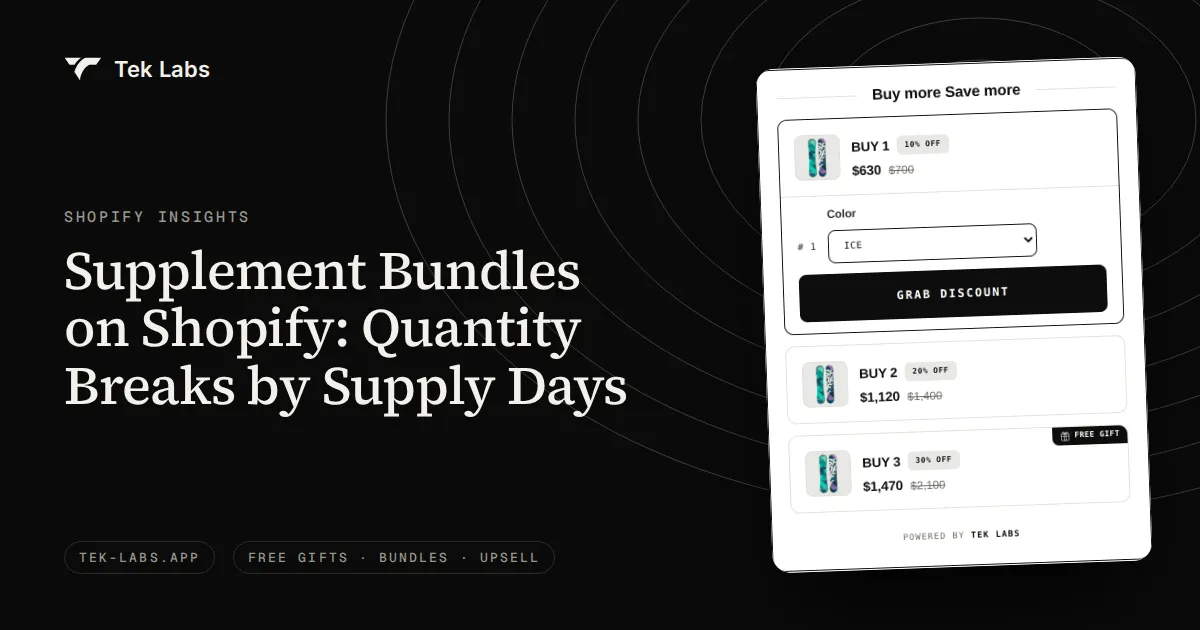
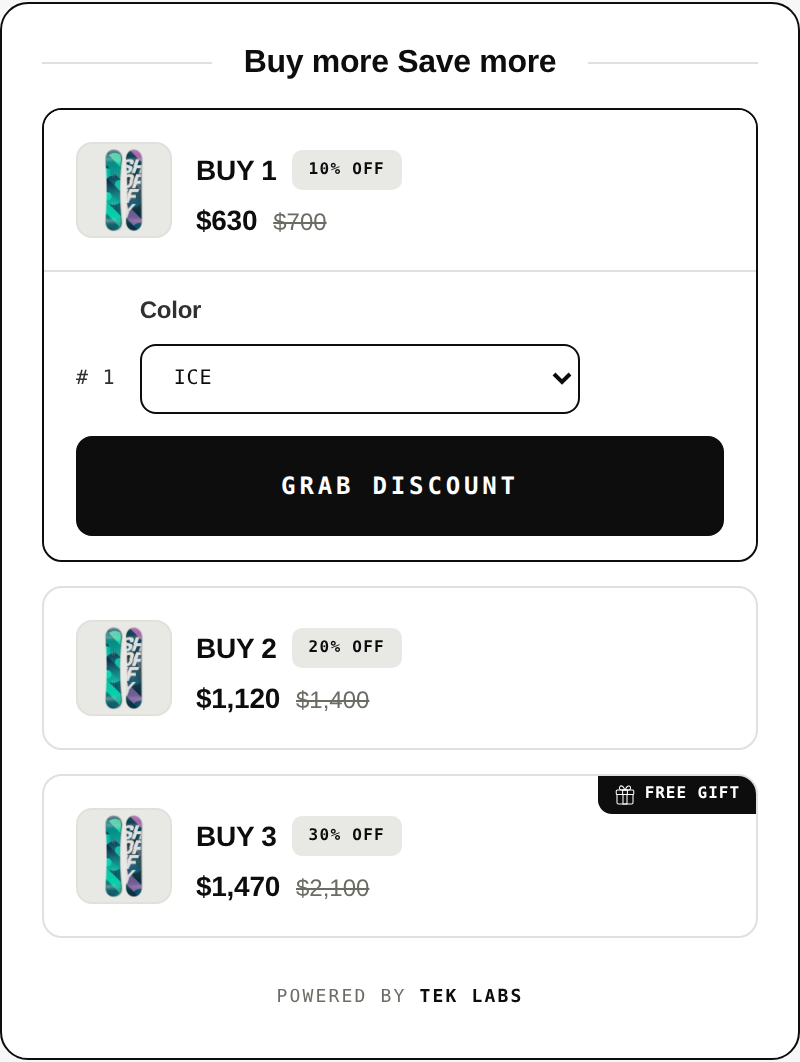
A quantity break prices the same product lower per unit as quantity rises. It is often called a bundle because it increases units per order, but there is no set of different products. The native Bundles app lists fixed pricing only, so quantity breaks need a volume discount or bundle app (listing).
| Tier | Quantity | Price per unit (hypothetical) | Total | Discount vs full price |
|---|---|---|---|---|
| 1 | 1 unit | $18.00 | $18.00 | 0% |
| 2 | 2 units | $16.50 | $33.00 | 8.3% |
| 3 | 3 units | $15.00 | $45.00 | 16.7% |
The arithmetic: at full price, 3 units cost 3 x $18 = $54. The 3-unit tier charges $45, a saving of $9, or 9 / 54 = 16.7%. The 2-unit tier saves 2 x 18 – 33 = $3, or 3 / 36 = 8.3%. The tiers are labeled hypothetical because your price points and margins will differ. See the quantity break pricing feature page for how this is set up in an app, and the volume discount example for the product page widget.
Decision rule: which route for which bundle type
Use the table below as a first filter, then check the limits that apply to your catalog.
| Bundle type | Shopify Bundles (free) | Manual or theme | Bundle app |
|---|---|---|---|
| Fixed bundle | Yes, up to 30 components, 3 options, 100 variants | Yes, one product per set, stock tracked by hand | Yes, plus bulk tools and bundle pages in most apps |
| Multipack | Yes | Yes, as variants or a pack product | Yes |
| Mix and match | No (Shopify’s help center says it is not supported) | Hard: needs custom theme and cart code | Yes, this is the main reason to use an app |
| Build a box | No | Hard: same as mix and match | Yes, check the box size and slot rules |
| Quantity break | Not listed (fixed pricing) | Possible with discounts, limited tiers | Yes, check the listing for tiers |
Then apply four questions in order:
- Do shoppers choose the items? If yes, skip Route 1. Mix and match and build a box need a bundle app.
- How many bundles will you run? One to three: manual or Route 1 is fine. More than ten: you want bulk editing and consistent rules, which the native app does not support (no import, export or bulk editing).
- Do components share stock with loose products? If yes, avoid manual standalone products. Use the native app or a bundle app that decrements component stock.
- Do the products have many options? If a bundle could exceed 3 options or 100 variants, test the native app on your real products before you commit.
Pricing a bundle without wrecking the margin
A bundle discount is a promise to give away margin. It pays back only when the bundle raises order value or moves stock you want to move. Here is a hypothetical example so the arithmetic is visible.
Hypothetical skincare set. A store sells a cleanser at $24, a serum at $32 and a moisturizer at $18. Separately that is $74. Assume the cost of goods is 35% of the price for each product.
| Item | Price | Cost (35%) | Margin |
|---|---|---|---|
| Cleanser | $24.00 | $8.40 | $15.60 |
| Serum | $32.00 | $11.20 | $20.80 |
| Moisturizer | $18.00 | $6.30 | $11.70 |
| All three at full price | $74.00 | $25.90 | $48.10 |
| Bundle at $62 | $62.00 | $25.90 | $36.10 |
The bundle price of $62 is a $12 discount, or 12 / 74 = 16.2% off. Gross margin falls from 48.10 / 74 = 65.0% to 36.10 / 62 = 58.2%. The bundle earns $36.10 per order. A shopper who would have bought only the serum at full price gives you $20.80, so the bundle is better for you if it turns that one-item order into a three-item order. It is worse for you if the shopper would have bought all three at full price anyway, since you give $12 away for nothing.
That second case is why a bundle needs a reason to exist. Good reasons are a set that solves a complete need, stock you want to clear, or a first-order offer that gets a new customer to try three products. If you want to model the numbers for your own prices, our free gift calculator works on the same cost and margin logic, and the post on BOGO versus percentage off shows the margin math for two other discount shapes.
Two more pricing notes:
- Check discount combinations. A bundle discount can stack with other offers. Shopify’s rules say multiple discounts apply to an order “only when the setting on each discount allows the combination” (Shopify Help Center). Test your bundle with your most common code before launch.
- Keep component prices and the bundle price in sync. In the native Bundles app, the bundle price needs a manual update when component prices change (Shopify Help Center). Put a price review in your calendar whenever you change a component price.
Inventory notes by route
Inventory is where bundles most often go wrong, so check it before launch rather than after the first oversell.
- Shopify Bundles (native): the listing mentions real-time inventory updates. The help center adds that stock is tracked as overall stock, not by location (Shopify Help Center). If you stock components in more than one location, test the behavior with a real order.
- Manual bundle product: its stock number is separate from the components. Decide whether you sell from the same shelf or hold stock back for the bundle.
- Discount-based bundles: components remain separate products, so stock stays right per product. The Buy X Get Y page warns that if inventory runs out, the free item shows as sold out and the customer cannot claim the discount (Shopify Help Center).
- Bundle apps: check what the listing says about stock. Some list component-level handling. For example, Simple Bundles & Kits lists automatic bundle SKU breakdown and inventory sync with 3PL and WMS systems (listing). Whatever app you use, run a test order and watch each component’s stock.
If your goal is to clear slow stock rather than raise order value, a bundle is one of the tools, and our post on how to liquidate excess inventory compares the options.
Launch checklist
- Write the bundle type, components, price and the reason the bundle exists in one sentence each.
- Run the margin arithmetic and confirm the bundle price still leaves a margin you accept.
- Pick the route with the decision rule above and re-check the current limits on the linked pages.
- Build the bundle and place a real test order on desktop and mobile.
- Watch stock for each component after the test order.
- Apply your most common discount code to the bundle and confirm the final price.
- Check the shipping profile and weight. Shopify says bundles have no shipping profile of their own, and the weight comes from the components.
- Add the bundle to navigation, a collection and the product pages of its components.
- Set a review date two weeks out to compare bundle orders with average order value before the bundle.
Common mistakes
- Starting with the tool. Pick the bundle type first. A mix and match idea cannot be built in an app that only supports fixed bundles.
- Discounting without a reason. A bundle discount with no change in basket size is a price cut.
- Ignoring variants. A bundle with several sized and colored components can reach the 100 variant limit of the native app.
- Letting the bundle price drift. Component price changes are not automatic in the native app.
- Skipping the oversell test. Test stock after a real order, not in the admin screen.
- Hiding the bundle. If shoppers do not see the offer on the product page, a bundle in a collection alone will not sell it.
- Forgetting mobile. Bundle blocks are wider than they look. Check them on a phone.
A simple path to try this week
If you are unsure, begin small. Build one fixed bundle with the native app to learn the flow and measure whether bundle orders have a higher order value. If shoppers ask to choose the items, or you want tiers, add a bundle app and test mix and match on one category. Tek Labs’ Mix & Match Bundles has a free plan listed on its App Store page, so you can test a build a box or quantity break offer without committing to a paid tier first; confirm the current plan details on the listing.
For seasonal planning, the post on holiday gift bundles on Shopify applies the same decision rule to gift sets. For ideas on cross-sell tools beyond bundles, see Shopify apps to supercharge cross-selling and upselling.
Frequently Asked Questions
Can I create bundles on Shopify for free?
Yes. Shopify’s own Bundles app is listed as free and creates fixed bundles and multipacks from the admin. Mix and match and build a box are outside what it supports, so those need a bundle app, some of which list a free plan.
Does Shopify’s Bundles app support mix and match?
No. Shopify’s help center states that the Shopify Bundles app does not support mix-and-match bundles. To let shoppers choose items from sets, use a bundle app or a custom build.
How many products can a Shopify bundle contain?
In Shopify’s Bundles app, fixed bundles can have up to 30 components, with a maximum of 3 options and 100 variants per bundle. Other apps set their own limits, so check the listing. The Tek Labs Mix & Match Bundles listing mentions support for up to 45 products in bundles.
How do I bundle products on Shopify without an app?
Create a standalone product for the set, or use an amount off or Buy X Get Y discount on a product pair. The standalone product has its own stock count, and a Buy X Get Y discount never adds the free item to the cart automatically, so both need manual care.
What is the difference between a bundle and a quantity break?
A bundle groups different products, while a quantity break lowers the unit price when a shopper buys more of one product. Quantity breaks are tiered prices on a single product and usually need a bundle or volume discount app.