Free shipping nudge
Set a cart total target equal to your free shipping threshold and word the messages around it.
Checkout rewards progress bar
Show a progress bar in checkout that tells shoppers how close they are to a spend or item-count goal. The message changes once they reach it.
What it is
The Rewards widget is a progress bar for the Shopify checkout page. You pick a basis, either cart total or item count, set the target, and write one message for before the goal is reached and one for after.
Use it to nudge shoppers toward a free shipping threshold or a bigger basket at the last step. The bar reads the live checkout cart. It is a message and a visual goal: this widget does not add a gift or apply a discount by itself. Checkout customization needs Shopify Plus.
For the shopper
Scroll through the steps. The phone shows what the shopper sees at each one; products and prices are an example.
The Salemate block loads for the funnel that matches the customer.
The widget adds up the cart lines, either by amount or by item quantity, depending on your Reward basis.
The bar fills toward your target with the foreground and background colors you chose, with your text before achieving.
When the cart meets the target, the text switches to your text after achieving.
For you
Options you control
In a funnel on a Shopify Plus store, open the Checkout tab and click Edit block.
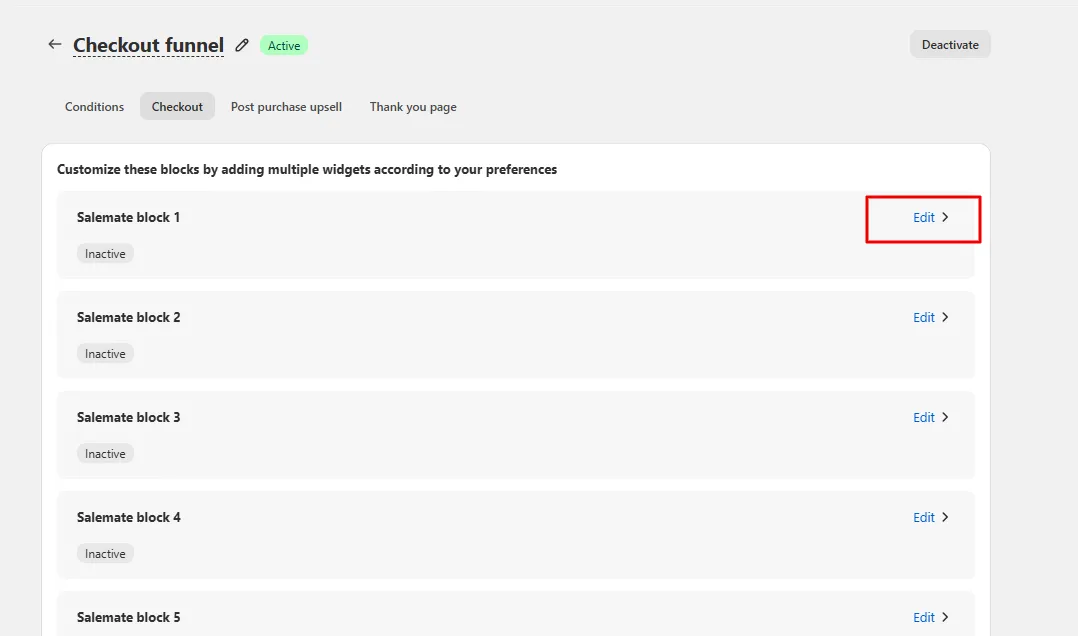
Pick a Salemate block, click Add widget, and choose Rewards.
Choose Reward basis (Cart total or Item Count) and enter the Min amount or Item count.
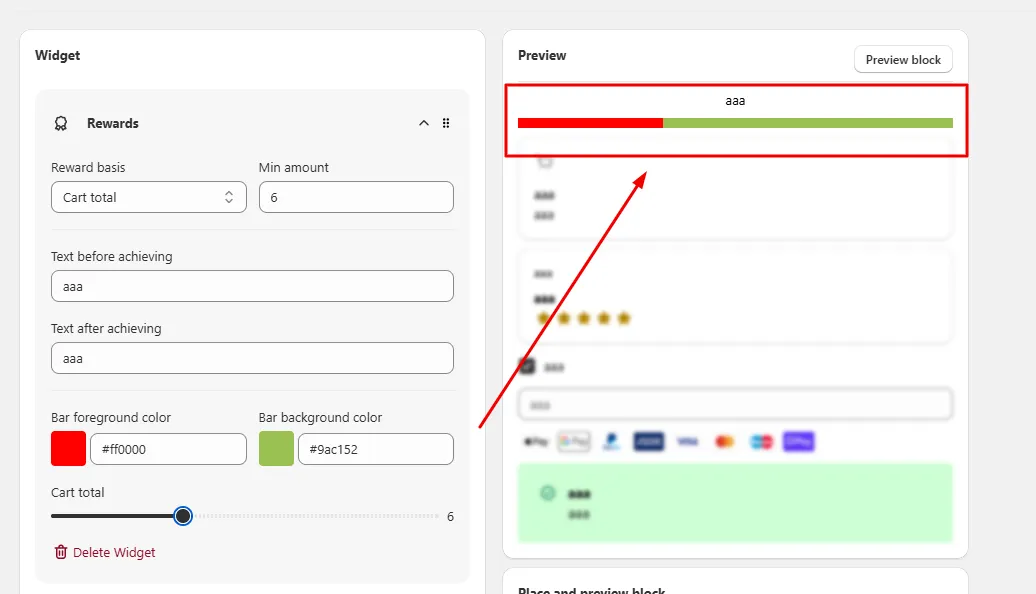
Fill in Text before achieving and Text after achieving, set Bar foreground color and Bar background color, and use the slider to preview.
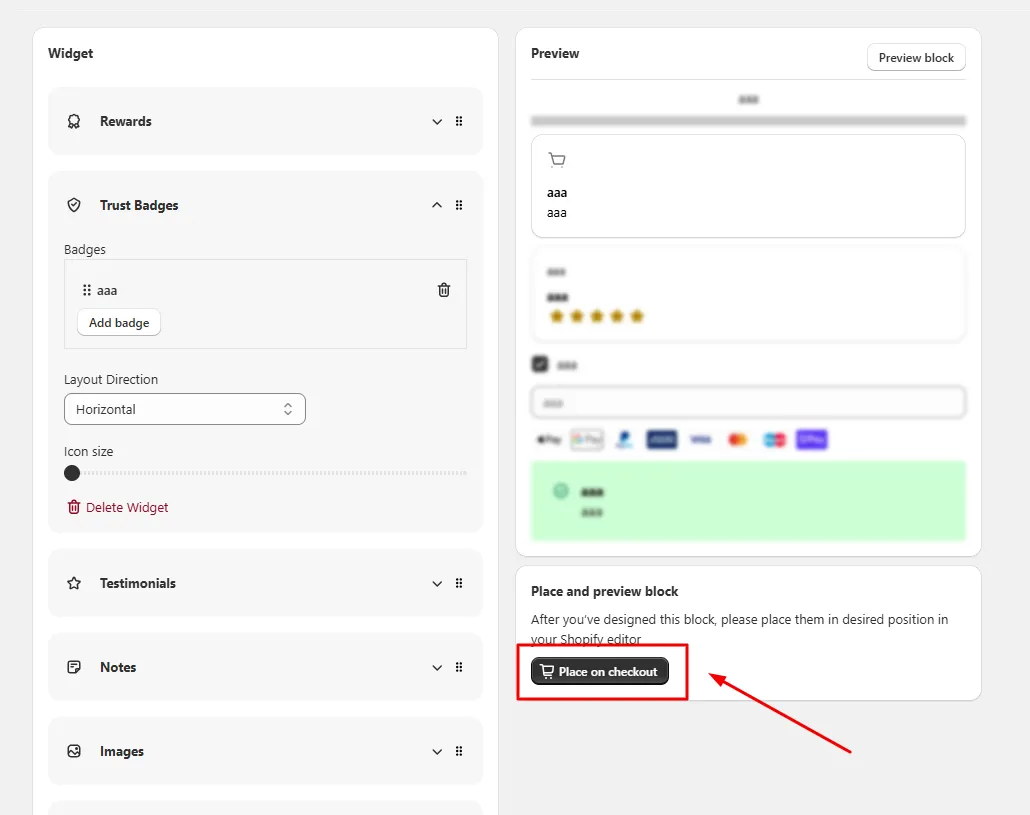
Save, click Open Shopify editor, and place the Salemate block in your checkout.
Use cases
Set a cart total target equal to your free shipping threshold and word the messages around it.
Set an item count target to encourage multi-item orders.
Give wholesale or repeat customers a different target by using different funnels and conditions.
FAQ
No. The Rewards widget shows progress and messages from your text. It reads the cart but the code does not add a gift or a discount from this widget.
Either. Reward basis lets you choose Cart total or Item Count.
Yes. Checkout widgets are only available on Shopify Plus stores.
Upsell and downsell funnels, thank-you page offers: our team sets it up with you and checks it before it goes live.
Free to install. Built for Shopify. Rated 4.9 from 30 reviews.