Shopify’s free Bundles app is enough if you sell fixed bundles or multipacks with a small number of variants. You need a third-party bundle app as soon as customers must choose the items themselves (mix and match, build a box), when you want tiered quantity breaks, or when you want a bundle builder with live pricing on the product page. This page lists exactly where the native app stops, using Shopify’s own help center and App Store listings as read on 2026-10-04, so you can decide before you build anything.
Key takeaways
- The Shopify Bundles app is free, works on every Shopify plan, and handles two bundle types: fixed bundles and multipacks (Shopify Help Center).
- Shopify states in plain words that the app “doesn’t support mix-and-match bundles”, and that bundles are not compatible with subscriptions, pre-orders or try-before-you-buy.
- The native limits that bite first are 3 options and 100 variants per bundle, manual price updates when a component price changes, and no import, export or bulk editing.
- Pick by bundle type first, catalog size second: a fixed 3-piece set is a native job, a “pick any 4 of 40” box is an app job.
- Migration is manual in both directions, because Shopify bundles cannot be exported. Plan a short overlap, not a switch overnight.
Last verified: 2026-10-04. Shopify changes these pages, so re-check the limits in the sources before you commit to a build.
What the Shopify Bundles app actually is
The Shopify Bundles app is a free app made by Shopify. Its App Store listing, developer Shopify, describes it as a way to “create fixed bundles and multipacks right from the Shopify admin”, with fixed pricing, real-time inventory synchronization and conversion rate tracking (Shopify Bundles listing, read 2026-10-04). It launched on July 11, 2023.
Two details from that listing matter for a decision. First, the price is free, and Shopify’s help center confirms it is available on all Shopify plans (Eligibility and considerations for product bundles). Second, the review score is mixed: the listing shows 2.9 out of 5 from 570 reviews on 2026-10-04, with 40% of reviews at five stars (226) and 23% at one star (129). A mixed score on a free first-party app is not proof that the app is broken. It may simply reflect merchants who expected mix and match or subscriptions and found that the app does not do them, though that is my inference, not something the listing says. Read the one-star reviews against your own bundle plan before you decide.
Shopify’s developer documentation explains the design intent. It separates two kinds of bundle: “Fixed bundles”, described as Shopify’s default implementation for basic use cases, including standard bundles and multipacks that fit within Shopify’s variant limits, and “Customized bundles”, used for more complex cases such as mix-and-match (Shopify developer docs, product bundles). The free app covers the first kind. The second kind is left to apps and custom builds.
What it does well
- Real bundle products. A bundle gets its own product listing in the admin, and inventory is derived from the component products. The component with the lowest inventory determines how many bundles can be sold (Shopify Help Center).
- Order data stays clean. Shopify lists SKUs for the individual items in orders, not for the bundle SKU, and weight is derived from the item weights (Shopify Help Center, Shopify Bundles).
- No extra cost. For a store with a handful of fixed sets, this is the lowest-friction route.
- Discounts still work. The help page notes the app supports discount codes and automatic discounts.
The native limits, in one table
These are the limits as stated by Shopify on 2026-10-04. The first column is the limit, the second is what Shopify’s page says, and the third is how it affects a real store.
| Area | What Shopify states | What it means in practice |
|---|---|---|
| Bundle types | Fixed bundles and multipacks only. The app “doesn’t support mix-and-match bundles” | Customers cannot pick their own items from a set |
| Components | Fixed bundles: up to 30 components. Up to 2000 units per component | Enough for most sets and multipacks |
| Options and variants | Maximum of 3 options and 100 variants total per bundle | A bundle of several multi-variant products hits the ceiling quickly |
| Price changes | When a bundled product’s price updates, the bundle price does not update. You update it manually | Price edits and sale prices need a checklist |
| Inventory location | Bundles do not track inventory by location, but by overall stock | Multi-location stores should test stock behavior |
| Subscriptions | Not compatible with purchase options, which includes subscriptions, pre-orders and try-before-you-buy | No bundled subscription boxes with the native app |
| Nested bundles | Bundles cannot contain other bundles | No “bundle of bundles” |
| Editing at scale | No import, export or bulk editing | Large catalogs mean manual work |
| Exchanges | Bundles cannot be used in exchanges, even for an identical bundle | Plan for support cases |
| Shipping | Bundles have no shipping profile of their own, rates come from the component products | Heavy or special items follow their own profile |
| Sales channels | Bundles must use the Online Store or Headless storefronts. Other channels are unsupported | Check this if you sell in other channels |
Sources: Shopify Bundles help page and Eligibility and considerations, both read 2026-10-04.
One point deserves a flag rather than a guess. The limits page lists “Dynamic bundles: Up to 150 components” next to the fixed bundle limit, while the eligibility page, on the same day, says the Shopify Bundles app does not support mix-and-match bundles. I could not find a Shopify page that reconciles the two. If dynamic bundles matter to your plan, open the app in your own admin and test before you rely on it. This article treats mix and match as unsupported, because that is what Shopify says in so many words.
What the native app cannot do
Reading the limits table the other way round gives the list of jobs that need something else.
Mix and match and build a box
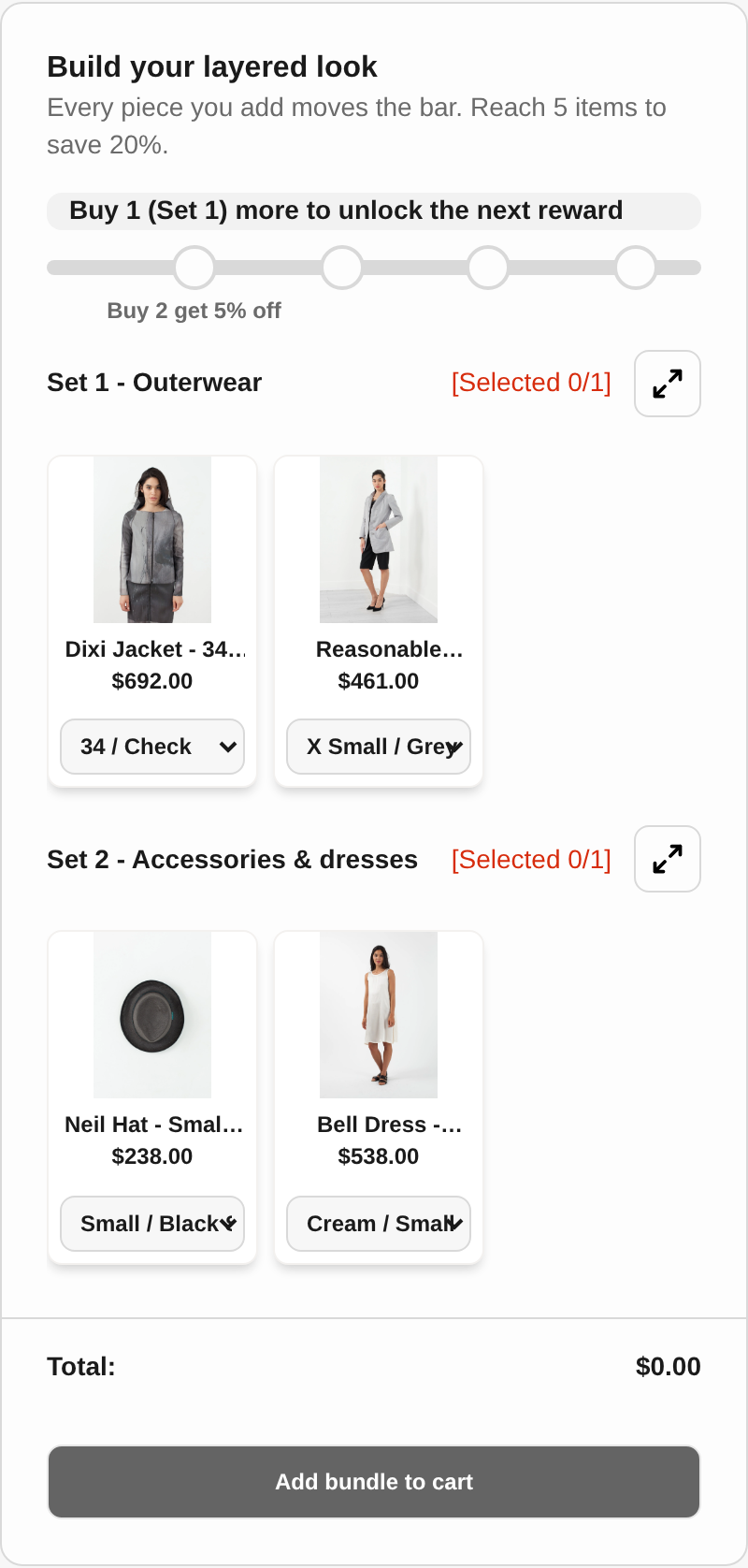
Mix and match means the customer composes the bundle from a pool, for example “pick 1 from outerwear and 1 from accessories” or “choose any 6 from these 24 flavors.” Shopify’s help center defines it as “a bundle made of interchangeable products” where “your customer composes the bundle by choosing from the products and associated variants”, and then says the Bundles app does not support it. Shopify points merchants to “third-party bundle apps” or, for Shopify Plus stores, to a custom build with the Bundles APIs (Shopify Help Center).
A native fixed bundle can imitate a small slice of this: if a bundle contains three products and each has variants, the customer chooses a variant of each. That is a different thing from choosing which products go into the box. For the vocabulary, see the glossary entries for mix and match bundle, fixed bundle and build a box.
Quantity breaks and tiered bundle pricing
The native app prices a bundle at a fixed price. Tiers such as “buy 2 save 10%, buy 3 save 15%” are a different mechanism. Shopify’s discount documentation itself says that for “tiered discounts, multi-logic step discounts, or custom eligibility requirements” you should use discount code apps from the App Store, or on Shopify Plus, Checkout Blocks (Shopify Help Center, discount types). Quantity breaks are covered in the Tek Labs feature page on quantity break pricing.
Subscriptions, pre-orders and try-before-you-buy
Shopify’s developer docs state that bundles “can’t be sold with selling plans, such as subscriptions, pre-orders, and try-before-you-buy” (Shopify developer docs). A “subscribe and save box” built with the free app is therefore not possible. Some third-party apps list subscription boxes as a bundle type, for example Bundler and Simple Bundles on their App Store listings, but check how each one handles selling plans and your subscription app before you commit.
Bundle-level merchandising
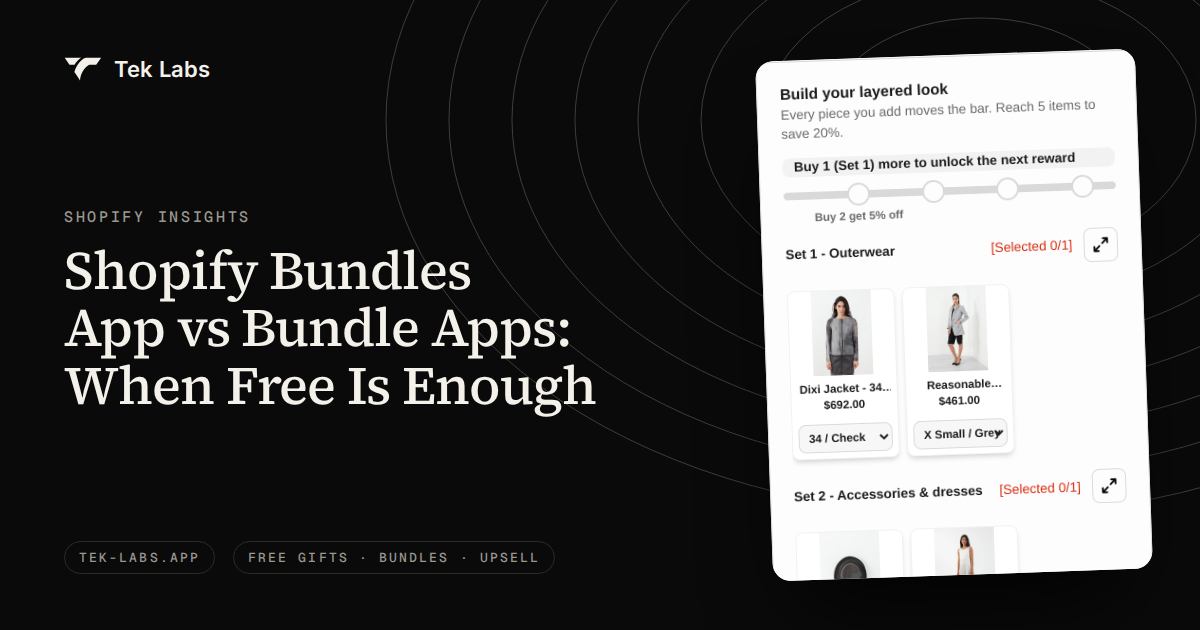
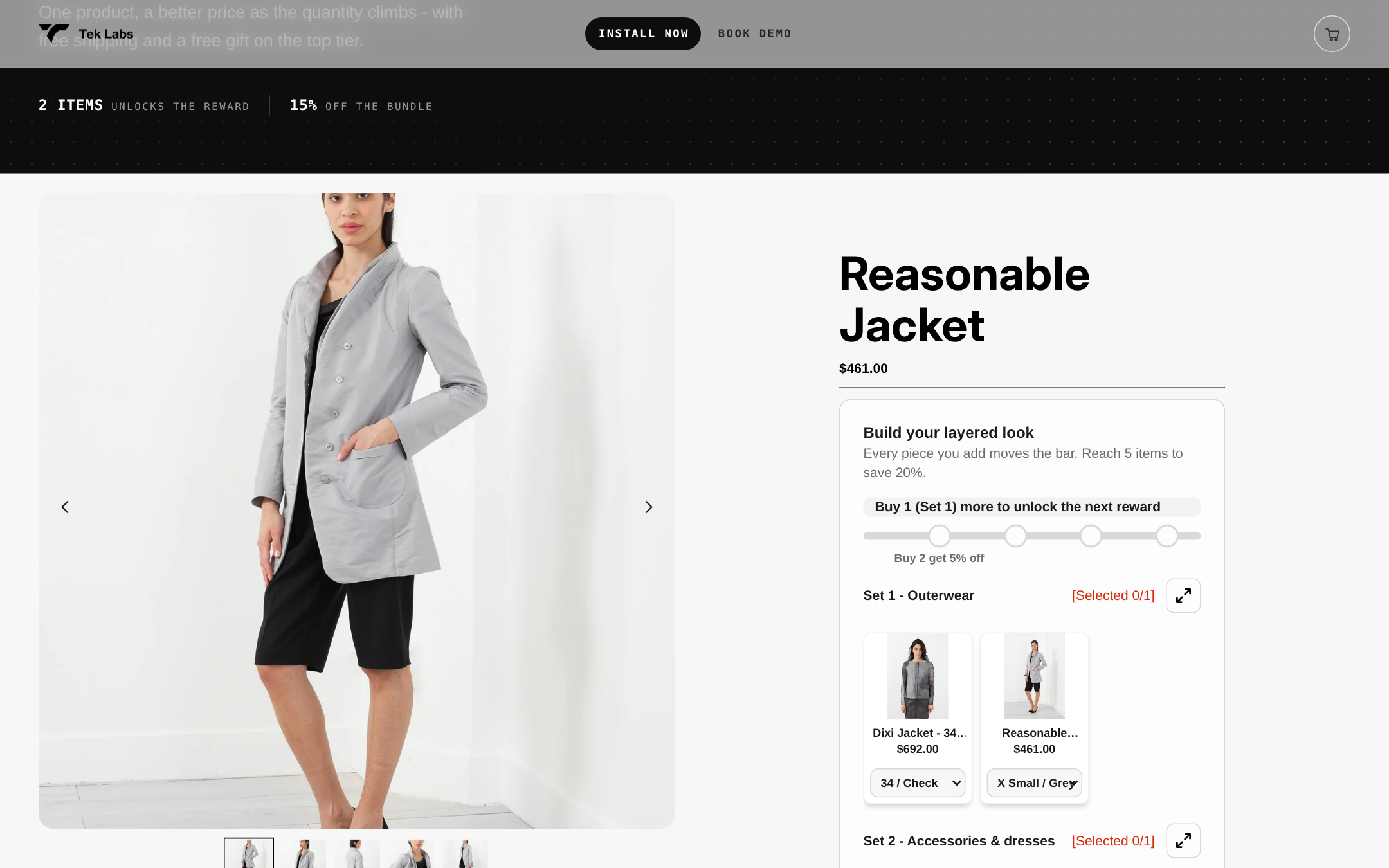
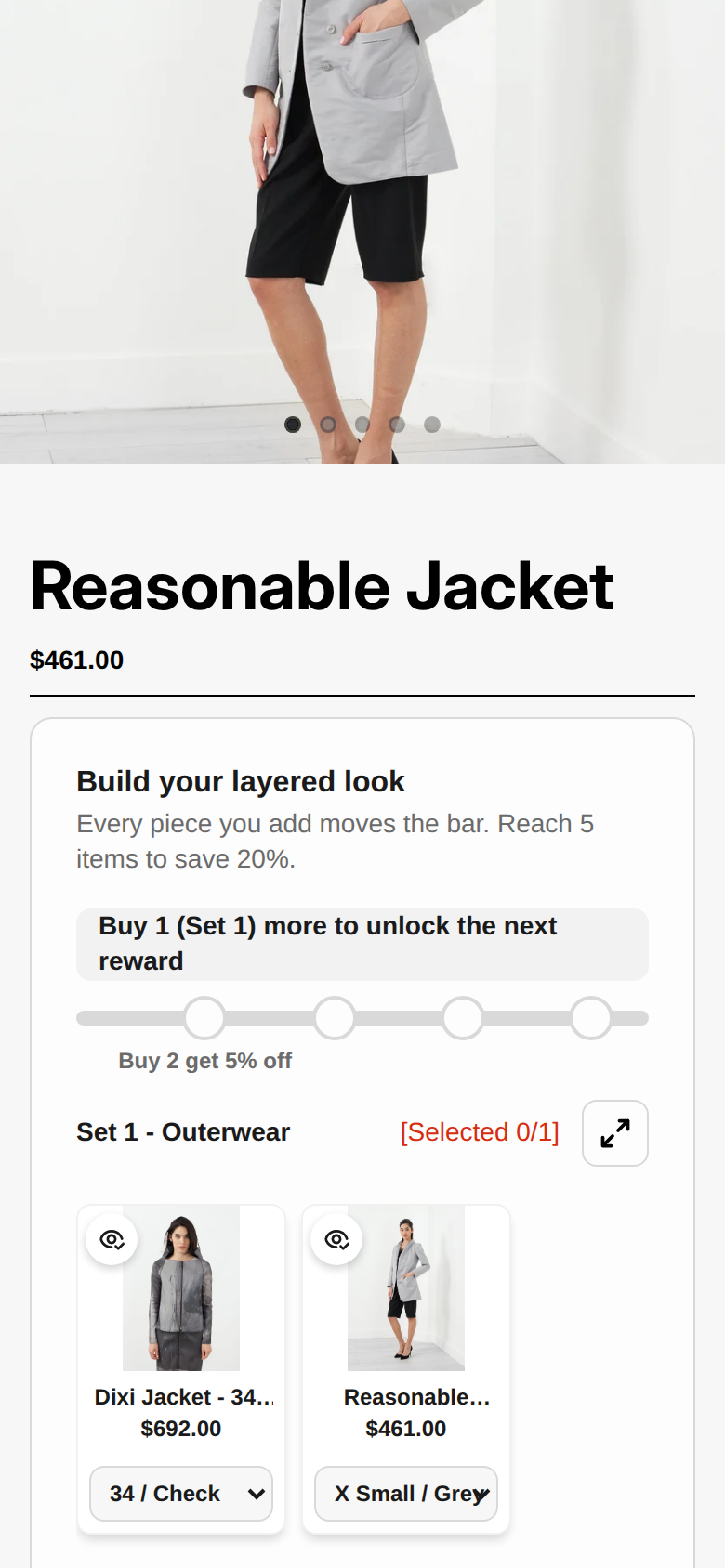
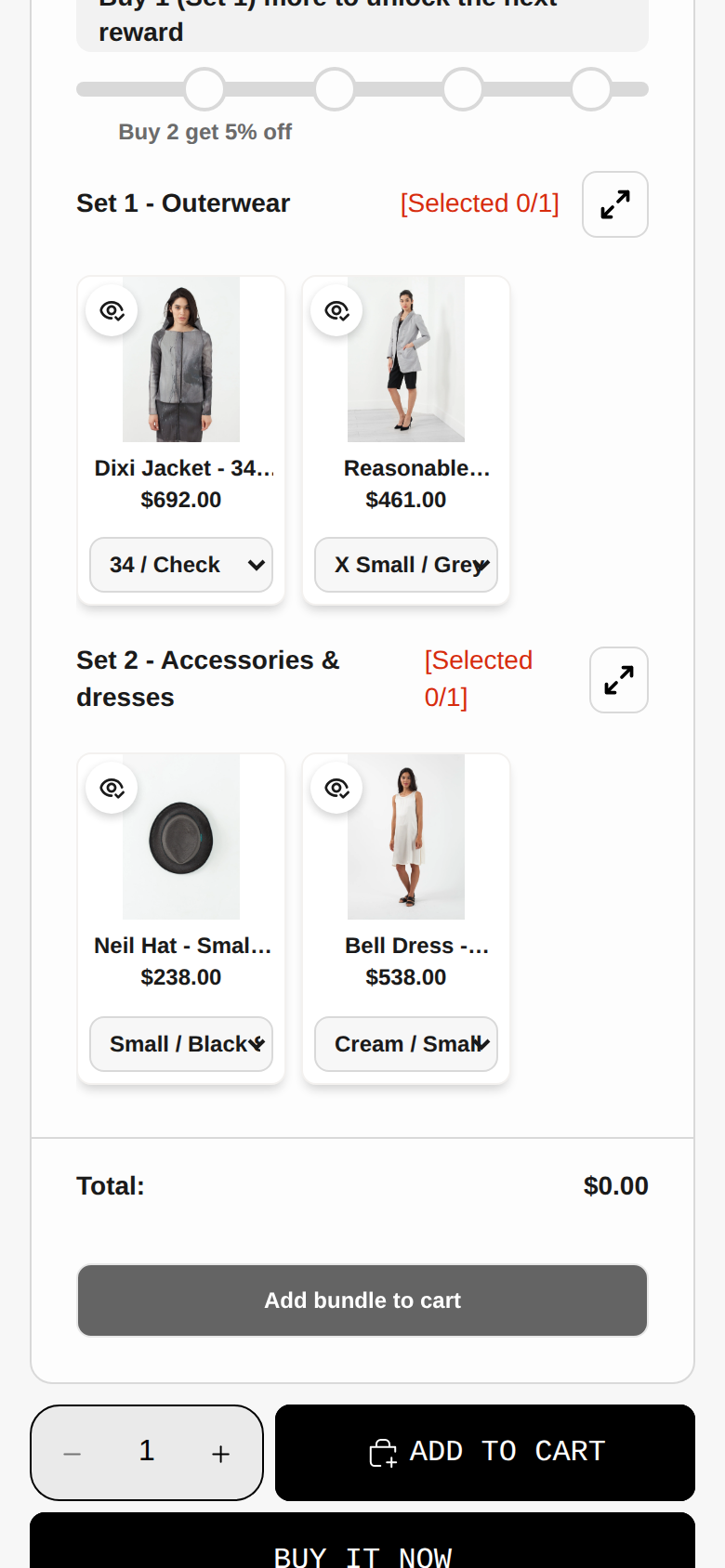
A bundle product page built by the native app is a normal product page. Progress bars toward a reward, a “pick your set” builder embedded in an existing product page, free shipping or a gift attached to a tier, and per-set selection rules are app features, not native ones. The Shopify pages I read do not list them as native capabilities.
Decision table: pick by bundle type and catalog size
Use this table before you read any app comparison. Find your bundle type in the left column and your catalog size across the top. It is a rule of thumb built from the limits above, not a Shopify recommendation.
| Bundle type | Under 20 SKUs in bundles | 20 to 200 SKUs in bundles | Over 200 SKUs in bundles |
|---|---|---|---|
| Fixed set (same items every time) | Native app | Native app, accept the manual price updates | App, because there is no bulk editing or export |
| Multipack (same item times N) | Native app | Native app | App if you need price breaks per N |
| Mix and match (customer picks) | App | App | App |
| Build a box or sample pack | App | App | App |
| Quantity breaks (buy 2, 3, 4) | Discount app or bundle app | Discount app or bundle app | Discount app or bundle app |
| Subscription box | Check your subscription app, not the native app | Same | Same |
| Frequently bought together on product pages | App | App | App |
The logic behind it: the native app stops being the right tool for one of two reasons. Either the bundle needs a choice (the customer picks items) or the catalog is large enough that creating and maintaining each bundle by hand costs more than a subscription would. At the other end, a store with five fixed sets and a stable price list does not need anything else.
A quick self-test
- Write down every bundle you plan to sell this quarter, one line each.
- Mark each line “fixed,” “multipack,” or “customer chooses.”
- If every line is “fixed” or “multipack” and each has fewer than 100 variants and 3 options, start with the native app.
- If any line is “customer chooses,” or you want tiers, that line needs a third-party app.
- If you are mixed, run the native app for the fixed lines and an app for the rest, and test them side by side before Black Friday on 2026-11-27.
When a third-party app is worth paying for
Third-party bundle apps vary a lot in pricing and scope. These are the facts read on each App Store listing on 2026-10-04, not a ranking. For a fuller comparison, see our best Shopify bundle apps guide.
| App (developer) | Rating on 2026-10-04 | Pricing as listed | Bundle types the listing names |
|---|---|---|---|
| Shopify Bundles (Shopify) | 2.9 (570 reviews) | Free | Fixed bundles, multipacks |
| TL: Mix and Match Bundles (Tek Labs) | 4.8 (23 reviews) | Free to install | Mix and match, fixed bundles, multipacks, variant bundles, quantity breaks |
| Bundler Product Bundles (Bundler.app) | 4.9 (2,708 reviews) | Free; Premium $9.99/month; Executive $19.99/month | Fixed, multipack, mix and match, build a box, subscription boxes, quantity breaks |
| Simple Bundles & Kits (Freshly Commerce) | 4.9 (803 reviews) | Free (3 bundles, 50 monthly orders); $14, $39 and $149/month tiers | 18+ configurations including mix and match, build your own, subscription boxes |
| FBP Fast Bundle & Upsell (Fast Bundle) | 5.0 (3,501 reviews) | Standard $19, $49 and $139/month by monthly bundle sales | Mix and match, bundle builder, volume discounts, subscription boxes |
Disclosure: Tek Labs makes the second app in the table. We list the others as their listings state them, with no claim about quality. Read the listing, check the plan limits against your order volume and run a test order before you install anything on a live theme.
Where the Tek Labs apps fit
Tek Labs has two relevant apps. Mix & Match Bundles is the dedicated bundle app. Its listing describes the ability to “create flexible mix and match bundles by grouping products into sets and defining selection rules”, with quantity breaks, fixed, tiered or percentage pricing, free shipping and BOGO, and it states a free plan (App Store listing). Our feature pages explain the building blocks: product bundles, build a box and fixed price bundle discounts.
Free Gifts BOGO & Upsell is the promotions app, and its listing includes “Classic Bundles” and volume discounts next to free gifts and BOGO (App Store listing, 4.9 out of 5 from 521 reviews on 2026-10-04). It fits stores whose bundles are part of a wider gift and upsell program.
You can see both on public demo stores. Open https://demo-bundle-app-r3ujxc7n.myshopify.com (password: 1) for Mix & Match Bundles and https://demo-salepify-app.myshopify.com (password: 1) for Free Gifts BOGO & Upsell.
A real storefront: a bundle price made visible
MG Essentials, a Swiss supplement brand, uses both Tek Labs apps. Its customer page at tek-labs.app/customers/mg-essentials describes a 60-day bundle with 3 packs of a collagen product at 57.00 each and 1 vitamin C product at 23.00, shown as a total of 149.00 against 194.00, with 45.00 off. The widget below is the frame from that page.
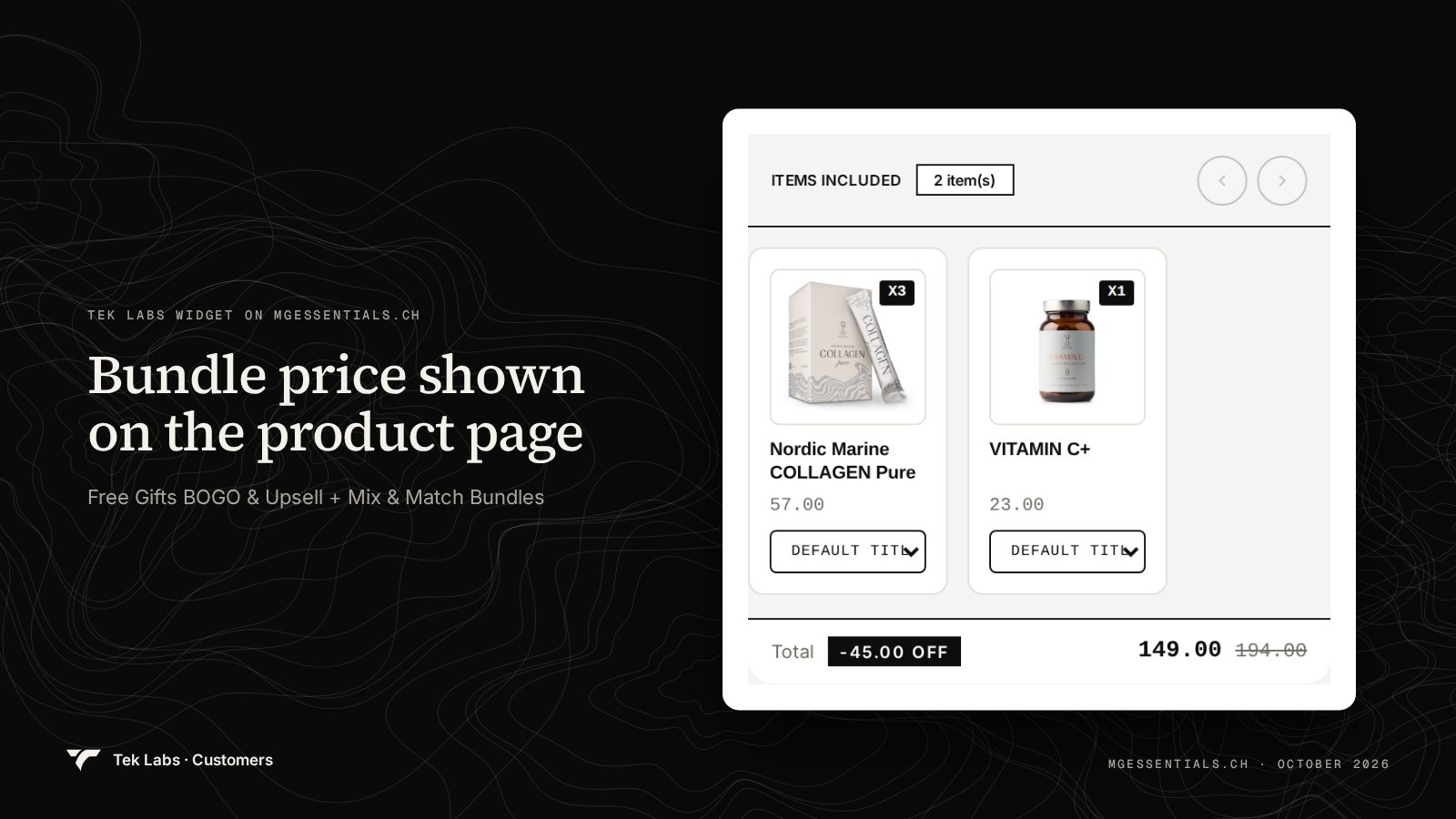
The point of the example for this decision: the shopper sees the items, the quantity of each, the saving and the total in one place. A native fixed bundle can show a fixed price, but the item-level breakdown and savings display depend on your theme. That is the sort of presentation gap an app can close.
Migration notes: moving bundles between the native app and an app
Shopify says plainly that bundles “don’t support import, export, or bulk editing capabilities” (Eligibility and considerations). Neither Shopify’s pages nor the Tek Labs pages describe an automatic import of bundles from the native app, so assume every bundle is recreated by hand. These notes are working advice, not documented behavior.
- Record what you can. Write down each bundle: title, components, quantities, variants, price and URL. The native bundle cannot be exported, so a spreadsheet is your backup.
- Do not delete the native bundle yet. Build the replacement as a draft, preview it, and only then archive the old one. Both live on the storefront at once will confuse customers and reports.
- Mind the SKU rule. Shopify says that if a component’s SKU changes you need to delete and recreate the entire bundle, so settle SKU naming before you rebuild.
- Check inventory behavior with a test order. Shopify calculates native bundle stock from the component with the lowest inventory. Confirm how the new app decrements component stock and whether bundle stock shows on the product page.
- Re-test discounts. You can have at most 25 active automatic discounts, and that total includes app-based discounts (Shopify Help Center, discount combinations). Count your active discounts before adding bundle discounts. See also our discount combinations test plan.
- Redirect or reuse the URL. If the native bundle product page has traffic, keep its handle on the replacement, or add a redirect.
- Verify checkout, not just the cart. Bundles require an upgraded checkout, and checkout.liquid customizations are incompatible with bundles, per the eligibility page.
Common mistakes
- Choosing the tool before the bundle type. Merchants install the free app, spend an afternoon, then find that the bundle they planned needs a choice. List the bundle types first.
- Forgetting manual price updates. With native bundles, a component price change does not update the bundle price. Add it to your sale-launch checklist.
- Stacking discounts by accident. A bundle discount, an automatic discount and a code can combine in ways nobody tested. Run test orders for each combination.
- Treating the Shopify Buy X Get Y discount as a bundle. Buy X Get Y is a discount, and Shopify notes the free or discounted item is never automatically added to the cart (Buy X get Y help page). That makes it a poor stand-in for a bundle or a gift. Our comparison of default Buy X Get Y and third-party apps goes through it.
- Skipping the mobile check. Most bundle builders live on the product page. Look at them on a phone, as in the screenshots above, before you launch.
- Ignoring plan limits on paid apps. Several listings tier pricing by orders or bundle sales. Compare the tier to your Black Friday volume, not your average Tuesday.
How to decide in ten minutes
- Open the bundle plan list from the self-test above.
- If everything is fixed or multipack, install the free Bundles app on a development store or a draft theme and build one bundle end to end, including a test order.
- If anything needs customer choice, tiers or a subscription, read the App Store listing of two or three apps for those exact features, and note plan limits.
- Run a test order with a discount code, a gift and free shipping to see how combinations behave.
- Decide, and write the decision and the date next to your bundle list. Revisit it when your catalog or promotions change.
If your plan includes mix and match, build a box or quantity breaks, you can try Mix & Match Bundles free on the App Store and compare it with the native app on one real bundle.
Frequently Asked Questions
Is Shopify’s Bundles app really free?
Yes. Its App Store listing shows pricing as Free, and Shopify’s help center says the app is available on all Shopify plans. Shopify Plus is only needed if you want to build a custom bundle offering with the Bundles APIs.
Does the Shopify Bundles app support mix and match?
No. Shopify’s help center states that the Shopify Bundles app “doesn’t support mix-and-match bundles” and points to third-party bundle apps or, on Plus, a custom build with the Bundles APIs.
Can I use the Shopify Bundles app and a third-party bundle app together?
Nothing in Shopify’s documentation forbids it, because they cover different bundle types, but it is not a documented, tested pairing. Keep each product in one system, run test orders with discount codes, and confirm inventory behaves as you expect before you launch.
Will my existing Shopify bundles move to a new app automatically?
Assume not. Shopify says bundles do not support import, export or bulk editing, and neither Shopify nor the Tek Labs pages describe an automatic import. Plan to recreate each bundle, check SKU and inventory behavior, and archive the old bundle only after the new one passes a test order.
Which is better for quantity breaks, the native app or a bundle app?
A bundle app or discount app. The native app prices a bundle at a fixed price, and Shopify’s discount documentation recommends discount code apps for tiered discounts. Native discounts can set a minimum quantity, but tiers with several steps need an app or several separate discounts.