Cart abandonment is the share of shoppers who add something to a cart or start checkout and leave without buying. Baymard Institute’s average across 50 studies is 70.22%, but most of that is not recoverable: 42% of US online shoppers in Baymard’s latest reasons study said they had abandoned a cart because they were just browsing. The part you can fix is smaller and more specific (hidden costs, forced accounts, checkout friction), and this guide shows how to measure it in Shopify and which fixes to do first.
Key takeaways
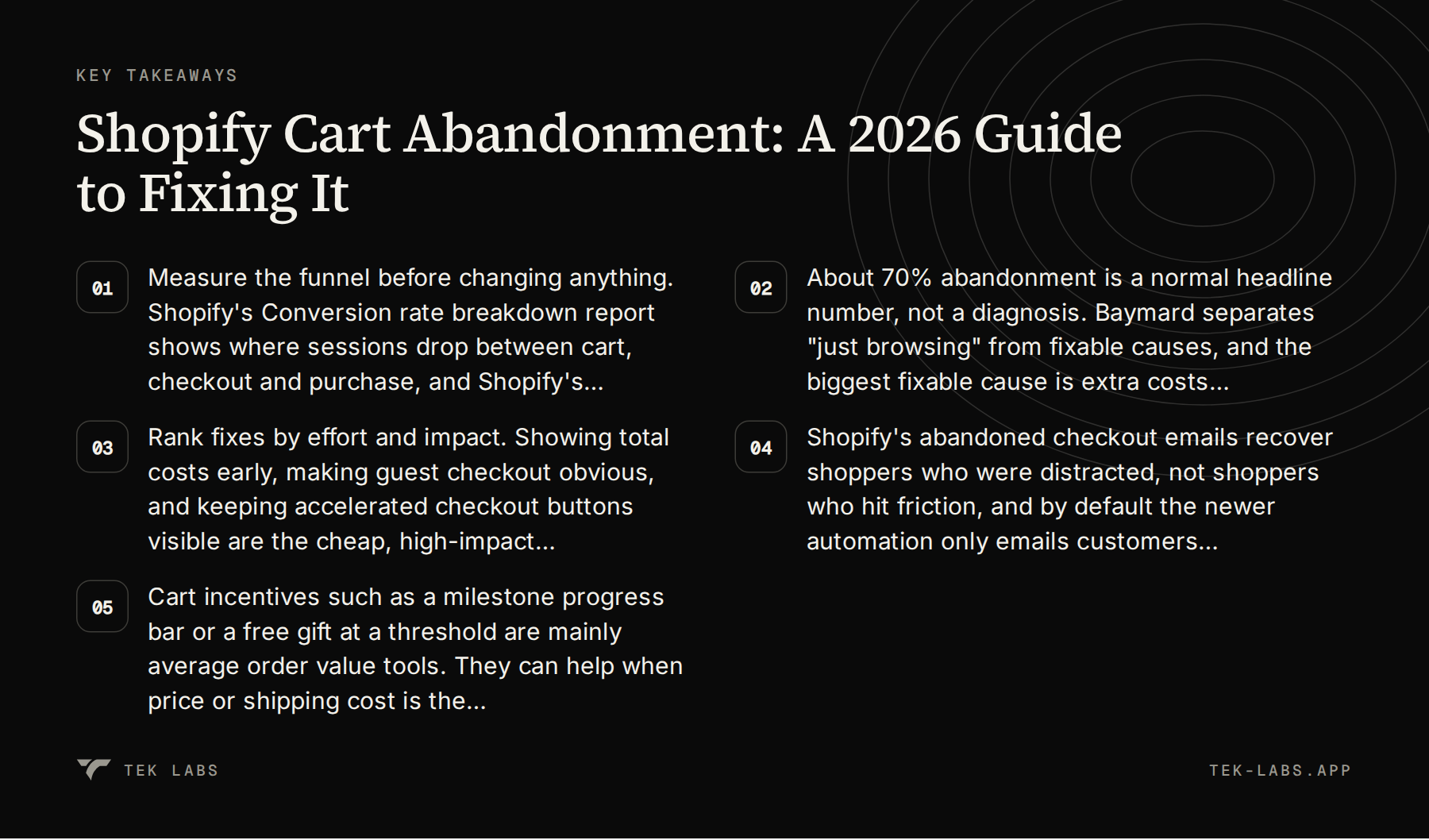
- Measure the funnel before changing anything. Shopify’s Conversion rate breakdown report shows where sessions drop between cart, checkout and purchase, and Shopify’s session measurement update (rolled out September 21 to 23, 2026) means you should treat post-update numbers as a new baseline.
- About 70% abandonment is a normal headline number, not a diagnosis. Baymard separates “just browsing” from fixable causes, and the biggest fixable cause is extra costs revealed late (39% to 40% depending on the Baymard page).
- Rank fixes by effort and impact. Showing total costs early, making guest checkout obvious, and keeping accelerated checkout buttons visible are the cheap, high-impact moves.
- Shopify’s abandoned checkout emails recover shoppers who were distracted, not shoppers who hit friction, and by default the newer automation only emails customers subscribed to marketing.
- Cart incentives such as a milestone progress bar or a free gift at a threshold are mainly average order value tools. They can help when price or shipping cost is the hesitation, and they do nothing for a broken checkout.
What counts as abandonment in Shopify
“Cart abandonment” is used loosely, and Shopify measures three different things. Mixing them up is the most common reason store owners compare their numbers to a benchmark and draw the wrong conclusion.
| Term | What Shopify counts | Where to find it |
|---|---|---|
| Sessions with cart additions | Sessions where at least one item was added to the cart | Analytics > Reports > Conversion rate breakdown |
| Sessions that reached checkout | Sessions that got to the checkout page, with or without a cart step | Analytics > Reports > Conversion rate breakdown |
| Abandoned checkout | A checkout still incomplete more than ten minutes after the customer entered an email address | Orders > Abandoned checkouts |
The third row matters for recovery. Shopify’s help center defines an abandoned checkout as one that remains incomplete for more than ten minutes after the customer has provided their email information. A shopper who adds to cart, never reaches the email field and leaves will show up in your funnel report as a lost session, but never in the Abandoned checkouts list, so you cannot email them. The same page notes that recovery applies to the Online Store and Buy Button sales channels only, so checkouts on Shopify POS or third-party channels are not covered, and that abandoned checkouts older than three months are deleted from the admin.
That gap is why the funnel report and the abandoned checkout list answer different questions. The funnel tells you where in the journey you lose people. The list tells you who you can still contact.
How to measure cart abandonment in Shopify analytics
You do not need a third-party analytics tool for a first diagnosis. Everything below is in the Shopify admin.
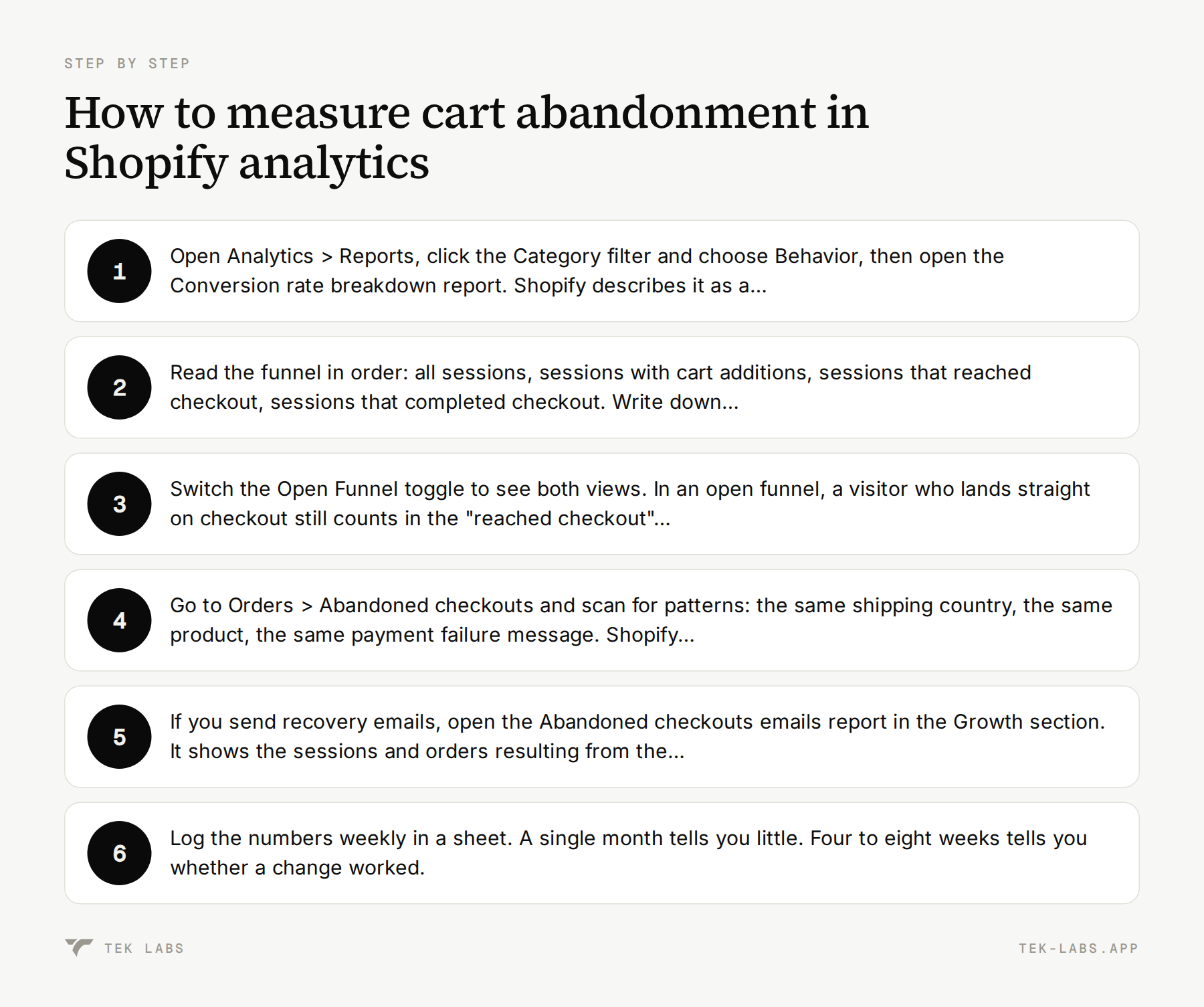
- Open Analytics > Reports, click the Category filter and choose Behavior, then open the Conversion rate breakdown report. Shopify describes it as a report that lets you visualize the path your visitors take through your store and checkout.
- Read the funnel in order: all sessions, sessions with cart additions, sessions that reached checkout, sessions that completed checkout. Write down the four counts for the last 30 days. Shopify calculates each step as sessions at that step divided by total sessions, so convert them yourself into step-to-step rates (for example, completed checkout divided by reached checkout).
- Switch the Open Funnel toggle to see both views. In an open funnel, a visitor who lands straight on checkout still counts in the “reached checkout” step. In a closed funnel, a session only counts at a step if the earlier steps happened first, in order. The closed view is the better one for finding the real drop-off.
- Go to Orders > Abandoned checkouts and scan for patterns: the same shipping country, the same product, the same payment failure message. Shopify suggests reviewing these lists to find patterns that might suggest why your customers aren’t completing orders. Checkouts blocked by Shopify Payments as high risk appear in a separate Blocked view, so you can exclude them from your recovery math.
- If you send recovery emails, open the Abandoned checkouts emails report in the Growth section. It shows the sessions and orders resulting from the emails, plus conversion rate, sales, and average order value.
- Log the numbers weekly in a sheet. A single month tells you little. Four to eight weeks tells you whether a change worked.
The September 2026 measurement change
One dated caveat for anyone reading this in autumn 2026. Shopify announced that its session measurement rollout runs from September 21 to 23, 2026. Sessions now end after 30 minutes of inactivity rather than at midnight UTC, some sessions without a pageview are counted (a customer going straight to checkout from a cart link, for example), and identified bot sessions are filtered out of session reports by default.
The practical effect is that your session count and conversion rate can move without any change in orders. Shopify’s own advice is to use data from after the update as your new baseline for session-based metrics. If you plan to compare Black Friday 2026 with Black Friday 2025, compare orders, sales and customer counts first, and treat session-based rates as indicative only.
What the benchmarks say, and how to read them
Baymard Institute keeps a public list of cart abandonment statistics. Its current average is 70.22%, calculated from 50 different studies, last updated September 22, 2025. The individual studies range from about 55% to 84% depending on the vendor, the year and the definition of “abandoned”, which is why Baymard created the list in the first place: to give people one number to cite instead of 50.
Two cautions before you compare your store to 70%.
First, your Shopify funnel numbers are not the same thing as the studies in Baymard’s list. Some studies count carts, some count checkouts, and they come from vendors with different merchant bases. A store that sees 60% cart-to-purchase loss is not necessarily doing better than 70%.
Second, the headline hides the useful split. Baymard’s latest reasons study found that 42% of US online shoppers have abandoned a cart because they were just browsing or not ready to buy. That portion is natural behavior (price comparison, saving items for later, exploring gift options). The remaining reasons are where your work is.
Why shoppers abandon, excluding “just browsing”
| Reason (Baymard list page) | Share of abandoners citing it |
|---|---|
| Extra costs too high (shipping, tax, fees) | 40% |
| Delivery was too slow | 20% |
| Did not trust the site with credit card information | 19% |
| Site wanted me to create an account | 18% |
| Too long or complicated checkout process | 17% |
| Website had errors or crashed | 17% |
| Returns policy was not satisfactory | 13% |
| Could not see or calculate total order cost up front | 12% |
| Credit card was declined | 10% |
| Not enough payment methods | 9% |
A note on these figures. Baymard’s May 2026 article on reducing cart abandonment quotes slightly different numbers from the same research program (39% for additional costs, 19% for forced account creation, 18% for a complicated process, 21% for slow delivery). The survey is refreshed over time and pages are updated at different times, so the safe reading is “roughly four in ten for extra costs, roughly one in five for forced accounts”. The respondents could pick more than one reason, so the list does not add to 100%.
Two more Baymard findings set realistic expectations. Baymard estimates that the average large ecommerce site can gain a 35.26% increase in conversion rate through better checkout design. That is an estimate for large US and EU sites with documented, solvable usability issues, not a promise for a small Shopify store. And Baymard’s checkout benchmark found the average US checkout shows 23.48 form elements by default against an ideal of 12 to 14, which suggests that the biggest wins often come from removing things, not adding them.
Fixes ranked by effort and impact
Baymard’s May 2026 article recommends sequencing checkout work by impact and effort rather than treating it as a list of features. It puts guest checkout and surfacing total costs in the cart in the high impact, lower effort group. The table below applies that logic to a Shopify store. The effort and impact ratings are our own judgment, informed by the cited evidence. They are not measured results.
| Fix | Effort | Likely impact | Evidence and Shopify notes |
|---|---|---|---|
| Show the full cost early (shipping estimate, free shipping progress, tax note) in the cart | Low to medium | High | Extra costs are the top fixable reason (39% to 40%). Baymard advises showing full order cost in the cart. |
| Make guest checkout the default path; do not require sign-in | Low | High | 18% to 19% abandon over account creation. Baymard: 62% of benchmarked sites fail to make guest checkout the most prominent option. |
| Keep accelerated checkout buttons visible | Low | Medium to high | Shopify cites up to 50% higher conversion for Shop Pay vs guest checkout (vendor claim, unnamed study). Some settings hide the buttons. |
| Turn on and tune the abandoned checkout email | Low | Medium | Recovers distracted shoppers only. Default audience is marketing subscribers. |
| Show delivery dates, not just shipping speeds | Medium | Medium | 20% to 21% cite slow delivery. Baymard recommends estimated delivery dates in the shipping selector. |
| Find and fix payment errors, site errors and slow pages | Medium | High if present | 17% cite errors or crashes; 10% cite a declined card. The abandoned checkout detail view shows payment messages. |
| Trim form fields and optional inputs | Medium | Medium | Average US checkout shows 23.48 form elements vs an ideal of 12 to 14. Shopify limits which fields you can change. |
| Cart incentives (milestones, gifts, bundles) | Low to medium | AOV: medium. Abandonment: depends | Works through price and shipping hesitation only. See the incentives section. |
| Exit-intent discount pop-ups | Low | Low or uncertain | Baymard: they may recover price-sensitive users but do not fix friction. |
1. Make the total cost visible before checkout
The single strongest finding in Baymard’s data is that shoppers dislike surprises. Extra costs (shipping, tax, fees) lead the list, and a further 12% said they could not see or calculate the total order cost up front. Baymard’s advice is to show the full order cost in the cart, and if an exact total is not possible, give a clear estimate and explain how it was calculated. It also suggests putting free shipping information directly in the cart summary so shoppers can see immediately whether they qualify.
On Shopify, the practical version is a shipping estimate or free shipping threshold message on the cart page or cart drawer, plus clear tax wording on product pages. Check whether your theme can show this in the cart. If it cannot, an app such as a milestone progress bar (see below) can carry the free shipping message.
2. Do not make anyone sign in
Baymard’s survey of 1,026 US adults who shopped online in the last three months found that 18% reported abandoning an order because they did not want to create an account. Its benchmark also found that 62% of leading sites fail to make guest checkout the most prominent option.
In Shopify, the relevant setting sits in the checkout form options. The option to require customers to sign in before checking out exists, but it has a side effect: Shopify’s documentation says that if it is activated, accelerated checkout options such as Apple Pay aren’t displayed in the online store cart. Unless you have a specific B2B or wholesale reason, leave it off.
3. Keep accelerated checkout buttons visible
The same help page has a second trap: setting Company name to Required means that some accelerated checkout options, such as Apple Pay, won’t be displayed. If you do not sell to businesses, the page suggests removing the field entirely. Review every field you have marked as Required and ask whether the order cannot ship without it.
On the upside, Shopify says Shop Pay can lift conversion by as much as 50% compared to guest checkout. Treat that as a vendor claim: Shopify attributes the figure to a study by an unnamed consulting company and does not publish the method on that page. The direction (fewer fields to type, especially on mobile) is consistent with Baymard’s research. The size of the lift for your store is something to measure, not assume.
4. Set up the abandoned checkout email properly
This one gets its own section below, because the details of who receives the email trip people up.
5. Show delivery dates
Baymard reports that 21% of users abandoned because delivery was too slow in its May 2026 article, and recommends presenting delivery dates and shipping speeds earlier rather than at the end, with an estimated delivery date for each option in the shipping selector. Its 2025 checkout benchmark found 48% of sites do not use “Delivery Date” instead of “Delivery Speed”. For a small store, the quick win is a line in the cart and on product pages: “Order by 2 pm for dispatch today. Delivery in 3 to 5 business days.”
6. Look for errors and declines
If 17% of abandoners cite errors or crashes and 10% a declined card, check whether any of that is happening to you. Shopify’s abandoned checkout detail view includes a message field for failed payments, and the help center has a section listing the reasons a payment can fail. A pattern of the same decline message, or a spike after a theme or app change, is a bug to fix, not a marketing problem. Baymard’s article makes a related point: bringing users back to a frustrating checkout simply re-exposes them to the same friction that drove them away.
Abandoned checkout emails on Shopify: what they do and do not do
Shopify has two generations of recovery email. The older one lives in checkout settings and notifications. The newer abandoned checkout automation lives in the Shopify Messaging app and gives more control over design, timing and audience. Shopify’s migration page warns that activating the new automation is a permanent change and you cannot go back to the legacy emails afterward, so check your settings before you opt in.
The mechanics worth knowing:
- Audience. By default the new automation is only sent to customers subscribed to email marketing. You can change the To field to All customers. Whether you should depends on your consent obligations in the regions you sell to, which is a question for your own legal advice, not a settings tip.
- Timing. If you create a second abandoned checkout automation, Shopify says it defaults to a 10 hour wait before sending. You can edit timing through Shopify Flow.
- Exclusions. No email is sent when the customer completes a purchase before it goes out, when a payment error occurred, when the products are out of stock, when the store does not ship to the address, when the checkout came from the Shop app, or when Shopify Payments blocked the attempt as high risk.
- Discounts. You can attach a discount. Shopify notes that with a discount applied, customers are emailed a pre-filled cart at a discounted price and only need to enter payment details.
- Channel. Only checkouts from the Online Store and Buy Button channels are eligible.
What recovery emails can realistically deliver
Klaviyo’s benchmark report, based on 2023 performance data from over 143,000 abandoned cart flows, reports an average placed order rate of 3.33%, with the top 10% of brands at 7.69%. These are Klaviyo customer averages, from data that is now almost three years old and published in May 2024, so use them as a rough order of magnitude and not as a target. Klaviyo also suggests that a common sequence might be three emails: a simple reminder after 2 to 4 hours, a follow-up with a discount after 24 hours, and a final message after 48 hours, and it stresses testing timing for your own brand.
Baymard adds an important limit. Retargeting emails are effective for recovering “distracted” abandonment but are not effective for abandonment caused by the checkout experience. That is why fixing friction first and emailing second is the right order: the email works on the pool of shoppers who were genuinely interrupted.
A discount in the email is a margin decision, not a default. Start with a reminder email without a discount, then test a discount on a later email in the sequence, so you only pay for a discount when the reminder alone did not work.
Where cart incentives help, and where they do not
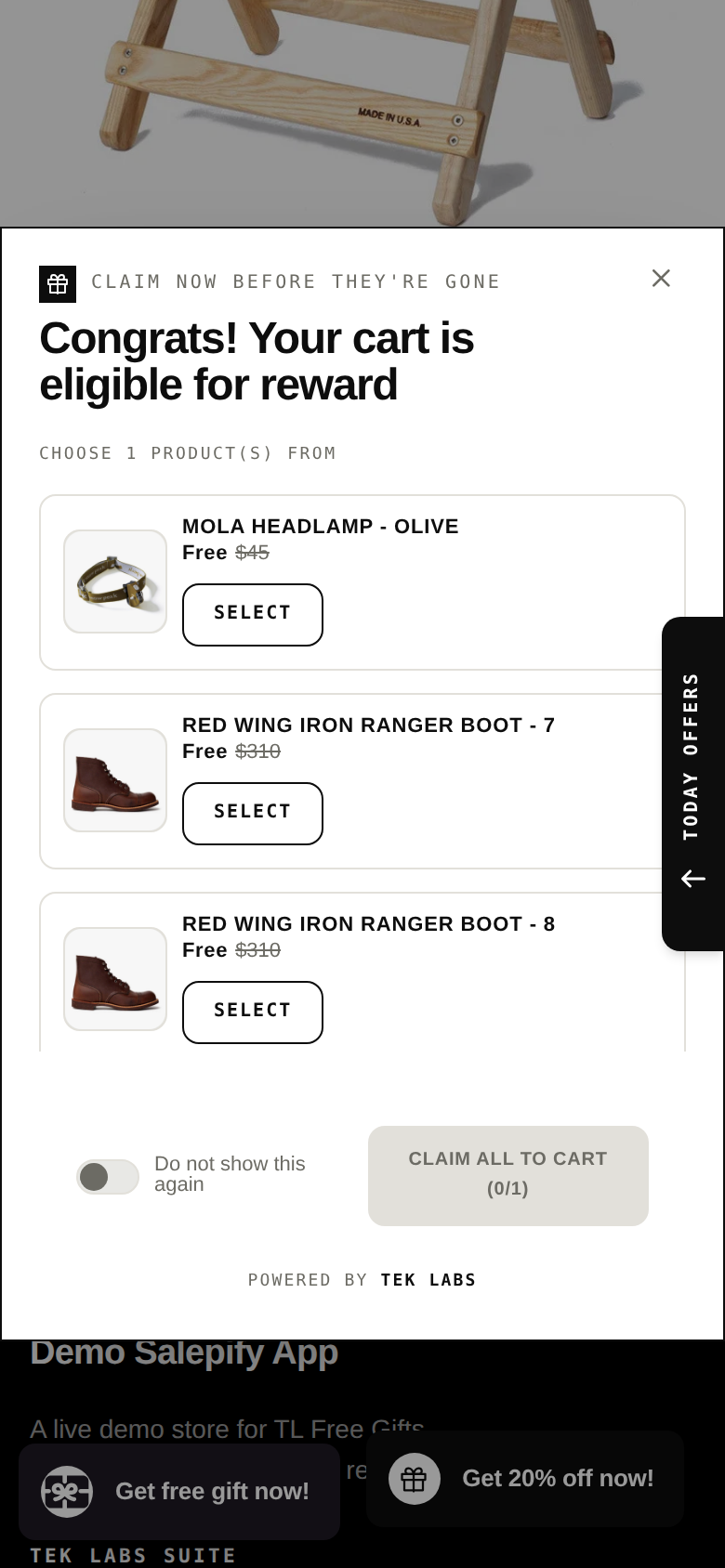
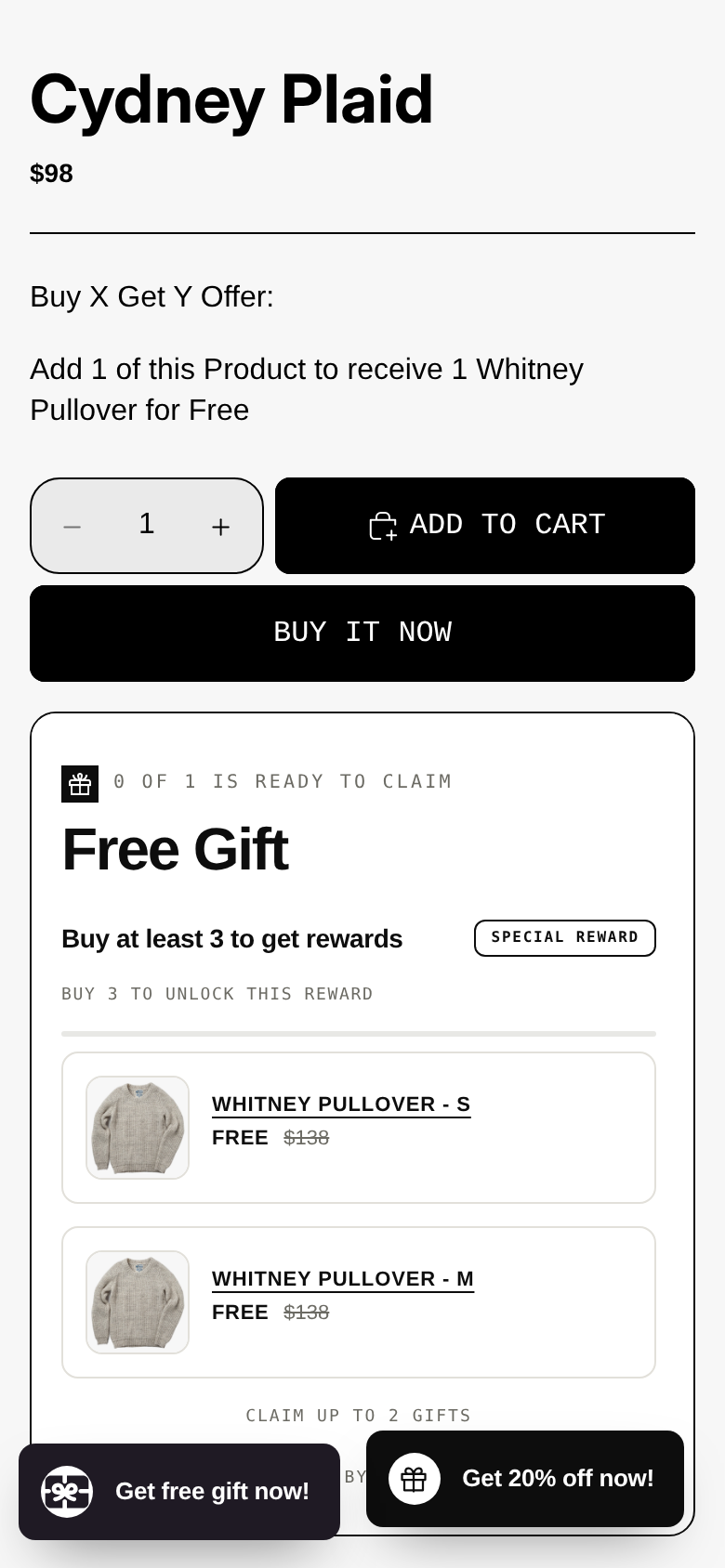
A cart incentive is anything shown in the cart or cart drawer to change what the shopper does next: a progress bar toward free shipping, a free gift at a spend threshold, a “buy 3, save more” tier, a bundle suggestion. Those are the tools our Free Gifts BOGO & Upsell app is built around, so we have an obvious interest here. We think they are useful, and also that they are often oversold as abandonment cures. Here is the line we would draw.
Where they help
- When price or shipping cost is the hesitation. If the shopper is below your free shipping level, a bar that shows exactly how much is left turns a vague cost worry into a specific, solvable step.
- When you want to raise average order value (AOV). A threshold above your typical order gives shoppers a reason to add one more item. This is an AOV tool first.
- When the offer is easy to understand at a glance. One clear goal beats three competing offers.
- When you want the shopper to choose. A free gift the customer picks from two or three options feels like a reward and not a forced add-on.
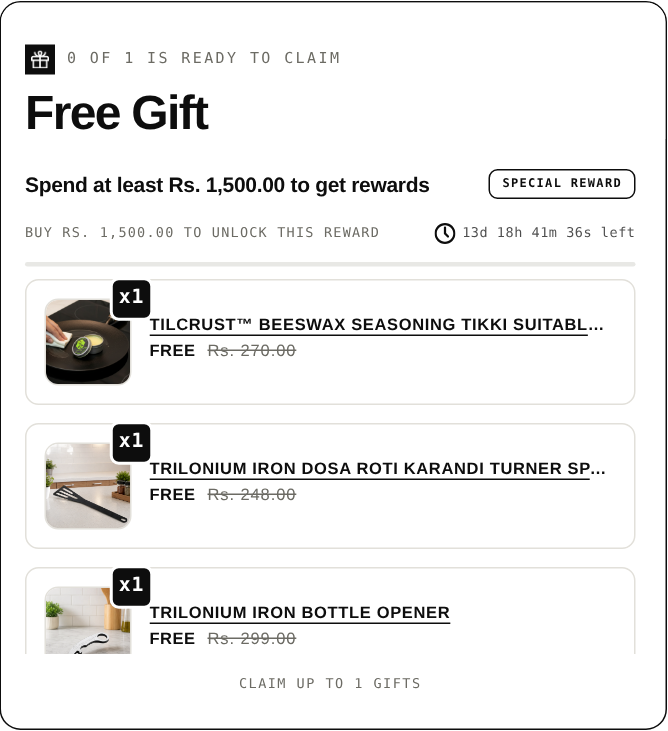
The behavioral idea behind a progress bar is the goal-gradient effect. In a field study, Kivetz, Urminsky and Zheng found that participants in a real cafe reward program purchased coffee more frequently the closer they were to earning a free coffee. That was a loyalty program, not an online cart, so it supports the idea of showing progress rather than proving a specific lift for a Shopify cart bar. Run your own test before you rely on it.
Where they do not help
- When the checkout itself is broken. Baymard is blunt: exit-intent popups and discount offers may recover some price-sensitive users, but they do not resolve underlying UX friction. If your checkout is broken, a discount pop-up won’t fix it; it just makes the broken experience cheaper.
- When the offer interrupts checkout. Baymard recommends avoiding forced offer decisions in the middle of checkout and instead keeping special offers passive or moving them to the confirmation page. In practice, keep cart incentives visible but not blocking, and put post-checkout offers after payment. A tool like Post Purchase Upsell works there because the order is already paid.
- When shoppers are “just browsing”. The 42% who were not ready to buy are not an incentive problem.
- When the gift costs more than it earns. This is the one stores skip, and the worked example below shows how a threshold gift can lose money.
- When discounts collide. Shopify applies product discounts first and order discounts to the revised subtotal, and limits you to 25 active automatic discounts including app-based ones, so stacked promotions need testing.
A Shopify detail that matters for free gifts
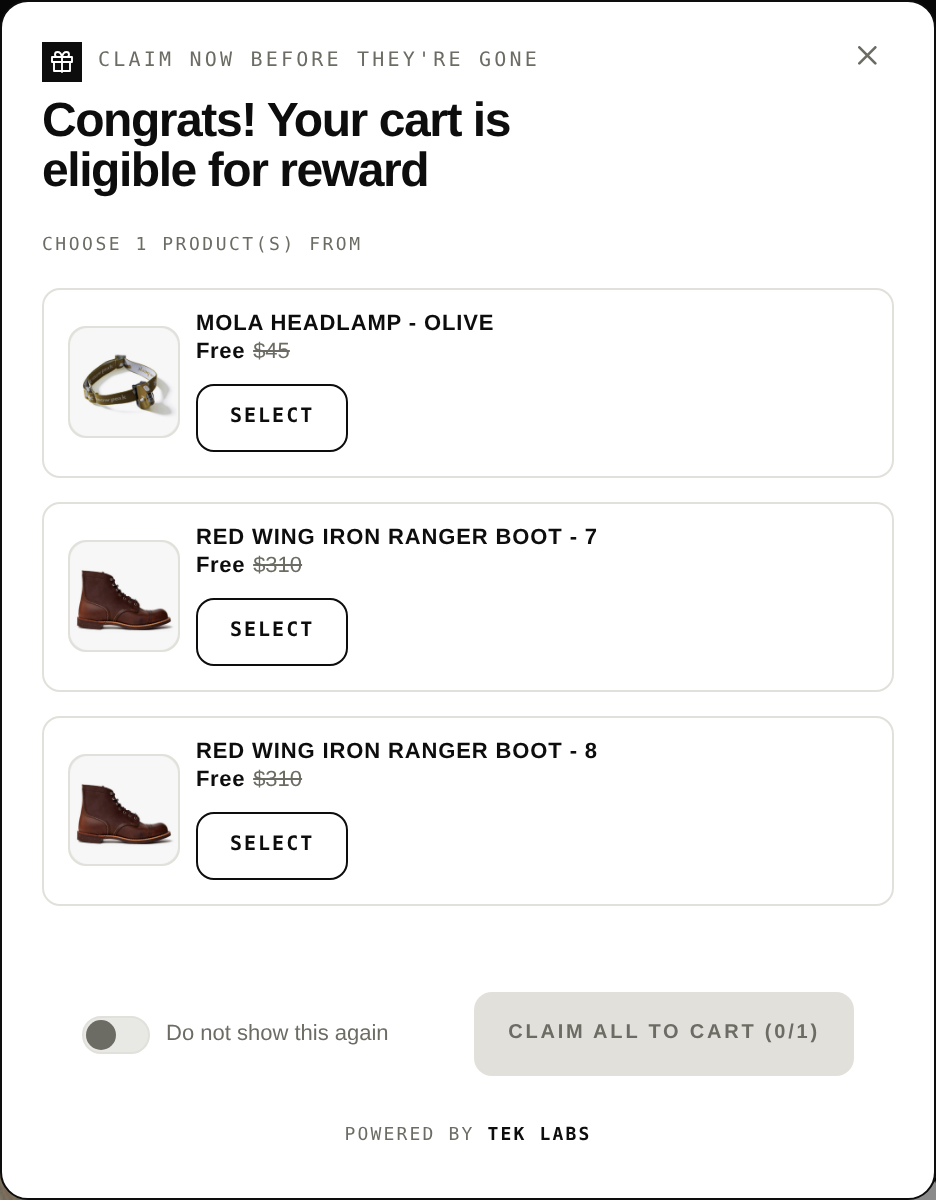
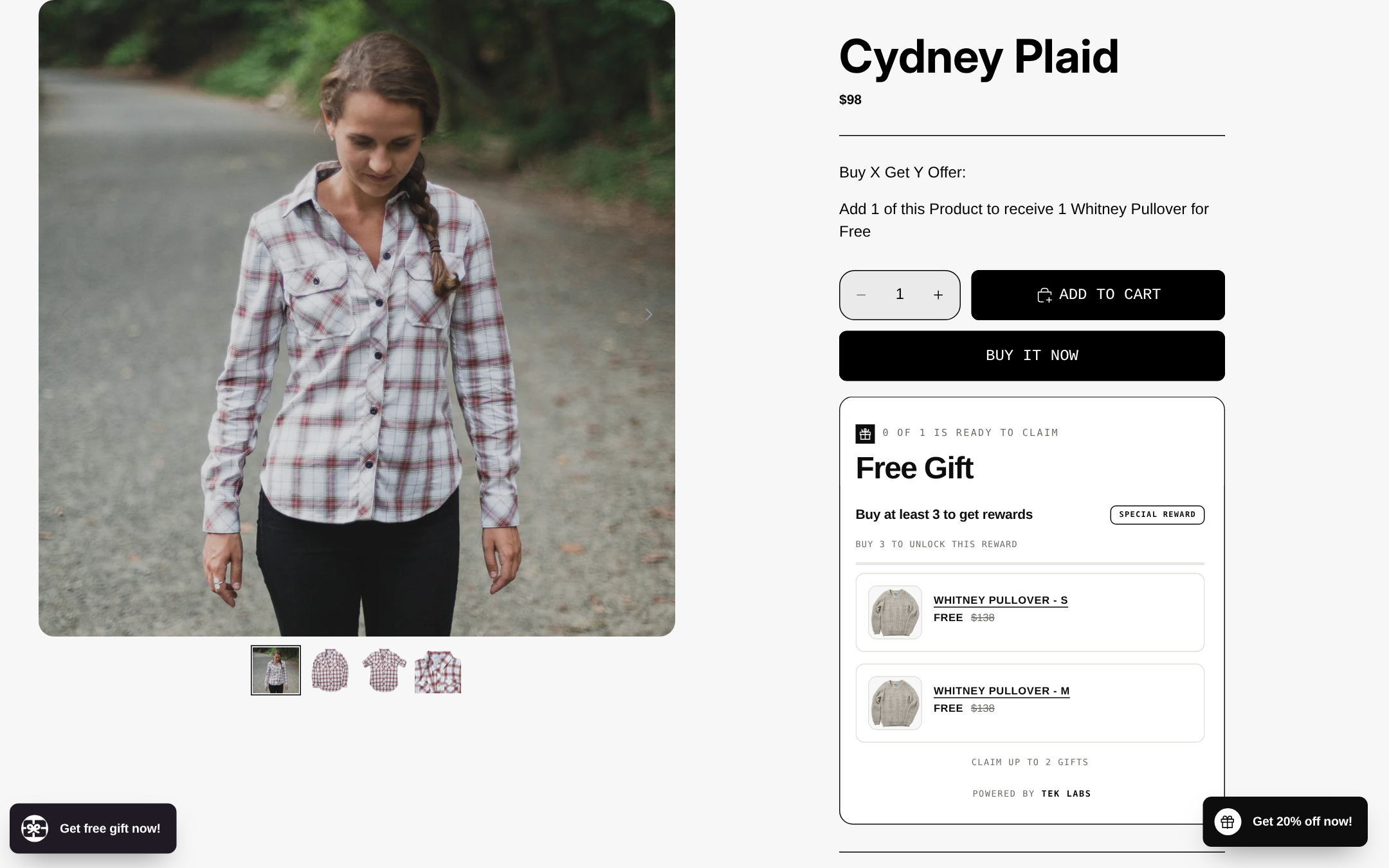
Native Shopify “Buy X get Y” discounts are useful but have a specific limit: Shopify says that customers must add all items to their cart manually and that the free or discounted “get” item is never automatically added. That is fine for a simple BOGO, but if you want a gift to appear in the cart without the customer finding it, you need an app. We compare the two approaches in our comparison of Shopify’s default Buy X Get Y and third-party providers.
Worked example: what is recovery worth?
The numbers below are hypothetical. They show the arithmetic so you can substitute your own figures.
Imagine a store with one month of data after the September 2026 measurement change:
- 40,000 sessions
- 3,200 sessions with cart additions (8.0% of sessions)
- 1,600 sessions that reached checkout (50% of cart sessions)
- 640 sessions that completed checkout (40% of checkout sessions, or 1.6% of all sessions)
- Average order value of $70
So 960 checkout sessions did not complete (1,600 minus 640). That is the pool to work on.
Recovery email
Assume 600 of those 960 left an email address and were recorded as abandoned checkouts, and that 300 of the 600 are eligible recipients under the default “subscribed to marketing” audience. Applying Klaviyo’s 2023 placed order rates purely as placeholders:
- At 3.33% average: 300 x 0.0333 = about 10 orders, or $700 (10 x $70).
- At 7.69% top 10%: 300 x 0.0769 = about 23 orders, or $1,610 (23 x $70).
The takeaway is that the audience setting matters as much as the email copy. If only half of your recorded abandoned checkouts are eligible, you are capping the result before you write a word.
Fixing a checkout cost problem
Use Baymard’s own formula. It suggests estimating that around 20% of abandonment may be caused by fixable UX issues and then asking what recovering a slice of it is worth. Here: 960 x 20% = 192 fixable abandonments. Recovering 10% of them is 19 orders, or about $1,330 a month (19 x $70). Baymard’s article uses 20% as an illustrative figure for a midsize store, not a universal rate, so replace it with what your abandoned checkout patterns show.
Because Baymard says retargeting emails do not work on UX-caused abandonment, these two pools mostly do not overlap, which is why you can work on both.
A threshold gift: three cases
Now a cart incentive. Assume the store raises the gift threshold above its $70 average, adds a free gift, and earns a 50% contribution margin on the items shoppers add to reach it. The store has 640 orders a month.
| Case | Orders already above threshold | Orders that top up | Avg top-up | Gift cost each | Extra margin | Gift cost total | Net |
|---|---|---|---|---|---|---|---|
| $85 threshold, $4 gift | 100 | 96 | $12 | $4 | 96 x $12 x 0.5 = $576 | (100 + 96) x $4 = $784 | -$208 |
| $85 threshold, $2 gift | 100 | 96 | $12 | $2 | $576 | 196 x $2 = $392 | +$184 |
| $95 threshold, $4 gift | 40 | 64 | $15 | $4 | 64 x $15 x 0.5 = $480 | (40 + 64) x $4 = $416 | +$64 |
Three things stand out. A gift is paid for on every qualifying order, including the ones that would have qualified anyway. The same threshold can win or lose money depending on a $2 difference in gift cost. And even the good cases are small next to the recovery email or a cost fix. Use the numbers to decide, not to justify. Our free gift threshold calculator does this arithmetic with your own order values.
A step-by-step plan before Black Friday 2026
Black Friday 2026 falls on November 27 and Cyber Monday on November 30, about eight weeks from the start of October. That is enough time to make the cheap fixes and learn from them before peak traffic arrives. For general promotion planning, see our post on promotion strategies for BFCM.
- Week 1: record your baseline. Pull the Conversion rate breakdown funnel for the last 30 days (post September 23 if possible), the count of abandoned checkouts, and your recovery email report. Write down your step-to-step rates.
- Week 2: remove friction. Check the sign-in requirement, any Required fields that hide accelerated checkout, and whether shipping and tax are visible in the cart. Review abandoned checkout payment messages for patterns.
- Week 3: set up or revise recovery email. Confirm the audience, test timing, and decide whether a discount belongs in the first email or a later one.
- Week 4: add one incentive, not three. Choose a free shipping bar or a threshold gift, set the threshold using your AOV and margin, and run it for at least two weeks.
- Two weeks before Black Friday: stop making structural changes. Compare against your baseline and keep what worked. Anything you change after that point cannot be read cleanly against Black Friday traffic.
Common mistakes
- Discounting first. A code in the first recovery email or an exit popup trains shoppers to abandon and wait. Fix cost visibility and friction first.
- Comparing your funnel to a benchmark without checking definitions. Baymard’s 70.22% is an average of 50 different studies, not a target for your store.
- Reading session-based rates across the September 2026 measurement change as if nothing happened.
- Requiring sign-in or marking nonessential fields as Required, which can hide accelerated checkout buttons.
- Emailing the wrong audience, or not realizing the default only reaches marketing subscribers.
- Setting a gift threshold below the level many customers already reach, so the gift is given away on orders that would have happened anyway.
- Stacking offers without testing how Shopify combines them.
- Treating abandonment as one problem. Browsing, price, friction and distraction need different responses.
Next step
If you want to test a milestone bar or a threshold gift in your own cart, our Free Gifts BOGO & Upsell app supports multi-tier cart progress bars and gifts that are auto-added or chosen by the customer, and it has a free plan. You can also try it first on the demo store (password 1).
Frequently Asked Questions
What is a good cart abandonment rate for a Shopify store?
There is no single good number. Baymard’s average across 50 studies is 70.22%, but studies define abandonment differently, so compare your own funnel month over month instead. A falling step-to-step loss after a fix is a better signal than hitting a benchmark.
How do I see abandoned carts in Shopify?
Go to Orders > Abandoned checkouts to see checkouts where the customer entered an email and did not finish within ten minutes. For the wider funnel, use Analytics > Reports > Conversion rate breakdown. Carts that never reached the email field appear in the funnel report only.
Does Shopify send abandoned cart emails automatically?
Yes, either through the legacy abandoned checkout emails or the newer abandoned checkout automation in the Shopify Messaging app. The newer automation by default emails only customers subscribed to marketing, and switching to it is permanent.
Do exit-intent discount pop-ups reduce cart abandonment?
They may recover some price-sensitive shoppers, but Baymard says they do not resolve underlying UX friction and just make a broken experience cheaper. Fix cost visibility, sign-in and checkout errors first, then test a popup if price still looks like the hesitation.
Can a progress bar or free gift reduce cart abandonment?
They can help when shipping cost or price is the hesitation, and they mainly raise average order value. They do not fix a confusing or broken checkout, and a gift can lose money if many customers already qualify, so test with your own numbers.