Start your BFCM offer work now and finish it by early November: pick no more than three offers, build them by mid-October, test them against every discount, stock, market, mobile and checkout case by the end of October, and freeze changes about a week before Black Friday on Friday, November 27, 2026. Cyber Monday is November 30, so the same offers must survive five days of traffic that begins on Thanksgiving, and the checklist below shows what to set up, what to test and when.
Key takeaways
- Work back from two fixed dates: Black Friday 2026-11-27 and Cyber Monday 2026-11-30. A launch freeze on 2026-11-20 leaves a full week for fixes and for email and ad copy to match the live offer.
- Most offer failures at BFCM are setup failures, not strategy failures: a gift that sold out, two discounts that cannot combine, a currency that converts oddly, or a cart drawer that never shows the offer. All of them can be caught with a test plan.
- Shopify’s native Buy X Get Y never adds the free item to the cart by itself, and a product inside it cannot take further product discounts on most plans. Decide early whether native rules are enough or an app has to handle auto-add.
- Test on a phone first. Adobe measured 57.5 percent of Cyber Monday 2025 online sales on mobile, and Shopify reported a 56.4 percent mobile share for BFCM 2025.
- Run three levels of tests (single offer, offer plus code, offer plus market) and keep a written log. The table in this article is a one-page version you can copy.
What a BFCM offer checklist has to cover
An offer checklist is different from a marketing calendar. A calendar says what you will send and when. A checklist says what must be true in the store before a shopper clicks, so that the discount, the gift, the price, the shipping line and the confirmation email all agree with each other. The list below groups the work into six areas: strategy, build, stock, tests, monitoring and recovery. Each area has a short list of checks in the downloadable-style table near the end of this guide.
The scale of the weekend is the reason to be strict. According to Adobe’s 2025 holiday report, US consumers spent $14.25 billion online on Cyber Monday 2025, $11.8 billion on Black Friday and $6.4 billion on Thanksgiving Day. Shopify reported that its merchants generated a record $14.6 billion in global sales during BFCM 2025, up 27 percent from 2024. A broken offer during those days does not just lose one sale, it loses the sale at the moment when ad spend and email volume are highest.
Shoppers also start earlier than the two named days. The National Retail Federation says that approximately two out of every five holiday shoppers have started browsing and buying before November, and Shopify’s own guide cites a survey in which 61 percent of shoppers planned to start buying gifts before the end of October. That is why the timeline below starts testing in October. By the time the weekend begins, a good share of your audience has already seen your store.
Step 1: choose the offers (this week)
Decide what you are running before you open any admin screen. For most small and mid-size stores, three offers are enough: one headline offer for acquisition, one offer that raises order value, and one offer for the moment after payment. More than that makes testing slow and makes the cart harder to read.
| Offer type | What the shopper sees | Main risk to check | Where to read more |
|---|---|---|---|
| Free gift with purchase | A gift added or offered when the cart reaches a threshold | Gift stock, threshold too low for margin | Free gift calculator, free gift feature |
| BOGO or Buy X Get Y | A free or discounted second item | Cannot stack, free item not added automatically | Buy X Get Y feature |
| Bundle or multipack | A set price for a group of items | Component stock, bundle price below cost | Mix and match bundles |
| Post-purchase offer | One-click add-on after payment | Does not appear for some payment flows | Post purchase upsell |
Write one sentence per offer in the form “who qualifies, what they get, what it costs us per order, and when it ends.” If you cannot write the cost, do the margin work before building. The free gift threshold worked example and the free gift threshold calculator show how to set a spend level without giving the gift to orders that would have happened anyway. For ideas on how stores framed offers in earlier seasons, see our posts on BFCM 2024 insights and promotion strategies for BFCM.
Check the promise as well as the mechanics
If you advertise something as “free,” the US Federal Trade Commission’s guide on “Free” offers says that all the terms, conditions and obligations on which the free item depends should be set forth clearly and conspicuously at the outset of the offer. In practice that means the threshold, the eligible products and the end date should be visible in the widget and in the ad, not only in a footnote. This is not legal advice, so check the rules for each country you sell in.
Step 2: build the offers (by mid-October)
Build every offer in a duplicate workflow: set it up, preview it, then schedule it. Do not publish and look at it afterwards. Both Shopify discounts and app offers can be given a start and end date, so you can build the whole BFCM set weeks ahead and have it go live without anyone touching the admin on the day. Remember that Shopify’s discount start and end times follow the time zone selected in your admin, which may differ from the time zone of your customers and your email platform.
Native Shopify discount or an app
Shopify’s discount types page says Buy X get Y discounts can be applied as codes or as automatic discounts, and recommends discount code apps from the Shopify App Store for more advanced needs. The question to answer is simple: does your offer need anything native rules do not do? Use the table below to decide.
| Need | Native Buy X Get Y | App such as Free Gifts BOGO & Upsell |
|---|---|---|
| Free item added to the cart for the shopper | No: customers add all items manually | Yes, gifts can be auto-added or chosen by the customer |
| Gift shown on the product page and in the cart | Only through theme work | Storefront widgets on product page, cart, popup and checkout |
| Several tiers (spend 50 get X, spend 100 get Y) | Separate discounts, built one by one | Multi-tier progress bar with milestone rewards |
| Free gift plus other discounts | Product discounts do not combine on most plans | Combination settings per offer, with the same Shopify rules underneath |
| Cheapest item in the cart free | Not documented on the help page | Discount the cheapest product option |
The first row comes straight from Shopify’s help center: “Customers must add all items to their cart manually. The free or discounted ‘get’ item is never automatically added to the cart.” The app column describes Free Gifts BOGO & Upsell, which is listed on the Shopify App Store with a free plan. If a native discount does the whole job, use it. It has the lowest number of moving parts.
Limits you can hit without noticing
Two limits matter during a busy season. Shopify allows a maximum of 25 active automatic discounts, and this total includes app-based discounts. Shopify also allows customers to use a maximum of 5 product or order discount codes and 1 shipping discount code on the same order. If you have old automatic discounts still active from last year, list them and switch off what you do not need before adding BFCM offers. The limit for automatic app-based discounts was raised from 5 to 25 on November 21, 2024, so older advice that quotes 5 is out of date.
One more item for stores that used Plus-only customizations in the past: Shopify Scripts stopped executing on June 30, 2026. If last year’s gift or tiered discount logic lived in a Script, it no longer runs, and the offer needs to be rebuilt with a discount app or a Shopify Function.
Step 3: protect the gift and component stock
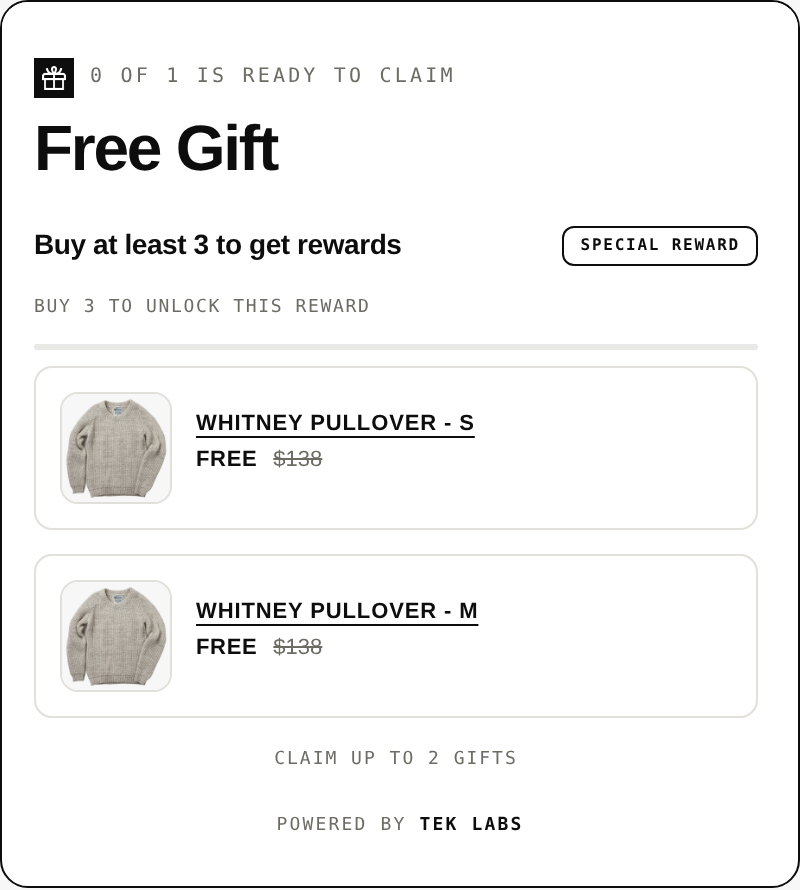
A free gift offer is also an inventory promise. If the gift runs out at 10 a.m. on Black Friday and the offer still shows, shoppers who add their items see a broken reward, and support tickets follow. The simplest protection is to plan the gift stock as a number, not a feeling.
Worked example (hypothetical)
Suppose a store expects 1,200 orders across Black Friday to Cyber Monday and 35 percent of them will reach the gift threshold. The expected gifts are 1,200 x 0.35 = 420. Add a 20 percent buffer for a better-than-expected weekend: 420 x 1.2 = 504 gifts. If the gift costs $4 landed, the budgeted cost of the gift program is 504 x $4 = $2,016, and the store should check that the extra order value above the threshold covers it. If the on-hand count is 380, the store has three choices: lower the offer cap, add a second gift choice, or raise the threshold slightly. These numbers are illustrative, not benchmarks.
- Count gift stock per variant, not per product. A gift offered in three colors can run out in one color first.
- Check that gift products are active, not draft, and that inventory is tracked. Shopify’s continue selling setting only works when inventory tracking is on, so decide on purpose whether a gift may go negative.
- Cap the total number of gifts if stock is limited. In Free Gifts BOGO & Upsell, usage limits can be set per order, once per customer and in total.
- If several apps or discounts touch the same product, keep one owner for the final price.
Free Gifts BOGO & Upsell also has a built-in offer setup check that flags auto-add gifts that are out of stock or still drafts, draft products that stop an offer from appearing, and a theme widget block that has not been enabled. Run it after you change any product that feeds an offer, then confirm in the storefront.
Step 4: test the offers (late October to mid-November)
Testing is where most of the value in this checklist sits. Use a duplicate or preview theme, put real products in the cart, and test with a test order. Shopify’s test order guide says you can place a test order by simulating a transaction through Shopify’s Test payment gateway, or by using Shopify Payments’ test mode. Write down each case and its result. A shared sheet is enough.
Discount combination tests
Shopify defines the rules for stacking in its discount combinations page. Product discounts can combine with order discounts and with shipping discounts. Shipping discounts cannot combine with other shipping discounts. For all plans except Shopify Plus, a product that is part of a Buy X get Y discount is not eligible for further product discounts. Test the combinations a real shopper would try, not only the combination you designed.
| Test case | Cart setup | Expected result | Pass or fail |
|---|---|---|---|
| Gift offer alone | Items above threshold | Gift added or offered, price 0.00 | |
| Gift offer plus welcome code | Same cart, code entered | Code accepted or rejected as you decided, gift stays | |
| BOGO plus site-wide percent off | Qualifying items, sale price active | You know which discount wins, total matches your math | |
| Two codes | Two product or order codes | Within the limit of 5 codes, rejected message otherwise | |
| Free shipping threshold plus gift | Cart just over both thresholds | Both apply, no conflict at checkout | |
| Remove a qualifying item | Cart drops under the threshold | Gift or discount removed, no free item left behind | |
| Quantity increase | Doubled quantities | Offer repeats or stops exactly as the cap says |
If you use more than one offer at once, set which one wins. Free Gifts BOGO & Upsell lets you give each offer a priority number and choose which Shopify discount classes it may combine with, which keeps a small gift offer from stacking on top of a bigger one by accident.
Markets and currencies
If you sell to more than one country, test every market, because the same discount can behave differently by currency. Shopify’s documentation on discounts in multiple currencies states that fixed-amount discounts are set in your store currency and converted to the customer’s currency, so the converted amount moves with exchange rates, while percentage-based discounts have no currency attached. For a spend threshold, that means a $75 goal may show as a different converted amount in euros as exchange rates move. Cross-border orders were 16 percent of all Shopify orders during BFCM 2025, so it is not a corner case.
- Switch the storefront to each active market and check the threshold, the price and the gift text.
- Confirm which markets each discount is assigned to. Shopify lets you limit a discount to selected markets.
- Check that the gift ships to every market where the offer is visible, or restrict the offer.
- For app offers, read how the app handles currency. Free Gifts BOGO & Upsell converts spend goals with the Shopify currency rate, so one rule can serve several currencies.
Mobile and the cart drawer
Mobile is where most of the weekend happens. Adobe reported that 57.5 percent of Cyber Monday online sales came through a mobile device, and Shopify’s record BFCM 2025 mobile share was 56.4 percent. Test on a real phone, not only a desktop window resized. Most offer problems on mobile are in the cart drawer, where the theme draws a different cart from the one on the cart page.
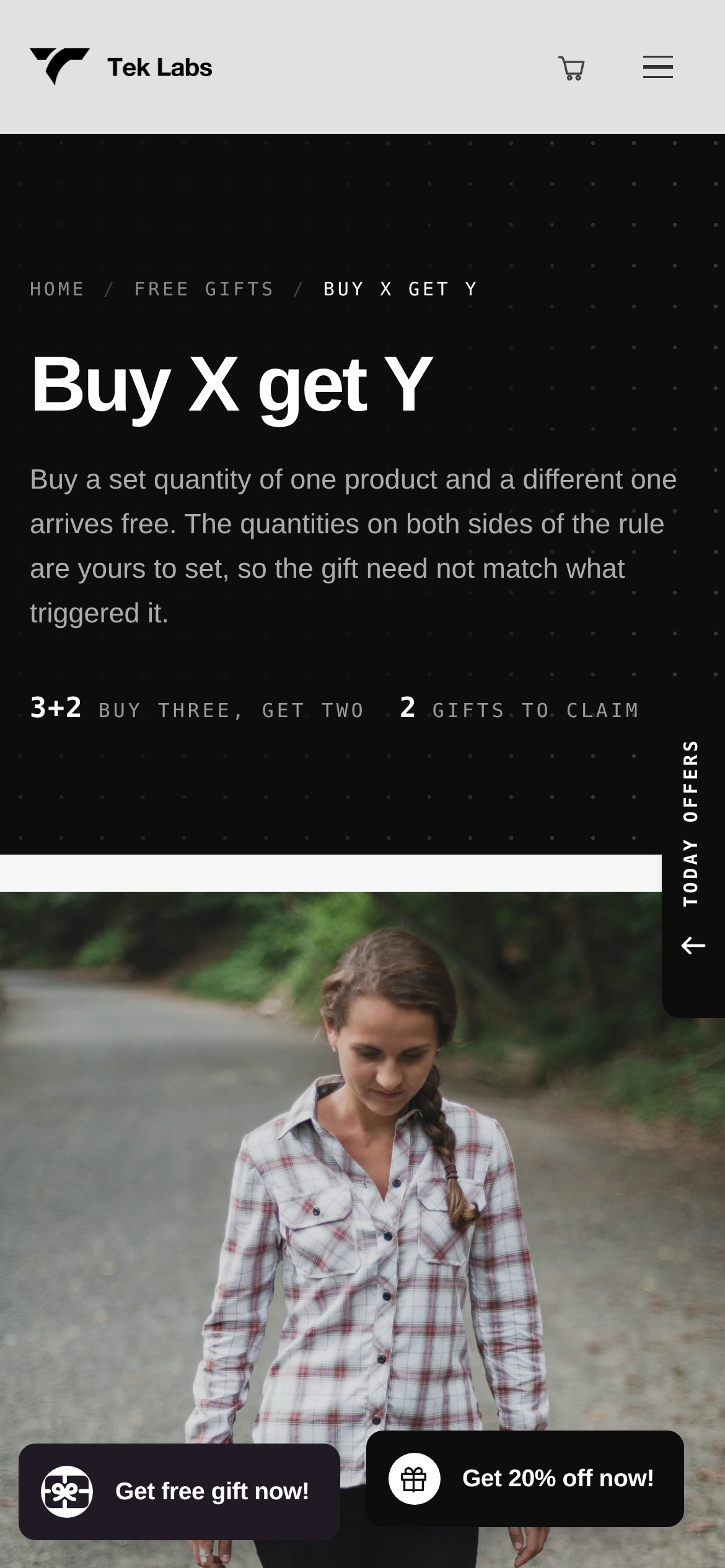
- Add a qualifying product from the product page and from a collection page. Watch whether the drawer opens and shows the offer in both cases.
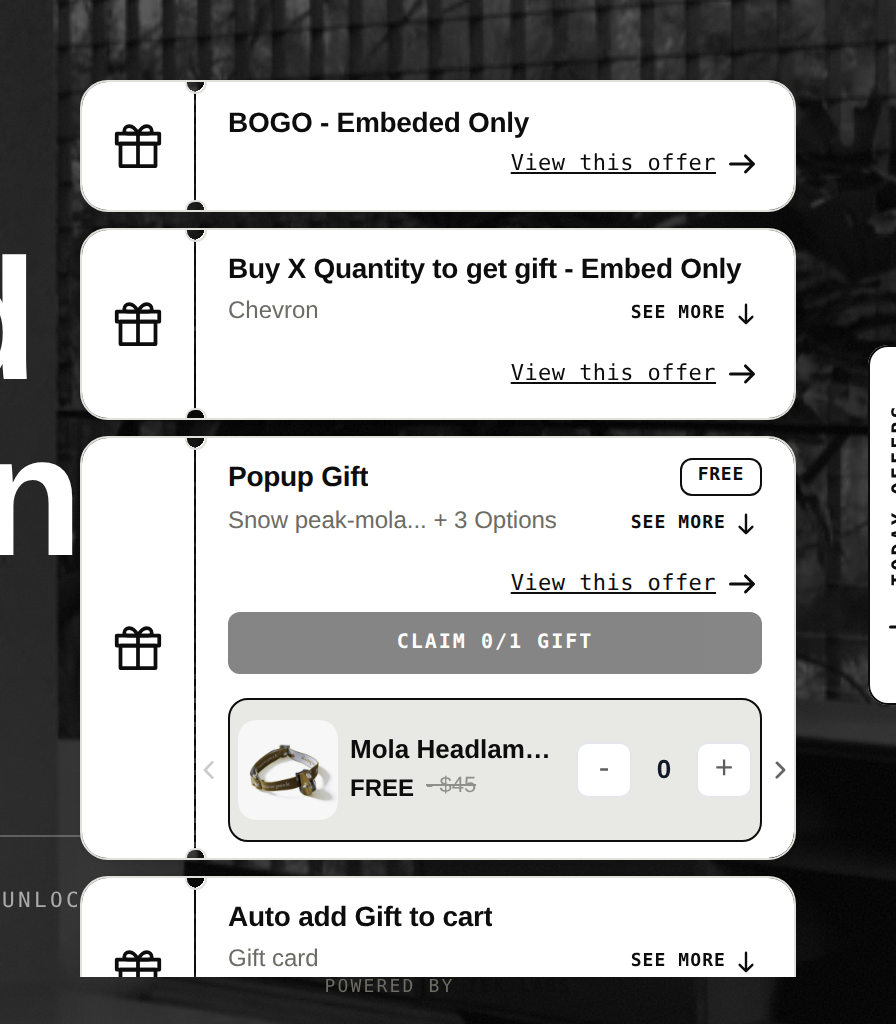
- Check that an app embed is switched on in the theme. Shopify describes app embeds as elements that float or display as an overlay in your theme, or add code without being visible to customers, and they are turned on in the theme editor.
- Open the cart in a slow connection state. Slow loading is when shoppers press checkout before the gift has been added.
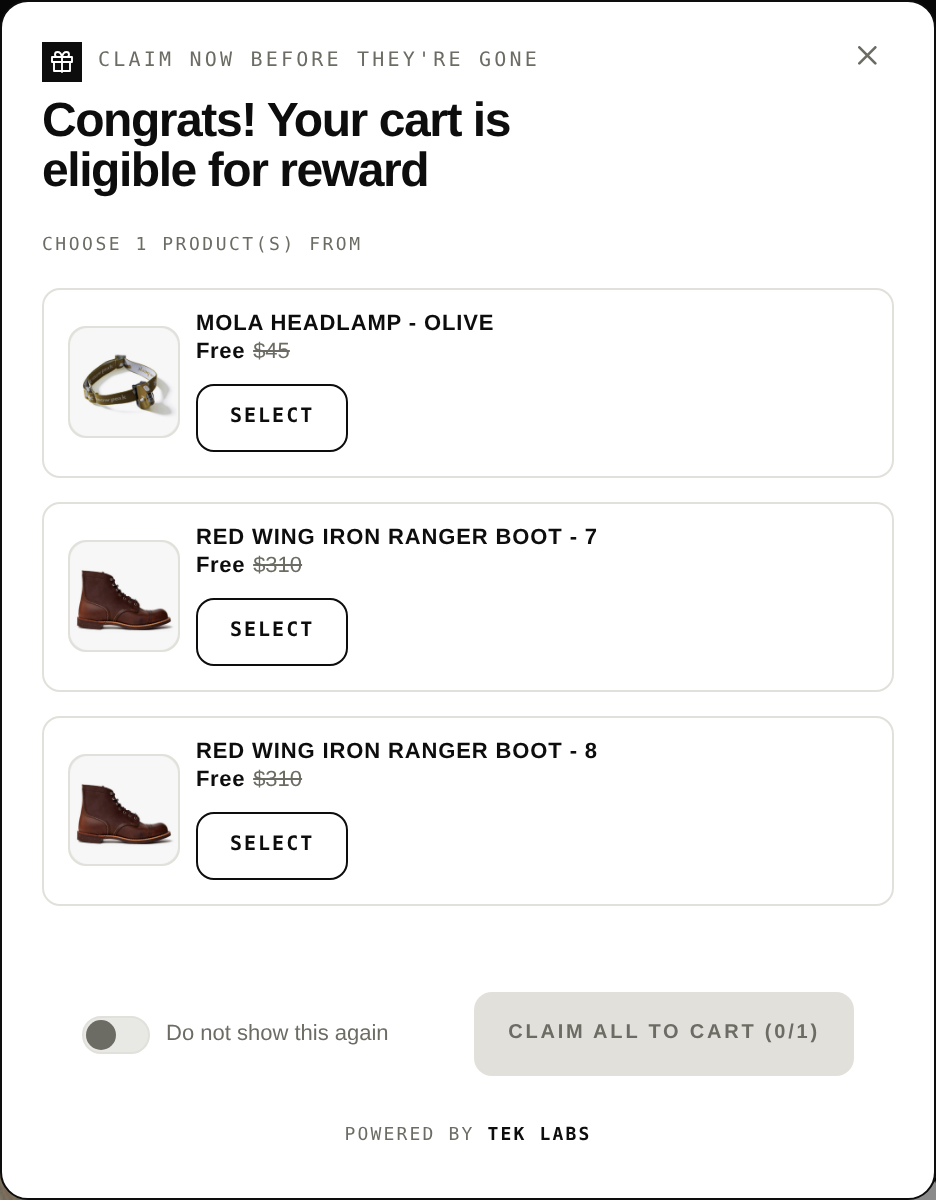
- Tap through the gift selector, the decline button and the close button. Check that tap targets are large enough.
- If the store has a “Today offers” panel or similar summary, check it lists only offers that are live.
Checkout and payment
Walk the whole path from cart to confirmation email for each offer. The checkout is where Baymard’s data shows the largest losses: of the reasons shoppers give for abandoning, 40 percent cite extra costs that are too high, 17 percent a too long or complicated checkout, and 17 percent website errors or crashes, against an average documented abandonment rate of 70.22 percent. A free item that disappears at checkout or a discount that changes the total unexpectedly feeds those numbers directly.
- Place at least one test order per offer, with and without a code.
- Confirm the gift line shows at 0.00, not at a reduced price, in the order, the confirmation email and the packing slip.
- Check taxes and shipping on orders where the gift is the only physical difference.
- Remember that Buy X get Y discounts created in the Shopify admin do not apply to the post-purchase page. A post-purchase offer is a separate funnel and needs its own test, including a decline path. Our post purchase upsell page explains how those offers work and that they do not need Shopify Plus.
- Cancel the test orders so they do not distort reporting.
Step 5: launch day and monitoring (Nov 20 to Dec 1)
A freeze means no edits to offers, themes or discount settings after a set date unless something is broken. Pick 2026-11-20 and tell everyone who has admin access. The week before Black Friday is for fixing what the final test round found, writing the emails and ad copy so they match the live offer text exactly, and scheduling the start and end dates.
During the weekend, check three things at fixed times, for example 9 a.m., 1 p.m. and 6 p.m. in your store time zone: whether the offers still show, whether the gift is still in stock, and whether conversion rate and average order value are moving the way your model says. If you use Free Gifts BOGO & Upsell, its offer analytics show how each offer performs, and Shopify’s own reports show the rest. Do not change the offer in the middle of a peak hour unless it is losing money, because every change needs a retest.
Recovery plan
Write the rollback steps before you need them. The one that matters most: how to switch off a single offer in under two minutes. Name who can do it, where the toggle is and what the shopper sees afterwards. Keep a screenshot of the final live settings, so you can compare against it if numbers look strange.
Timeline: from today to Cyber Monday
This schedule assumes the work starts the week of 2026-10-05. If you are later, compress the build and keep the test and freeze dates.
| Dates (2026) | Work | Owner | Done |
|---|---|---|---|
| Oct 5 to 11 | Pick the three offers, write the cost per order, set thresholds | Marketing and finance | |
| Oct 12 to 18 | Build offers in preview, set start and end dates, remove old automatic discounts | Store owner or developer | |
| Oct 19 to 25 | Test round 1: single offers, discount combinations, gift stock count | Whoever builds | |
| Oct 26 to Nov 1 | Test round 2: markets, currencies, mobile cart drawer, checkout, post-purchase | Second person | |
| Nov 2 to 8 | Order extra gift stock, brief support, prepare email and ad copy | Operations and marketing | |
| Nov 9 to 15 | Early access email list push, soft-launch to subscribers if you plan one | Marketing | |
| Nov 16 to 19 | Final regression test on a clean browser and a phone | Second person | |
| Nov 20 | Freeze: no changes to offers or theme | Everyone | |
| Nov 23 to 25 | Spot check, confirm scheduled start times in admin time zone | Store owner | |
| Nov 26 | Thanksgiving: monitor, early deals may already be running | Whoever is on call | |
| Nov 27 | Black Friday: checks at 9, 13 and 18 | On call | |
| Nov 30 | Cyber Monday: same checks, review stock of the gift | On call | |
| Dec 1 | Review results, switch off offers that ended, write notes for next year | Team |
Shopify’s own planning guide suggests a similar order: audit in September, build email lists in October, run the main promotions in November and focus on retention in December. If you have already passed the early part, finish the offer tests first, because everything else depends on them.
The one-page BFCM offer checklist
Copy this table into a sheet or print it. It repeats the checks above as short lines, grouped by area. Use one copy per offer.
| Area | Check | Done |
|---|---|---|
| Strategy | Offer sentence written: who, what, cost per order, end date | |
| Strategy | Margin per order is above zero at the threshold | |
| Strategy | Terms (threshold, eligible items, end date) visible in widget and ads | |
| Build | Start and end dates set in the correct time zone | |
| Build | Old automatic discounts removed, count below 25 | |
| Build | Offer priority and combination settings chosen | |
| Build | Theme app embed turned on in the theme editor | |
| Stock | Gift and bundle component stock counted per variant | |
| Stock | Gift cap or usage limit set | |
| Stock | Gift product active and tracked | |
| Test | Offer alone, offer plus code, offer plus sale price | |
| Test | Remove item, reduce quantity, increase quantity | |
| Test | Each market and currency checked | |
| Test | Mobile product page, cart drawer, checkout on a real phone | |
| Test | Post-purchase offer accept and decline | |
| Test | Test orders placed and cancelled | |
| Launch | Freeze date announced, rollback owner named | |
| Launch | Email and ad copy match the live offer | |
| Monitor | Three daily checks of offer visibility, stock and conversion | |
| Review | Results and notes saved for next season |
Common mistakes
- Testing only on desktop, then discovering the cart drawer hides the gift on mobile.
- Assuming the free item is added by Shopify’s native Buy X Get Y. It is not, so a shopper has to add it and the offer must say so.
- Stacking a sitewide sale on top of a BOGO without checking what happens to the margin. Shopify blocks many product-discount combinations, so the result may differ from what you expected, and either way you need to see it.
- Forgetting that the free gift counts against stock and shipping weight.
- Changing offers during the peak hours and leaving the live offer and the email copy out of sync.
- Not deleting last year’s discounts, which can still be active and consume part of the 25-discount limit.
Where an app can help, and where it cannot
An app can add things native discounts lack: auto-add, gift choice, progress bars and widgets in the cart. It cannot replace the test plan. Whichever route you pick, run the same checks. If you want to see how an offer behaves on a real storefront, the demo stores linked from the Free Gifts BOGO & Upsell page show the widgets in context. When you are ready to set up gifts, BOGO and tiers together, Free Gifts BOGO & Upsell has a free plan, so you can build and test the BFCM set before you decide anything else.
Frequently Asked Questions
When is Black Friday and Cyber Monday in 2026?
Black Friday 2026 is on Friday, November 27, the day after US Thanksgiving on November 26, and Cyber Monday is Monday, November 30. The National Retail Federation describes the period as a five-day event that runs from Thanksgiving Day through the following Monday.
How early should I test my BFCM offers on Shopify?
Start building by mid-October and finish the first test round by the end of October. Roughly two in five holiday shoppers begin buying before November, so offers that go live in early November should already be tested. Freeze changes about a week before Black Friday.
What should I test before launching a free gift or BOGO offer?
Test the offer alone, with a discount code, with a sitewide sale, after removing an item, in every active market and currency, on a real phone including the cart drawer, and through checkout with a test order. Also check gift stock and that the gift line shows at 0.00.
Does Shopify add the free item automatically in a Buy X Get Y discount?
No. Shopify’s help center says customers must add all items to their cart manually, and the free or discounted item is never automatically added. An app is needed if you want the item added for the shopper.
How many discounts can be active on a Shopify store at once?
Shopify allows a maximum of 25 active automatic discounts, including app-based ones. A customer can use up to 5 product or order discount codes and 1 shipping discount code on the same order.
Should I run a post-purchase offer during BFCM?
It is worth testing if you have room in your plan. Post-purchase offers show right after payment. They need their own test because Shopify’s Buy X get Y discounts do not apply there.